Topaz Video Official Release
We’re excited to announce Topaz Video with an incredible new set of AI models and capabilities as a part of our larger Topaz Studio bundle of products and some of our most exciting features to date.
Here’s a quick preview of what’s in this release:
- Brand new Nyx XL denoising AI model for all platforms. Denoise while preserving significantly more detail than ever before.
- New AI Model Variant: Starlight Sharp: One of our most powerful diffusion-based video restoration models gets even more detailed. Starlight Sharp can restore with an extra level of crispness not present in any other offering. Super demanding, currently available on Windows NVIDIA platforms for local rendering, or on the cloud.
- Live Frame Preview is a game-changer that allows you to instantly few updates as you adjust model parameters and settings in the app. This makes your workflow so much better. Note this feature is in Beta and doesn’t currently jive with some models like Starlight.
- New General Enhancement Preset + Tuning: Not just a new enhancement preset that works in most scenarios, but also a single slider that dynamically adjusts multiple model settings as once to get the best results possible. A huge time-saver! You’re going to love this one.
- Right Panel Updates: We’re continuing to refine the right panel to make it easier to do what you need to do as fast as possible. Presets are now easier to access than ever, and we’ve simplified the way we present models and settings. Clean!
Get the latest version now!
v1.0.0
Mac: Download DMG | Download PKG
Windows: Download
Released September 16, 2025
There’s so much more coming, and I’ll talk a bit more about that at the end of the post. But I also know that you probably have questions about Topaz Video and our Studio release!
What is Studio?
Topaz Studio is our collection of the latest edition of our desktop apps (Topaz Video, Topaz Gigapixel, Topaz Photo) as well as our web applications (Bloom, Astra, Express), mobile iOS app, and more! In short - it’s everything that Topaz has to offer to enhance your images and videos.
How does Topaz Video fit into Studio?
Topaz Video is available as a part of our new Studio Launch. With this launch, Topaz Video will only be available under a subscription license. Topaz Video will install into a new directory so you can try it out, and of course you’ll still have access to Video AI forever under the legacy perpetual license. Note that new features and new AI models will be coming only to Topaz Video, along with the other products in the Studio suite.
What if I already own Video AI or other Topaz products?
Purchased a Topaz product within the last year? Then you get to try Studio for free for the length of your remaining license. You’ll also get some extra benefits.
If you are a Topaz customer with an active license and you maintain your new studio subscription, you’ll be considered a Topaz Founding Customer which will give you access to some of our more powerful Pro models such as Starlight and other Pro features at no extra cost as well with your Individual license of Topaz video.
Can I buy the individual products or a perpetual license?
Topaz Studio is an incredible value - all for one low monthly price. You can still purchase subscriptions to the individual products as you wish, but you’ll get the best value with the Studio or Desktop collection bundles.
We will no longer sell perpetual licensed products moving forward, but we will continue to update them to maintain compatibility with major OS updates for as long as possible.
When will I get my free studio upgrade and access?
Please note that the transition plan is underway and may take a few days - but if you’ve already purchased and hold an active license for Video AI, or if you own more than 2 Topaz Products on an active license, you’ll have automatic access to Topaz Video at no extra cost once the transition is complete. We’ll keep you updated via email, and you can check the status of your account on the My Account page.
More questions?
If you have questions about the transition to Studio - please post them in this forum thread where Eric talks about the intention behind the release and our future plans:
We know many of you are adjusting to the new subscription model, and our goal with this update is to make Topaz Video more valuable and accessible than ever — so you can spend less time worrying about limitations and more time creating.
Now - on to the latest and greatest updates available in Topaz Video!
New Starlight Model Variant: Starlight Sharp
A new addition to the Starlight family of models, Starlight Sharp excels at processing low-resolution footage, delivering superior results for even the most challenging content.

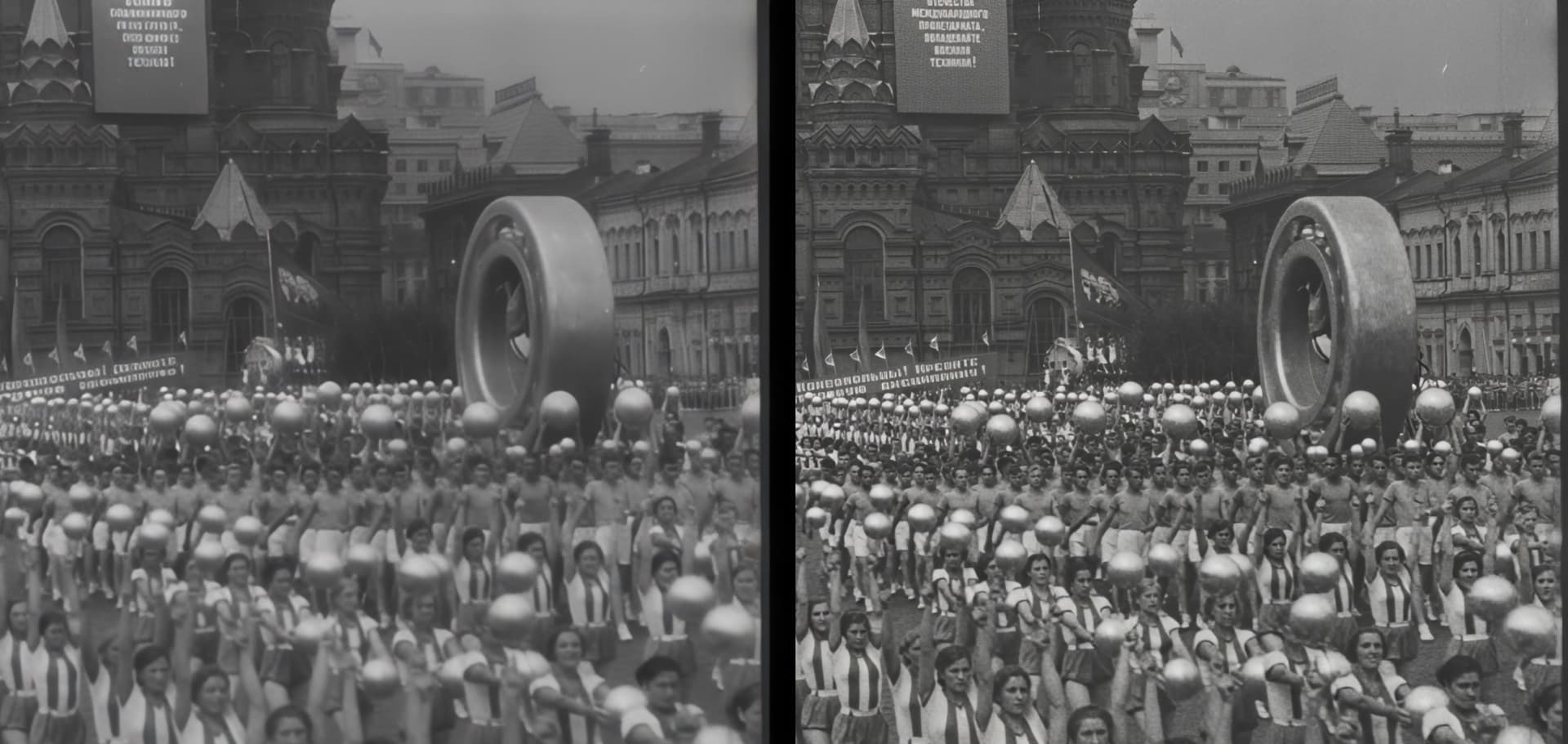
The model provides improved handling of smaller faces and facial details for enhanced clarity, while producing noticeably sharper and more detailed enhancement results compared to previous offerings.
- Dual Deployment Options: Available on both cloud and local platforms for maximum flexibility
- Multi-GPU Support: Leverages multiple NVIDIA GPUs in parallel for enhanced processing capabilities
To access Starlight Sharp - click the “Starlight” model family and select the Starlight Sharp model variant.
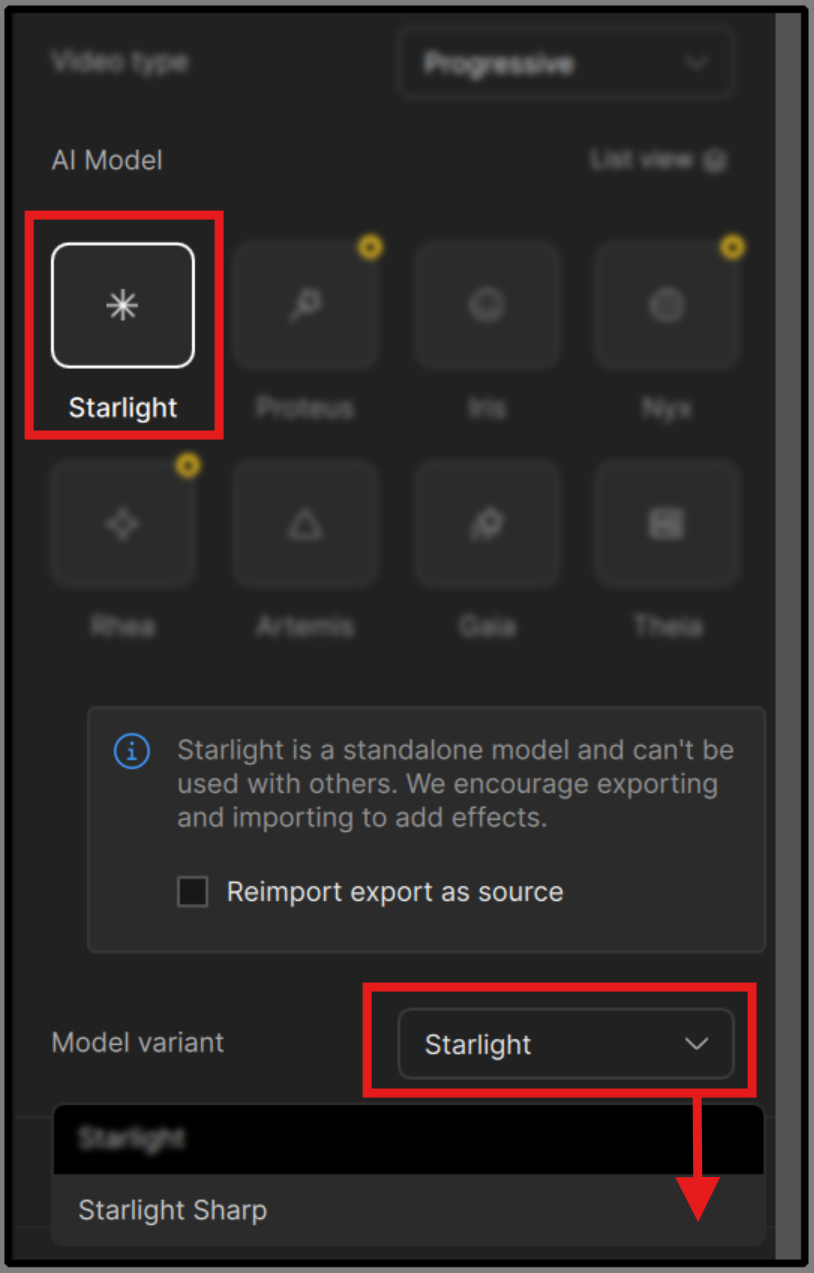
Starlight Sharp, can generate native 1080p outputs out of the box, or scaled 4K outputs using a special second pass. 4k outputs are currently using a Nyx variant under the hood for the second stage upscaling process.
Please note that Starlight Sharp is currently only available for local rendering to Windows users with NVIDIA GPUs, and is quite demanding in terms of VRAM, requiring 16GB of VRAM in order to run the model effectively.
Important Notes
- Local rendering is only available to Founder and Pro users
- Cloud Rendering options are available for all users
- 16GB VRAM required to run this model
- Currently available only on Windows + NVIDIA GPUs
- Longer render times expected due to increased model complexity
- 1080p or 4k output options available
- Standalone enhancement and cannot be combined with other filters
- Use square-pixel video footage at or under 1920x1080 to avoid aspect ratio shifts
- If working with interlaced videos, we recommend de-interlacing first before enhancement
- Text that is too small, blurry, or inconsistent may not be processed correctly
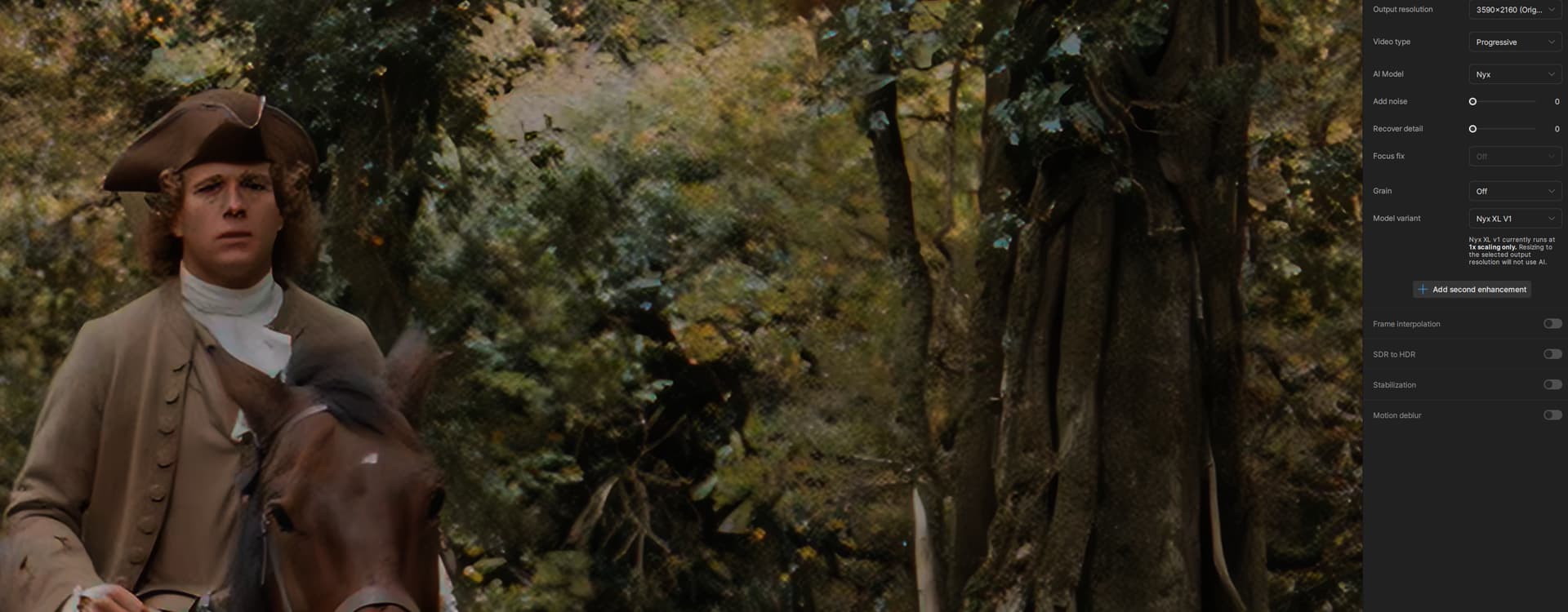
New Nyx XL Model
Yet another new AI model, but this time added to the Nyx family of models for incredible denoising.
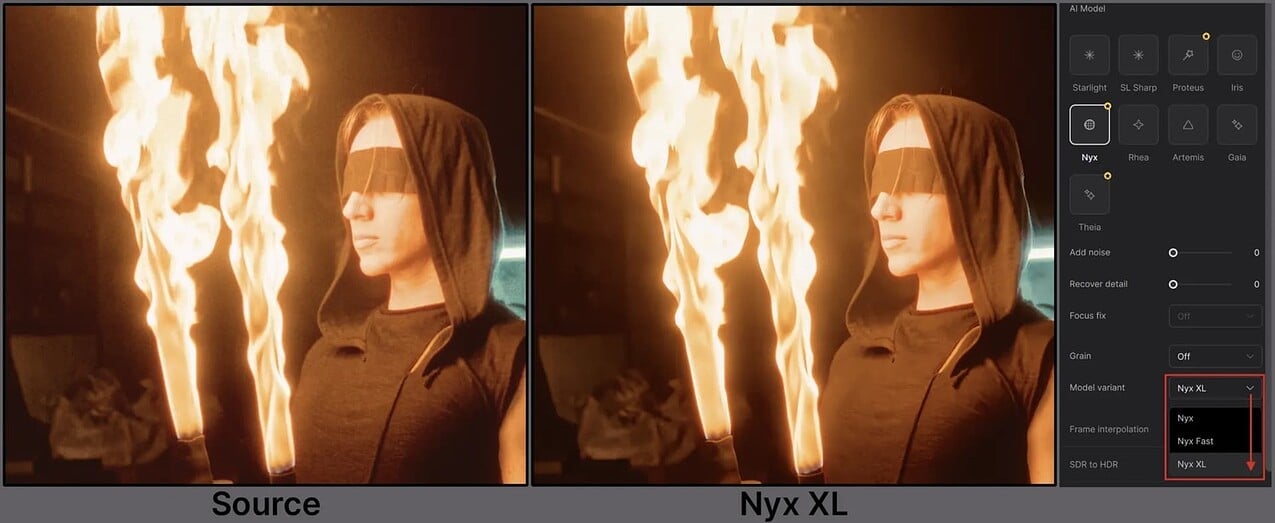
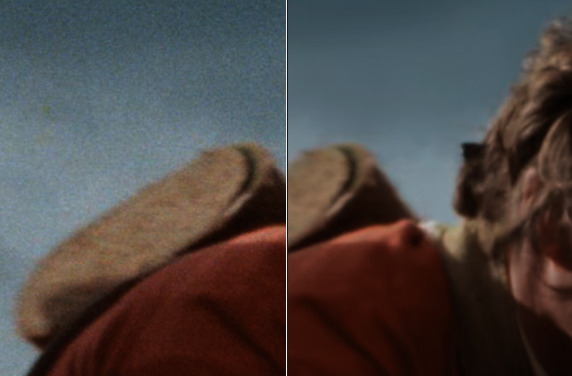
The original Nyx is primarily a denoise model tuned for preserving detail in high-resolution input footage. Nyx XL takes this to the next level by learning the frames and outputting a clean and sharp output.
Nyx XL is optimized for sharpening and denoising a wide variety of footage in many lighting conditions.
This model is geared for high quality and high resolution media.
Nyx XL lends itself as a great chaining model, when merging with a different enhancement. A great results occurred when coupling Proteus with Nyx XL as the second enhancement. What kind of chaining combo can you make with Nyx XL?!
Notes
- This is a more complex and heavier variant of the Nyx Model series. Please note, that this will currently produce slow render times. This is something that we are looking to make more efficient.
- Currently available on both Mac and Windows.
- Please note that previews can take quite a while to render.
- It’s not recommended to use with Seek Render due to long processing.
- This is a one size fits all type of model, so there are no modifiable settings.
- Though Nyx XL is not limited by a resolution size, this variation of the model is not an up-scaler. Essentially, it will function at the resolution you input and render out the same. Though you can output at a higher resolution, the details and quality will be based on the original input resolution.
- Please keep the long processing in mind with your machine’s capabilities/resources when calculating larger resolution sizes.
Live Frame Preview
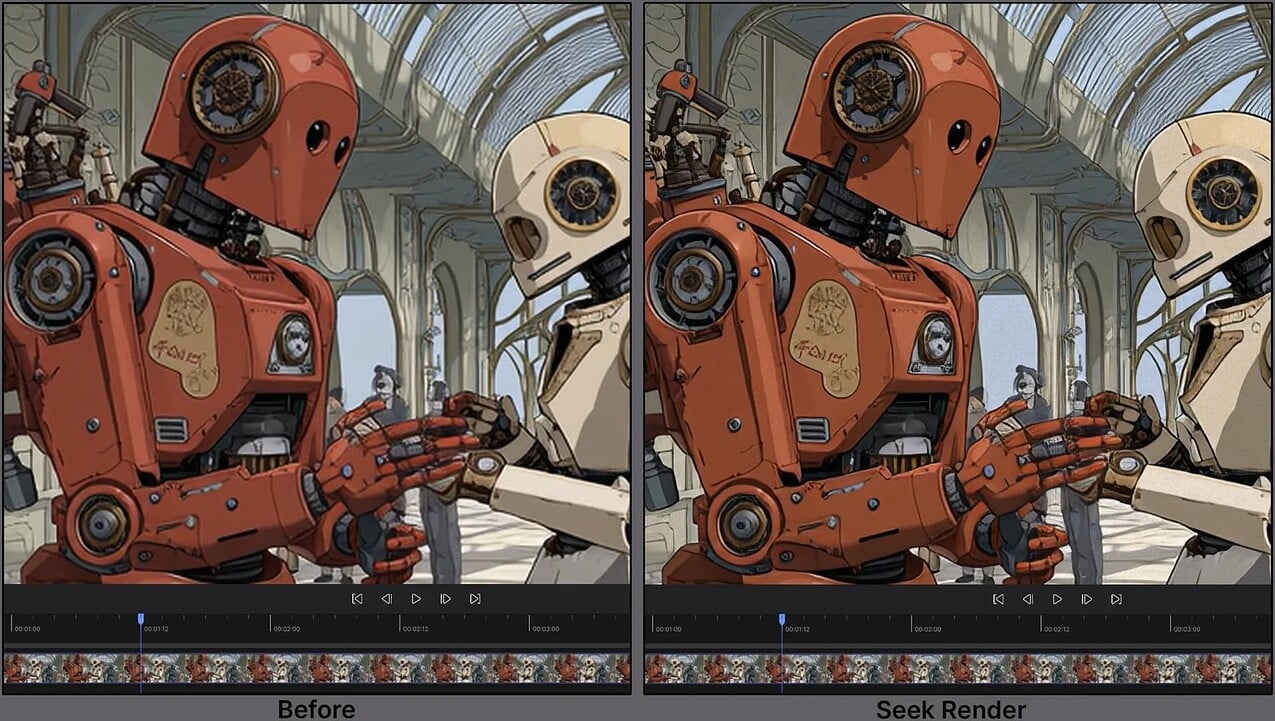
You can now generate Live Frame Previews inside of Topaz Video, just by moving the playhead around with your current model settings.
Essentially, when you stop on any frame with an enhancement, the frame you are on will automatically load with an instant preview of said enhancement. Note, that this will not pre-render a range, just the single frame. The purpose for this is to get immediate feedback as you modify settings to find the results you are looking for.
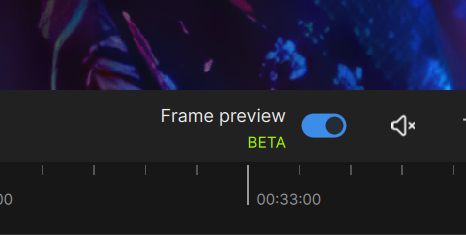
You have the option to disable this feature by switching the toggle “on” or “off” above the screen right side of the timeline. Currently, this is disabled by default.
Notes
- This will still function if you have live render in preview enabled. If enabled, the live render will update if the video is played.
- Seek render supports one or two enhancements, motion deblur and frame interpolation at this time.
Starlight AMD & Mac Support
At long last - Starlight - one of our most powerful video restoration models ever, now runs on Mac and Windows systems with AMD GPUs in addition to the current Windows NVIDIA support. We will continue to optimize performance and quality of this model, but we’re excited to give you early access.
The model is also now a part of the Starlight “family” model selector, and loses the “Mini” designation, as it actually outperforms the base model in most scenarios. We will be building future versions of Starlight with new architectures over time - Starlight Sharp being the first in the series of next gen variants.
Please note that these Mac and AMD models are in Beta, being converted specifically for these platforms. As a result of platform architecture and the way that floating point operations are handled, there will be a small quality difference as well as a difference in system requirements (particularly VRAM) for these versions of the model. More in the notes below.
Notes
- Local rendering is only available to Founder and Pro users
- Currently listed as “Starlight” on the AI Model list, no longer “Starlight Mini”
- This iteration of the AI model is both complex and resource heavy. Depending on the hardware you are using (AMD, MAC or NVIDIA) the performance can vary and take hours to process pending the media input. We will work to improve performance over time.
- It is recommended for AMD, to have 20GB of VRAM.
- The recommendation for Mac is to have 36GB of RAM
- 12GB of system RAM required to run this model
New General Enhancement Preset with Tuning
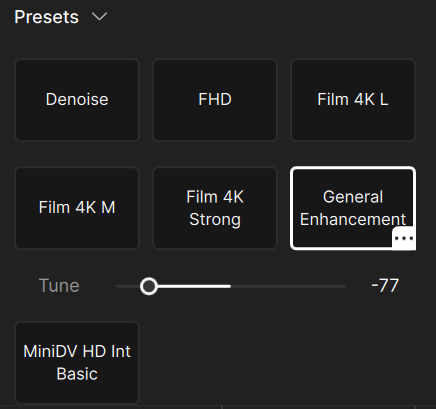
Try the all new Tunable Preset: General Enhancement! The first of it’s kind, this specialized preset is built on three setting into one. As you move along the slider, this will adjust the preset parameters automatically so that you can determine how light or aggressive you want to modify the preset. At default, the modifier is centered between the two extremes.
General Enhancement has the following properties that it’s addressing: sharpness, compression and detail. This preset can also be utilized as an up scaler.
Right Panel Refresh
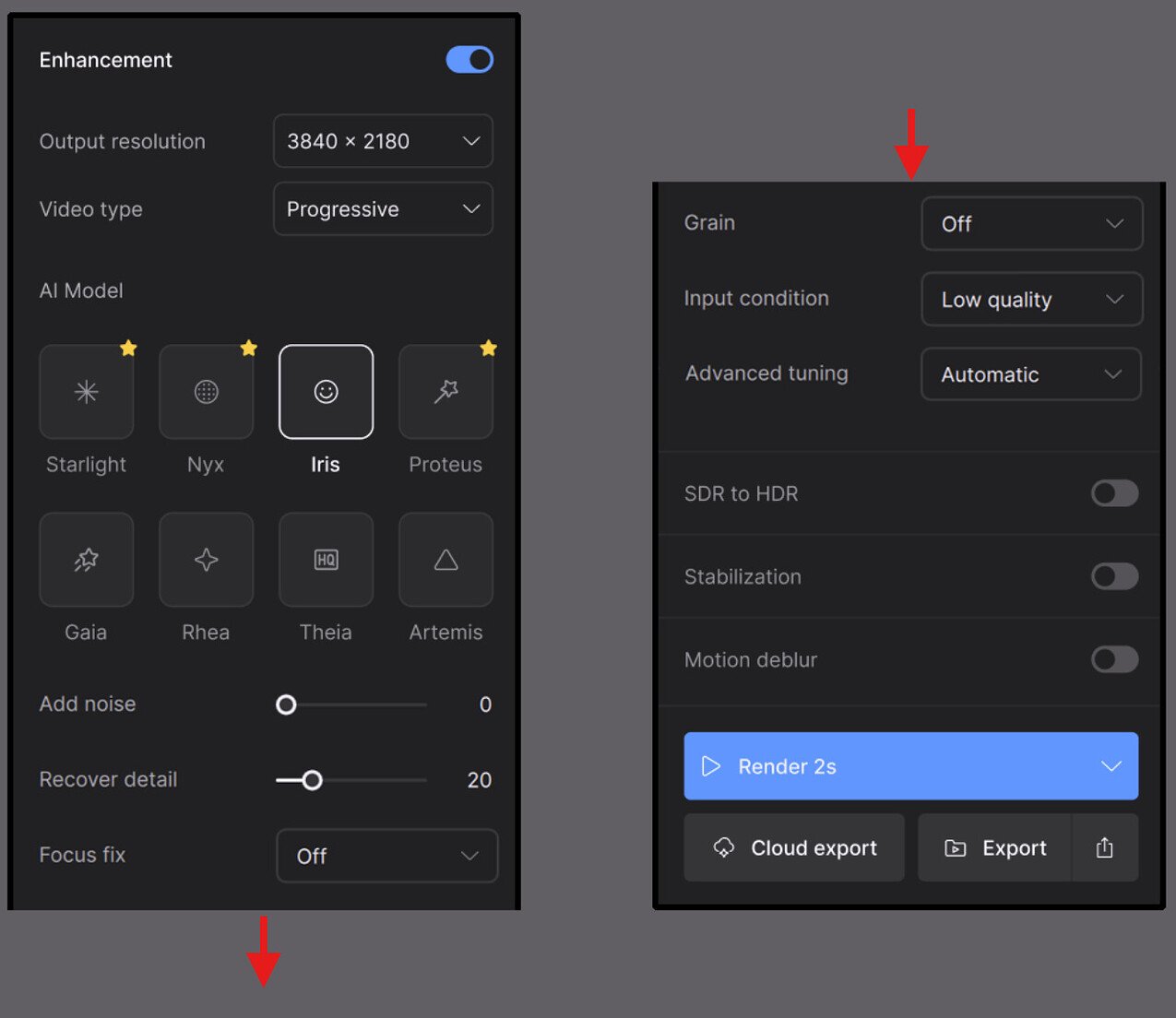
We’ve made a number of updates to the right panel in Video AI to make it more accessible, especially for new users.
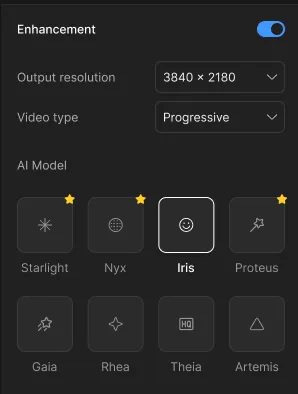
In user interviews, we found that many users had difficulty finding essential tools like Starlight Mini, de-interlacing models, or presets. Others mentioned that the UI felt inconsistent and hard to navigate, especially when trying to understand how different enhancement settings worked together.
We’ve taken time to do a refresh of the right panel to make powerful tools more accessible, and ensure a better first-time experience that increases success with the application.
- Clearer organization of enhancement options, with more intuitive grouping and consistent naming.
- Improved discoverability for models like Starlight Mini and de-interlacing.
- Presets are now easier to find and manage, making it faster to get back to your favorite workflows.
- Refined parameter labels and controls, helping reduce confusion on usage and prevent mistakes.
- Advanced Tuning is where you can chose your mode for the enhancement and modify accordingly.
We believe these changes will reduce friction for new users, streamline the editing experience for existing users, and ultimately help everyone get better results faster.
Coming Soon
Topaz Video v1.0.0 is just the first release for our new Studio collection of desktop - and we have so much more in store.
Improving the overall performance and reliability of the application will be one of our primary targets - but there’s also plenty of new capabilities coming soon to Topaz Video.
We’ll be continuing to expand plugin capabilities, including BlackMagic Fusion Studio, Nuke, and even Premiere Pro and Final Cut Pro among others.
Keep an eye out for new, powerful AI models for sharpening, denoising, upscaling, enhancing, and restoring videos - with new AI model architectures making our results better than ever before, and restoring footage that otherwise would have been entirely lost.
We’ve also been noticing that you can get the best results by stacking models on top of each other in workflows which are currently only possible in external editors. We want to make this easier and more accessible. Likewise, supporting external mattes/masks to allow for partial enhancements of different regions of your video also comes highly requested.
Lastly, we’re targeting professional capabilities such as unlocking colorspace and resolution limits that are imposed by our current app architecture - allowing you to upscale beyond 16K, full support for EXR and ACES, and much more.
Stay tuned for more from the Topaz Video team, and let us know what you’d like to see more of in the future!
All the best,
Dakota Wixom
Director of Product
Topaz Labs
Notes
- Plugins are not included at the moment. They’ll be added in a patch shortly.
- Your presets won’t be copied over automatically.
- Note: We will be extending our current EXR & DPX support to Founding customers shortly with the next update at no extra cost, otherwise will be available only to Pro license holders. EXR & DPX support will be expanded in future releases.
- We are working to formally support Mac OS 26 (Tahoe) which was just released. Support will come to both Topaz Video (Studio) as well as the legacy Topaz Video AI app. Some users are reporting that the app works fine here, but we’re still running formal QA on this OS.