used codec PRORES
Not yet, but we’re monitoring the multi-language traction here. It’s a lot of extra work for the team to maintain.
3 Likes
Yeah if you don’t own Video AI then this won’t work for you until the Studio transition is complete for your account. This may take a day or two.
2 Likes
How much RAM are you working with? RAM requirement is high for Mac on Starlight right now.
1 Like
64 GB of RAM
Which codec do you export to?
I had one (out of three) attempts error’d out as well and think it might be due to Prores set as output codec. h265 seems to work fine.
-Of course this could’ve also been concidental…
So, I just did some tests with image series as source. Sadly, the bug introduced with 7.2.0.2b is still present: Export to images is still not possible. The app does render, but the output folder will be empty. Export to video works, though.
Of course I could export to ProRes and continue in Premiere but I prefer the output as images for my Super 8 footage.
I also noticed there is no preview without “frame preview” activated when using an image series as source. What I mean is I can see the film strip but even in single view the screen remains black. With a video source everything works as supposed to.
logsForSupport.zip (66.2 KB)
I did a few test.
But first:

Bugs:
- Exporting as individual images (Tiff/PNG/jpg) does not work. (The model loads, the calculation takes about 2 minutes, then aborts without errors. The output folder is empty.
- The program won’t quit; I have to close it with Task Manager! (Same as in Beta)
Speed:
640x480 25fps 1min27:
Starlight Sharp (“original size”=960x720): 16min1
For comparison:
StarlightMini (beta7.2.0.3b), 960x720: 20min 45
Starlight Sharp:
- Displayed speed is incorrect (should be calculated differently/correctly).
- No preview is displayed.
- At FHD resolution: An …mkv.temp…mp4 file is created that cannot be played.
(With all other models, I can play the output file at any time while rendering. I always deactivate “Enable externally previewable exports” and have no problems with it.)
8 Likes
Hahaha! We’re still working on the optimized version of Starlight for Windows. It didn’t make the cut after Beta feedback due to quality, so the version of Starlight here is the same as before. Mac and AMD versions made the cut, but the system reqs here are high and we’re still improving model quality.
Starlight Sharp is indeed currently faster than the un-optimized Starlight.
1 Like
Early Founder here, two apps and switched to Studio 1.0 of Photo and Video with a small amount of trouble (too many updates instead of just being able to uninstall 4 and install 1.0)… but can and (and HOW can I) use the web apps like bloom? My usual Topaz-Login does not seem to work?
You’ll get full Studio access (which will include Bloom access) once your account is fully transitioned. This may take a few days, just bear with us  You can also just purchase Studio as a founder for the same price if you want to upgrade yourself manually, that would be immediate.
2 Likes
Hi.
I’ve been playing around with Video Ai 7 and with the local and cloud version of Starlight-Mini over the last few days.
-
I’m testing old 160p CGI videos in RGB, and the cloud version produces terrible colors on fine lines, whereas the local version produces clean colors.
It looks like all videos are first converted to the 4:2:0 color space before being uploaded to the cloud.
Is there any way I can prevent my videos from being reencoded before uploading, or at least force 4:2:2? -
The download from the cloud has a very low bitrate, and when I upload the output again for a second pass, it is reencoded again?..
It also looks like the color space exported from the cloud has changed to Rec. 601 instead of Rec709 ?
for example the red colors has now a shift to orange.
Regardless of whether I use 320p or 1080p as input, it looks like Rec. 601 is always used. Is that possible?
Visually, the local verison of Starlight-Mini looks sharper, because of the low bitrate from the cloud.
Will it be possible to set the output format in the future?
1 Like
At first start of TopazVideo I get to choose between the standard and “Pro” license.
Are there any caveats / disadvantages when choosing Pro over standard? Especially regarding the use on more than one computer? We had 2 seats for most Apps before, is that true for the “Pro” license as well?
I alternately use VideoAI on a Mac and a WindowsPC with Nvidia gfx card.
Been bitten with such before (with Splashtop Remote).
1 Like
When its in cloud render, I am not sure there is an option for a codec. For local export I use H265.
Oh, I didn’t see you were trying the cloud render..
Trying starlight 1 sec preview locally on Silicon M1 Max 64 GB RAM:
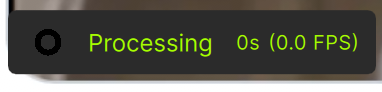
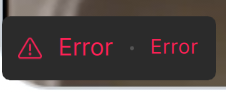
Hmm, never tried preview myself but always “export”.
both fail on my end…
Did it work in the last Beta?
(Because of the unanswered question above regarding possible downsides of the Pro license I didn’t test the actual Studio version but can only speak about the last 7.2.0.3.b - but someone told here that the MAC / AMD models came over from that Beta so they likely should behave the same…)
I hope that AMD GPUs of the future will be as fast as the one of Nvidia for TV.
https://videocardz.com/newz/amd-officially-releases-rocm-7-0-with-instinct-mi350-cdna4-support
