Can anyone tell me whether if I use an older version of Video AI whether Iris v1 will be faster on apple silicon? I’m looking at .3fps at the moment on an m3 max
I’m dying to know this too. I had to get another computer to just run Iris and it’s saying three days.
I’m not a beta tester. Is there anything in the beta that speeds it up?
No. Older versions will still download the new slow models.
I only have a partial set of Iris V1 model files that are a bit faster for the 2x upscale. When you copy those over you get a bit better speeds.
Unfortunately I don’t have the old model files from the 3.4.0.1.a Alpha that was really fast: Iris ran at the same speed of Proteus there.
Better speeds with the same quality?
Would you mind uploading those so I can try?
Why wouldn’t topaz make the old version available or revert it?
Also is there a reason a 4x upscale would be faster than a 2x upscale using Iris LQ?
Perhaps I should upscale 4x and resize it. Madness.
This is a good question that I asked before. The reason for the new slow models was severe artifacting with Iris under the first Sonoma versions. Still, even there you could circumvent this if you just started TVAI under Rosetta (interestingly enough near without a speed-penalty).
The fixed models had no artifacts but wer and still are MUCH slower.
But I found out (more by coincidence) that now even older, formerly artifacting models run flawlessly, so Apple seem to have fixed something?
I tried to dig out some Time Machine installations from the past (still not completed) but as it seems I don’t have a copy of the fastest Iris V1 models and no old fast model files for Iris V2, unfortunately. Also my Iris models while faster for 2x upscales than the actual version are slower for the 4x upscale. And there are also differences whether you upscale SD content or FHD content.
Plus, those older models work a bit different in general as they’re faster with RAM set to 10% when upscaling SD content (as it is with Artemis and Proteus as well) while the new slower ones are in fact faster even with SD material when you set RAM to 100%. So a direct comparison in speed isn’t that easy as you’d have to put the fastest config of old model vs. the fastest config for the new model against each other.
I’m still playing a bit with this and have partially completed a .zip file with models that are faster but progress got a bit slow due to few time in the last weeks.
The Iris 2x upscale is the one which is broken the most (speed-wise). And unfortunately this is my most common use case: upscale SD / DVD content 2x.
Likewise.
One of the older and faster models isn’t the one posted here is it?
that’s unfortunately just the Iris.json and not the actual model files and MLCache folder which apparently play a major role for the speed as well.
Just a comparison between the (already not so fast) 3.5.0.0 and the 4.0 version here on my M2 Ultra as an example how Iris 2x did suffer:
Topaz Video AI  v3.5.0
System Information
OS: Mac v14
CPU: Apple M2 Ultra  64 GB
GPU: Apple M2 Ultra  48 GB
Processing Settings
device: 0 vram: 1 instances: 1
Input Resolution: 1920x1080
Benchmark Results
Artemis		1X: 	16.21 fps 	2X: 	10.25 fps 	4X: 	02.82 fps
Iris		1X: 	11.47 fps 	2X: 	05.95 fps 	4X: 	02.49 fps
Proteus		1X: 	15.45 fps 	2X: 	09.65 fps 	4X: 	02.55 fps
Gaia		1X: 	04.76 fps 	2X: 	03.59 fps 	4X: 	03.20 fps
Nyx		1X: 	04.24 fps
4X Slowmo		Apollo: 	15.71 fps 	APFast: 	68.67 fps 	Chronos: 	05.04 fps 	CHFast: 	06.50 fps
Topaz Video AI  v4.0.0
System Information
OS: Mac v14.01
CPU: Apple M2 Ultra  64 GB
GPU: Apple M2 Ultra  48 GB
Processing Settings
device: 0 vram: 1 instances: 1
Input Resolution: 1920x1080
Benchmark Results
Artemis		1X: 	14.77 fps 	2X: 	07.60 fps 	4X: 	02.65 fps
Iris		1X: 	07.37 fps 	2X: 	02.76 fps 	4X: 	02.53 fps
Proteus		1X: 	14.81 fps 	2X: 	08.48 fps 	4X: 	02.51 fps
Gaia		1X: 	05.70 fps 	2X: 	03.94 fps 	4X: 	02.75 fps
Nyx		1X: 	03.97 fps
4X Slowmo		Apollo: 	18.57 fps 	APFast: 	77.77 fps 	Chronos: 	05.90 fps 	CHFast: 	07.57 fps
1 Like
I went out and bought a top of the range MacBook pro m3 max today and i’m not seeing any difference in speeds. Brutal.
If you can help in any way with the zip file models I’d be very grateful.
Actually I’m putting together a zip of the - for me - faster older model files that I then just copy over to every new release. If I think it is “ready”, I’ll give you a download link (if I’m allowed to spread those files, that is :-/).
But be prepared that you likely will see the most benefit with 2x upscales of SD content and not so much if at all for other scenarios.
I’m upscaling 2x HD and 4k content that was filmed from a distance of me on stage. Hoping it’ll be better.
Please do.
I can’t find anything on how to convert this to progressive with good results.
Topaz, Hybrid, Handbreak
Any ideas?
Frame rate : 24.039 FPS
Original frame rate : 29.970 (30000/1001) FPS
Standard : NTSC
Scan type : Progressive
Scan order : Top Field First
Pm and i can try a 5sec with my assets
Also, Vegas Pro and Paintshop Pro. I have multiple versions of each on both my PCs, you can run multiple instances, and in each case using multiple operating systems (of Windows). All allowed by the licences and sometimes, it is very useful indeed. It’s a big part of the reason I stick with them.
Vegas Pro does now require Windows 10 or above to use some of its most recent features but older versions still run just fine alongside the new, and the newest versions will even run in Windows 7 and 8.1, but without support for the newest features. More companies should treat their customers like this, it engenders loyalty to the brand.
Also, regarding the avx2 debate, which won’t affect me, it would be helpful to hear direct from Topaz exactly what their policy will be on it, going forward. Will future upgrades just not work without avx2, or is it only some of the newest features that won’t work or will be unsupported. If so, which, what etc., and will the final version that does NOT require avx2 retain support for bugs etc., for a year or so afterwards, as is common practice in the industry?
The darkened “Not Processed” overlay is hiding details of the Exported video when I try to view it right after the process is complete. Perhaps there is some procedural way to avoid this but it is was not in previous versions. I should not have to go to an external player to see the results.
For those asking about quality film transfers…framediscreet.com transfers are the best I have come across.
2 Likes
Hello james! I replaced the file that was in Topaz 4.0.5 with the one you recommended for testing and it works almost twice as fast. Thank you very much!)
MBP M1 Pro 2022
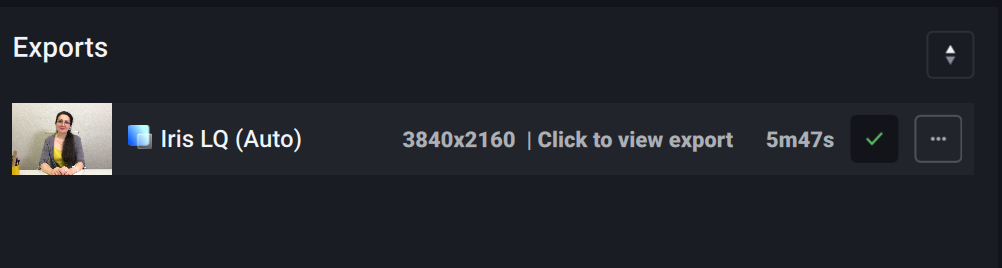
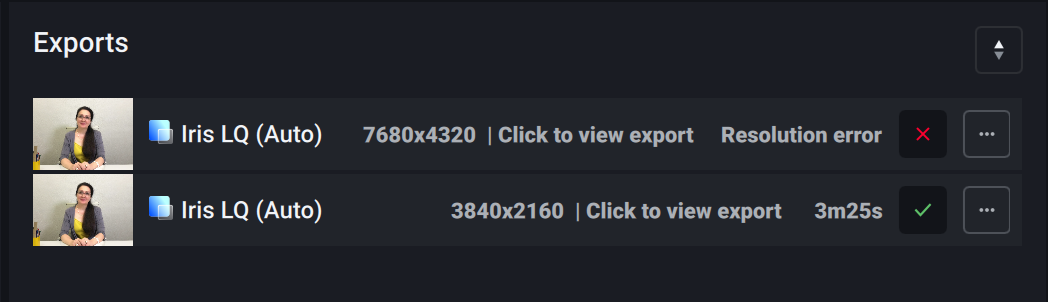
3 Likes
the one I linked to?
That wasn’t mine but happy it helped. I’m surprised though because @jo.vo said
Nevertheless thank you!!))
