I hope they fix this quickly and properly.
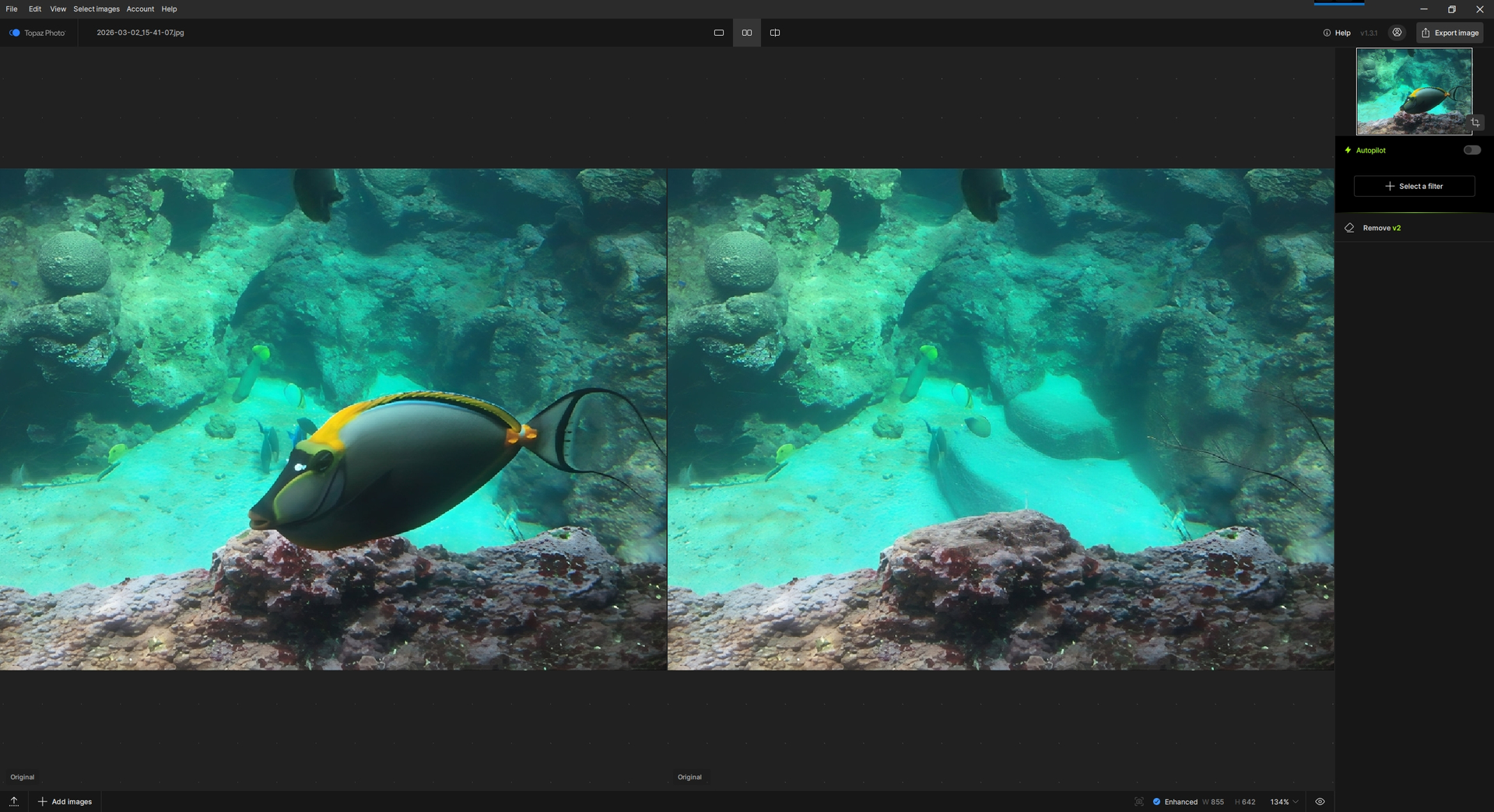
Remove v2 (TP 1.31) gives me this result (which is OK, I think; except that it makes two branches from the end of the tail):
@toby79 - @Harald.De.Luca - @jcp29 - @unrelent - @pmb2026 - @Rob_H
The development team is looking at what is happening for generative models for some setups in v1.3.0 and v1.3.1. I added your contact information on the development team ticket for this. Some of you shared Logs (I would not recommend sharing logs here in a public forum, it has private information in them) - if you haven’t already, send me by DM your logs or to support@topazlabs.com - it can help to see what setups have these issues when other setups do not. Example @andymagee-52287 has no issues on any of the models, just like our Windows machines tested here at Topaz. If you send us logs, it will help to pinpoint the issue and work on a fix. For now make sure to revert back to v1.2.1 - You can always get links to revert on this forum in Releases
@Harald.De.Luca - for Remove specifically, to use CPU AI processor mentioned here.
3 Likes
@jurgen.wietschke
That is correct, Wonder is a recovery model for small or medium low resolution files and was never meant to be used with RAW files. Using the model on RAW files was blocked since it is not its intended use and caused errors. You can export the file as non-RAW if you want to force the model on it.
1 Like
I’ve anonymized my user email. Thanks for the advice.
1 Like
Thank you. That’s the result I was hoping for.
There you go, I’ve sent all the logs, screenshots, and explanations related to the problems we’re encountering via email.
1 Like
When will all Topaz Photo features be available on Apple M1?
Or will support be discontinued at some point?
Best regards from Vienna
M1 is supported by Apple, so we will continue to support it as well. We have notified Apple about generative model issues with macOS 26. Are there other issues you were having with M1?
1 Like
Thanks for the reply. I reverted to 1.2.1 after my post so I don’t think the log files are still available now. If it help, I’m running on Windows 11 with a RTX 5070 Ti Laptop.
Tested with both the Game ready 595.71 (Mar), and the Studio 591.74 (Jan).
Hello Lingyu It would be really great if there were a way to integrate the “Remove 1” function from Topaz Photo AI into Topaz Photo. That way, we wouldn’t have to keep switching back and forth until the problem is solved. Best regards from Vienna, Robert
Von meinem/meiner Galaxy gesendet
2 Likes
Has anyone else encountered as issue when scaling it scales down, not up when using autopilot, with 1.31?
Hi.
Have you checked to see if you have changed your Scaling Parameters in the Preferences Menu
Simply, goto Preferences or press Command / Control plus the Comma Key to open the Preferences Menu
Then, on the left hand side you’ll see three options Application, Autopilot and Keyboard Shortcuts the you want is Autopilot > Upscale and Resize

Click on Upscale and Resize see below and your options will appear on the right

You’ll see Resize Type change it back to Scale and check you haven’t changed the scale factor to 0.5× or 0.25× which will Downscale your image to one half or one quarter it’s original size
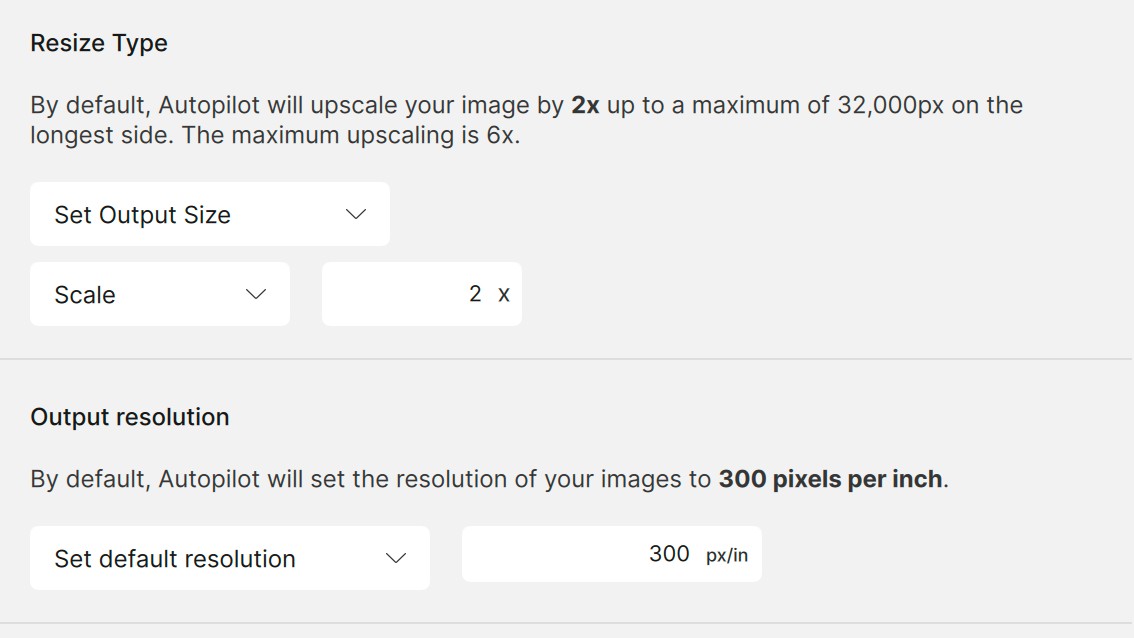
In addition, check the other parameters in case you’ve set a maximum output size for example Longest Edge
Hope this helps
2 Likes
I’ve yet to test out the new local Wonder model but Topaz Photo now takes over 60GB of space. Is there anyway to reduce this down such as getting rid of older model files that are no longer used?
There is no possibility to lower the disk space at the moment. The development team is looking into the possibility of a model manager to pick/choose what models to keep, but at the moment it is not available. The 60GB would include the Wonder Local model which is a huge model.
2 Likes
@gandteric - let us know if issues remain after testing And-E suggestion. You can DM me a screen reocrding showing the issue, if any remains and we can relay to the development team.
1 Like
Understood. It would be great to have a model manager, for example I don’t use the dust and scratch features at this time but its eating up HDD space on my SSD. Please add this to a feature request or similar.
1 Like
You can add your vote here: Feature Improvement | Model Management - #6
Yes, I support this suggestion too. It is inconvenient and undesirable to roll back from the current version, which is generally quite interesting and acceptable, because of one problematic model (Remove v.2).
