Hello! Today we have a patch release with local processing on Mac with the Remove v2 and Recover v3 models, plus fixes for reported issues from the last release.
Remove v2 and Recover v3 do not work on M1 devices with macOS 26 (Tahoe). We are working with Apple to fix this issue.
You can find the installer links and the full changelog below for this version of Topaz Photo. For any issues, make sure to send us an email to support@topazlabs.com
We are working on more fixes and feature updates, stay tuned!
Topaz Photo v1.2.1
Released February 6, 2026 Windows: Download Mac: Download Snapdragon: Download
Changelog
Recover v3 local processing for Mac (except on M1 w/ macOS 26)
Remove v2 for macOS 26 (except on M1)
Removed credits from account dropdown due to unlimited cloud render
Fixed Sharpen opacity slider not longer appearing
Fixed text field issue with scale and adjust lighting with foreign locales on Win
Fixed HEIC images failing to export
Fixed face selection resetting to all when switching from current image to previous image with face selection
Correct, the releases notes mention it’s support for Mac users
Remove v2 for macOS 26 (except on M1)
For Windows, we are alpha testing some fixes with a few users and the fix is still in progress. We will circle back once the Remove v2 issue with some RTX Windows cards is fixed, to use CPU AI processor in the meantime.
We don’t experience login sign in requests after updating. Make sure next time you update to start a screen recording for us to see your experience and we can relay to the development team. Topaz Photo is also 1 seat, if you were logged in on another machine, yes will have to relog in on the other. It is also a subscription only app and it will require monthly check in with server to verify license.
installed 1.2.0 and running withuot any issues (only the known one reg. Remove V2)
I’ve made a couple of tests now and found out that there is no need to close the file/image to change the AI processor from CPU/Auto or Auto/CPU.
It all can be done within the same image:
Open the image using the CPU processor (or change it if in Auto)
Remove whatever is needed to be removed in CPU using the current model (Remove V2)
Once we hit “Done”, go back and change the processor back to “AUTO”
Continue editing without closing the image.
It’s not by far a fix, but it’s a tiny bit better/easier than having to save/close the image, open TP, change the processor in Preferences, and only then open the image again.
My 0.2 cents while you work out the fixes. Thank you!
I don’t see any mention of the ‘stuck’ (non-progressing or tracking to processing) remote server processing status bar fixed.
If we decide to try video processing at some point, would our current processing credits be used for that or is all video processing - of any size (input or output) or model type used - included with the subscription at no extra charge?
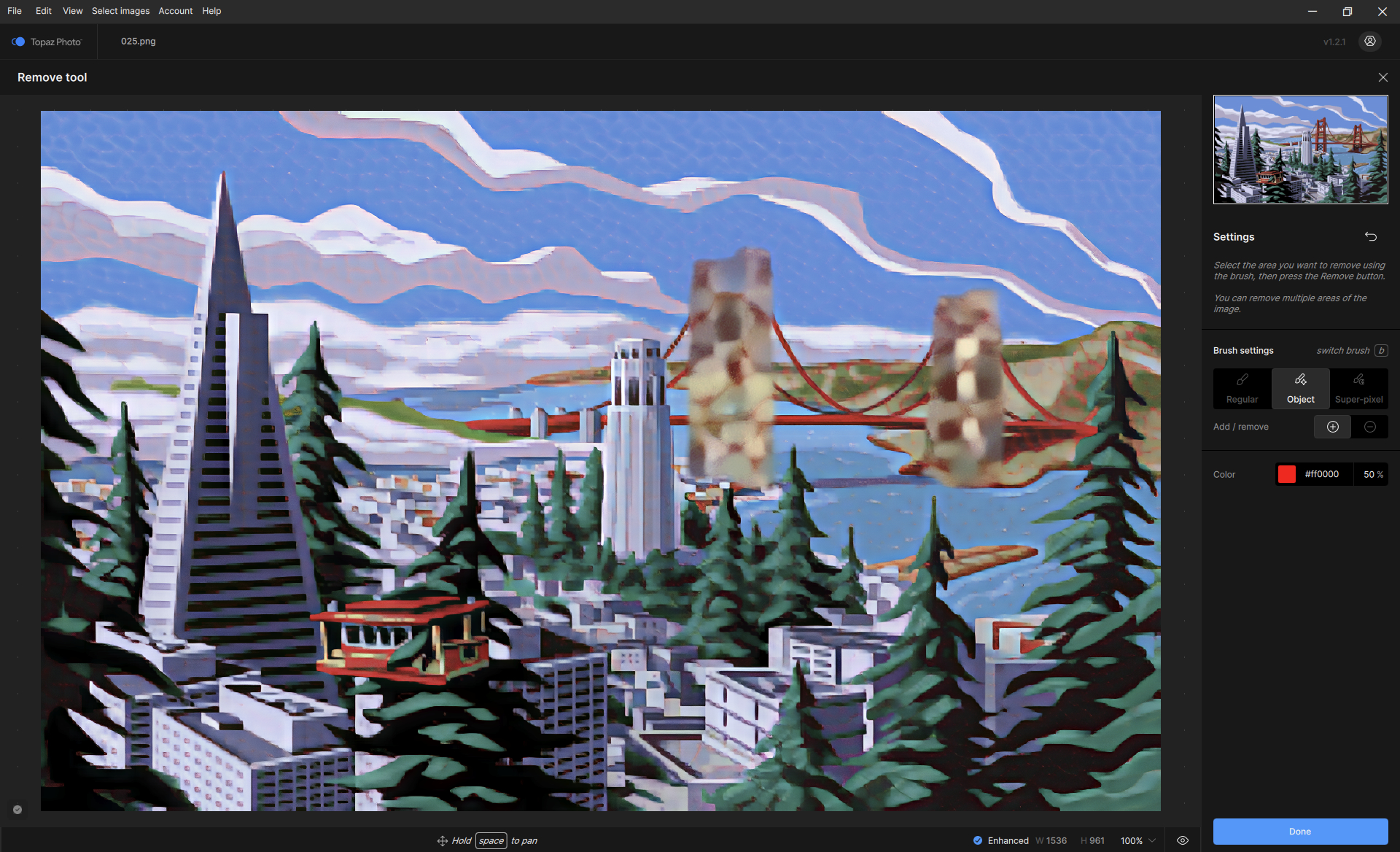
There’s also lingering bug with the object selection routine still ‘remembering’ original image objects, thus making selecting ‘new’ ones nigh impossible. It’s like the image isn’t being temporarily ‘flattened’ after the previous removal, and the object ‘rehearsal’ isn’t being re-ran.:
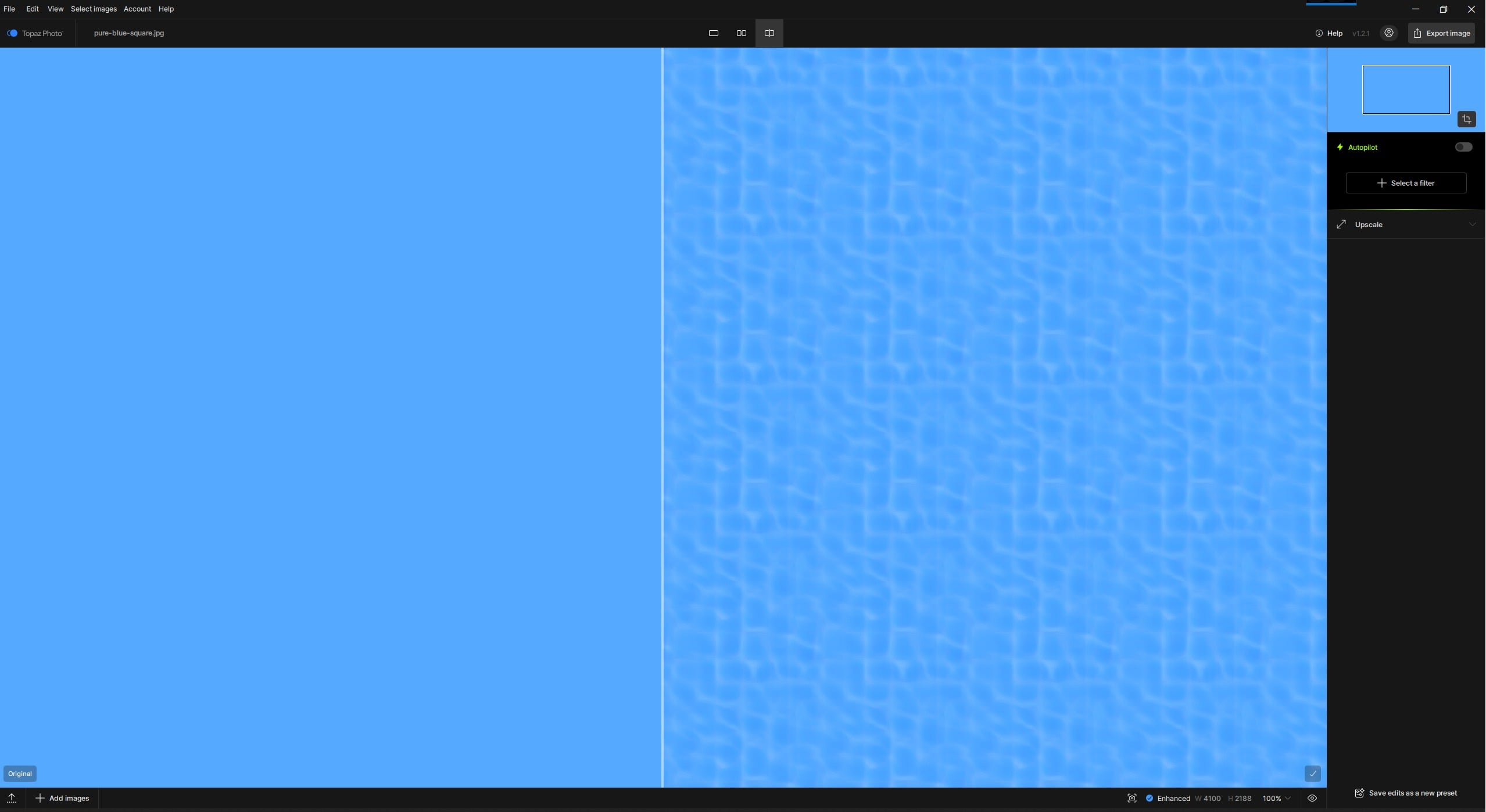
Strange artifacts on a solid color area (like the sky) have always been a problem in both Gigapixel and Photo (including previous AI versions). Never solved (incurable disease). A simple demonstration with a pure blue rectangle (created by hand in a simple graphics program) illustrates this (here in Topaz Photo, Upscale/Recover v3). Good honey harvest:
I think the next step is an AI model that is smart enough to differentiate between real detail and the compression artifacts and/or noise that you typically see in smartphone photos.
I’m still amazed by what Wonder V2 can do, but its weakness seems to be stuff uploaded to Instagram and the like.
Wonder V2 also seems to exaggerate (or possibly even create) DOF effects that aren’t in the original.
After reporting the error with the empty text fields in Lighting and Scaling 10 months ago, and other users experiencing the same problem, you have finally managed to fix it. Great work!
@michael.rasmussen - we are testing an alpha with a fw users and have success reports and also some that are not successful. The development team gathered information and is investigating the unsuccessful ones to ensure once the fix release it fixes it for all the users experiencing this. Will report when the fix is released!
 ?
? ) even though I have the same GPU as you: RTX 5070 TI
  .
.