@ryabov - @byron.jones We are looking to support Mac OS 26 in the next patch, and if not possible for next patch, to reintroduce v1 access until v2 is supported. For now, you can install Photo AI v4.0.4 from your Account page/Legacy section, so you have it as a separate app to use Remove V1. You can also revert to Topaz Photo v1.1.1 here.
@Fotomaker - Thanks for the tests! Ill relay feedback to the development team!
1 Like
@marcelo.cinicola @jo.vo - Issue referenced here with a workaround if you want to remain on the latest version. We will update that thread once a fix found.
Uh oh. I got rid of the pic after I sent it via Dropbox (and got a confirmed sent to your name msg). I should have the Logs, but won’t know which ones now since I did other TL work after sending the 2 Logs in the past couple days. 
Bright side, I didn’t have to reactivate the Logs security in Properties for the Logs to generate.
We know this workaround - I’ve even included the forced CPU mode in my test above.
But this is VERY ugly as all other models then need to run on CPU as well and are unbearably slow.
Why did you remove (ha!) Remove V1 - wouldn’t it have been better if it still was available to chose (maybe after setting a prefs switch to enable previous models like in TV)?
Thank you. I will try the Photo AI first.
1 Like
You can send me all the logs and I can find the file edited in them!
1 Like
The error will occur on some specific graphics card only and does not occur on our tests here. If we cannot fix this by next patch we will reintroduce v1.
For some reason, Wonder V1 continues to produce better results than Wonder V2 for me.
I am using Topaz Photo v1.2.0 on a Mac M1.
@arthur.160587 - make sure to send before/after/v1/v2 results to support@topazlabs.com and we can share to the development team working on Wonder v2!
Will do that.
Thanks
1 Like
Thank you, standing by!
1 Like
What is the max size you can get on that inbox?
1 Like
In my case the constraint is what my email system can send.
I’ll likely have to use a large file transfer service if not using a TL Dropbox link.
1 Like
All that shows up on my install of 1.2.0 are grain and remove 2. Wonder 2 & Recover v3 are nowhere to be found.
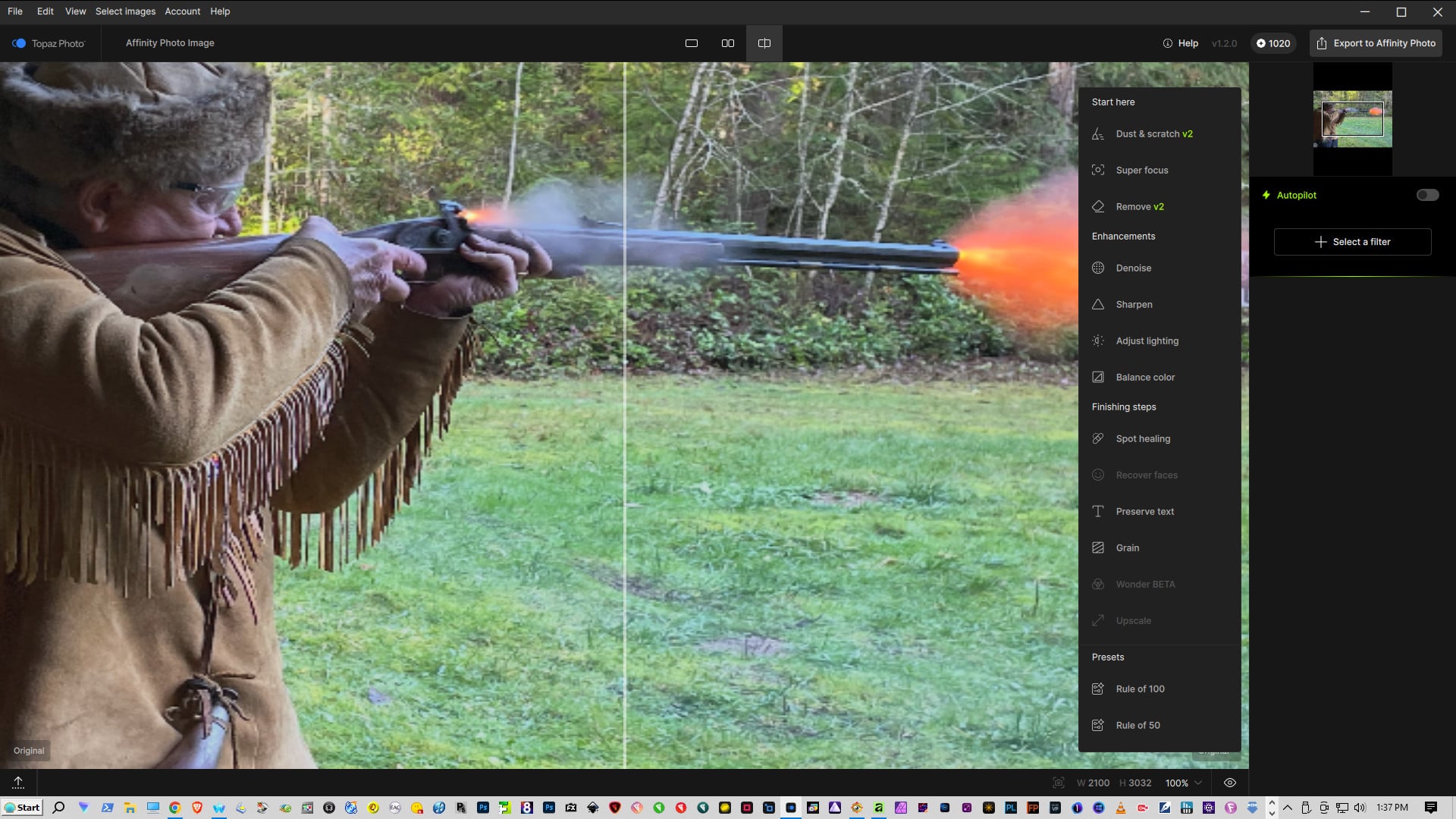
Will depend on the email provider, usually screenshots and JPEG can work. If too large can send here as DM or to my Dropbox
@sonofjohan - Wonder 2 is greyed out as you are in Affinity. Filter menus do not allow file size changes from Affinity or Photoshop. You can use Topaz Photo as standalone and it will be available. Same for Recover v3, in standalone, will be within Upscaling models.
THANKS
2 Likes
Awesome update guys! To make Topaz Photo even better:
- “Recover faces V3”, with control over the skin texture, eyes sharpness and clarity, facial hairs/eyebrows definition, teeth whitening
- Filters/Styles or LUTs files support
- AI styles generation (manga/anime/charcoal/painting…)
The new Wonder 2 is sick! Well done!
1 Like
@yabino974 - Great to hear! For your list, make sure to add these as separate Ideas or vote on them if already there, for other users to vote on.
2 Likes
