That usually happened on CPU. We will work on that and provide some lighting model for those simple scenarios.
2 Likes
Until version 2.0.2 i had no any issues and everything used to work perfect on my system 
Win10 , RTX 4060Ti , i7-2700k
I became to have issues with “Adjusting lighting” after version 2.0.2 but all the rest still worked fine.
So i stick with this version . Recently i upgraded my 3060 with RTX 4060Ti . After this when i start Photo AI it didnt use (load) the GPU anymore but just the CPU and everything worked very very slow but still stable . From preferences i was tried to change “Ai Processor” to GPU 4060Ti but no any change . So i decided to upgrade to version 2.0.7 . Now when i start the program in the first moment everything works fine and very fast - the GPU is used again . But after few seconds if i change preview during upscale or try to save image - the program self closes without any error message …
I tried to roll back version 2.0.2 wich i used previously without any issues and there is exactly same problem with self close during the process … My GPU drivers are updated to the last version .
Now tried version 2.1.0 and the same issue still presists !
Can someone try to investigate this problem ? Maybe other people with older CPUs can share their experience and if they have similar issue ?
The log file is attached:
2023-11-03-17-20-45.tzlog (207.6 KB)
[2023-11-03 17:34:04.580, 3.17 ms] [3284] Info | [AIE] === System Information ===
[2023-11-03 17:34:04.580, 55.30 μs] [3284] Info | [AIE] OS Windows Version 10.220000
[2023-11-03 17:34:04.580, 26.60 μs] [3284] Info | [AIE] CPU Intel(R) Core™ i7-2700K CPU @ 3.50GHz Threads 8 AVX 1 AVX2 0 VNNI 0
[2023-11-03 17:34:04.580, 26.40 μs] [3284] Info | [AIE] Is Apple Processor 0
[2023-11-03 17:34:04.580, 26.00 μs] [3284] Info | [AIE] RAM 15.970837 GB Total / 5.382000 GB Used
[2023-11-03 17:34:04.580, 22.00 μs] [3284] Info | [AIE] Machine Id: d04f7d5b-7d4b-4fec-83fe-691d65a9bbc3
[2023-11-03 17:34:04.580, 24.20 μs] [3284] Info | [AIE] Device count: 2
[2023-11-03 17:34:04.580, 21.70 μs] [3284] Info | [AIE] - Index 0 Name NVIDIA GeForce RTX 4060 Ti Cores 0
[2023-11-03 17:34:04.580, 23.20 μs] [3284] Info | [AIE] VRAM 7.777344 GB Total / 3.638672 GB Used DataType 2
[2023-11-03 17:34:04.581, 33.00 μs] [3284] Info | [AIE] Serial 000000000000b971 Legacy 0 CudaId 0 Capability 809
[2023-11-03 17:34:04.581, 22.70 μs] [3284] Info | [AIE] - Index 1 Name NVIDIA GeForce RTX 4060 Ti Cores 0
[2023-11-03 17:34:04.581, 22.80 μs] [3284] Info | [AIE] VRAM 7.777344 GB Total / 3.638672 GB Used DataType 2
[2023-11-03 17:34:04.581, 22.10 μs] [3284] Info | [AIE] Serial 0000000000014c43 Legacy 0 CudaId -1 Capability 0
I dont know if this is normal - Topaz detected 2 devices (two 4060Ti GPUs) but i have just one …
But even i try to select one of them manual from Topaz settings it doesnt help …
1 Like
My preferences are set to Nvidia GeForce RTX2060. Should I have it set otherwise?
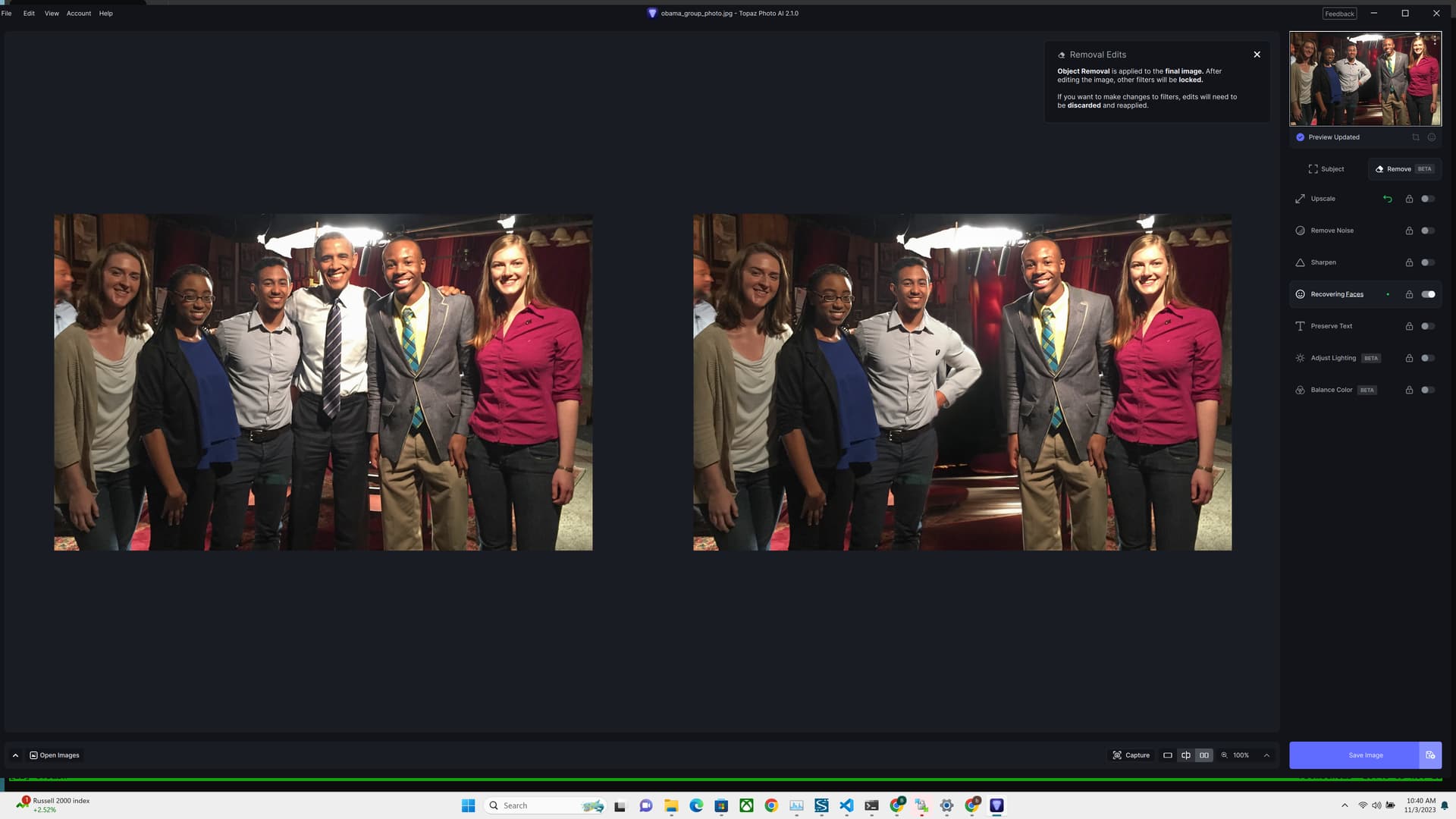
Could you send the log?
I just put them in the Dropbox listed at the top of this thread. Thanks.

Yay, the CLI works!! Thank you team! 
2 Likes
Hi - can you please send us the image?
It seems the app didn’t use your GPU. That’s why it is slow.
Okay, thanks for the reply. Is there something I need to do on my end or is that something you can fix?

Yeah, that looked a lot better.
Anyway - I just uploaded the original before I saw your message… I will obviously keep on tinkering.
But wait - Silly question maybe (because it’s not clear to me by your screenshot - the before/after seems swapped) and feel free to laugh if you want, but is your restore from the hair or from the previously poorly restored pattern?
Looks like a licensing issue.
From your log:
[2023-11-03 17:20:58.961, 566.60 ms] [2fdc] Info | Auth state changed: LoggedOut
And the application is also being blocked from using the network, why would that be?
[2023-11-03 17:21:06.925, 40.70 ms] [2fdc] Warn | Network error. Status Code: QNetworkReply::UnknownNetworkError (0) Error: Permission denied Body:
So I went for max quality (over speed) and also switched padding to Max and got something better:
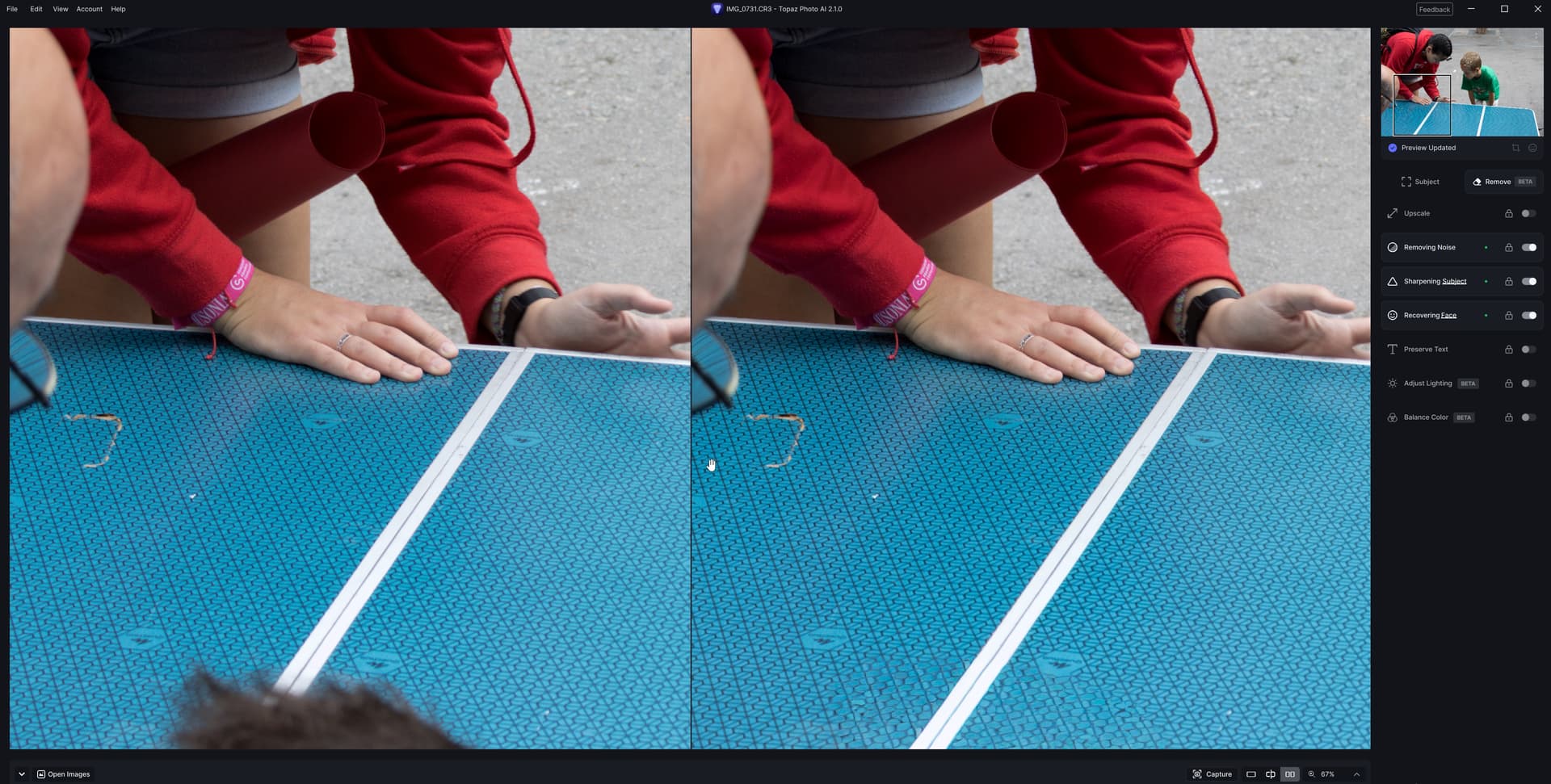
Doesn’t hold if you zoom in though… It kind of tries to do it, but doesn’t get there all the way with recreating the pattern.

I did try to mask a bit “outside” of what I wanted to remove, but that did nothing good.
I’ll just let @yazi.saradest tinker with the one I uploaded.
1 Like
We have been informed about this first version of Remove: Generative Remove with Local Processing (November 2023)
The “claimed seconds” are real. Since the GPU power of my Mac is considerably lower than a RTX4090 I do believe this is likely due to the massive amount of GPU RAM I have here (48GB).
Or maybe for once the software is better optimized for AppleSilicon than for Nvidia - or both.
Anyways, here is a real time screen recording showing the speed I have here with the tool:
RemoveTool.mp4.zip (3.2 MB)
Really nothing to complain about regarding speed. Although the result was quite hilarious.
2 Likes
Hello from the French Alps!
I am often happy with updates but I must say that the last one, with the new “remove” function, is absolutely stunning and I am sure that it will be of great benefit to everyone.
Thank you, the awesome Topaz team.
5 Likes
I dont know i just used the latest free trial version .
That’s a simple fix. You left the ‘convert to submarine’ toggle on. You want to uncheck that.
4 Likes
