Same here. No Prefs to set re: privacy on Win 11 b/c the images we process are private. Nobody gets them unless we post them here on a forum or upload them proactively to the Dropbox at top of the thread.
I’m seeing the same with Olympus RAW files. Not seen it prior to v1.4.0.
Nearly every time I select multiple files in Lightroom to edit in Photo AI, For example, if I send 5 files to be edited, It will return the correct number of edited files, but one will be a duplicate whilst one remains unedited.
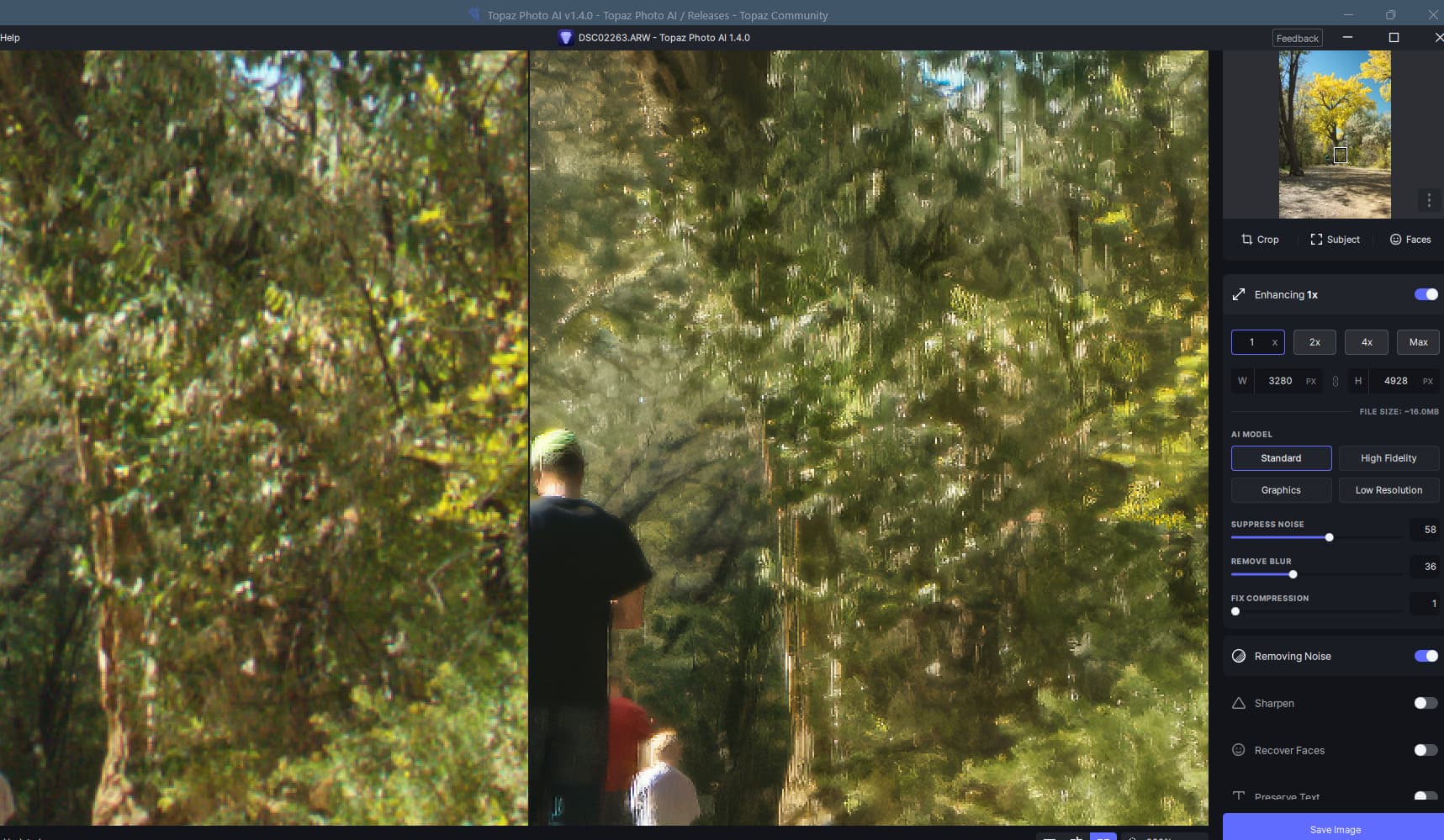
The remove noise creates vertical lines on a Sony ARW raw file. This happens on both normal and strong settings be is more visable on strong.

Upscaling is poor on this picture for Standard and High fidelity. Set to X1. With Remove Noise on it is much worse.
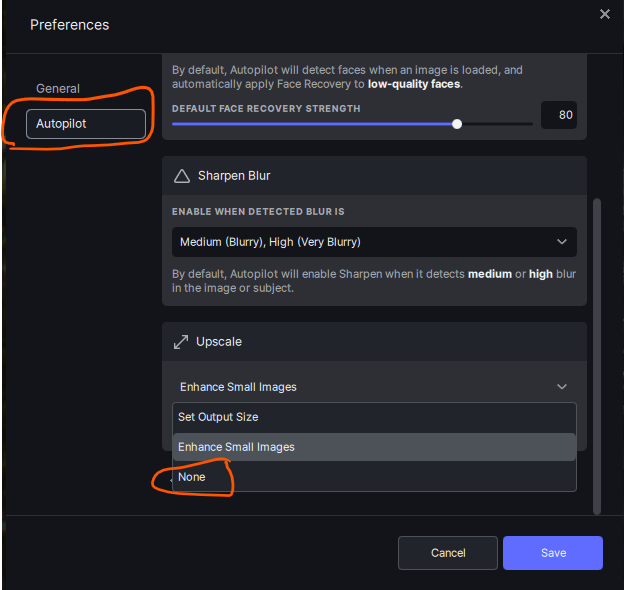
Why does Photo AI insist on upscaling my photos? I have to manually turn this off on every photo, which is annoying. There should be a way to default turn off upscaling, but I can’t see how.
Go to Edit > Preferences and select autopilot > Upscale and set to None.
1 Like
I had a similar result in Photoshop Elements. Photo AI run as a plug-in with Resize enabled and the value set to 3x. Resizing is not allowed as a plug-in and should be disabled.
1 Like
The only thing I found was a setting in the registry under
Computer\HKEY_CURRENT_USER\SOFTWARE\Topaz Labs LLC\Topaz Photo AI
called
trackAllowSendingImages
Per default set to true, as it would seem.
But I’m not sure, what’s behind it in terms of functionality. Possibly the setting the Mac version has in the UI.
1 Like
A while ago there used to be 2 different things evident in the program & its predecessors:
1- In the other AI programs we could click happy or sad face icons as processing results feedback. I assumed (perhaps wrongly) that unless the Topaz staff saw the image & how it processed, the feedback would be meaningless. So I didn’t click on anything I didn’t want to share (& found those overlays annoying b/c they blocked parts of my images.
2- There was a release of PAI that did include a Pref to share/not share one’s images. Let’s just say the overwhelming response (especially b/c it required scrolling up to even see it) was less than positive. I believe a statement came out saying that was being dropped & no images would be shared…several releases ago. At least that was my personal interpretation of what went down.
The registry entry you found is curious though. It should be scrubbed, it seems…
Thanks for the info!
1 Like
I’m encountering an intermittent crash, when Preserve Text is active, after a while of panning, zooming in/out, changing rescaler parameters for an image. I’ll upload the log to the DropBox.
The crash isn’t being caught by Windows, only crashhandler.exe sends something online.
2 Likes
When I updated, suddenly it was asking me to activate or purchase a license. I was working on images with no problem prior to updating. What is the deal. It also gave me some odd name for the account that I did not put in. I have 2 seats, I have not used more than the 2 seats.
Read the first post in this thread, everyone has to do it as it allows beta testers to test without losing a seat.
2 Likes
I’m afraid this new version is a step backward for me.
-
The new AI user interface has to be expanded on every use instead of either letting me set an expanded default or remembering my last state
-
Face recovery is not as effective as in past versions. It simply does not do as good a job. And, because you have eliminated necks from the recovery, I must now use Photoshop tools to do this. The fact is, I would like to see face recovery expanded to “body” recovery, so I get a more consistent result. Why would I want faces recovered but not necks, hands, and hair? As a photo restorer, I find this puzzling and frustrating.
-
That you have not figured out how to get Photo AI to upscale inside Photoshop is puzzling, as you already figured it out for Gigapixel. At some point, for most who upscale, this has to become a reality. As it is I use Gigapixel so I don’t have to go back and forth between Photoshop and stand-alone.
4 Likes
Yours is now the 3rd report of the same thing.
1 Like
Where can I find 1.13, I can’t use 1.14 and not finding a download link to 1.13. I’m on macOS
It would be great to have an option, like in Adobe Camera Raw, to be able to either selectively or universally have settings categories remain expanded in a “sticky” way b/wn uses (logoffs/logons).
Thank you. Amen.
Go to the Product Releases tab for Photo AI in the discussion forum.
When rolling back, uninstall your current release 1st.
Just adjusted my first shot that needed it, stage show, rapper. The eyes look odd, shouldn’t be the same size especially shot 3/4 angle, and the overall look is kind of plastic, way too much noise reduction for an image shot at ISO 12800, need a way to sample the image for the ISO level of grain and apply it back, like the old and excellent Apple Shake used to do. It was a node based program, the Blackmagic totally copied in DaVinci, as did Nuke. Thing is, people zoom in to see any image, so full frame it looks sort of okay, but zoomed in it doesn’t match the rest of the shot. So an re-add grain or re-appy grain slider would be. great step in the right direction, please.
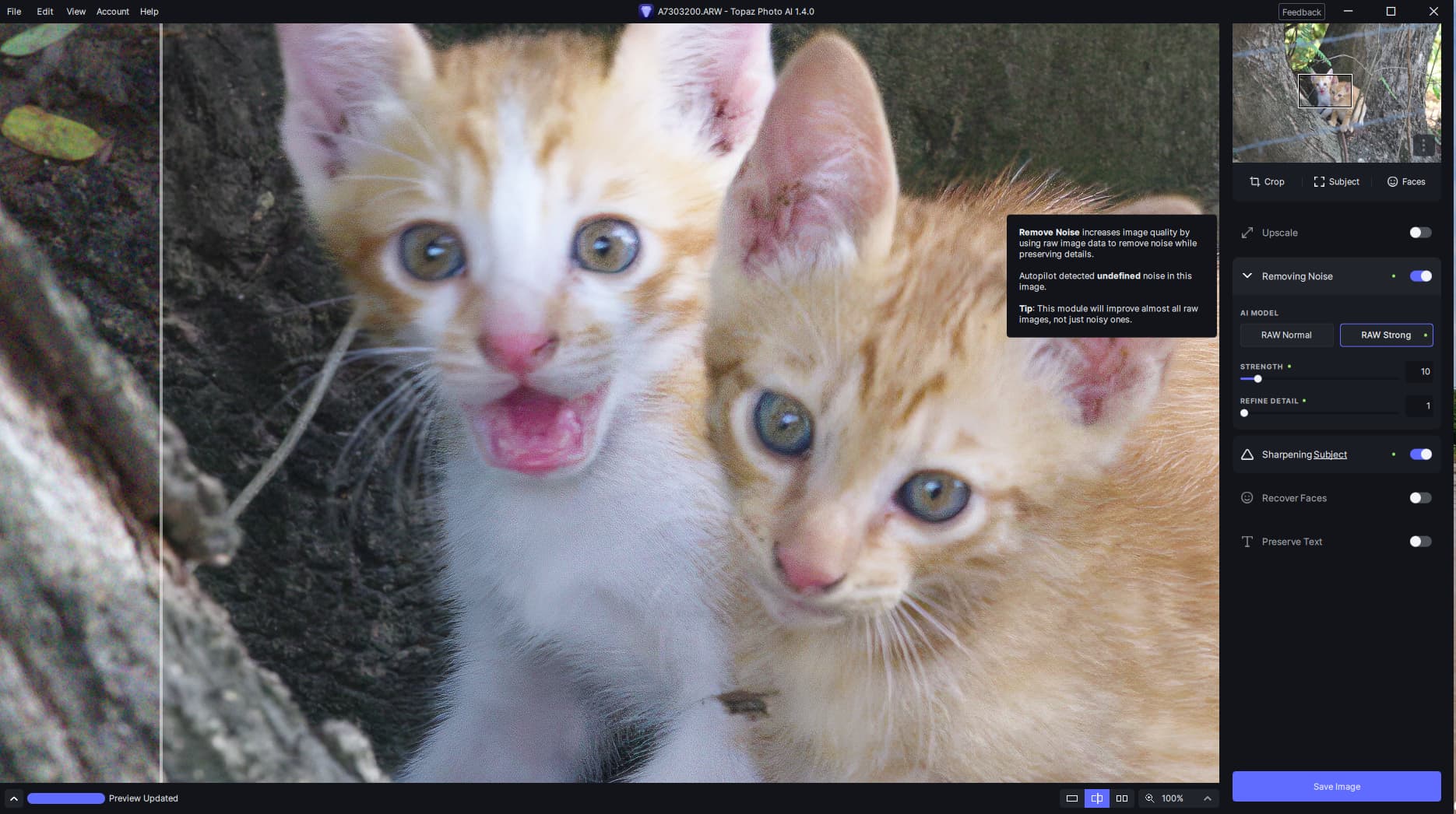
The results are just not good … there are artefacts and noise left in the image also Sharpening using Standard and it detecting medium blur is just not correct:
I’ve noticed a bug in this new version. When I activate text retrieval, PhotoAI crashes after a certain number of hovers in the image. I already had a similar bug when the new sharpen filters were in beta. Apart from this inconvenience, the filter works very well.
2 Likes
