I’m none too impressed by Topaz AI 1.4.0 – it crashes immediately a soon as I try to export my images. That happened occasionally with the previous version of Topaz AI, but on 1.4.0 the crash occurs every time.
With the old version, if I tried again the crash would not happen. I just had to re-try the outputting.
But with Topaz AI 1.4.0 the crash occurs EVERY time and I cannot output any images. Is a refund possible?
I even tried playing in Ps Neural Filter Depth Blur to see if I could fake a reorient of focus. But, alas, no luck. I didn’t go so far as to export a depth map only… You may need a Firefly inpainting substitute for the foreground rocks.
BTW, when I quickly masked the foreground elements I started with the manual PAI masking brush then switched to the AI Brush around the left foreground leaves. That combo worked well to fill in broad brush quickly then cleaned up really well around the little leaves & branches.
Hi there,
After updating my to the v1.4.0 I am getting the following message: image is not supported.
The image is saved in .dng format, and I it always worked until today with this update.
Wow, I didn’t anticipate Preserve Text and it’s great! Have only tried a few images but many of my images have text that didn’t survive Photo AI and prevented me from using it more. Also like the new layout/interface and preview of brush size.
Using new release just now sending an image from Photoshop. I like the result, but it won’t send the image back to Photoshop. I have the spinning wheel of death and have to cancel out of Photo AI
Thomas, this is not the only problem were are facing at the moment. Other things I see are:
the push to get a update out every week has no Quality control.
we spend our time testing instead of using the app for work … For example coming out with auto-resize for a plugin, just hangs and unless you are a skilled user you have no idea what is happening from PS, AP etc.
you stated that the RAW models are being updated, why do we get unusable models now. DeNoise gives better results, Sharpen on its own gives better results.
All I can say is that we need to get back to proper, tested and quality controlled releases.
Now other apps, such as the main competition, do it better … both processing and development without any panic releases.
Hi
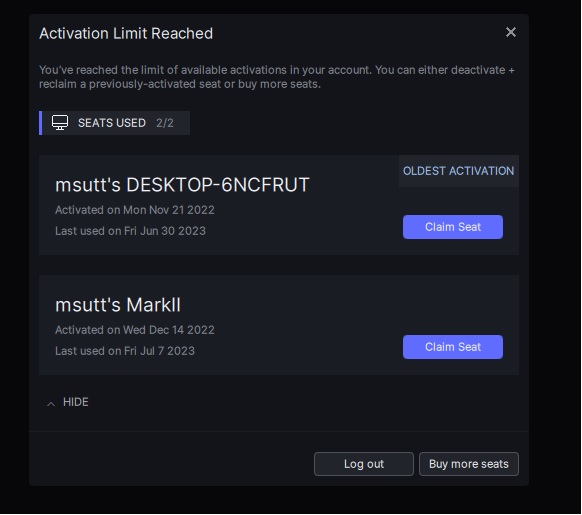
I have downloaded this latest .msi file today (1.4). It seemed to install ok on the PC but failed on the laptop. On both my PC and laptop I now get the error attached. I only use Topaz on 2 machines.
Ma
rk S.
I have a 1440 monitor and set the vertical res to that. Since the installation of 1.4.0 setting a vertical size is not stable with the Autopilot sometimes setting 1439 or 1443 - really annoying as you have to go in and manually reset each time.
I don’t have such an option in the Windows version. Only General and Autopilot (when opening preferences) General being: AI Processor (CPU/GPU), Lens Correction, Close Images after Saving, Show Help Prompts, Check Disk Space and Enable SRGB Preview Fallback. That’s it.
Nothing on privacy. (Win Topaz Photo AI 1.3.12, I even checked an old 1.3.2)
Sadly I cannot save files when running as a plugin within Photoshop Elements 2021. Autopilot automatically invokes enhance resolution and tries to increase image size, a function that has not historically been available within the Elements plugin.