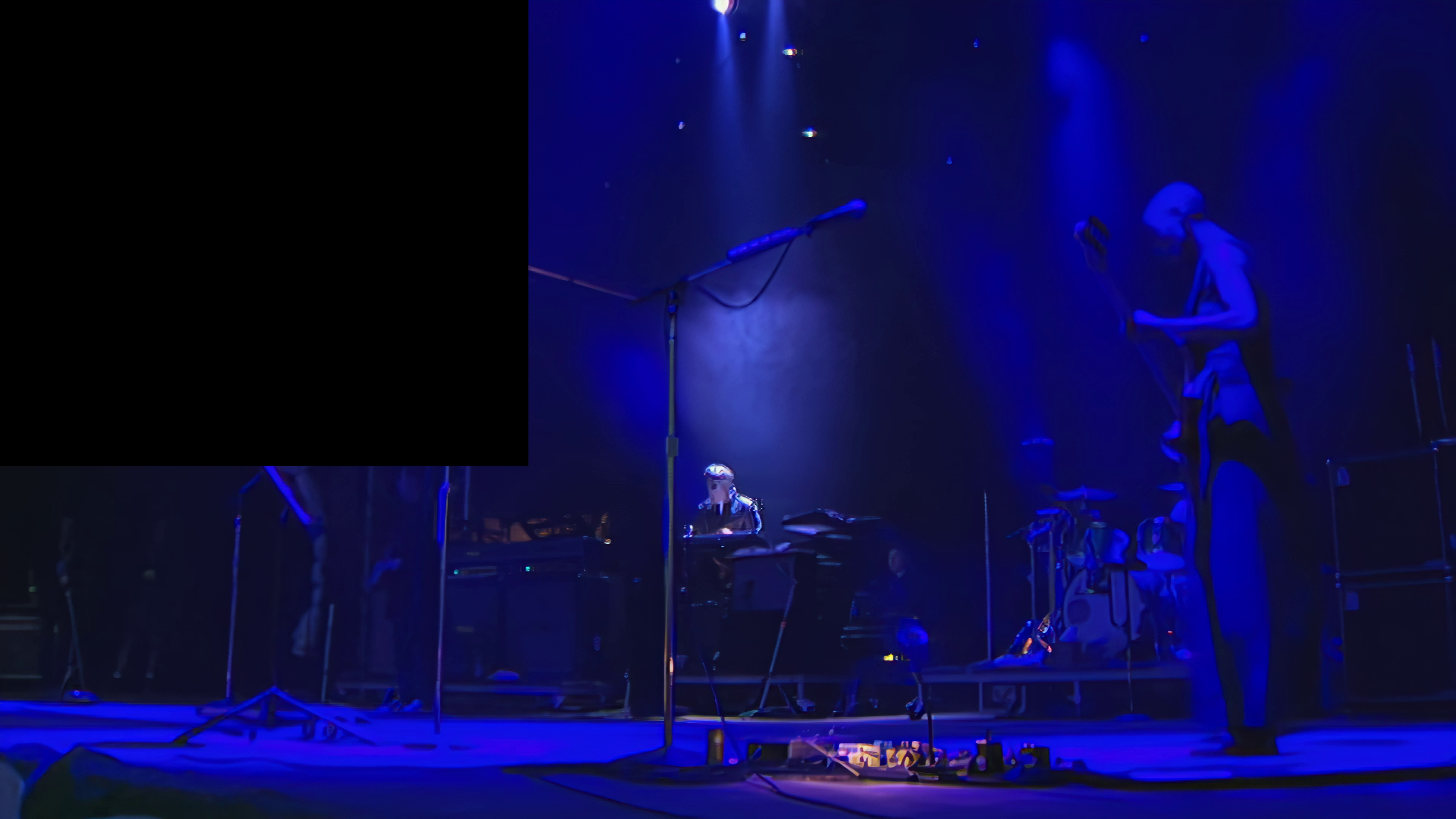
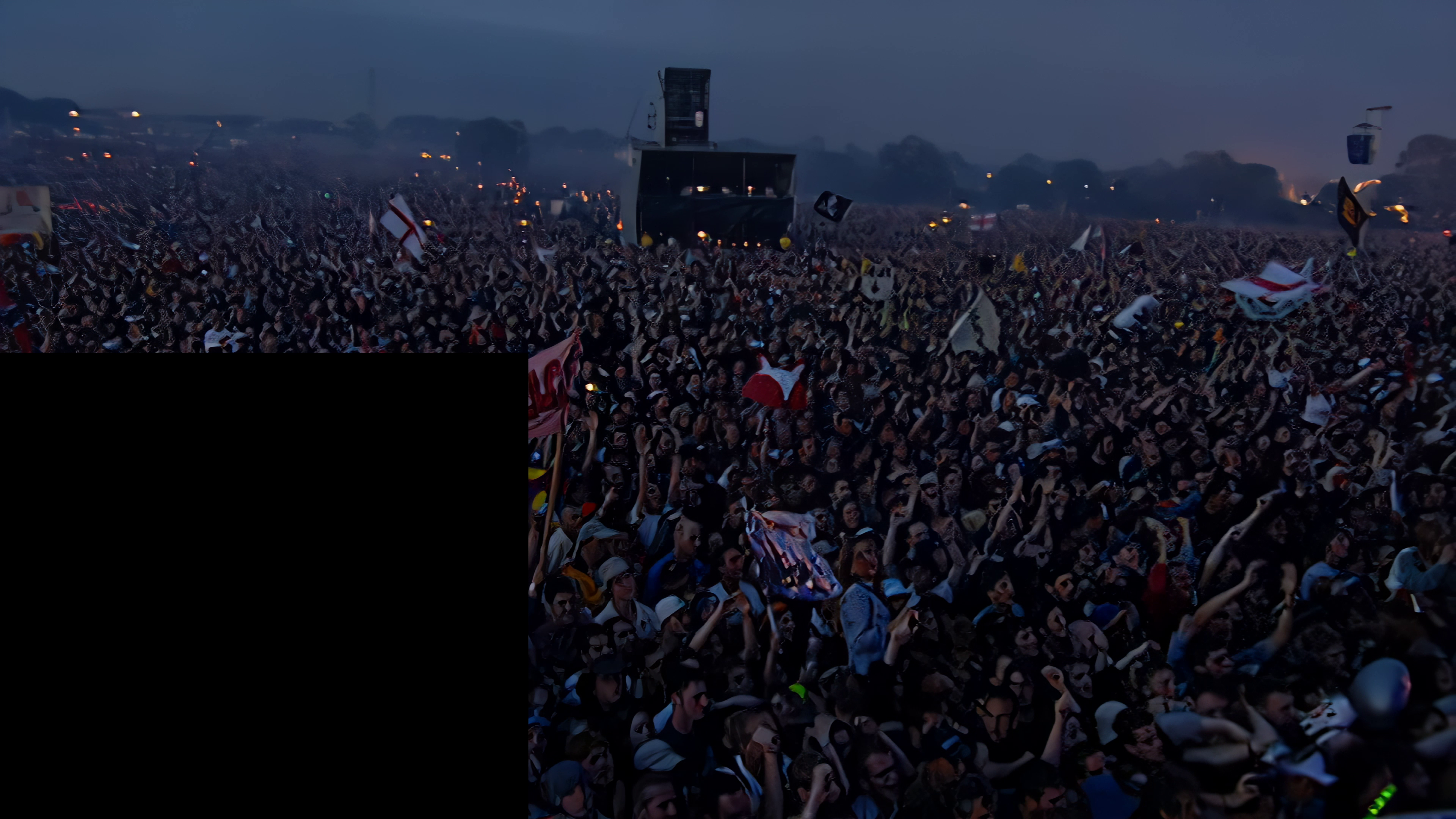
I am constantly getting a black square appear in random places when im encoding and i am a fully fledged Paid up member of Topaz Enhance since april 21 not on the trial and Im logged in before i start encoding.
This is happening about 30 seconds to a minute into a 24 hour encode job and sometimes several hours into the encoding so it just ruins hours and hours of encoding…
I was getting this on AI v2.1.1 and the Beta version also
What prestet did you use and what font was it interlaced?
Try using DIR V4, I see how the audience faces look like friend gouache paints, for me Dione Interlaced Robust V4 solved this problem a lot, although it wasn’t perfect, it improved a lot, and it didn’t double the fps of the Final Upscaling FullHD.
Since May 5th there is this version, and I haven’t installed it. Because no new updates on models. The stability for me was already acceptable with the previous version.
So I keep using 2.1.1 and wait for some real improvement.
Dear Taylor Bishop,
I have a question. As you can see in this thread, lancelot_cwb praises DIR V4 but I do not have access to this model. Is it really better than DIR 3? What about the ghosting which appears after using Dione DV/TV models? Do you know how to overcome the problem? Now I check Chronos model to smooth my footage - from 15 fps to 30 and 60, respectively.
Best,
I was using the 1.8 version and upgraded to 2.2.0 but now everything i made has no sound eventho i checked the box for “keep sound”
Anyone knows what the problem is?
The audio works just fine with the earlier version.
Use MKVToolNix or if you are more command/coding inclined FFmpeg. Both of these tools allow you to create a new file, combing the upscaled video file with the audio from the original file.
Doing this you can mostly ignore the VEAI audio issues.
Copyright issues aside, it’s way too early to be testing anything with the leaked Windows 11 build.
When Microsoft is ready to share a product with developers, they will open up early Windows 11 betas for developers on MSDN. If Microsoft follows their own precedent, they will later open up a Windows 11 beta build for the masses.
Any “leaked” version of Windows 11 right now will likely be a mix-mash of Windows 10 and early Windows 11 code. Any builds at this point are likely nothing more than early alpha builds and sections of the code base could be completely rewritten before a Windows 11 RTM is released.
And to think that the solution for this is just for the VEAI to do two operations: demuxing audios, subtitles and subtitles before processing the Upscale and then changing it at the end of the process, because that’s exactly what everyone here does, they use an app like MKVCleaver to demux audios, subtitles and subtitles and then modify the final product of VEAI Upscale the audios, subtitles and subtitles, with for example the MKVTOOLNIX app. This would be very simple and easy for developers to implement, anyway…
They already have to solve many problems before with the VEAI, because they would create new ones as a product that, as mentioned above, doesn’t even exist yet, anyway…
I learned early on to never use VEAI audio pass through, because it sucks. I’ve been using MKVToolNix since day one to put the original audio track and subtitles back into the upscaled video. Only on a few occasions have I had synchronization problem, because VEAI was dropping frames, but not very often.
The reason im asking is because the audio would still intact when im using 1.8.1 version.
After upgrading to 2.2.0, every output i made loses its sounds eventho i turned on the “keep audio” option.
So in summary, theres nothing wrong with my setup but in 2.2.0 they purposely removed the audio in the output video?
If yes, why would they still keep the “keep audio” option in the UI eventho the result will always have no audio?
No, they did not. It has always been broken and remains broken. Sometimes, in some situations, it works, but it has always been better to use an external program to handle the audio.
What… so why the earlier version im using has no problem with the audio output?
With this version, everything i made have no sound. I tried like 10 different video with different format and specs but still no sound. I thought theres something wrong with my setting.
Im thinking downgrading to earlier version if this only happened in recent newer version.
I can’t speak for version 1.8.1, but 1.6 and 1.6.1 had all sorts of audio issues.
1.6.1 VEAI would convert mono-channel audio to dual-channel and convert 5.1-channel to dual-channel when it did not crash before finishing the upscaling. If the video had any sort of issue in the tracking, it would throw off the audio tracking when remerged with the original audio.
What I finally did to get 1.6.1 to work the way I wanted was to use FFmpeg to create a new CRF 0 libx264 mp4 video with no audio and feed that into VEAI to upscale. That would work around all of the tracking issues and prevent VEAI from crashing when modifying the audio.
Finally, once I had a video upscaled with VEAI, I used an FFmpeg bash script to merge the upscaled video back with the original audio and any subtitles to make a finished mkv.
No idea how downgrading would help, if 1.8.1 is anything remotely like 1.6.1 when dealing with audio issues. My $0.02, if you are not comfortable with FFmpeg, use MKVToolNix to merge back the original audio into your upscaled video. It should only take a few minutes at most to merge the original audio with the new video into a new file.
I use 2.1.1 (rtx3090 i710700). “Keep audio” works fine (in stereo mode, without subtitle) with all the models, except the interlaced Dione, where there is no sync … and it is useless.