I think, the last fast version for the 4090 was 6.1.3.
I’m not sure if this reply was attended for me but… nerfing is never a PROPER solution.
Well, that’s subjective to be honest. That said, IMO, through my exhaustive vetting of TVAi, sort of ‘ok performance’ goes several versions waaaAAyy back!
I put mine down to 90% and get around .07
So I just tried that, the outlines are a bit more jagged, and there’s a slight shimmering or whatever effect it’s called, or maybe it’s more pronounced anyway with a camera pan or some movement, maybe a higher resolution render would fix that, I don’t know as I haven’t tried too much yet.
One thing I did notice that a couple of my files have a slight stutter always in the same place near the start, I thought maybe they were just bad renders but it only seems to happen in the Windows Media Players, VLC looks unaffected. Maybe WMP is just being fussy with the file because of a slightly higher bitrate or something. All I can think of.
My hardware doesn’t support Starlight Mini, but I would like to test this model with my current workflow. Is it possible to use our three weekly 10 second test clips via the Windows application?
My video is all MPEG2 and FFV1, neither of which are supported by the Web-based demo.
Hey. Just wondering if anyone has been using the new starlight mini on high vram capacity gpus (like 5090 and radeon pro cards) to see if more vram = more fps.
I cant get mine to work dispite having a capable gpu for it ( could be the processor ryzen 3600). Waiting for topaz support to help me out.
Mini still doesn’t run on non-Nvidia GPUs, so there’s no Radeon or Intel data.
have to limit vram usage to 70% in order to get it working for a 5090. and then it only uses 13gb of 32gb. so, atm vram usage seems bugged or very coarsely managed.
3 Likes
Is there a way to delete the Starlight mini model after use? I can’t find it in Model Manager. Thanks.
1 Like
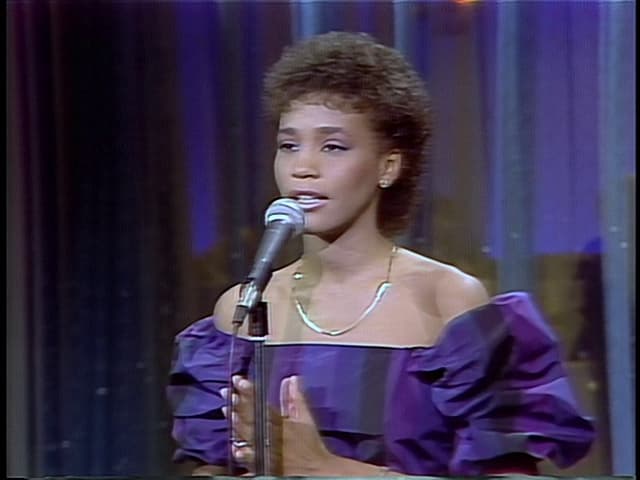
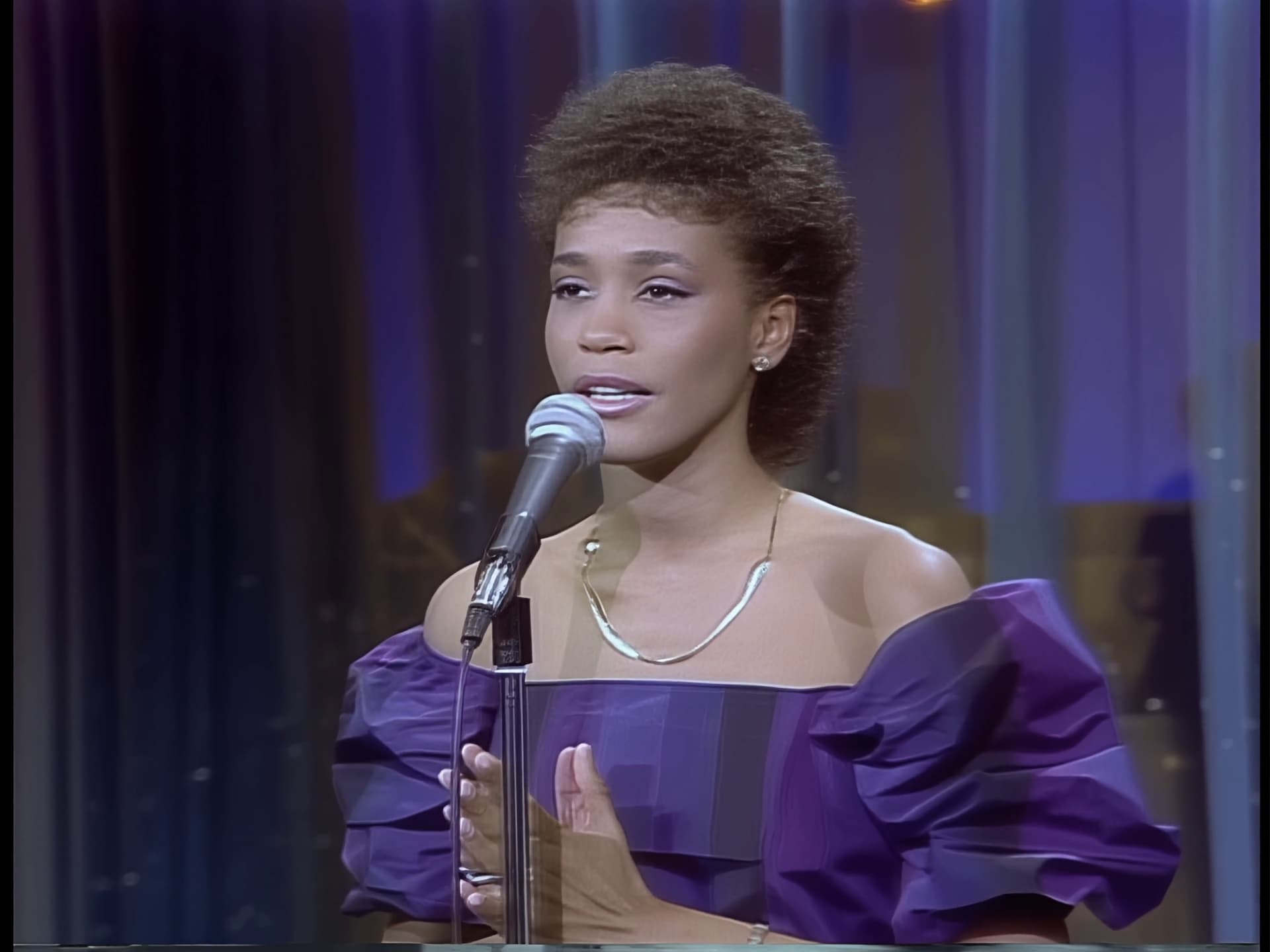
I did some testing with the free cloud rendering for Starlight and I was really impressed with the results. This is a frame from a video that was deinterlaced and converted to square pixels in Hybrid. It was shot with a professional camera in 1983. You can see the characteristic noise pattern from the camera, as well as haloing, ghosting in the mic stand, and in other parts of the video there is also chromatic aberration. Starlight managed to deal with all of that, so it’s no surprise it’s a pretty heavy model. I tested a 1-second clip, then a 2-second one, and the latter delivered a better result: I think this can help with the theories of how Starlight works. Here’s the before and after:
I have wondered for quite some time now if the upscaling models would benefit from training with geometric shapes. I’ve seen a picture in this thread in which a fence, previously very straight, became wobbly after processing. In addition, I believe that training the models with letters, numbers and symbols in various fonts would be awesome - they also usually get distorted. That shouldn’t be difficult since many writing software, like Word, has all of this.
My experience here is that for those aspects local Starlight mini rendering is in fact quite a bit better than the full fledged cloud version. Also true for fidelity of faces.
1 Like
I’m even getting better results with the Starlight mini model compared to the 10-second web test version of the classic, full Starlight (non-mini). Admittedly, I did try the web version test about a month ago. I don’t know if anything has changed in the meantime. So, I’m just asking if you could please quantize the Starlight mini to fp8 or fp4 (even at the cost of a minimal loss in quality), allowing the user to choose whether they want the quantized or the “regular” version, and the program will be great. Keep up the excellent work, Topaz developers.
3 Likes
The picture looks better when converting interlaced vob files of videos from the 80s.
Hello all - first, congratulations to the Topaz team, since the Starlight Mini model is a definite advancement in video improvement. The only unfortunate thing is that it takes extreme resources to deliver the results.
Let’s say I have a low-res (240p) video at 25fps, that I’d like to try to push to 1080p.
I would imagine that a palliative could be reducing the fps to, say, 20 or 15 fps, and then only upscale to the minimum that Starlight Mini suggests (I believe around 720p).
Then, use a good interpolation model and bring the fps up, and use a regular upscale model to increase the video to Full HD (1080p).
Is this advisable?
I know that the program allows me to process the 25fps 240p video to around Full HD (1080p) directly, but it takes ages… and I know I could just try both processes by myself (I guess I will), but in any case I’d appreciate any suggestion from more experienced people here.
Thanks ! 
Hello new to starlight mini and topaz labs in general was wondering if a veteran can help me out, I have a 7sec 512x720 video that I was trying upscale using the minimum selection for starlight mini and the current amount of hours is 7 hours to load the model. I’m running the upscale on a 4090 and 128 gbs of ddr5 ram and a 14900k i9 cpu as well as an asus hero motherboard. Is the 7hour wait time normal? This is the first time I’m doing anything with video production so not sure what normal render times for software like this
Also my gpu is being 100% used
wow, just stepped in to read some benchmarks for the rx 9070xt with video ai to decide yes or no, glad i read this topic first. bye bye amd .
but when i see some comments, i need to stock up my budget and order an rtx 5090 asap…
nice updates wow wow wow
Update upon further testing doing the 70% gpu usage does indeed fix the long hour generations and reduces the time down to 8-16 mins depending on the videos complexity and length. Seems like there’s some sort of misallocation of memory or something when loading the model doesn’t seem to have the issue after initial load
1 Like
I’m surprised that I haven’t seen anyone mention what I can only call “color bloom” on the Starlight Mini output.
Input (enlarged):
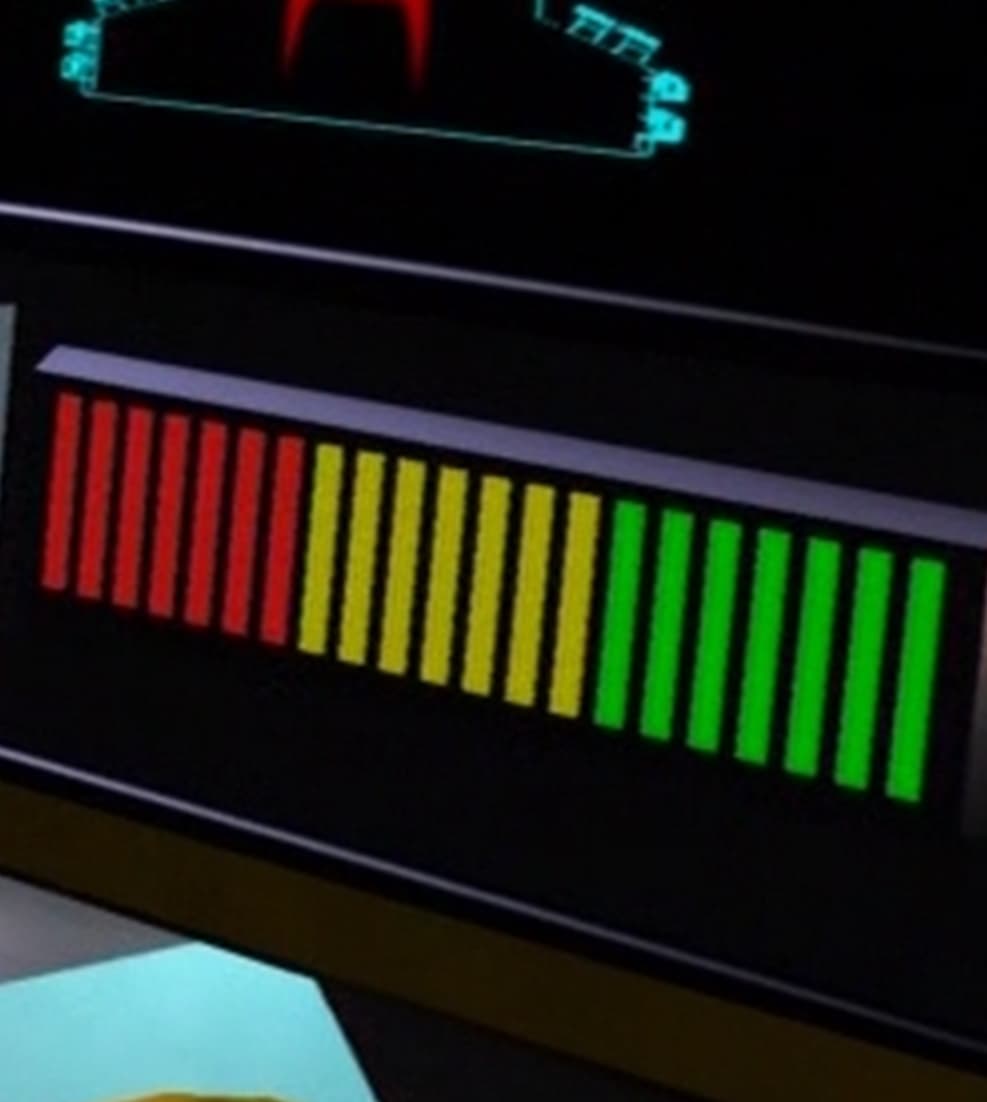
Output (x4):
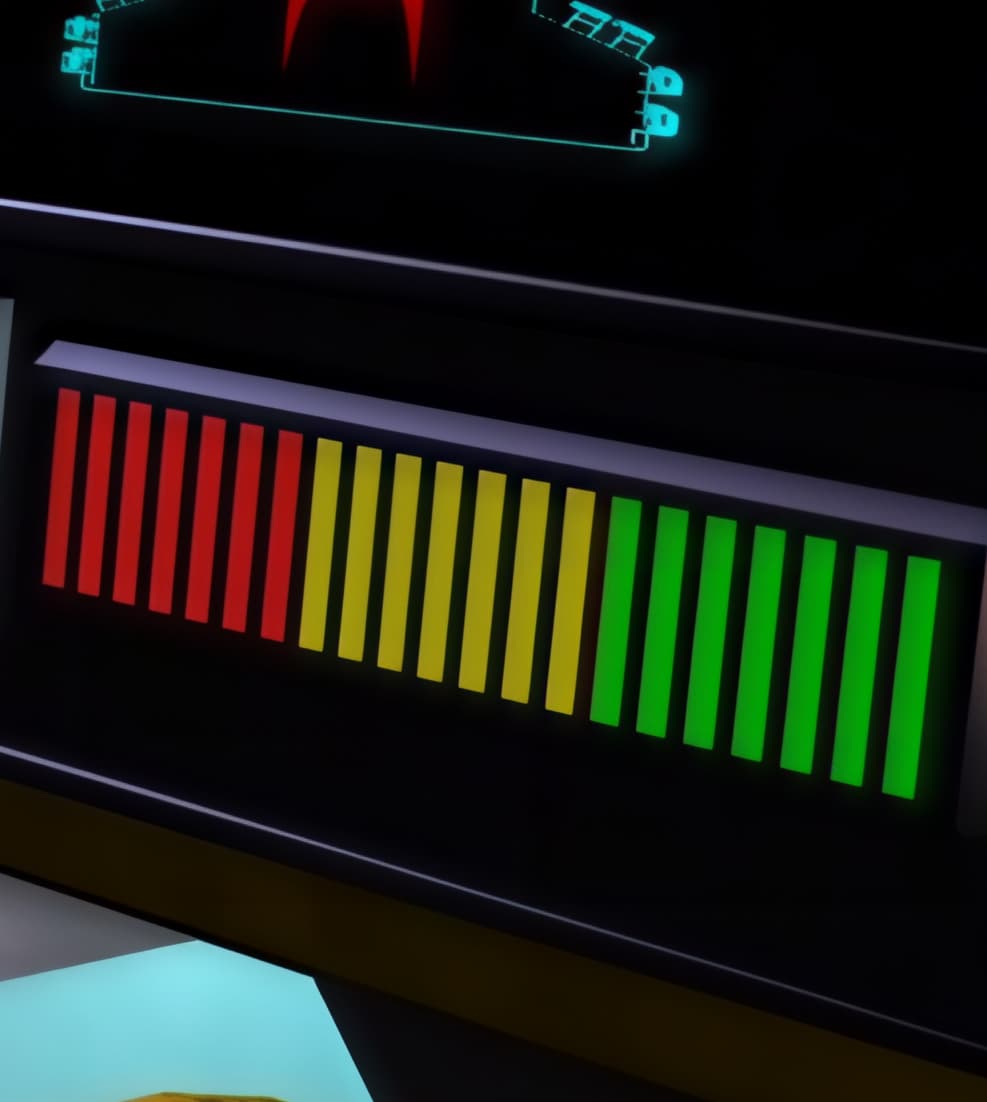
Input (enlarged):

Output (x4):

This isn’t a result of any codec output settings as I have it set to encode as FFV1 12-bit 4:4:4 MKVs.
I can’t be the only one who thinks the videos run through Starlight are rather “soft” looking?
I’ve also noticed at times, instances of tiling squares.
An annoying issue is losing the very first frame at the beginning. For whatever reason it just skips it. This consistently happens and I don’t see any way around that barring adding a blank or duplicate but that’s really not something one should have to do.
3 Likes
