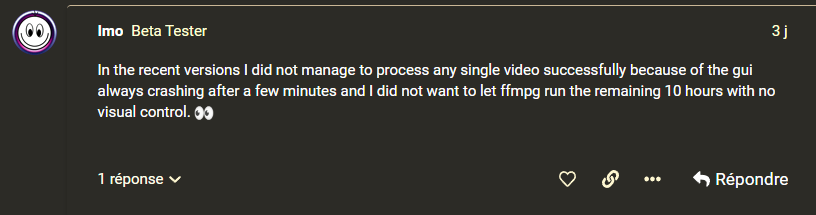
There are all kinds of things that can cause VEAI 3 beta to crash. It may be hardware or driver related in some cases, and it may cause different problems on different systems. Hopefully, they’ll find the underlying cause of the problem(s) before too long.
Have you tried to create/copy a simple ffmpeg command using the GUI (without running/testing them,) copying them to run from the command prompt?
That might be helpful in targeting the area causing the failure for the developers trying to find the bugs.
Also, I’m not certain whether ffmpeg logging is still active when the GUI exits. - I am certain that their ffmpeg must have a built-in trace of some sort, but I have no idea where it lives. I’m also not certain whether the new “gather log for support.” feature is set to retrieve that trace information.
Debugging code that runs in the background is not always easy, especially when it spawns sub-processes and generates lots of handles.
At any rate, you may want to give my suggestion a try and see if it makes a difference.
YES! I would love to have a lossless codec like that in the VEAI arsenal. The primary way I like to keep my video while processing is it to use a low-numbered CRF value, but the current beta doesn’t have that capability. - Currently, my workaround is simply using a high a bitrate as I can to ‘dilute’ compression artifacts. - I’d love a lossless codec.
I could say “ditto” to that, but after starting out as a programmer and working in machine code and macro-assembler starting in the late 70’s resorting to command line is still strongly ingrained - Also there is the problem that some GUI designs are far less ‘intuitive’ than they should be. - Some of this is caused by programmers who develop apps for multiple platforms and are only familiar with the ‘look and feel’ of the one they actually use. - Sometimes it is simply that the programmer is so familiar with the way their application works, they fail to notice that the GUI isn’t helpful to regular users.
Hopefully, these issues will wring themselves out before long.
Doing the Command line bit, I described previously could help identify where to look for the problem.
Well, the simplified version is: The number of known bugs in a body of software is a know quantity and therefore, it is finite. The number of unknown bugs is unknown and therefore must be assumed to be infinite.
Hi John, the exported file will be saved to the location that is set under Folders > Export. If you see a “.” this means that the file will be saved to the input file’s location.
No need to guess, we will be adding improved model tool tips so that users can choose the model that is the best fit for their use case. The recommended model tool in v2.6.4 relied on user input and led to mass confusion.
Don,
A lossless codec is a really good idea for the video editing process. If you haven’t done so already, please post a request for a lossless codec in the feature request listings. It will likely start a discussion, which could actually get it implemented. @Martyprod
We do not reply to every post since we are busy tracking each issue reported and working to implement a solution.
Rest assured that we are seeing each post of every Beta release and that we are closely monitoring issues and working on solutions. If a log is needed, we will reply and ask for a log or any other needed documents/ files.
Seems that @Martyprod has already thoroughly replied to your other questions and concerns.
This version keeps crashing all the time. Making huge temp files.
Latest crash:
Here init with params: ref-1 0 C:/Users/Osku/AppData/Local/Temp/665945799//tvai_D_cinci-evening_new_299875862_chr2_mp4_0_2534934_cpe.json (null) 10.800000
Setting ‘outputs’ to value ‘2’
Uninit called for ref-1 1
Parsing a group of options: output url C:/Users/Osku/AppData/Local/Temp/665945799/cinci-evening_new_299875862_chr2_704621492_tvai.mp4.
Applying option map (set input stream mapping) with argument [out1].
Applying option c:v (codec name) with argument h264_nvenc.
Applying option profile:v (set profile) with argument high.
Applying option pix_fmt (set pixel format) with argument yuv420p.
Applying option b:v (video bitrate (please use -b:v)) with argument 24M.
Applying option map_metadata (set metadata information of outfile from infile) with argument 0.
Applying option map_metadata:s:v (set metadata information of outfile from infile) with argument 0:s:v.
Applying option map_metadata:s:a (set metadata information of outfile from infile) with argument 0:s:a.
Applying option map (set input stream mapping) with argument 0:a.
Applying option c:a (codec name) with argument aac.
Applying option metadata (add metadata) with argument videoai=Stabilized auto-crop with smoothness 90.
Successfully parsed a group of options.
Opening an output file: C:/Users/Osku/AppData/Local/Temp/665945799/cinci-evening_new_299875862_chr2_704621492_tvai.mp4.
Setting default whitelist ‘file,crypto,data’
C:/Users/Osku/AppData/Local/Temp/665945799/cinci-evening_new_299875862_chr2_704621492_tvai.mp4: No such file or directory
Statistics: 3506032 bytes read, 2 seeks
Instead of posting here, feel free to contact Support directly or send me a PM and I can assist you. We greatly appreciate our Beta tester’s contributions and I am looking forward to assisting you if you would like to troubleshoot the issues you are having.
The reason why our developers have entirely rewritten the app from the ground up is due to some major issues with v2.6.4. This combined with very wonderful user feedback as to missing features and codecs that were requested is why this build exists.
It is only helpful if users understand that the list of models is generated based on their selections. Most of our users thought that the selections for this tool were generated by the app and therefore they were choosing inappropriate models.

 Estimating Hidden Bug Count — Part 1/3 - Microsoft Research