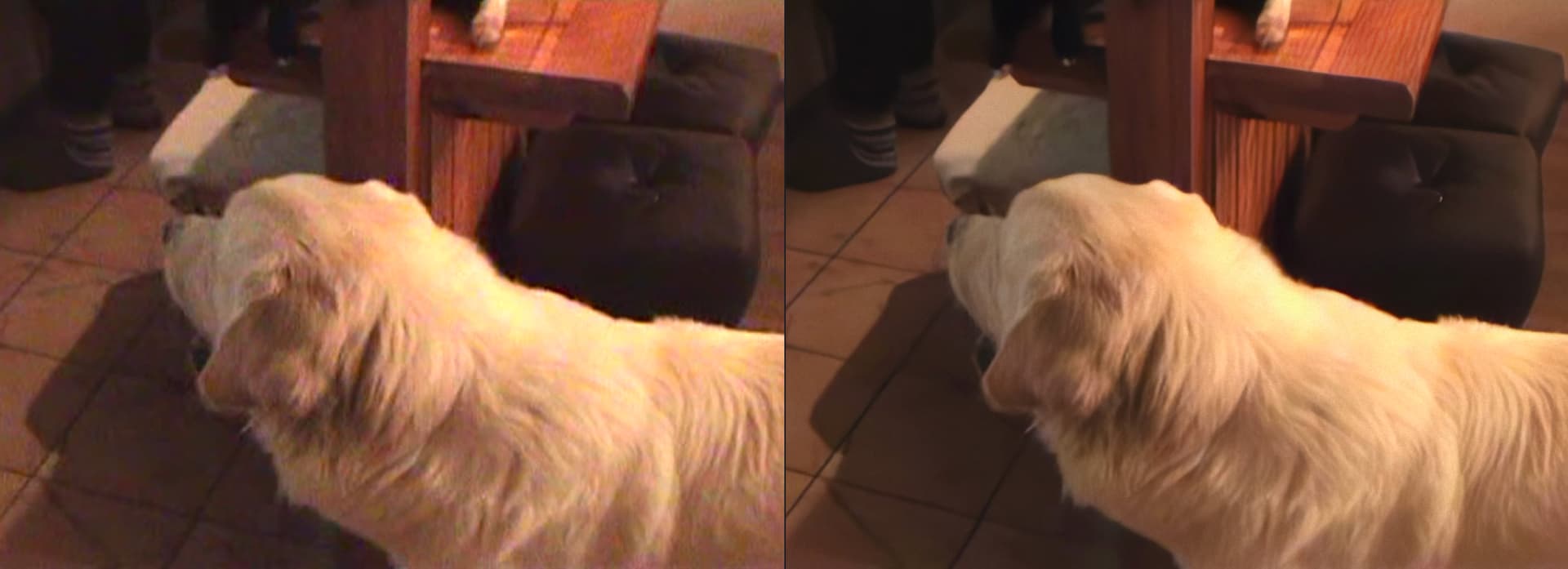
Tested the file here and also get the error at 93% even on MacOS.
After converting to h265 with handbrake TVAI had no problem with the video.
I think, considering the quality of the source you still can get decent results. This is a short try with first converting to h265 and also deinterlacing in handbrake, after that processing the video in TVAI with Iris Progressive. It may be too “plasticky”, yes, but Iris still did a quite good job clearing that massive color noise / blotches on the dog and the floor.
I don’t know if other people had the same issue as me, but the update from 3.5.1 → .2 broke my program and errored out the rendering process all together, my fix was to go into the program data folder and delete topaz folder in c:\programdata [dont delete programdata folder, delete the topza folder in it]. I don’t know why it happens, but removing the folder helped me. Hope it helps others if they come across the same issue as me.
Thank you for your willingness to help and your time!
You are already the fourth person, apart from me, who has run tests and received the same error as me.
This short video is just an example for testing. Unfortunately, TVAI version 3.3.10 to 3.5.2 returns an error when processing any MPEG2 576i file.
However, in version 3.3.9, TVAI processes such files correctly, so all you need to do is restore the correct processing of MPEG2 576i files in the latest version.
I agree that the Iris model makes the image look a bit plastic, but it must be admitted that it is beautifully denoised and smoothed.
The last two updates don’t work at all for me.
Version 3.5.1 elongates resulting video (doubling frames ?).
With version 3.5.2 every job jumps to half of video and freezes.
Version 3.5.0 runs w/o problems.
I’m typically converting videos with
3.5.2 has a problem
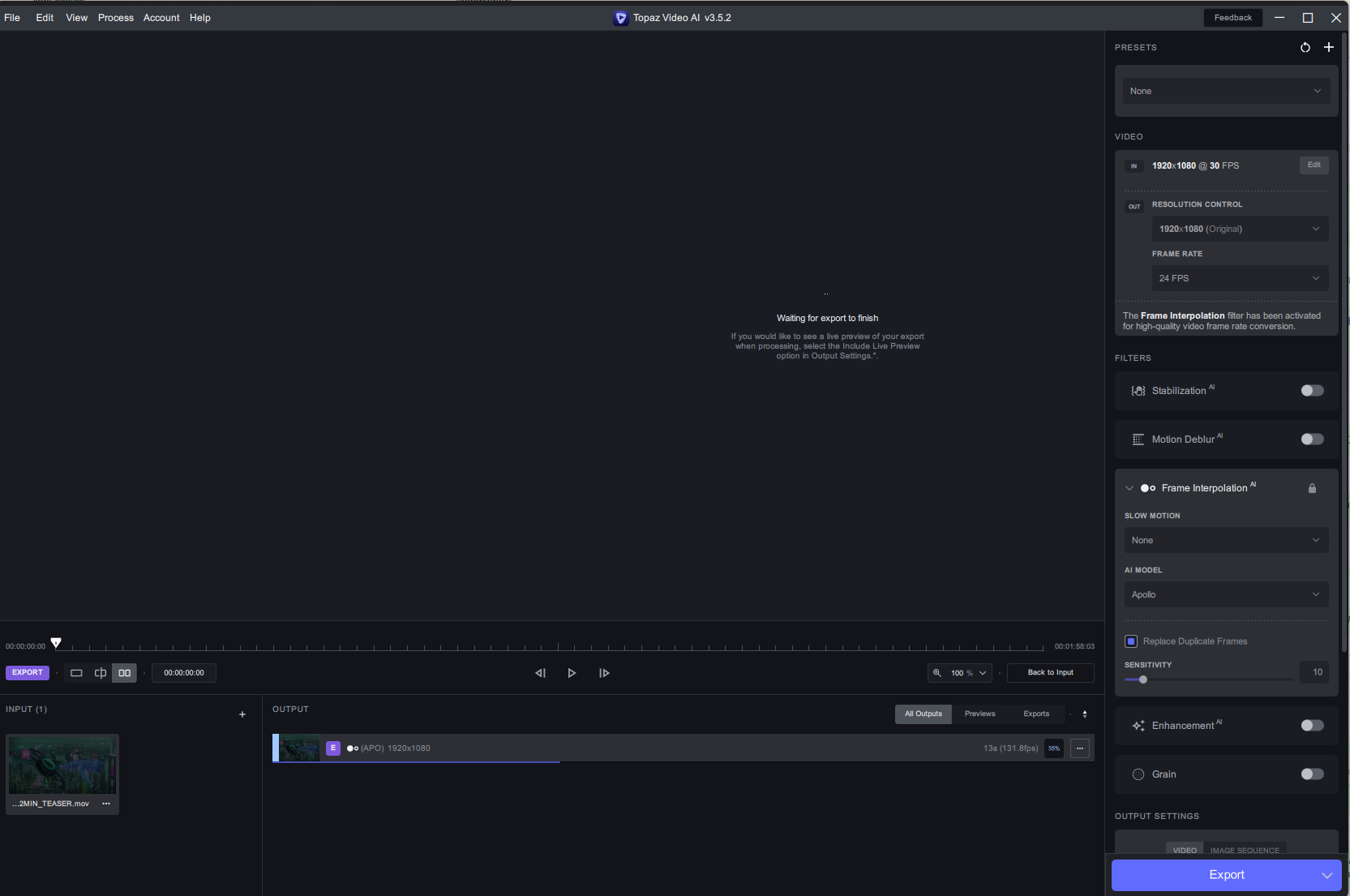
i have a video 30fps but has it a many dublicate frames
i try to convert to 24fps with remove dublicate frames via Apollo and Cronos
process start with 131fps and freez
Has anyone else noticed that the files that are encoded by Video Ai, take like double the time to be encoded right after in for example Adobe Premiere Pro? i do very long enhancements, concert size, normally i would have processed a show that has been put through Video AI, that is a hour and a half, in 20 minutes (in adobe premiere pro). Now i have finished my latest show, while still using 3.5.0 as it’s the last stable version for me, the rendering time (in adobe premiere pro) was 4 and a half hours!
When i import the file on the sequence line, the file also reads as red, this means effects are added. versions i enhanced, that i encoded with a older version of Video Ai, are still are shown yellow, neutral with no effects. I thought maybe something changed in the encoding of the upscaled file, so i converted the files with Handbrake and nothing changed.
The only difference i could see in the file properties is that the color space for the new encoded files from video ai are in Rec. 709, the old ones in Rec. 601 (NTSC)
I have very good results with Iris Medium, i never saw such crazy enhancement on old videos.
I would not suggest Iris on animation.
Try Proteus manual:
Revert Compression: 60
Improve Details:30
Sharpen: 30-50
Reduce Noise: 20
Revert Original Details: 20
Other settings you can leave “0”
Please share a download link, i would like to make my own test if you wish.
I do specially enhance video footage 480p and lower, testet all models with many manual parameters. Iris is by far the best results for me to get best crazy details, however for my footage the results of “Iris Medium” is much beter then “Iris Low” I tested around 40-50 short clips. Auto setting do not give best results, i found a very good settings for all videos i have as:
Iris Medium
Upscale: X4
Revert Compression: 60
Improve Details:30
Sharpen: 30-50
Reduce Noise: 20
Revert Original Details: 20
I would not suggest Iris on animation, for that use other Models .
I also tested stabilisation which give me best results at value 20, even for hard shaking records.
I hope there will be added a color grading setting in the future.
Memory leak issue for 2019 MacPros has not been fixed in Ventura. Is Sonoma fixing the problem? I don’t want to try another update if VAIE still doesn’t work.
Why you do not use deblur this is what softens the output why set original details to default 20 i can assure you everyone sets this high to keep the details
in my opinion skip iris use artemis 2 X in your case 4 X low quality then use NYX 1 X and play with the parameters as mild as possible except for deblurring. To me it seems better than Iris 2.0
Red means imported clip fully mismatches the sequence settings.
Yellow - matches size and framerate, but has different codec.
What’s your sequence settings and what are your TVAI export settings?
I am still having issues where the output is getting rotated - so 9:16 portrait mode to 16:9 landscape mode.
I can fix it for individual videos but not group of videos.
sequence settings are the same as the files, and they did not change, even before, and try throwing a effect on a file in adobe premiere, they go from yellow to red.
Maybe TVAI really liked you…
I and several other people tried to process various MPEG2 576i files and unfortunately the process always ended with an error.
3.5.1. to 3.5.2 using the installer file directly does not work for me. But going directly from 3.5.0 to 3.5.2 using the installer file does work (for me).
So having first updated to 3.5.2 (broken) I installed 3.5.0, checked that it worked, and finally installed 3.5.2 which was just fine.
“the error on the manufacturer’s part is due to the fact that they do not have their own codec/remuxer, the program only uses what the system provides, i.e. Microsoft default, an extension from the store or what is pre-installed with some codecs, especially since at some point when testing your file I got the error message ffmpeg”
I don’t believe that is correct as the error also occurs on MacOS.
Maybe the files are somewhat faulty and some codecs are more forgiving than others?
E.g. as you can play some files in VLC that don’t play in the default player.