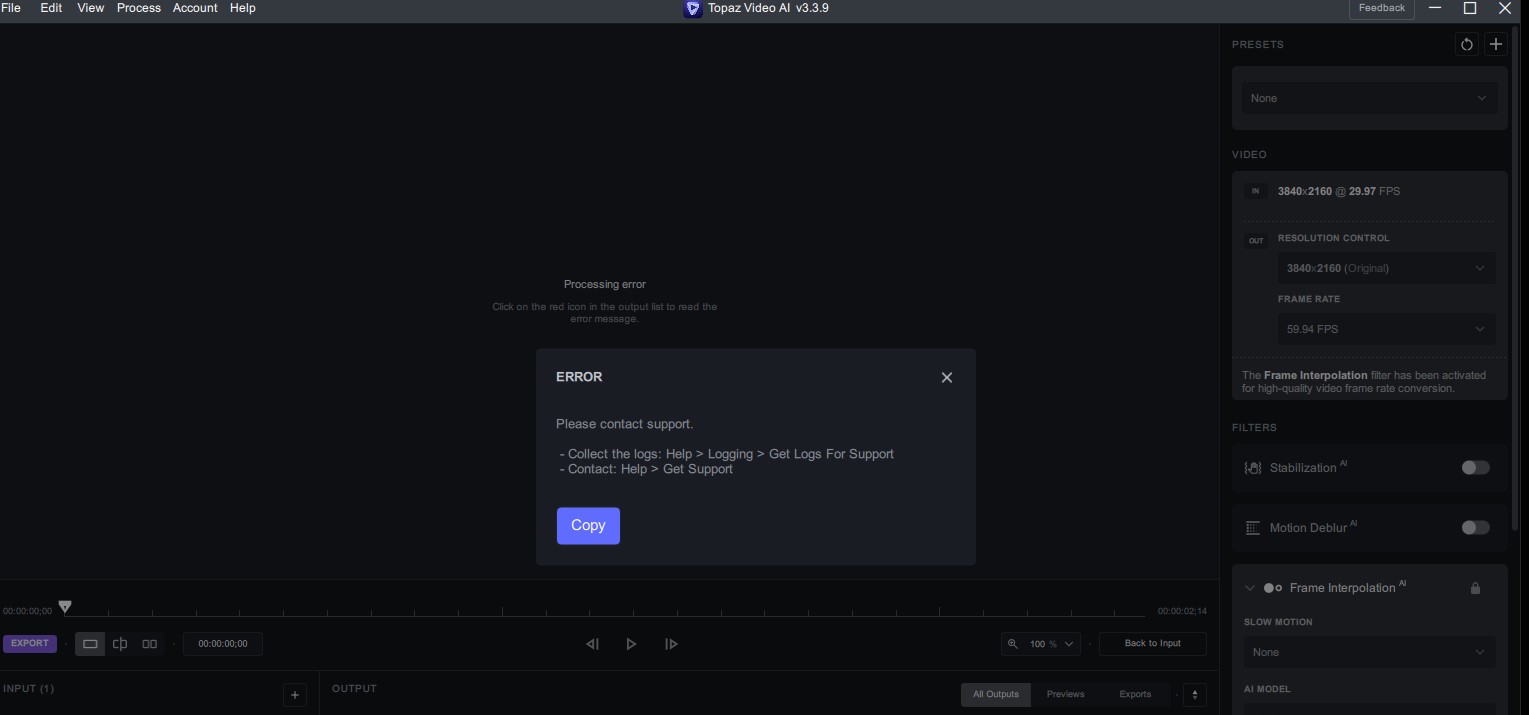
Here they are. It does seem like a permissions issue; that’s what I thought but the problem hasn’t occurred before (with the same paths) and went away when i downgraded to 3.3.5.
logsForSupport.tar.gz (40.2 KB)

Here they are. It does seem like a permissions issue; that’s what I thought but the problem hasn’t occurred before (with the same paths) and went away when i downgraded to 3.3.5.
logsForSupport.tar.gz (40.2 KB)
Really curious when the fullscreen/taskbar issue is going to be fixed…
Only recently have I tested the Apollo Fast, which is very different from the Apollo even though the name is Fast.
The advantage is that the details of the input source are preserved much better than Apollo. Unfortunately, the rest are almost all shortcomings, the effect of frame interpolation is inferior to Apollo (not all), more rectangles (any scene may appear, global or local), speed difference is not obvious, etc.
The results of both Apollo models are suboptimal, and they handle rotated frames poorly.
I’m seeing the same thing. Minor inconvenience but it is a real thing. I almost always pull the download from the website and install. Next release I’ll update in-app to see if it’s any better.
(FWIW pulling from the downloads page is usually faster.)
Hi! I was able to copy and paste the grain setting on Mac, can you post a screen recording if you are unable to?
For the processing error, I would want you to create a support ticket and share the logs and system profile.
Yes, it is a permissions issue;
/Users/james/Movies/Renamed Where%3F /IMG_2814 Part 3_temp.mov: No such file or directory
Can you please perform the same task in v3.3.5 and then share those logs? I have noticed a spike in permissions related issues.
Oh, when will you fix duplicate frames in Apollo fast? It duplicates frames even at sensitivity 100. And please make to 240 fps, it is necessary for After effects.
3.3.9 crashes “out of memory” every time even on pretty low level tasks. I’m running on a Mac Studio M1 Ultra with 128GB ram, so something is off.
I’m uploading files packed in a zip archiver and it’s not clear whether they uploaded or were rejected? Because when downloading, the number of downloads is added to the download counter, and after exiting the download, the counter remains without changing the number of download clicks. Is there a list of downloads or at least email feedback that the files have been successfully uploaded?
Can these files be made available for download by other users who want to check and confirm errors on their hardware? How do I discuss bugs I see or suggested fixes with the developers? 
Can you post your logs and console report? If you are a Beta tester, I would encourage you to test the most recent Alpha that may correct this issue.
You can post the zip here as well 
If you are uploading to DB, you should see a screen that says something along the lines of “Sucsess.”
This is a processing error, we would need the logs and the system profile to know why this is occurring.
I assume the logs are from the topaz app, where is the system profile located that will help with this?
2023-08-01-18-24-2-Main.tzlog (179 KB)
Yes, I uploaded the archive to the Drop Box from the link in the header, and after uploading I saw a message about the uploaded files, but when I returned to the forum page, the counter did not add the number of clicks. Okay, then I’ll upload the quizzes here so everyone can test and discuss this as well. 
M
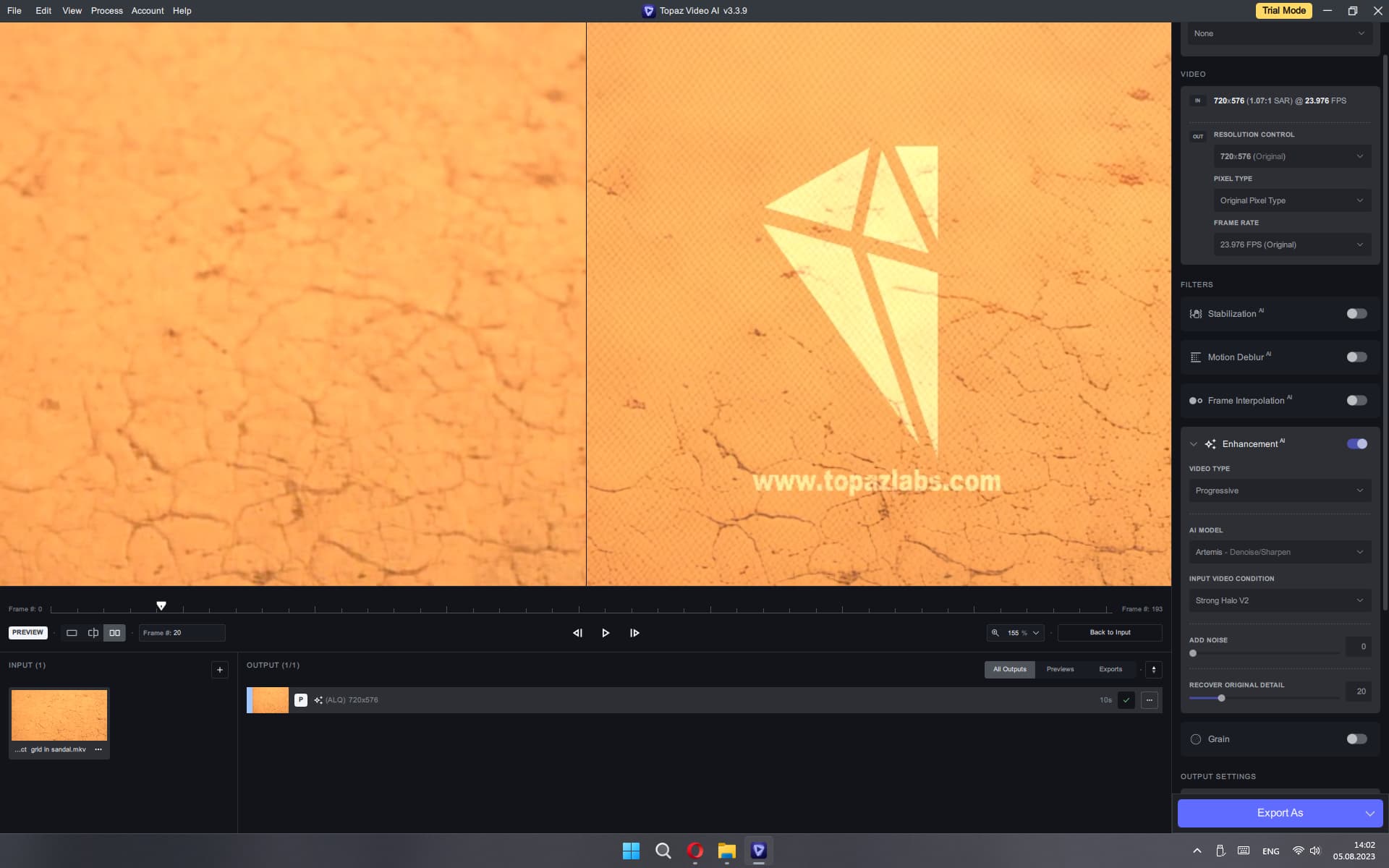
ARTEMIS also has similar artifacts in certain videos, where software calculations are automatically exceeded and the denoiser goes beyond the calculations creating all these artifacts. This happens in many presets, at various scales, such as: 2xUPSCALE (Artemis)LowQuality_v12-v13; StrongHalo_v1-v2 DioneRobust_v4 - artifact grid in sandal
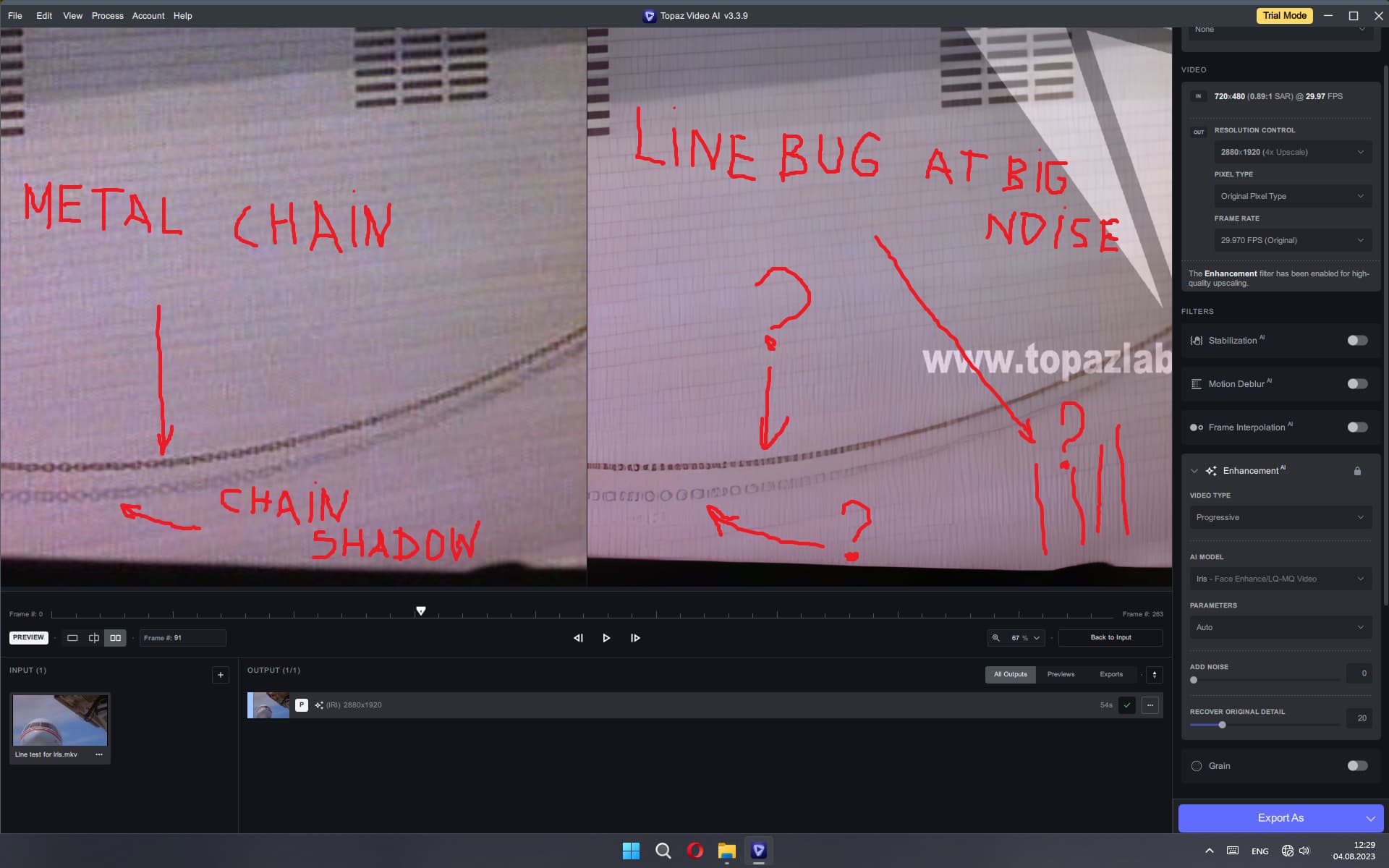
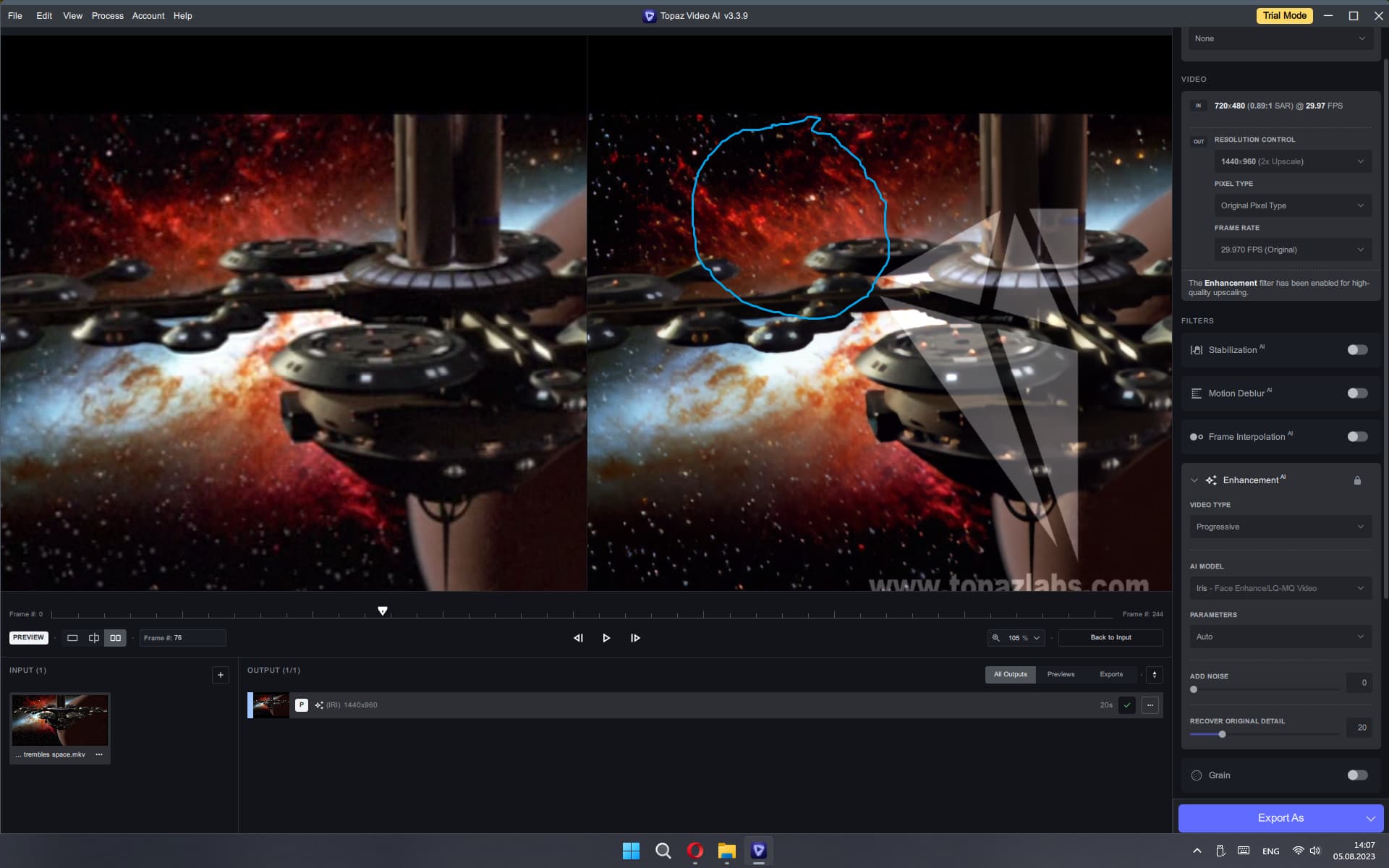
IRIS has another very significant artifact, which is due to incorrect noise purification. This manifests itself in the form of movement along the diagonal of the wave, and is very noticeable on the hair or eyes when it all stirs and moves. Here is a sample screenshot of where to look and a video for the test. (IRIS 2xUpscale
Hey @alex.bo
Thanks for providing us your printscreens.
I’m a non professional user since implementation of Video AI/Video Enhance AI.
From the very first beginning/since launch of Topaz Video I recognize also artefacts like you did.
Also in the newest/last versions I recognize various artefacts, which were generated by Video AI.
For me there is very big difference in recognizing artefacts in ONE or several single frames in comparison to look at the rendered (or previewed) PLAYING video. Yes…I recognize also by Video AI generated artefacts in playing rendered video.
But overall my results with Video AI are mostly very impressive in comparison to original footage.
I don’t upscale so far Full HD, 4K footage or cinema footage. I have only a lot of experience in enhance/improve “very” old footage (VHS, S-VHS, Mini-DV, HDV). Mostly the results are very impressive and outstanding. Video AI is here state of the art and a game changer for me.
As I said before: yes…there are also generated artefacts.
Here i build on further developments by Topaz in order to improve or reduce artefacts.
I test since years with high effort always other solutions in order to compare the resuts with Video AI. There are always other providers/companies which promise improving/enhance videos also with AI.
Until now from my point of view you can forget all the alternative solutions. There you receive artefacts without an end and often completely destroyed faces.
For me only the “Neat Video” plugin is only credible competitor in comparison to Video AI.
The thing with “Neat Video” is: high effort in order get the right/best settings/adjustments. Often the results are too washed-out. With Video AI I have much more and easier opportunities on settings/adjustments.