Any other settings you recommend to change other than dehalo?
Each TVAI model, including Iris, is split into different components, each of which works depending on the upscale size you choose. If you look ‘under the hood’ in your models directory, you’ll see many files that have 1x, 2x, or 4x in their names, and those three types work independently when upscaling to any size you specify. They are also trained individually by Topaz. So, in the case of Iris, I find the 4x component works the best, but it comes into effect only at upscale sizes of 250% and higher. I hope this ‘nutshell’ explanation clarifies things a bit for you.
EDIT: In case you didn’t know, every single AI upscale is done ONLY at 100% (1x), 200% (2x) or 400% (4x). From there it is sized up or down to your actual selected size or percentage (if it’s different) by using conventional Lanczos scaling (non-AI). This is all done on-the-fly.
2 Likes
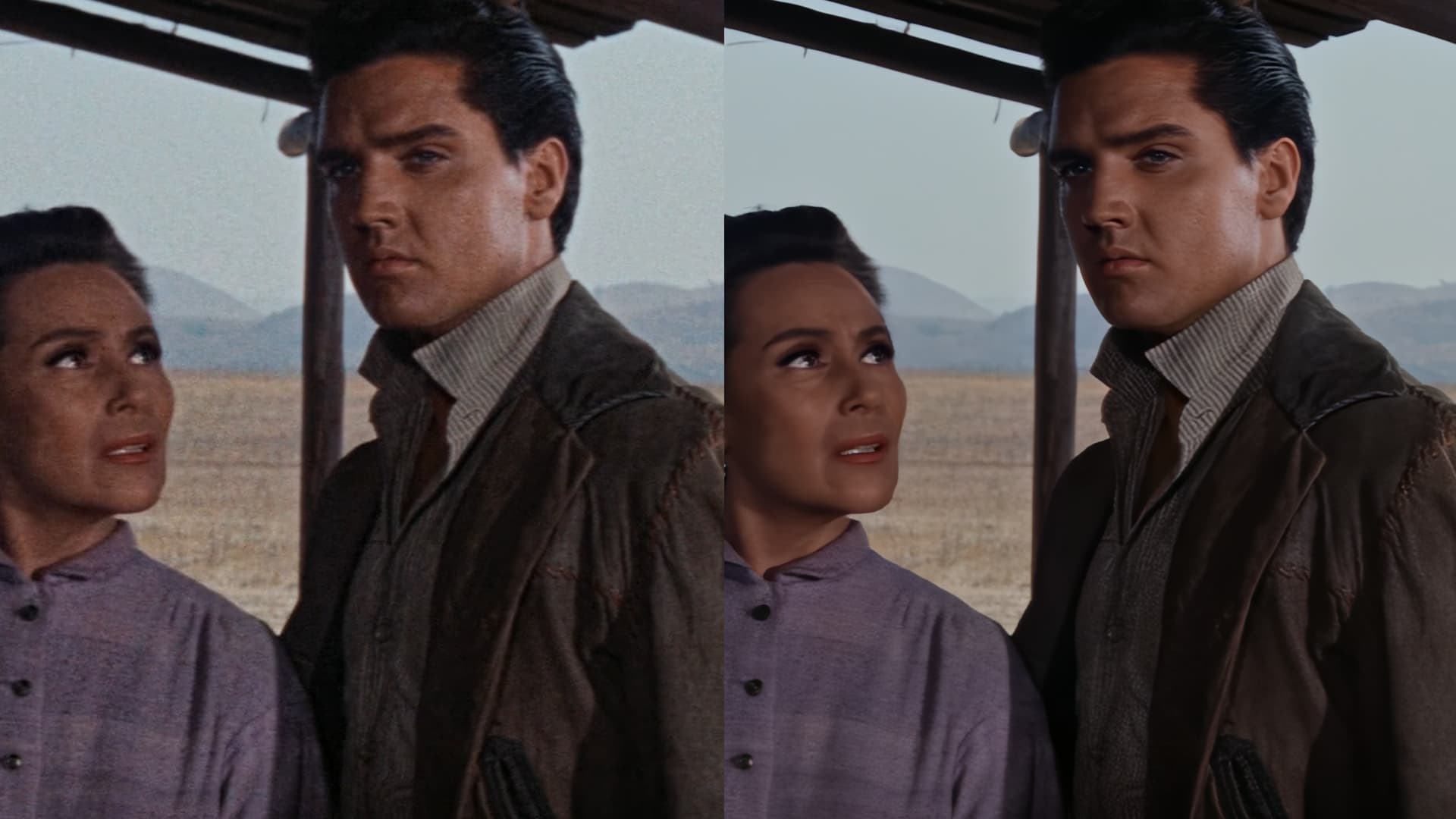
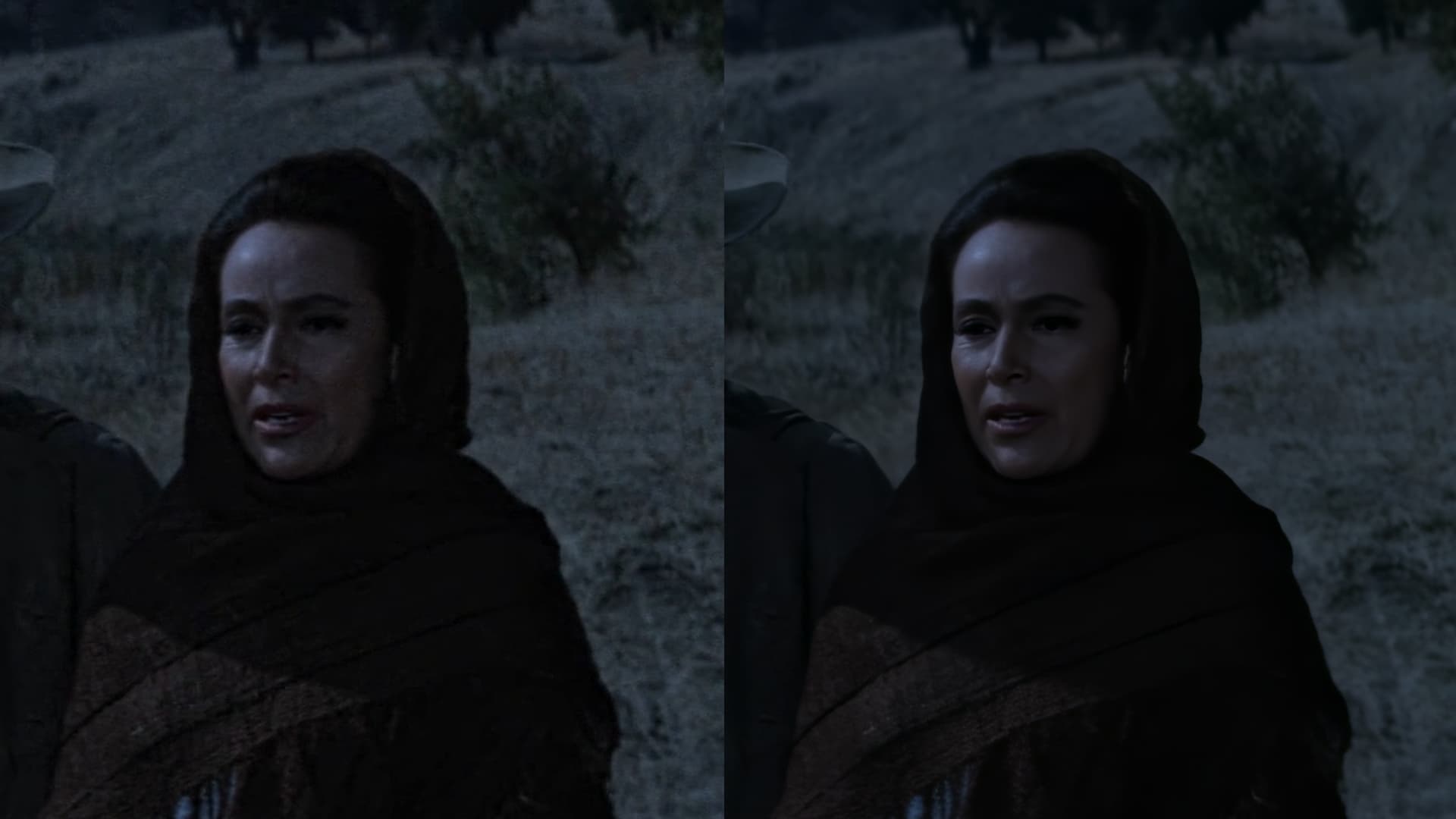
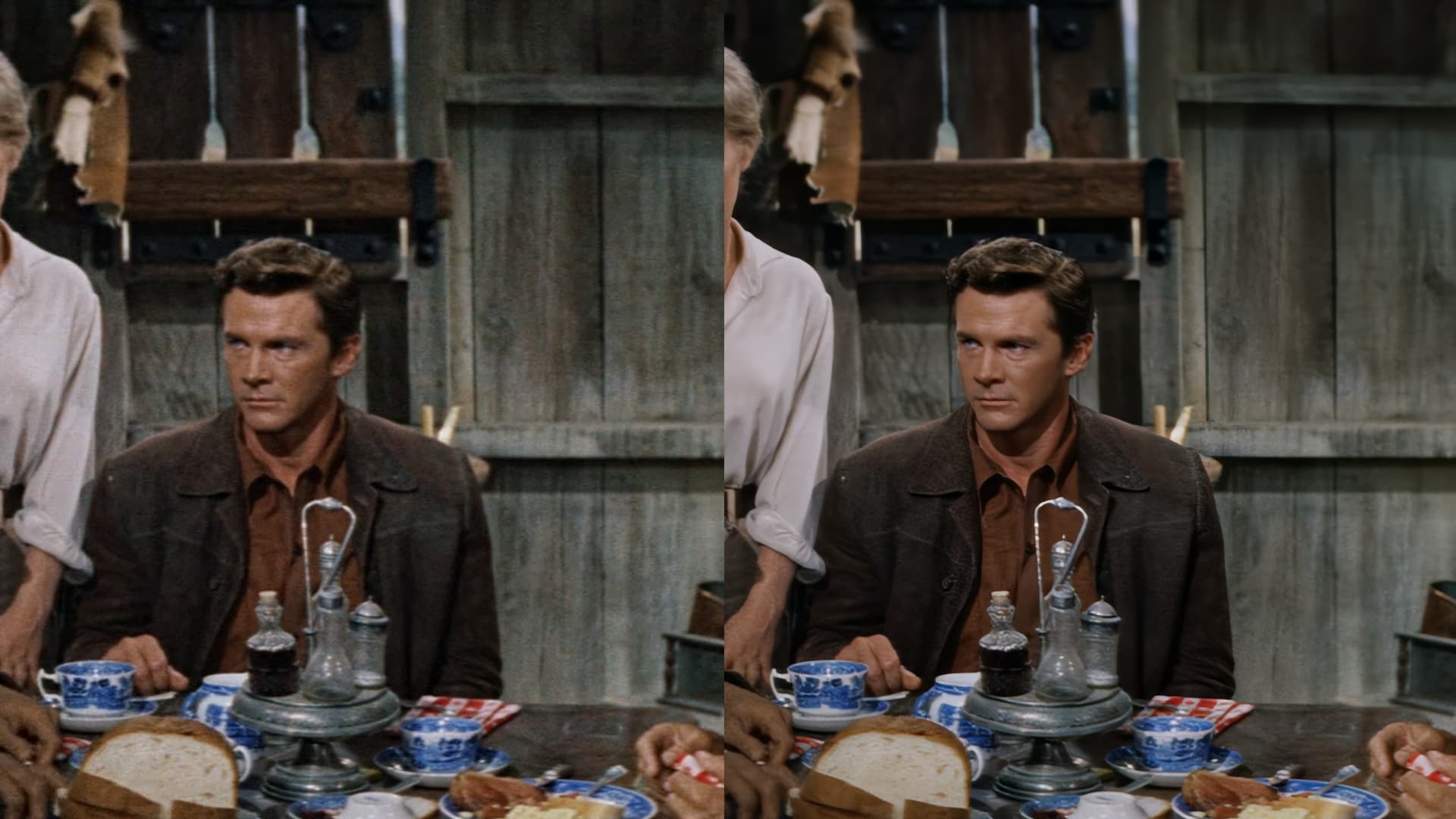
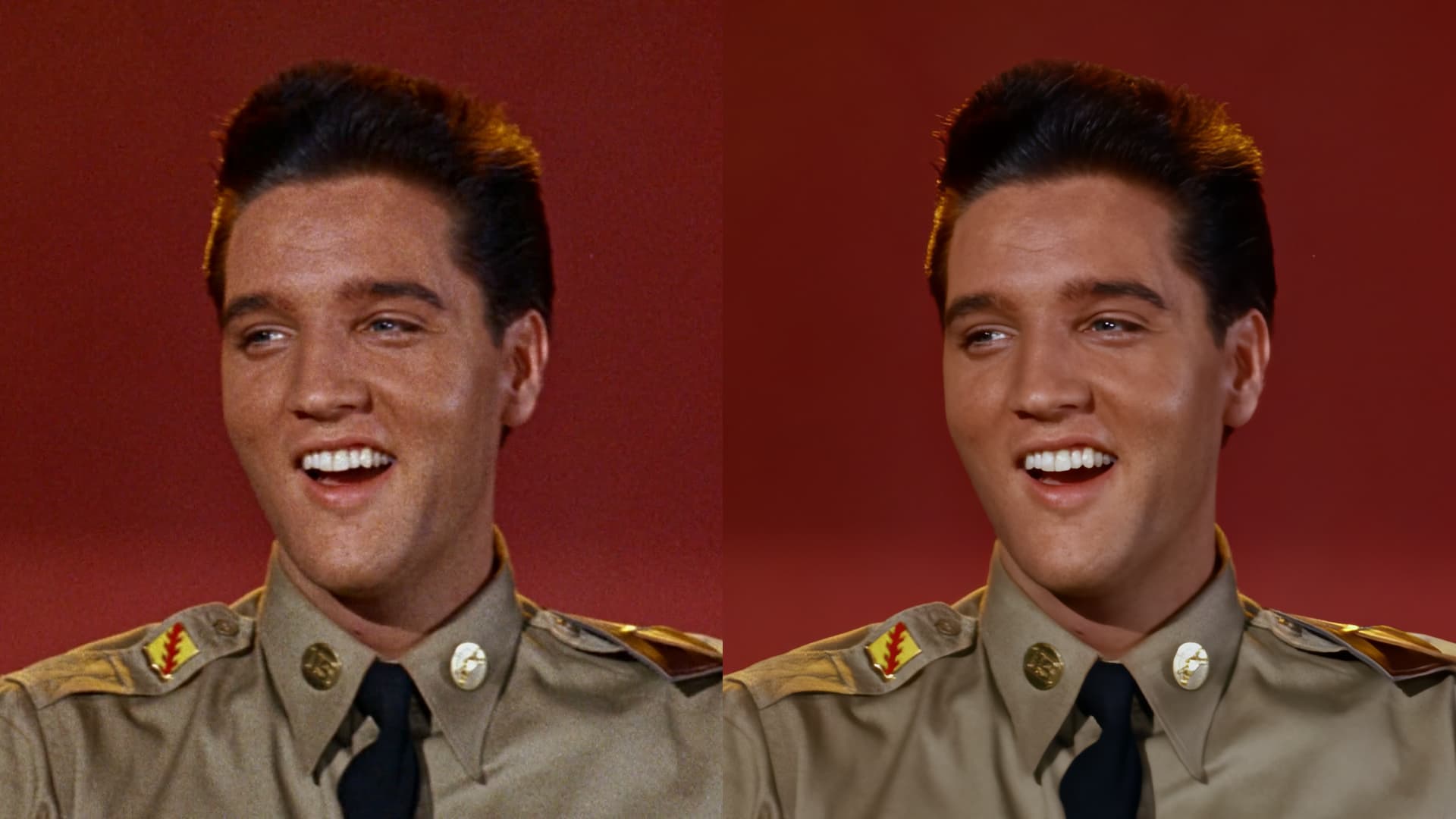
Yes, every other option you should test a lot as they are useful, and each video will require slighly different settings for the best output. Recover original detail is a really nice adition, i tend to use it at around 40. I leave here some of the results I got. I don’t think the model is “perfect” but is the best thing i’ve ever seen when it comes to sharp, natural results and temporal cohesion along with awesome denoise capabilities, so i’m really excited for future iterations of it. btw the images were downscaled from 4k to 1080p so not as good as they actually are, specially in motion

9 Likes
So am I not correct in upscaling 480 to 225% making it 1080? Should I be selecting 200%? Which would, in my mind, give me a 960 output.
Looks impressive!
1 Like
Hi, looks very clean and beautiful. But I can also see some loss of texture. In the 4th image (Untitled_2.1.4) it’s probably easiest to identify on the leather jacket where the typical leather patterns are diminished. The face also looses some character due to softened detail on the skin, imho.
2 Likes
It’s only ever going to get better. Gonna be great seeing the next big steps.
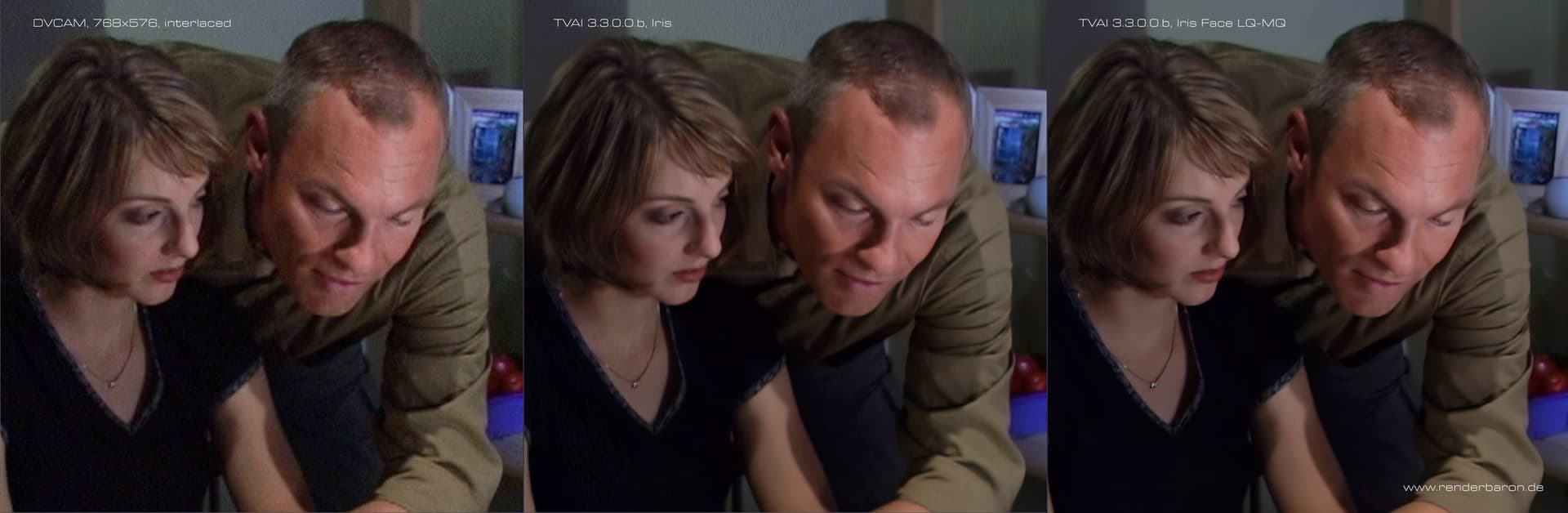
I like the Iris model. It recovers faces quite good, but it looks too soft overall. And there are quality differences depending on Interlacing or not - see comparison.
When Iris is doing deinterlacing it seems to introduce strange flaky artifacts (see background wall). When Iris is applied on progressive material (deinterlaced with StaxRip QTGMC) the result is much clearer (while some banding on the background wall remains). Both tests are done with 65% “Recover Original Detail”.
Marc
3 Likes
I have the same morphing problem with every encoder I’ve tried.
The source file was previously deinterlaced with QTGMC in Hybrid 
The only way I’ve found so far to mitigate this morph problem to almost 100% is to blend Iris with Proteus.
It seems I will have to wait for Iris v2…
Other than these bugs with Proteus (the bug of dehaloing is present also when I use recover original details at 100%), there is another bug with Themis. All the blue colors of a video turns to purple
Original video
Video after themis v2
How will Motion Deblur and Recover Original Detail work together?
Hybrid = try it = resize/crop: bilinear + filtering: qtgmc with field-blended +/-BoB
wrong thread
I always get a complete Crash when using Frameinterpolation 
The iMac is freezing and restart. This happens every time…
iMac 2020, Intel i9, 32GB, AMD Radeon Pro 5709 XT. macOS 13.3
For my FullHD enlarged to 4K, RECOVER ORIGINAL DETAIL >0 takes away the micro details rather than adding them. And it slows down the speed.
ignored as always
look - UHD - 2k/4k
It’s not an option for motion deblur. It’s only been added as an option to Proteus, Iris and Artemis.
Think of it as a blend filter: At 0 it’s the pure AI output. I doubt that at 100 it’s just the original—that would be pointless—but it’s a much higher blend percentage.
That’s what I’ve always done, keep my upscaling to 2x or 4x. Your computer or TV will do upscaling/downscaling on the fly as necessary to fill the screen when you view it. It can be a bit faster too as there’s less work to be done at 2x.
Having said that, on some material especially 360p or 288p (!), if it looks better I upscale to 4x and obviously, that’s slower than 2x plus a bit. The non-standard resolution doesn’t matter at all in my opinion, if the results are for personal viewing and not professional productions.
1 Like
I have timed that it takes 8 to 9 minutes for Iris to start running on my MacBook Pro. It works fine on Windows though. I have had no issues running it on Windows. It encodes right away. This is am M2 Max MacBook Pro. It’s a bit annoying. I uninstalled Topaz AI, cleaned all the files and reinstalled it to no avail. Everything works well except for Iris. I have some online GPUs running Windows 10 and no issues there when running Iris.
