Having the “Queued” issue here as well. After running two or three previews and clearing them out, run a new one and it says “Queued” even though it’s the only thing there. Have to close and restart to clear that.
Of course not. Project management is a messy. There are so many inconsistencies that it would take a long time to write them all down. I guess the developers know this, because they are obvious. I have only pointed out some aspects, those that I considered most relevant.
I think this version is far from ready for release next week.
lavu/eval: introduce randomi() function in expressions
VVC decoder (experimental)
fsync filter
Raw Captions with Time (RCWT) closed caption muxer
ffmpeg CLI -bsf option may now be used for input as well as output
ffmpeg CLI options may now be used as -/opt , which is equivalent
to -opt <contents of file >
showinfo bitstream filter
a C11-compliant compiler is now required; note that this requirement
will be bumped to C17 in the near future, so consider updating your
build environment if it lacks C17 support
Change the default bitrate control method from VBR to CQP for QSV encoders.
removed deprecated ffmpeg CLI options -psnr and -map_channel
DVD-Video demuxer, powered by libdvdnav and libdvdread
ffprobe -show_stream_groups option
ffprobe (with -export_side_data film_grain) now prints film grain metadata
AEA muxer
ffmpeg CLI loopback decoders
Support PacketTypeMetadata of PacketType in enhanced flv format
ffplay with hwaccel decoding support (depends on vulkan renderer via libplacebo)
dnn filter libtorch backend
Android content URIs protocol
AOMedia Film Grain Synthesis 1 (AFGS1)
RISC-V optimizations for AAC, FLAC, JPEG-2000, LPC, RV4.0, SVQ, VC1, VP8, and more
Loongarch optimizations for HEVC decoding
Important AArch64 optimizations for HEVC
IAMF support inside MP4/ISOBMFF
Support for HEIF/AVIF still images and tiled still images
Dolby Vision profile 10 support in AV1
Support for Ambient Viewing Environment metadata in MP4/ISOBMFF
HDR10 metadata passthrough when encoding with libx264, libx265, and libsvtav1
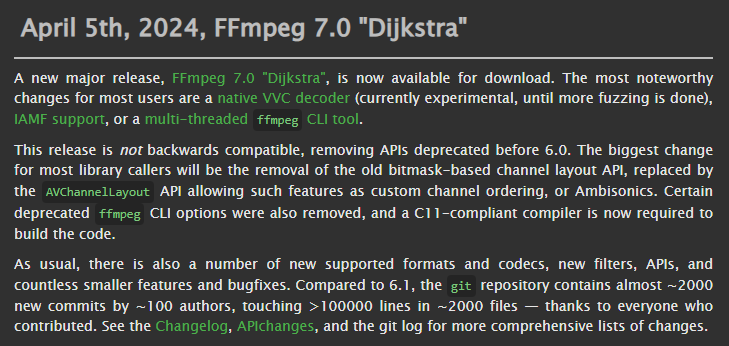
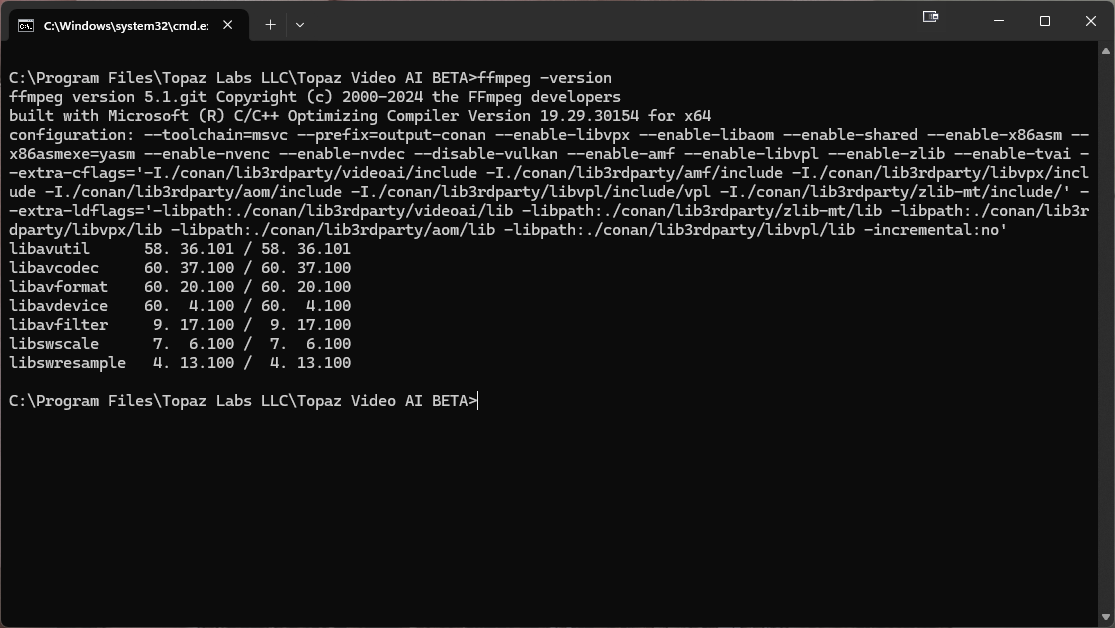
@tony.topazlabs Is there a possibility that a newer version will be used soon? what version is being used in this beta?
@tony.topazlabs Apple uses Intel and AMD Prior too M1 .Windows uses AMD OR Intel for CPU.Graphics Can Be AMD ,Intel or Nvidia.Mac Uses Metal or OpenCL .Apple M1+ are like the AMD APU Processors…
If VideoAI has two seats VideoAI on same company Can Render Like Adobe Media Encoder and Process Enhancements in conjunction with Computers running the same app if chosen.
We’re using an ffmpeg build that is very close to the 6.1 release. Our current build has changes through 1/11/24.
We update ffmpeg regularly so you can expect some of these changes to make it into Video AI’s ffmpeg bundle soon. Our build will not line up exactly with the numbered versions that ffmpeg announces since we pull specific changes and rebuild with our models enabled.
For example, our current build is up-to-date with 6.1 but also includes these changes made after that release was tagged:
LEAD MCMP decoder
EVC decoding using external library libxevd
EVC encoding using external library libxeve
QOA decoder and demuxer
aap filter
demuxing, decoding, filtering, encoding, and muxing in the
ffmpeg CLI now all run in parallel
enable gdigrab device to grab a window using the hwnd=HANDLER syntax