No I don’t want to Deinterlace first with another Software!
I just want to convert the Frames to 25p like it worked before this new Beta comes out…
No I don’t want to Deinterlace first with another Software!
I just want to convert the Frames to 25p like it worked before this new Beta comes out…
hi, you have to deinterlace with Dione Robust which does not double the fps, you select Irisx2 or Dione TV or Dione DV, in this case you have to follow Akila’s post:
It was mentioned in the August 2023 Roadmap.
try this.
No!
I don’t want to use Dione to Deinterlace or any other Deinterlacer!
Iris „Interlaced“ is able to SELF Deinterlace to 50p and BEfORE with an older Beta I could convert it directly to 25p! And that’s the BUG I describe…
I don’t understand what you want to do, you have a 25i video, in any case you have to deinterlace it, if you want to have the fluidity of the video you desnetrelace with dione, or iris or even qtgmc which is better , if you want to keep the original 25 fps, you still deinterlace with qtgmc by deselecting bob so that it remains at 25 fps, or you still deinterlace by doubling to 50 fps and you import your video into any what editing software and you render it at 25 fps. But interlaced video MUST BE deinterlaced
My original is a 25i Video! I use the filter „Iris Deinterlace“
=> it creates a 50p Video!
and this Video I want convert to 25p in one Step with Framerate Conversion in VideoAI!
Please don’t write in this Beta-Thread! The Developers should understand what I mean
My English is not good, and I can’t describe it further.
I’ve seen color alteration too but didn’t feel them to bad.
Keep in mind that the AI could have a Problem with your test image alone.
Photo AI just hates the dress of my customers and does sporadically remove fabric, even now with the new beta.
Use deepl.de to translate.
You then just read it for correction and paste it here.
The point is that I want to deinterlace the video with “Iris Deinterlace” and then convert it to 25p in one step! Without multiple render steps…
This was possible with VideoAI! But since the latest beta it doesn’t work anymore! Therefore the bug should be fixed!
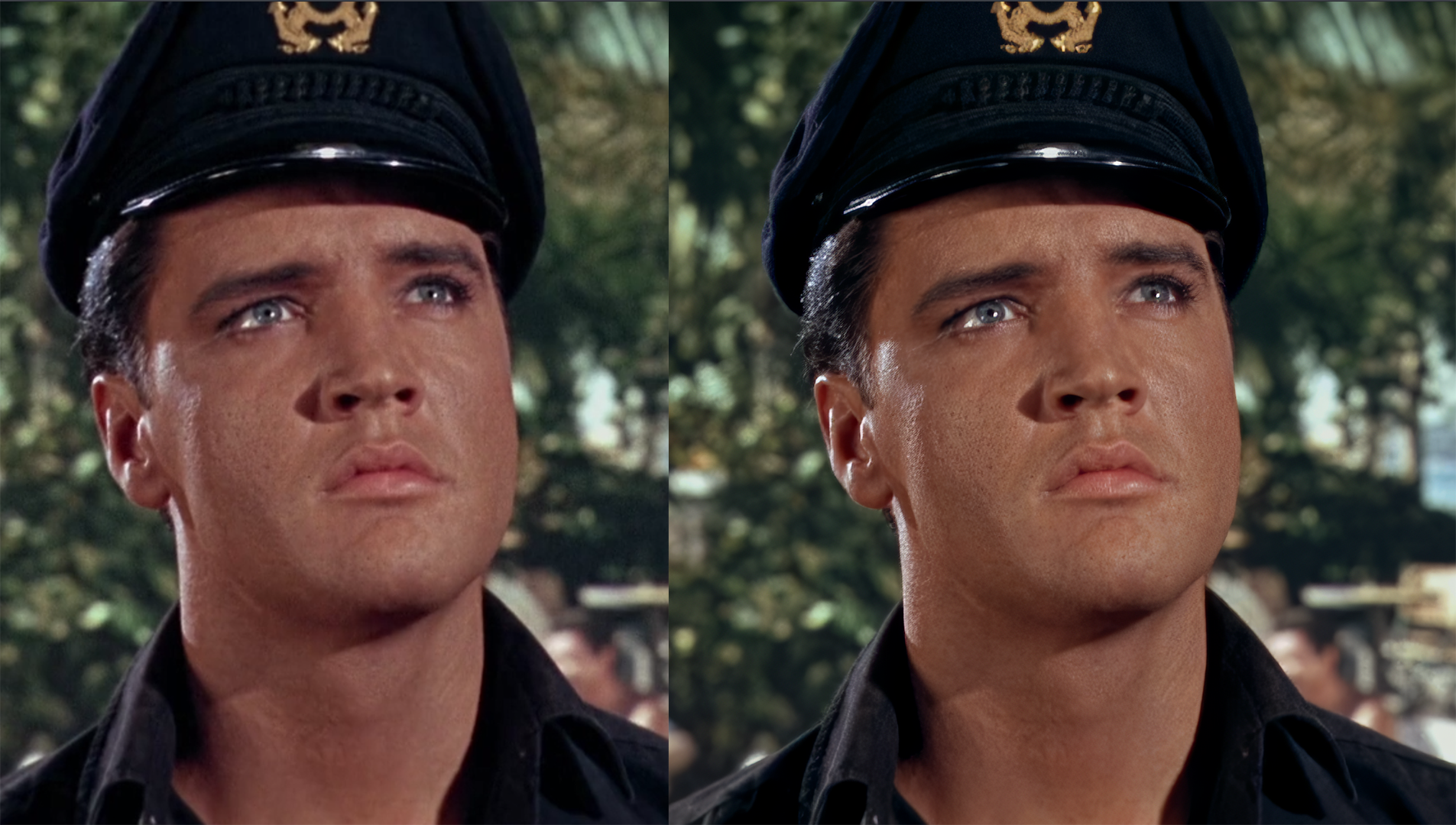
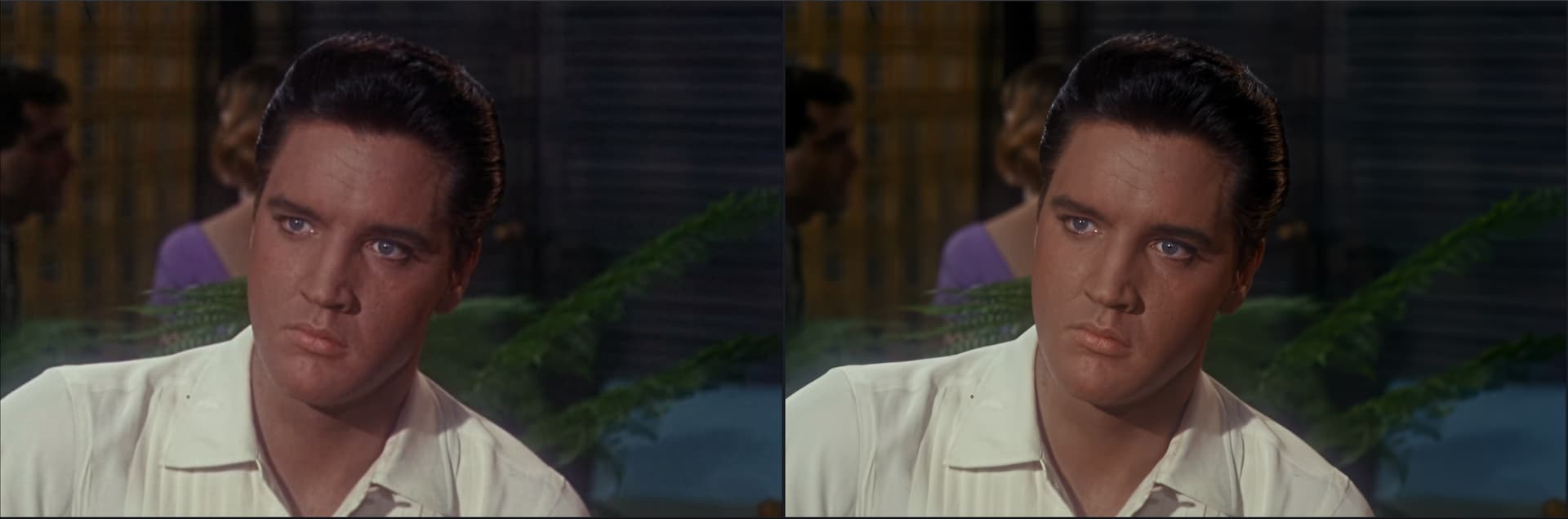
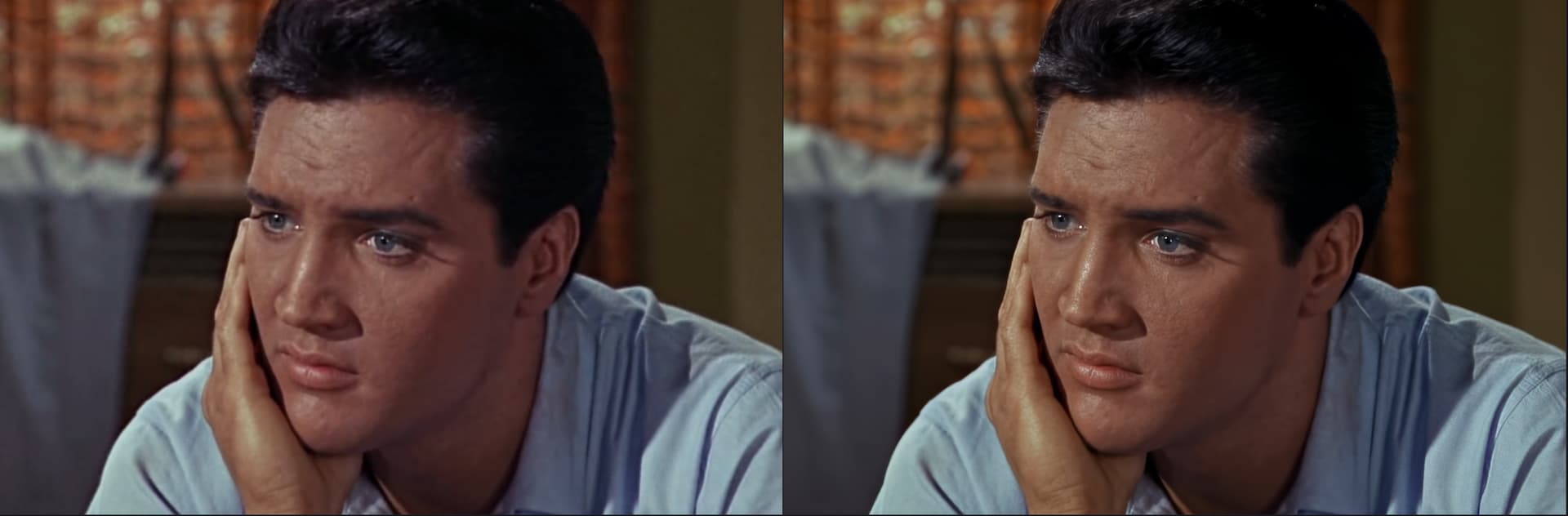
Iris v2 + proteus v3, does an awesome job of restoring faces and specially lost detail! Can’t wait for the final version, great stuff
it’s not a bug… well either you use this beta to deinterlace, import the video, and reproduce it in 25 fps, or you use the version with which it worked  there is no other choice . If I were you I would produce at 50 fps, and then reduce to 25 fps. But if we’re lucky to be able to have videos at 50 or 60 fps, going back to 25 or 30 fps is a big step backwards.
Try switching between the posted images in tabs in your browser. The overall color looks dull.
You can also see that there is less color alteration here compared to the Artemis image I posted as a comparison.
Measure the colors, for example, in purple, RGB(255,0,255) becomes RGB(232,0,255), and in red, RGB(255,0,0) becomes RGB(232,14,11).
When tested on video in real images, the original tint is destroyed, for example, human skin is altered to a yellowish-greenish color.
It looks really good…Care sharing with us the steps you did and settings?
was it an interlace video or progressive? if interlaced, what method you used to deinterlace?
AI model order, Iris 1st Proteus 2nd? other way around?
which one you used for upscale and which at same resolution?
did you use Auto? if not what values you used? , etc…
It is an nested video (25p in 25i). Therefore, when deintetlacing, each frame is displayed twice. Therefore I want to render it as 25p so all that went before 
For this reason, I said not to discuss this here. It only confuses the developers and has nothing to do with the topic. It worked before and now it doesn’t work anymore. And I ask the developers to fix the bug
Simply said:
I want to render with “Iris Deinterlaced” not in 50.000 FPS (2x Deinterlaced). Instead I want to render in 25p (every second frame is discarded)! Like it worked in the Release-Version!
Yep, so basically 4X (from 720p to 2880p) upscale with Iris v2 first then second pass Proteus V3 intermediate res on auto. The video is progressive
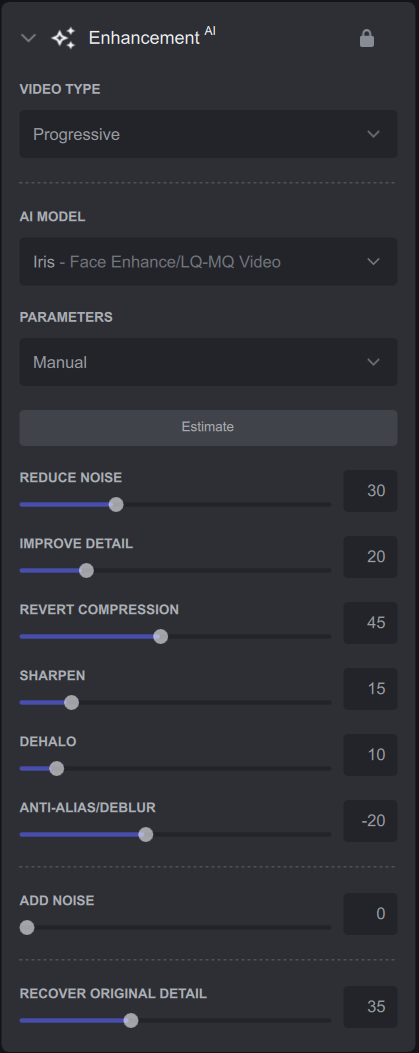
I left Proteus on Auto and restore detail 20, although you could probably fine tune its settings and maybe get a bit more out of it, for Iris I used these settings.
Simply said this is " Beta" software
You found a bug well done.
It will be fixed in the next beta release no doubt.
No need to keep going on and on and demanding for it be fixed.
So just to be clear (because you mentioned “intermediate res”). you upscaled with Iris (v2) directly to x4, then ran a proteus pass leaving it at the same resolution?