Extremely annoying bugs with the create preset dialog:
When creating a new preset, when you go to check the ‘Include Preview & Export Settings’, the dialog disappears, saves the preset and the export settings are not saved! Furthermore, it changes the settings you had in the export options back to something else!
Also, if you have put any text in the ‘Name’ field, clicking anywhere else makes the dialog instantly disappear and saves the preset, without pressing ‘Create’.
Please fix these issues with the create preset dialog!
Why not simply have a button run with export to then a button stop so we can have multiple versions of the same file and we can see in our player the real result in our players and not in the topaz windows that are topaz propriatary
I am happy I use video proc pro AI now and please do not say that this is Chinese this is like talking like this guy in the US going to prison or talking like oh my god in the 80ies japanese cars are taking over the worlds
I have done all Voyager episodes and all DS9 episodes. I couldn’t take so much time per episode, I’ll be a hundred by the time I would have finished.
My experience was : (1) Less is more, too much processing, you end up with wax-works. (2) Auto setting is slow! find an approximate manual setting, process one season, then move on to another season. (3) choose your source carefully! PAL DVD version of both shows, are the worst! NTSC DVD is better, despite lower res. Webrip 24fps is not bad, but it has been badly de-interlaced. (4) enable B-frames for final HVEC output within Topaz.
I started Voyager with PAL and spent $150 for the entire series, thinking more lines of resolution was better than NTSC, but it looked horrible. Blew another $150 for NTSC and it looked much better.
For my part, I picked up a webrip of the Star Trek series. And the quality is still pretty good for most of the shots. And the settings I use are pretty good.
Also, it takes me 1.5 days to improve 26 episodes with my Phase 1 preset. Then, for phase 2 (Upscale) I do +/- 8-10 episodes per day. With phase 3, rendering time is identical to phase 1. But I have an RTX 3070 Ventus.
With an RTX 4070 Ventus I’ll go almost 2x as fast. But I’m still waiting because the RTX 50 series is coming out soon. And I’m still waiting for the 5070 Ventus with 2 fans. This 2-fan model will fit very well in my tower. Because the 3-fan models have a length, I doubt it will fit in my tower.
As I said too, the webrip is second best! The NTSC DVD yields best picture, if deinterlacing is done properly. Topaz itself does a pretty good job of that.
Good picture is a Subjective, personal opinion. You might not rate my work much or vice versa.
One of the first tell-tale signs of Ai over-processing is creating waxworks! it should be avoided.
Less is more! I don’t take out all the noise, all the imperfections for live actions. For animation, that’s different.
As I said, I have done all DS9, all Voyagers & all TOS (just cleaned the TOS), plus many more.
I have done probably a hundred movies, plus a few hundred TV episodes, so FPS is really important to me, with my RTX 3060 ti.
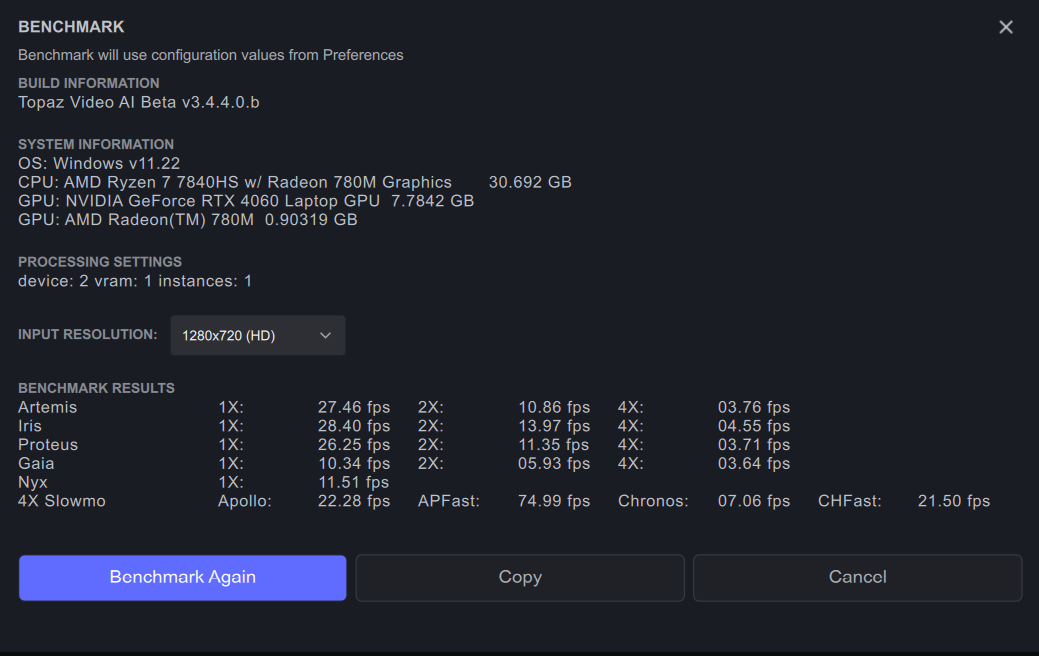
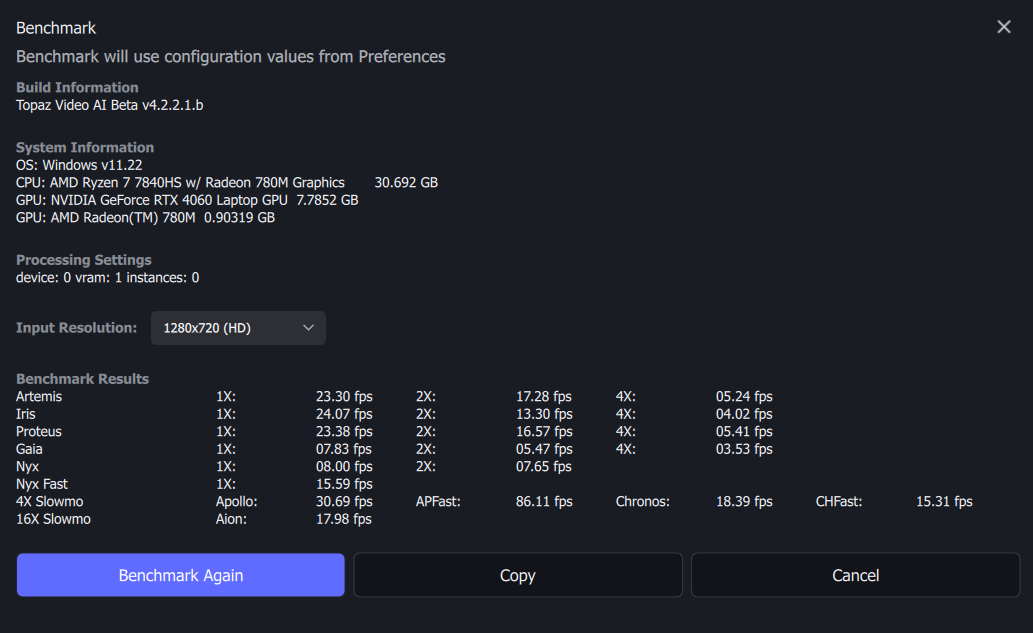
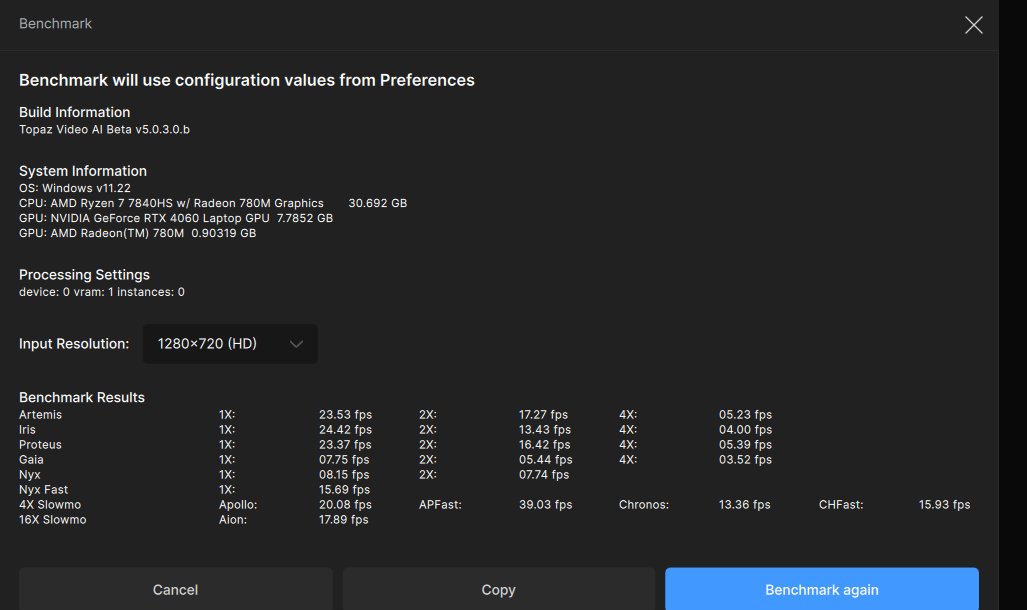
I’ve done some benchmarks between a few of the versions I’ve used on my Lenovo LOQ 15 (4060+7840HS, 32GB dual channel DDR5) laptop.
Speed’s about the same on my 4060 (95W max, overclocked core and RAM) as 3.5x and 4.1/4.2. Gave a webm an upscale to test and everything seems to be working though playback of a preview seems to take a second or two even with my 3.5-4GB/s NVME in my laptop. Frame-skipping is fine, but the delay can be frustrating (800x600 source, 30fps, to 1600x1200 60fps AV1 10bit 8mbps by the 4060M)
Still feel the interface is a bit too cramped on my laptop (15in, 1920x1080) though as the side panel for enhancements can’t be collapsed, but I’m glad previews seem to be working as I stuck to 3.5.2 given the various changes/issues I and others had in the later 4.x series
I’m still experiencing the Mac spinning beach ball with this version. It is slow to load. I decided to reinstall and trashed the preferences ( losing old but now outdated settings). However, it is much the same. The old previews from the current project need to be loaded. I think I’d like to have the option to lose these when the app is closed and start with a fresh project. I did note that there is a way to delete the previews, as single items or as a full group. However, that takes time - so go away and make a coffee to avoid frustration. I feel this version is buggy. A shame as the refresh of the GUI and improvements to models are good. Hope the next bi-monthly update can fix things.
Oh shoot!
The same bug, combined with the audio starting from the very beginning of the original clip.
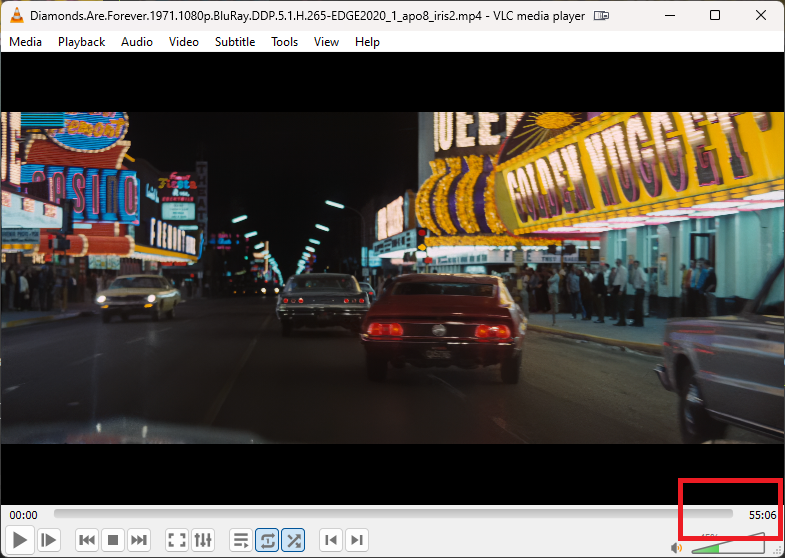
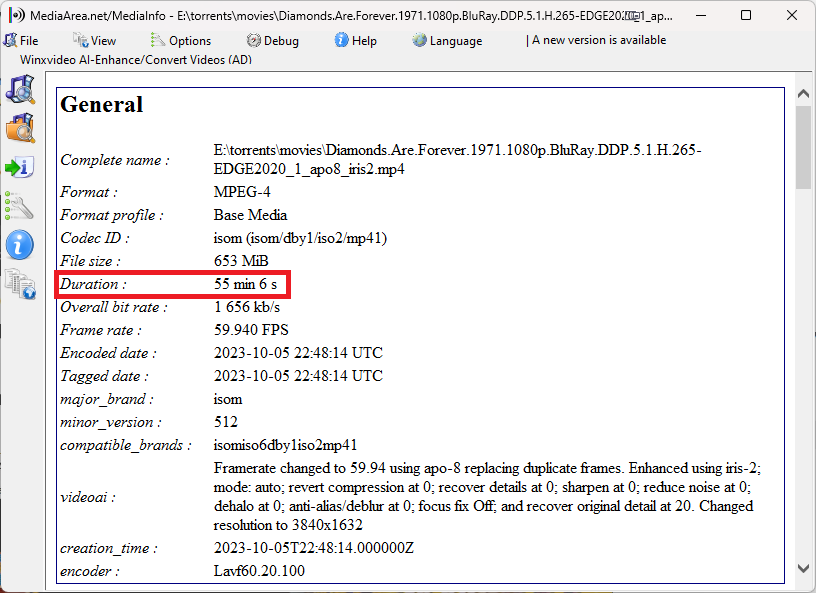
Mediainfo indicates that the video stream length is 1 minute indeed, but the audio stream length is 20 minutes as original.
But it never plays audio past 1 minute.
Clearly there are major problems with the metadata being written to the export files. Things that worked perfectly fine before the (completely unnecessary) UI refresh…