Wondering if the low number of replies to this topic/version are because:
- People are happy with this version.
2, People are no longer upgrading and are waiting.
Wondering if the low number of replies to this topic/version are because:
Waiting for what?
Next major version without bugs and requested features.
I am waiting for something that’s worth paying to upgrade too. I am currently on 3.5.X.
4.-something is available within my upgrade window, but all of the 4.x.x versions I tried had something I didn’t like, so I stayed on 3. I am one of the few people that aren’t mad about this because I started my last buy-in with a version that I thought was worth the money. That way, if nothing improved, I still had a version I was happy with. My window started before the version I stayed on, so there were at least a few “upgrades” I liked along the way.
I might bite on a sale if they have one this summer because I like the newer Proteus model, but I don’t like it enough to pay for a full-price renewal just to get that one new model.
To be clear, I am happy with the money I have spent on Topaz thus far. I got software that was worth what I paid at the time of purchase. The upgrades, that I liked enough to install and use, were just icing on the cake.
You’ll be waiting forever for that…
Assuming they squash most of the major bugs, probably in the 5.1 series of releases it may be worth it to upgrade.
Unless of course we get yet another UI refresh which actually adds bugs, as per what has happened with the current release.
I upgraded from the June 2020 version two days ago and have just installed it.
First test was to interpolate a 12 sec 4k clip to 120 fps, Apollo model. Results were O.K. a far cry from earlier Versions. Now as I type, downloading the 616! models from Model Manager, should I have started this?
Obviously after forking out cash, it is disappointing to read of all the bugs in this release.
I left it for a couple of years for that reason. The speed made it unusable in 2020.
The Resolve OFX plugin was my deal breaker.
Early days, sure hope it was worth upgrading.
Cheers
This version is really bad.
Another bug is that it will always open all the batch files from my last session when I start Video AI, no way to turn this off other than make sure I close ALL inputs before I exit Video AI. There is NO option to prevent it from “loading last session”.
If I try to Close All inputs while it’s going thru it’s startup loading process it will CTD.
I don’t know if they just dropped in a new programmer and said “have at it” or what?? This many major bugs for a release is professionally unacceptable. I want to love Topaz, but this company seems to have a repeated patterned of just tossing out buggy builds … fixing them … breaking them again? As a software engineer and project manager myself (37 years) this raises my concern.
The good thing the beta is now available for everyone it is my experience that the beta has more fixes than the official release so this is a major step forward from Topaz another thing we use to have once a week an update but now we have an update once every 14 days the amount of bugs are at least 50 percent less each 6 months when a new full release becomes available. Yes I love Topaz I see it improving i also feel less annoyed lately as I use it less than version 2 and version 3 and even version 4.
It might be that the original code got lost and therefore we see only plugin development and gui changes, but no smart optimizations at the Nvidia level CPU offloading. If Topaz was god it would do 1500 frames per second. but it does not hence code runs unoptimized and secretly lost 2 years ago. I am not making this up I have worked for Silicon Valley companies in sunnyvale we developed appletalk where the other devices we sold we sold upgrades for years but actually we had lost the software code long time ago of course interfaces plugins new releases we still released but fundamental drivers no that was lost and a real secret of course the company got sold an the private investors bought an empty bag.
Losing code is unlikely, GitHub is very reliable and is common for both small and large companies to use GitHub. There is also TFS but GitHub seems to be more popular. Also likely more than one developer involved in Video AI so they’ll have duplicate sets of code on their local machines or VDI instances. Every developer I know retains a backup somewhere. But if that’s not enough, if the code was “lost” then re-writing this application in 2 weeks from scratch is impossible (multi-month/year projects).
These UI issues are basic, VERY basic, like someone doesn’t know what they’re doing kinda basic. Close a dialog box when clicking on a checkbox and not the save/update button is lack correct event binding or just triggering additional events or calling methods that shouldn’t be called. Really basic UI stuff.
Not to mention this is a desktop application so the event message flow is much easier to manage/understand as there is no client-side/server-side flows to worry about like JavaScript (client side) vs. code behind or web services you get in web apps.
Like I said, the developer(s) are clearly struggling on the UI side of things given the type of bugs. The encoding itself seems pretty good, so the core processing isn’t the biggest concern. If I were to hazard a guess, there are several developers getting assigned to work on and off this project and rotating in and out of different projects which would make sense for bugs that were fixed and then come back to life as different unfamiliar developer works on this application … but that would also suggest that documentation in code to bug/ticket references doesn’t exist (not a good situation).
Any project I work on and there will be a bug ticket reference system and we usually put a link into the specific bug being worked on and fixed (also provide in Git commits and push to GitHub). So if any other developer works on the project they’ll have references and documentation to help them work on their task and avoid repeat mistakes.
nah they dont look like human they be lookin like wax models whats the original?
Myself I’ve always wondered if TVAI is just a GUI on top of ffmpeg. It appears to me that they use a lot of the exact same things that you can get from the command line. While they may have some additional filtering, that’s customized. Also, as I recall ffmpeg does do customizations. But I could be wrong. Another thing that sticks in my mind is the whole concept of AI. I mean I don’t really think that it’s using AI. It’s just using algorithm coding part of ffmpeg. But a lot of speculation on my part. And I appreciate the GUI regardless.
They do download AI models which are needed for templates for doing any AI based processing.
But yes, I see ffmpeg in Task manager whenever an export is triggered in Video AI. I don’t mind it being a UI wrap for ffmpeg but they gotta get the UI code at least reasonably stable/tested before release to GP.
I certainly agree. I’ve never experienced this level of implementation with software. Although maybe it’s the new trend. That would be unfortunate.
It’s possible that they, Topaz, are using the customization team at ffmpeg. Developers there work with many different companies or organizations. Since ffmpeg is under constant development and updating, that could be part of the issue. Seems like a nightmare to me.
I no longer have the originals of his screenshots there.
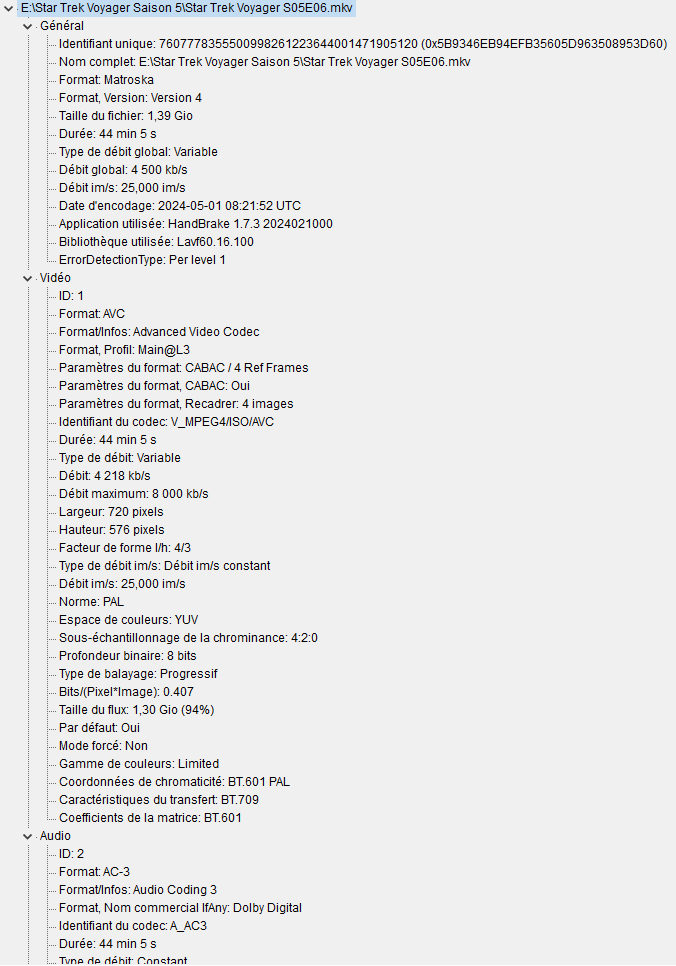
But they were dematerialized DVD copies that I downloaded from a website. And basically, the compression of each episode is between 1.21 GB and 1.43 GB. Which isn’t too much. If I had larger files from the start, the quality would be even better in HD.
VEAI V1 & V2 had numerous encoding/decoding problems, including black frames, duplicate frames, missing frames, speed changes, and audio sync issues, among others. Additionally, it only supported two software (CPU) encode video output formats: H264 and ProRes 422. These problems persisted for a considerable period, leading some developers to quit their jobs.
However, most of the issues have been resolved since they switched to using FFMPEG as the backend starting from V3. It took them over 8 months to rewrite the program, from the initial prototype to the final release.
You can find the Topaz customized FFMPEG in Github.
Topaz loves to keep changing the UI, as it is the easiest way to entice people to upgrade. The new interface is noticeable at first glance.
However, I believe that most users care more about the quality of the processed video rather than the interface. Unfortunately, the development of new AI models takes a long time. For instance, Proteus was released in V2.3 (Jun 2021), and the next significant improvement, Iris, was released two years later in V3.3 (Jun 2023).
Hi, what setting did you use for this?
I can not remember, but this is how I do it normally:
1.21 GB and 1.43 GB for a episode in mpeg2 or mpeg is huge amount of data espically if its like 15 minutes, but I think its more tho, so ye u might be right bout that, anyway it kinda looks like Sora AI, the enhancement is interesting