All right, I see. Thanks for your help; I’ll keep that workaround in mind!
1 Like
I hate to say that, but it’s not a driver issue. Check your PSU first. Topaz Video loads your GPU much heavier than any game.
You can play with slightly unstalbe PSU, but you’ll have errors upscaling videos.
Hi @erasmo.topazlabs ,
Do you have any idea when an update will be released to fix the crashing issue on macOS 27?
The application crashes every time I try to process a video. This happens consistently regardless of the video format, file size, duration, or model selected. I’ve tried multiple videos with different settings, but the result is always the same, the application crashes during processing.
Unfortunately, this makes the software completely unusable on macOS 27 at the moment.
I’d appreciate an estimated timeframe for the release.
Thank you.
3 Likes
This is maybe not even a PSU but rather a temperature problem. In my case, after switching from a 4090 to a 5090, i had all sorts of problems - BSODs, Crashes, artifacts in the video, even plain black squares. The main reason for that, after alot of searching and testing, was the fact the NVME was overheating, even being active cooled, because the 5090 was heating up the case like a oven. I had to change the airflow in the case, since that time everything is running rock-solid.
1 Like
Got an email that said starlight got a 10x speedup. Said up to 7fps per second. I almost flew out of my chair. Kept reading and it’s for online only… Hopefully some big speedups can come to local. Especially since we aren’t getting new cards for at least 2 years.
And it’s at the cost of 2X credits…
2 Likes
I’d like to reiterate my request!
Starlight Precise 2.6.
In addition to the “Sharpness” setting, the “Ignore Text” setting is absolutely essential.
The result when panning the camera over scenes with many small texts is simply unbearable.
The flickering text ruins everything.
2 Likes
I don’t think it’s a PSU issue. My PSU it’s 1500W and it never reaches close to 1000W. This happens only when I use SLP, which I started recently. The interpolation model Chronos, the one I use, is using more power than SLP and never crashes or BSODs.
The temperature is also not an issue. This is a liquid cooled system, with 3 radiators and temperatures for GPU never exceed 50 C, which is way below the crashing possibilities. To help it even more, I left the case opened and added a fan that blows into the case cooling everything by a few degrees.
I am not a gamer, so I bought this machine a couple of years ago for a really good price ($3,000, when all the components were worth $6,000) specifically for Topaz and use it exclusively only for that. Nothing else is running on it.
The only thing I did was use the MSI Afterburner and create a curve that actually saves 40% of electricity.
I also tried to run it without undervolting and had the same issue.
I’m totally on board with this one!
Starlight tries to recreate any text into English letters, but there’s so many different languages in the world…
2 Likes
let’s hope that at some point they’ll make this model available for local use. if Adobe bought Topaz for the neuroserver stream, the point is to decrase the use of Cloud service to a more local use, certainly for several reasons. but i’m maybe telling big stupidity here, don’t know what the CEO or the company think, topaz or adobe, but in a long term, such processing in cloud no matter the company, will be a big issue, and at some point will reach a brick wall. in terme of water use, electricity, and many other stuff.
It’s absolutely ridiculous that the Topaz team always, and I mean ALWAYS, drops the ball on making sure that Topaz Video is ready for the latest versions of macOS whenever they come out. Apple consistently releases the very first developer betas of the next version of macOS every single June during WWDC, giving all developers a solid 3-4 months to make sure their apps will be compatible upon public release. Even if the Topaz team couldn’t get their apps 100% compatible by the time release day came around, it shouldn’t be a huge ask for the app to at least be functional on a basic level. I’m never surprised anymore when the Topaz team fails us Macs users because sadly, they let us down all the time (compared to the Windows users) and it never changes.
7 Likes
Can you run GPU stress test like Furmark without BSOD?
You might have a bad GPU if you are using good PSU and water cooling as you noted, or perhaps bad RAM, CPU
You need to run a stress test on each component and find out what the issue is.
My original 4090 would crash under heavy load and it was defective, I had to RMA it. The replacement has worked perfectly for 2+ years now.
on that i have found i opened up card and heatsink was plugged with fluff had to clean then it was fine
the news are great about boost speed in precise… the fast 3v model is coming into topaz too? or only the boost speed?
thanks for the hard work
2 Likes
Do we have confirmation that Topaz models actually recognize text, or is it that some models and some settings just “get luckier” than others with text?
To prevent text from becoming gibberish, might make more sense to be able to mask off regions and tell the model not to process them.
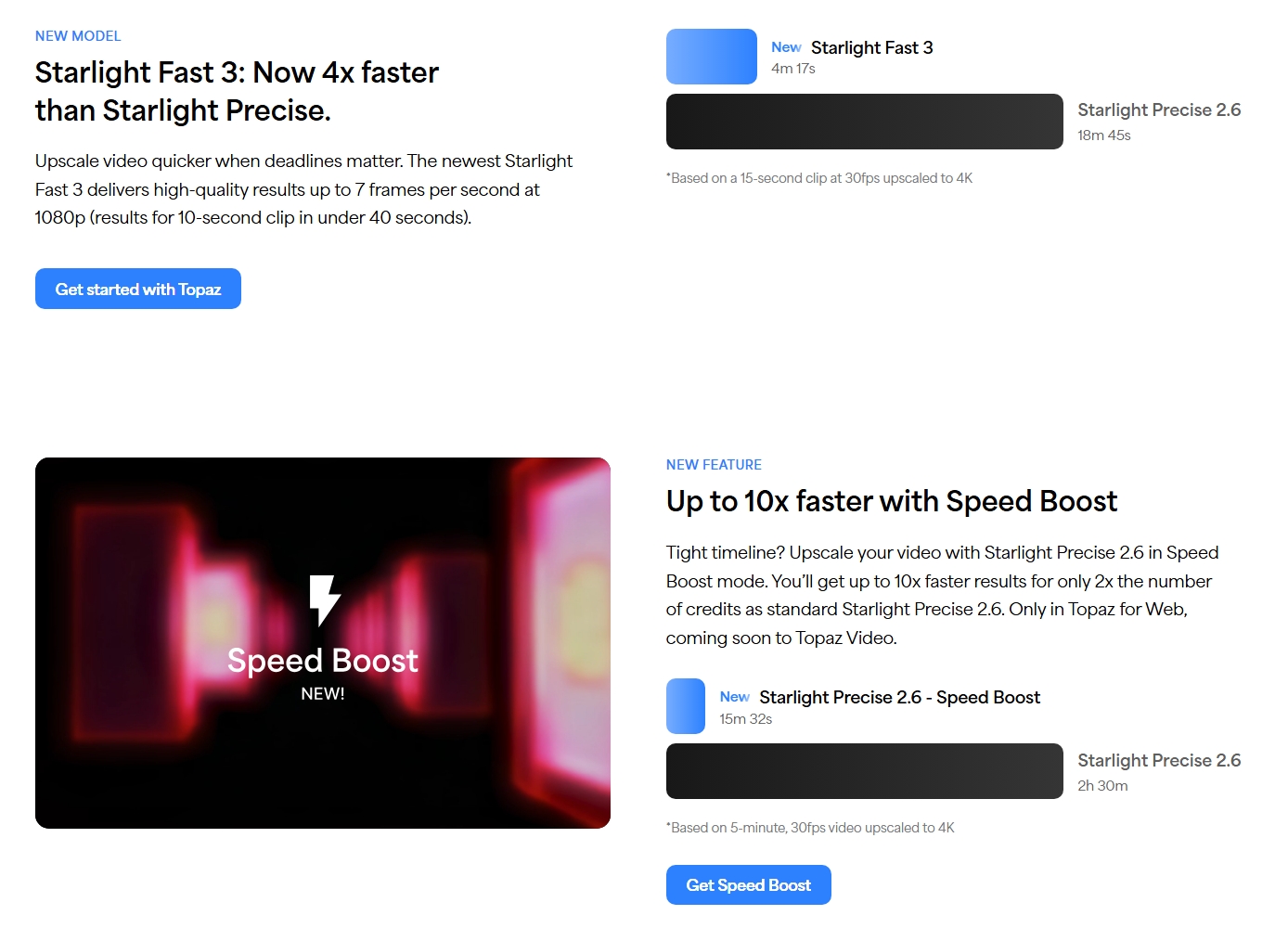
I really hope that these improvements to the Starlight models (the addition of Fast v3 and the speed enhancements to Precise 2.6) will soon make their way to the desktop version of Topaz Video as well, at least for Nvidia users on Windows 11! (But an improvement on the Mac Mini with M4 wouldn’t be unwelcome either.) 
3 Likes
 The test
One clip, three renders to 4K in Topaz Labs for Web, same source and settings (854×480 to 3838×2158, 24 fps, SDR, H.264):
→ Starlight Precise 2.6, Sharpness 5: 37.6 min
→ Starlight Precise 2.6 with Speed Boost: 32.0 min
→ Starlight Fast 3: 6.7 min
2 Likes
They’ve already announced that this boost will be available in the local version too, so there’s no doubt it’s coming. However, I think it will be based on a token-purchase model. There’s no way today’s local GPUs, like the 4090 or 5090, could achieve this kind of speed.
1 Like
First off, as a non-US resident, I don’t experience the data center situation firsthand. However, looking at current technology trends and infrastructure costs, I can’t help but feel skeptical about this “local version support” coupled with a token (cloud credit) model.
With data centers in Texas and across the US becoming a major social and political issue due to power consumption, environmental impact, and surging operational costs, I don’t believe a business model that relies on handling massive video rendering in the cloud—and charging high fees via tokens—is sustainable in the long run.
Even if a paid option for “ultra-fast cloud processing” were to remain, that would simply be an integrated cloud rendering feature, which is completely different from what users actually expect from “local support.”
Originally, the whole point of Topaz developing and introducing Neuroserver was to maximize the potential of the user’s own local GPU and complete the processing entirely on their local machine.
Even if achieving a 10x speedup is unrealistic on existing local GPUs, wouldn’t aiming for practical, real-world optimizations be the most reasonable compromise for both users and the business?
What users want from a local version isn’t increased reliance on the cloud and per-use charges, but rather for Topaz to leverage Neuroserver technology, optimize within the bounds of what local GPUs can handle, and deliver a fully local workflow without additional costs.
Considering both the needs of local users who want to make the most of their hardware investments, and the developer’s need to reduce infrastructure overhead, this feels like the most logical direction moving forward.
10 Likes
