I don’t know whether Topaz chose the 3B or 7B models. They might have even trained their own models or used one of the 3B or 7B models as a base. But from my experience, the SEEDVR2 7B models were not good which was why alot of people were complaining that SEEDVR2 sucks. the 3BQ8 model was the best I’ve tried so I’m guessing Topaz would have picked a 3B model as a base that they improved upon. Topaz did made alot of improvements over SEEDVR2 such as reduction in ghosting you mentioned. I don’t know how they did it.
I set temporal batch sizes from 0 to 300+ in SEEDVR2 but I find Topaz’s implementation with less ghosting. Not sure how they did it as it is no longer open source.
Please share your results using the SLP 2.6 Tuning Launcher in this link. A user reported 62% speed gains on his 5070ti 16gb Vram!!!
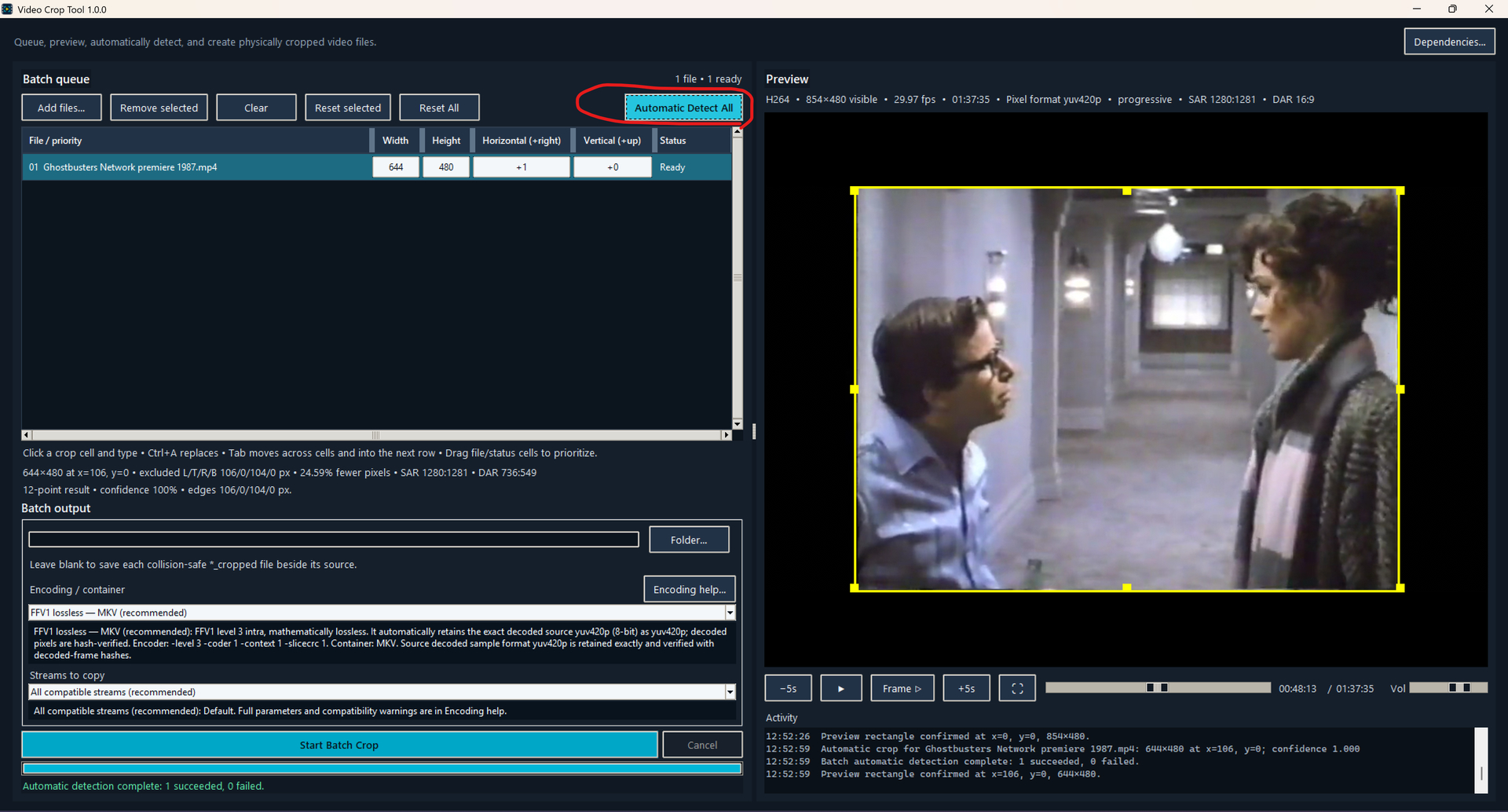
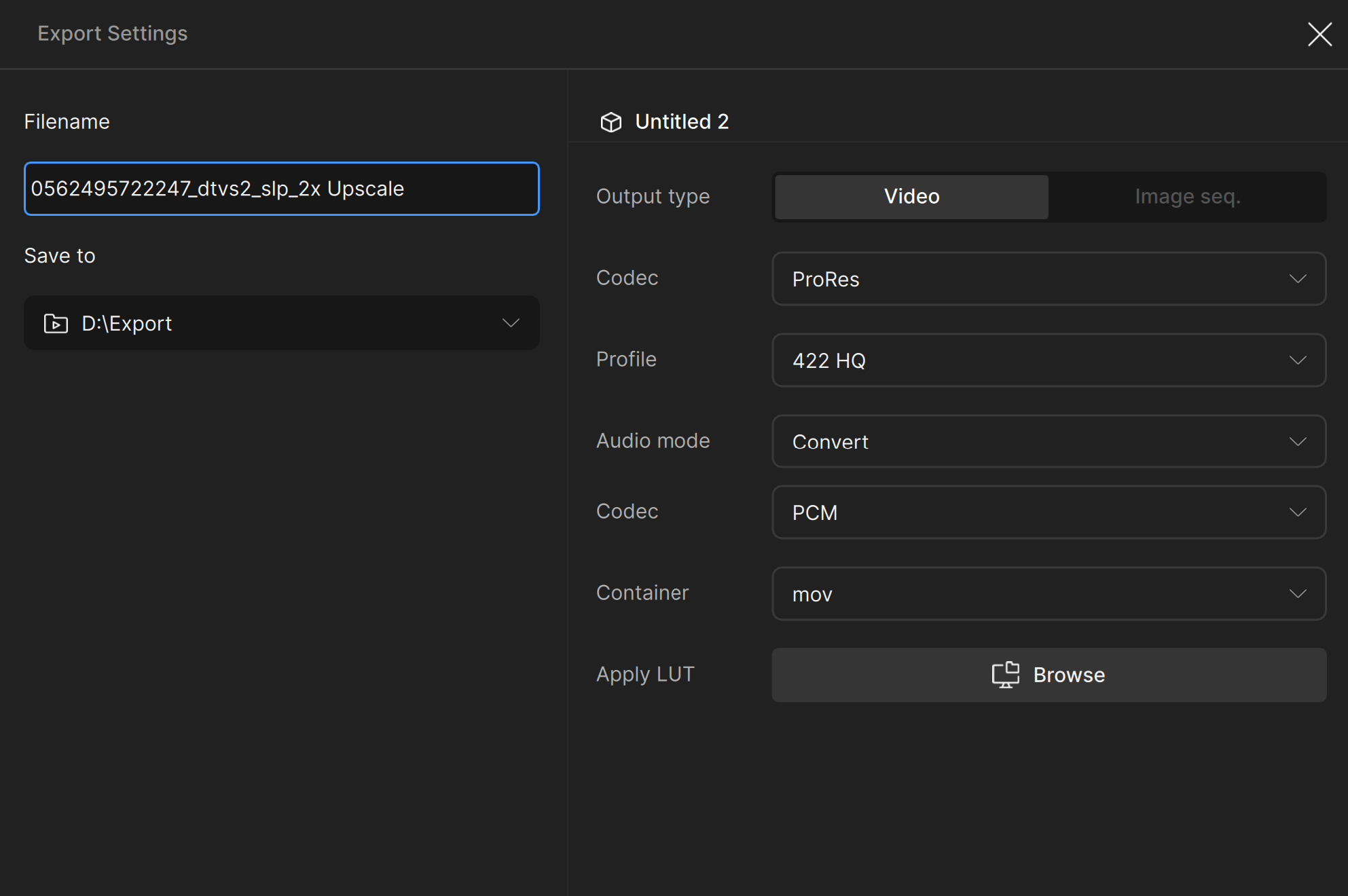
The other major speed boost I got was from cropping the 4:3 format old videos I process using this Video Crop Tool. There is an Automatic Detect All button that detects the static bars/frames around the moving videos. It scans frames throughout the video and compares to ensure it doesn’t make mistakes. You can also manually set the crop. This supports drag and dropping multiple files for fast batch processing. Because Topaz SLP has some issues with FFV1, which is the only truly mathematically lossless codec, I recommend you choose ProRes for SLP processing. The app will automatically match the bit depth / chroma profiles of the source video as close as possible no matter which codec you choose.
I think Topaz should consider implementing this simple feature in SLP so it autodetects static bars to avoid wasted processing.

1 Like
temporal overlap of 21 has nothing to do with ghosting as skv89 mentioned.
It simply indicates how many frames will be faded into the next batch. I have a sequence with 100 frames and I set the batch-size to 121 and SeedVR2.5 has still the same ghosting.
Thank you for your detailed, informative post. For folks like me who are on Mac platforms (and have at best minor, antiquated experience with the PC world), can you comment generally on how useful your approach might be for tuning the Mac? I have an M5 MB Pro, 128GB/8TB. Thanks.
Besides the cuDNN hack, the rest of the tweaks in my tuner would still apply regardless of which system you are running on. These modifications in my tuner are basically the tweaks we use for tweaking SEEDVR2 and are universal as long as the model is based on SEEDVR2; SLP is basically a Topaz refined version of SEEDVR2 that is closed source. If you have 128GB shared vram, I would imagine your speed gains should be pretty significant if you could apply these tweaks. Unfortunately I don’t have a MAC so I can not help you.
2 Likes
I do have a few other ideas though that could increase the speed further and I also foundout that all 6 of the color_correction settings from SEEDVR2 are intact in the SLP package. SLP is currently using color_correction = “wavelet”, which was a setting SEEDVR2 team added because some folks did not like how SEEDVR2 saturates colors by default and wavelet kept the color as close to the source as possible. Personally I love SEEDVR2’s color saturation, which is the best enhancement I’ve seen that I cannot reproduce using Davinci Resolve and Filmora no matter how hard I try as SEEDVR2 seems to be able to differentiate objects such as foliage and sky. It is amazing for natural sceneries and foliage. Adding the ability to restore this SEEDVR2 color enhancing behavior is top on my priority list for this SLP tuner. Stay tuned!
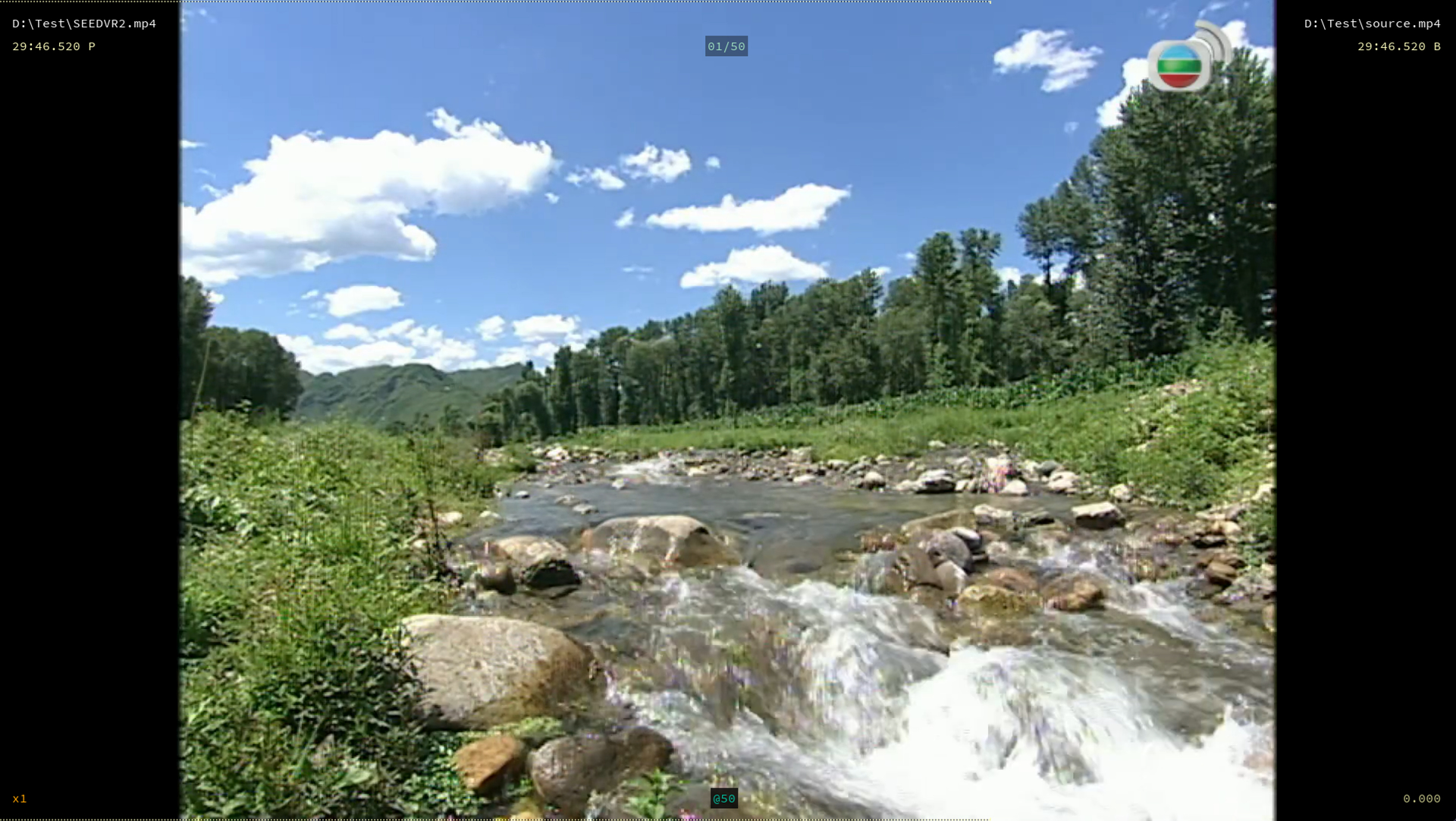
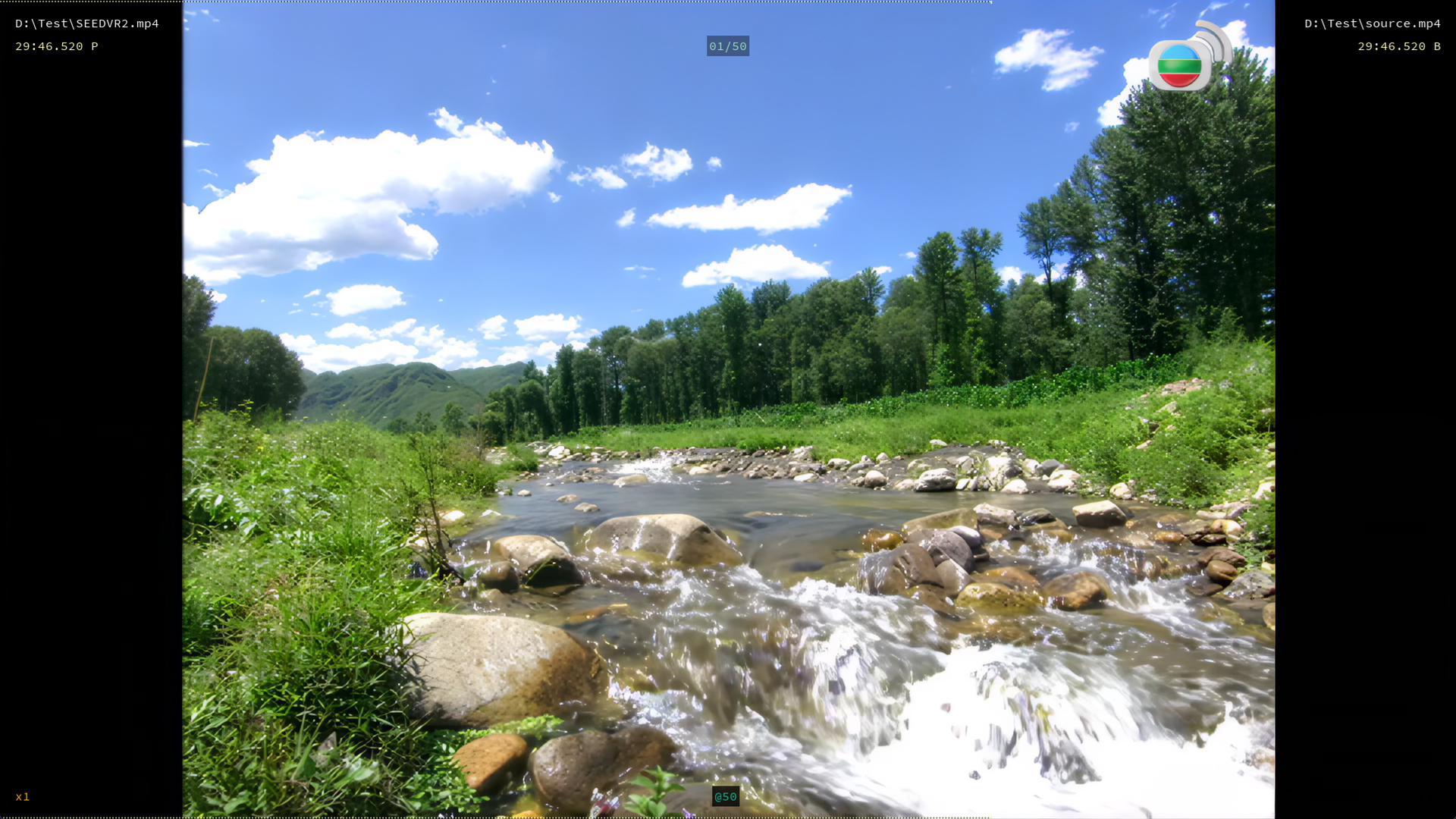
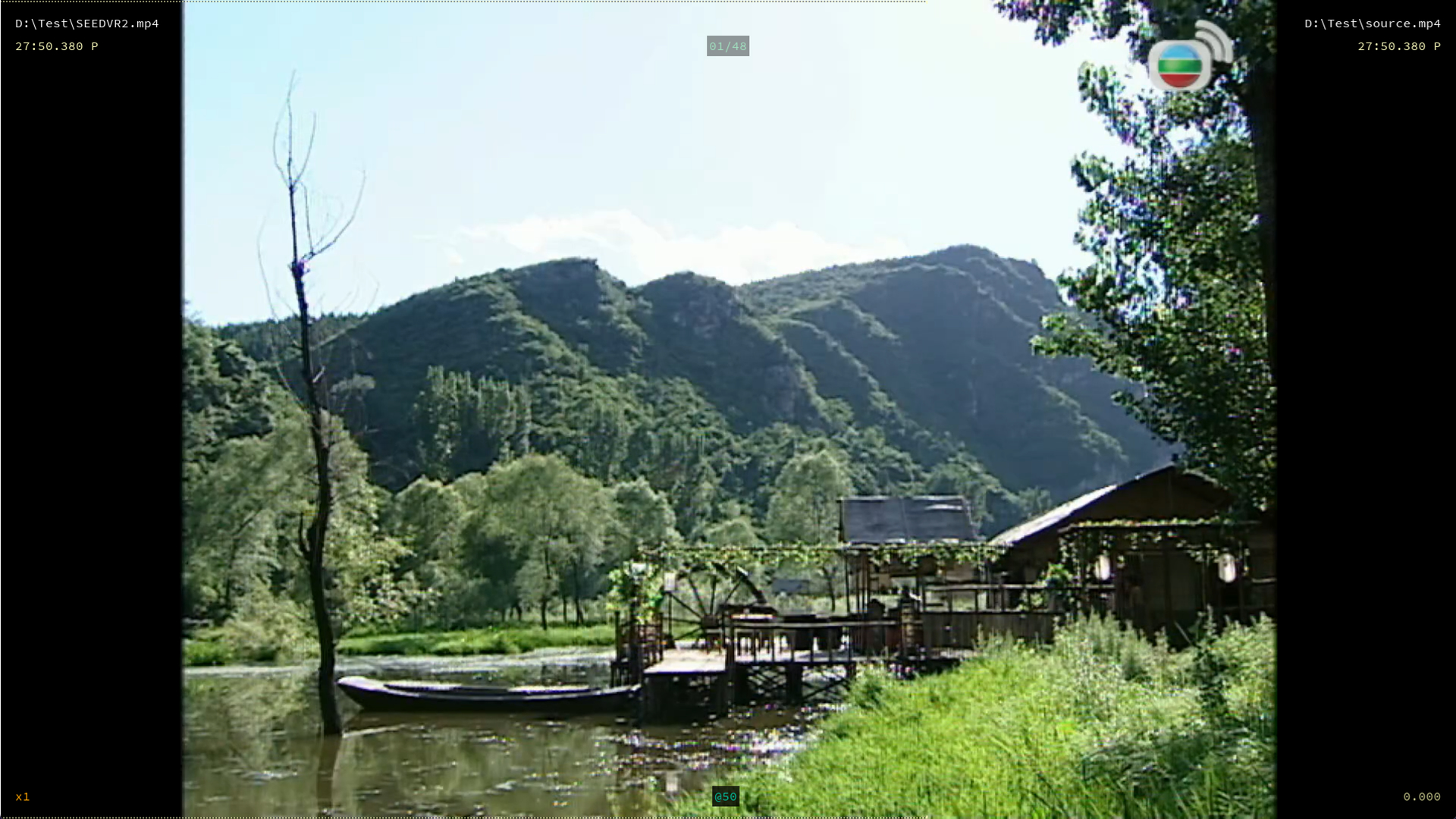
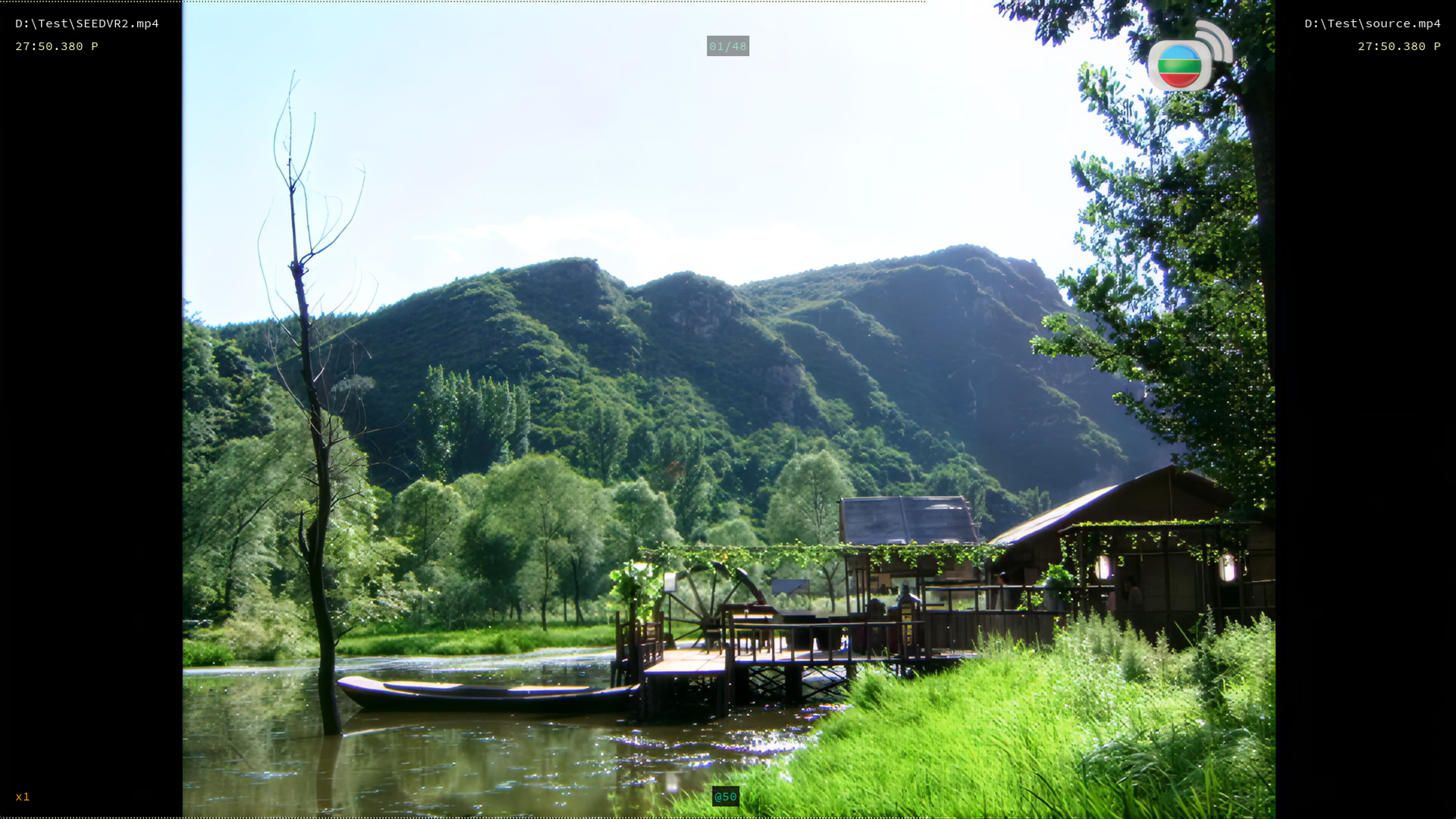
The above are examples of foliage scenes rendered with SEEDVR2 with color_correction = “none” Noticed how SEEDVR2 saturates the colors. Coming soon to SLP…
5 Likes
yea I tested at least 50 different configurations before I came to conclusion this Rhea setting is the ideal SLP finishing pass.
Regarding my tuner, I have preset levels for every vram tier including 32gb but I set it very conservatively so you can use it as a starting point. You should see at least 40-50% speed increase over stock Topaz. There is a user with a 5070ti 16gb vram that reported 62% speed increase using my SLP tuning app in this link. Give it a try and share your results in this same link.
1 Like
My only question is with this part of the settings, are we supposed to pick one or the other, or both together? The examples I saw of one person was that they went with one or the other so I am assuming that is how to do it, and then set to 1080p as the output resolution like you did in your tests?
UPDATE: While it sounded good to try to go to slp 3x, followed by a Rhea 2x, then scale back down to 2160p, my tests doing that actually gave worse results, SLP, unlike SLM, doesn’t seem to do as well at 3x. Where slm had it’s sweet spot at 3x, slp seems to have its sweet spot at minimum (or 2x if coming from 480p). So for me, I get the best looking stuff starting with a 480p properly deinterlaced and color corrected (not graded) with ProRes 422 Std, slp 2x (sharp to 2) => Rhea 2x, then off to Aion (aion is SO good for this step) for 60 fps interpolation and apply my H.265 wrapper. I’m happy with it. Going to start testing your launcher.
1 Like
If I could get sharp to 3 on my initial slp, it is better and I prefer it, but the tiling factor, so I have high hopes for your launcher…
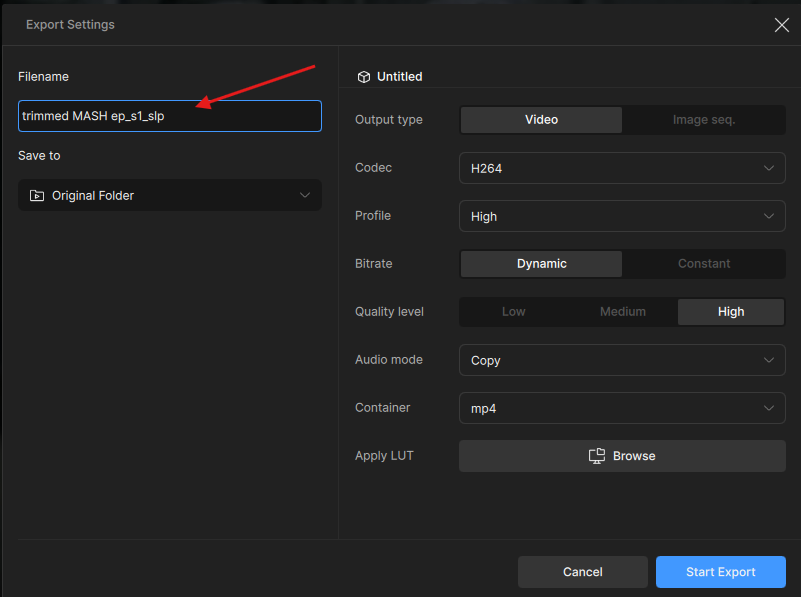
It’d be nice if the SLP exports also have the sharpness level appended in the filename. Renaming the file from the export window in the application doesn’t work for some reason.
1 Like
When you are clicking export and setting the file name it is not being retained? Can you pull the logs and send to the support team for review? help@topazlabs.com
To gather logs, please select Help > Logging > Get Logs for Support and attach the zip file to your reply.
Here is a video to help with the steps of how to collect the logs.
The “Filename” field is uneditable at times, but waiting a while often fixes it automatically. I figured it was simply due to background tasks taking up resources. For me, this issue seems to have disappeared since I began relying more on presets.
1 Like
are you using RheaV1 or RheaXL?
1 Like
I have been using ReahV1 and following Skv89’s settings of Improve detail -100 and dehalo to 25, and the results have been amazing. Doing slp first and following up with Rhea at a 2x upscale as the second pass enhancement is where Rhea really shines imo. But after doing much testing, I have found the following when dealing with VHS/analog captures…
- Clean capture is critical, avoid elganto and other usb capture devices, ADVC-110 would be a huge improvement.
- after deinterlacing and converting to apple prores, do a slp 2x right away to get to 960p. 3x and 4x actually give worse results and just take up a lot more processing time when dealing with the analog 480p source.
- perform Rhea finisher with a 2x upscale (using skv89’s settings) and go to 1920p (even if you want a 1080p in the end, downscaling will give you a better look, but I would just stay at 4k UHD personally.)
- finish it off with a frame interpolation to double your frames and use the Aion model, and turn off duplicate frames option, I tried them all and Aion is magic, it really is, you will get buttery smooth frames.
End result is really clean looking vhs capture and upscale. I have found that the SLP followed by Rhea really complement each other well, no other model combination does as good a job that I have found so thanks to skv89 for that. slp does the heavy lifting in the first pass to 960p, setting up the perfect storm for Rhea as a second pass to 2160p, which is 4k UHD and right where you want to be, imo.
My original: 640x480p capture after deinterlaced and color corrected
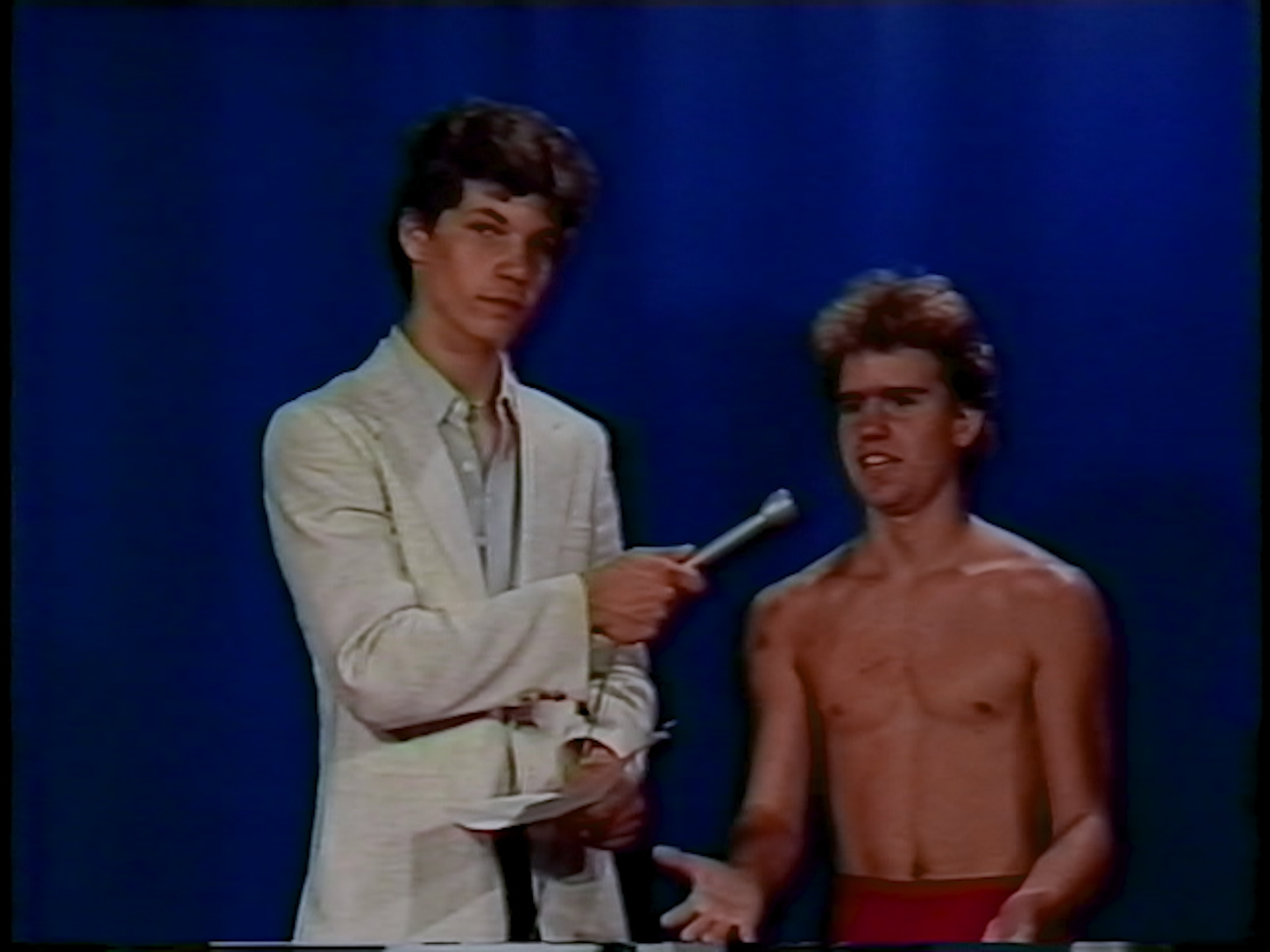
Here is the same frame following my 2-step process above: 2580x1920p
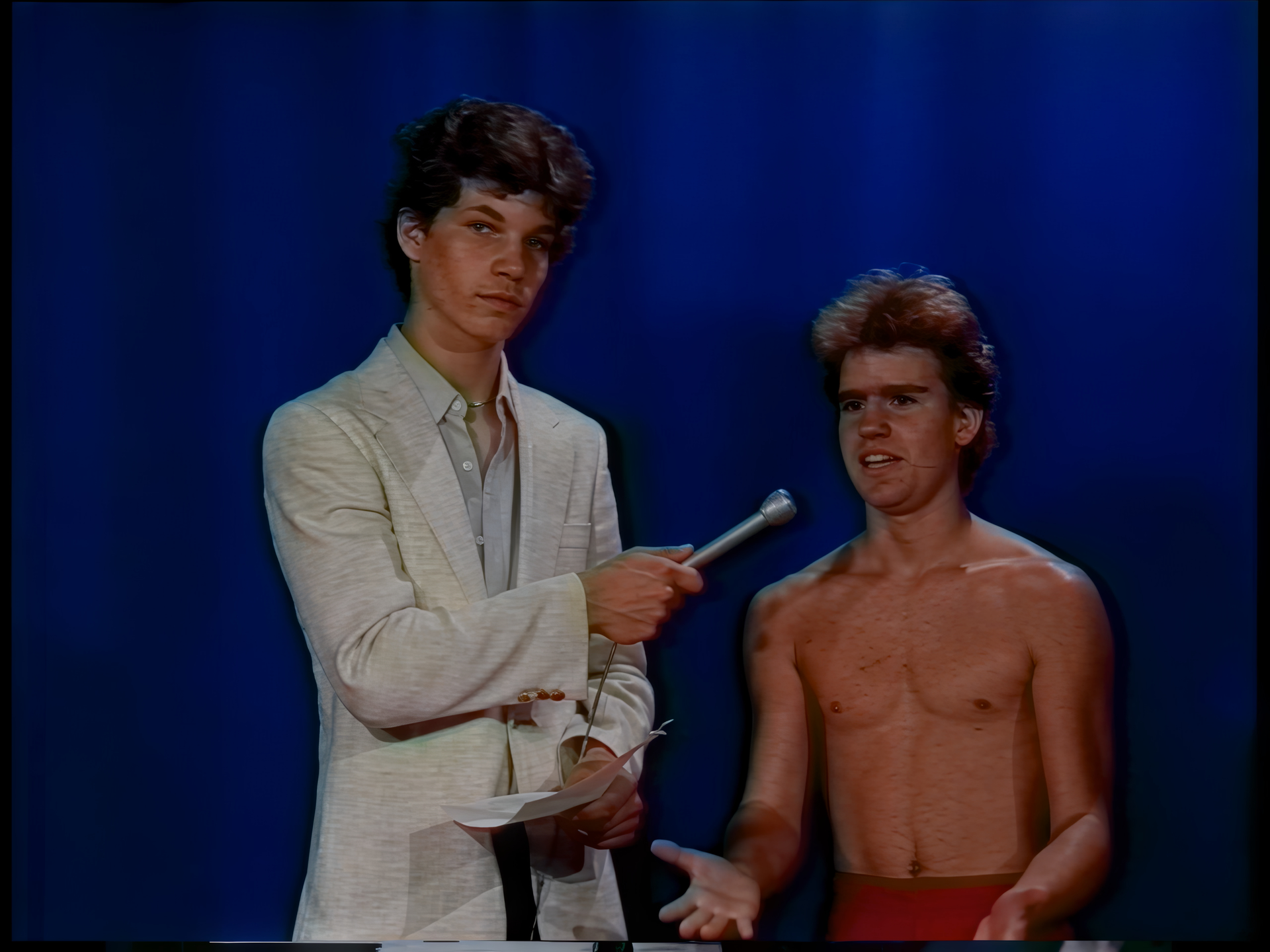
And here is the inferior straight to slp 4x option: basically 480p with slp 4x = 2580x1920p
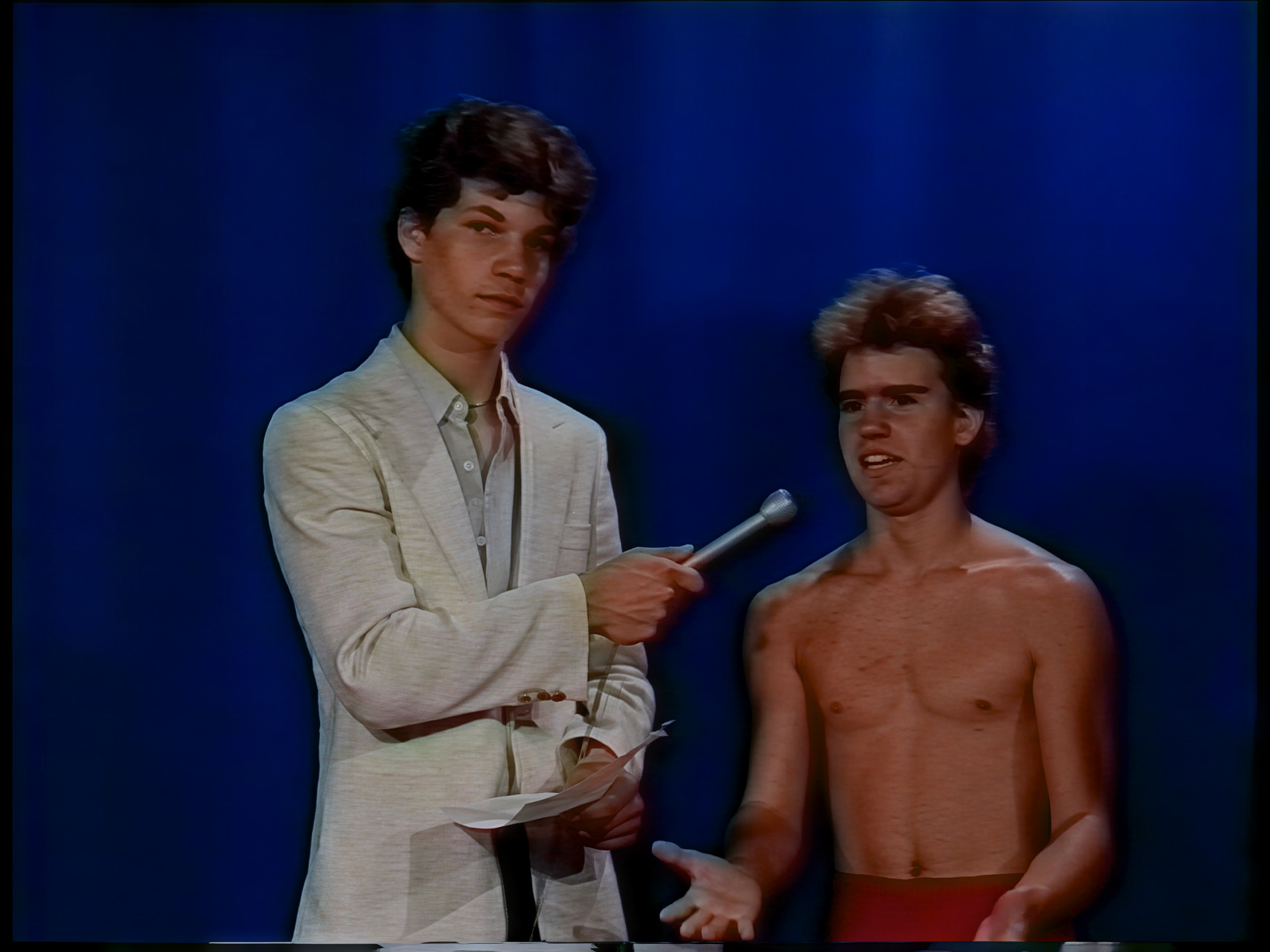
2 Likes
All was good when I first installed, really pleased with the update. Now I seem to have an issue when I load a video into SLP, it hangs on the ‘loading model… estimating’ bar in the export queue and refuses to show a preview and nothing happens. I’ve reinstalled twice and the error keeps happening.
All seems fine on SLM and other models.
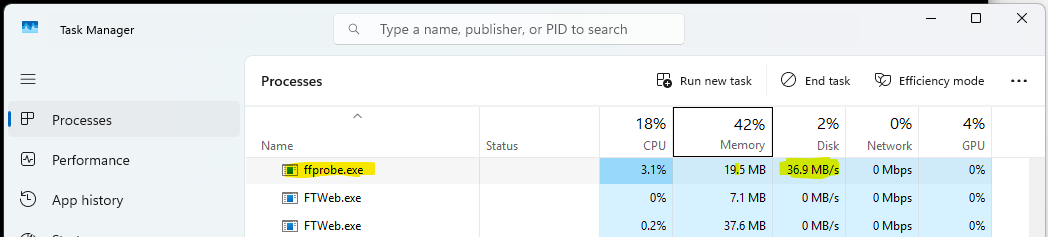
which format your video is? I noticed SLP will start immediately when the video is mp4, but need to load and buffer if .mov or image sequence .png. Depends on the video lenght, for a 1080p 22 minutes .mov video, it will need to wait for 10 minutes+ before it start. You can open the task manager and look for ffprobe.exe, it actually reading the file.
1 Like
In my case, even for the mp4 format, SLP starts working after 6 minutes.
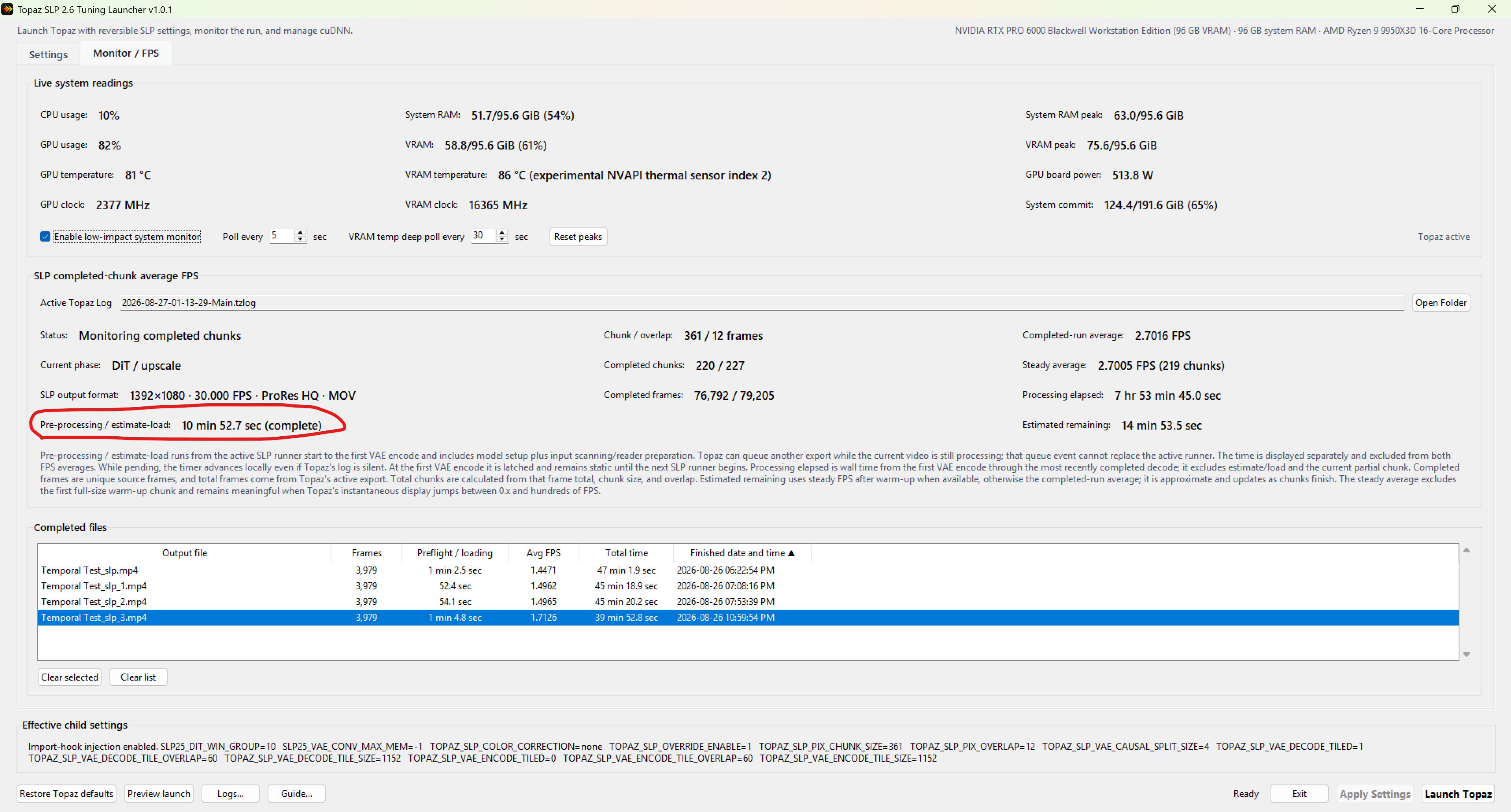
SLP is not very compatible with many codec and containers. Some of my files take hours before “estimating…” is done and actually starts processing. The way around it is to convert the file to a format that SLP is compatible with such as ProRes (.mov) or HEVC (.mp4). ProRes is ideal for video enhancement because it is only slightly lossy. The same FFV1 file that takes 2+ hours to load takes only 10minute 52.7sec after I convert it to ProRes. It is unfortunate that SLP doesn’t support FFV1 because FFV1 is truly mathematically lossless and FFV1 with Intra option is much better for Video enhancement like SEEDVR2/SLP.
Inter-frame: a frame depends on other frames, typically previous/future frames. H.264/HEVC/AV1 normally use inter-frame compression: I-frame → P-frame → B-frame → P-frame …A P/B frame may say, in effect, “take this region from another frame, move it slightly, and encode the difference.”
Intra-frame: a frame can be reconstructed using information from that frame itself. An intra-only stream behaves more like: I → I → I → I → I → I… Every frame is independently accessible. This allows for frame independence, faster random access, seeking, chunking, restarting and parallel processing for multi thread or multi GPU and cleaner information especially at boundaries since each frame contains its own data so results are slightly better from my experience. You can use video-compare to do your manual side-by-side comparisons.
I hope Topaz fixes their file compatibility issues with SLP. If I have time, I might fix this with my SLP launcher app if Topaz doesn’t.
In the meantime, you can use my Stream Copy Remuxer to convert your files into ProRes. It started out as a no-encode lossless remuxer because I thought it was mkv files that Topaz struggled with but turns out remuxing to .mov, .avi, .mp4 didn’t help so now it is also a transcoding app.
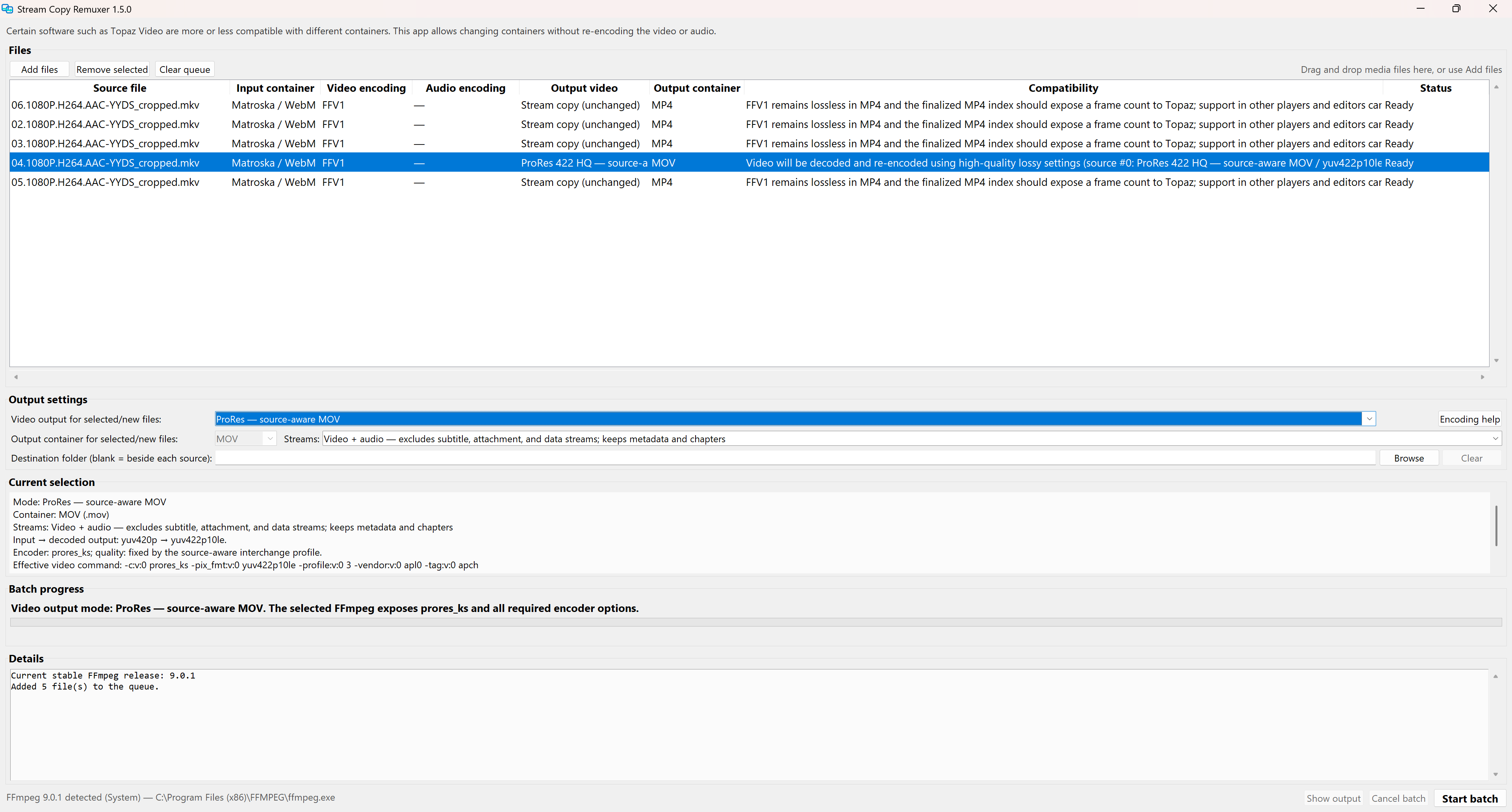
Btw, the app automatically matches the color bit depth and chroma of the source file to the closest profile available for the selected codec. I also tuned the preset parameters to be the most optimum / best quality that is better than what you would get with other converter apps from my experience if you decide to use this for converting/compressing videos. For SEEDVR2/SLP stick with ProRes.

My SLP launcher app, besides giving your machine a huge boost to SLP processing speed, it can also help you monitor the pre-flight load time so you can see how long it really takes for each file type to load before actually processing. It also monitors the true speed (fps) that the Topaz Video app cannot.
1 Like
