Yup, same.
Yep. Same here. And “repair” gives the same error. Not sure what it means that Topaz Video 1.5 “…will use the built-in backend” but I suspect performance will be degraded until this is corrected.
The Starlight system check pop-up is really annoying after every click.
2 Likes
Same issue here. Neuroserver won’t install and I’m getting the same error.
I literally can’t do my job because of this issue.
Topaz folks REALLY need to do a better job of testing and QA before releasing updates. This software continues to be a buggy mess. Please help!
5 Likes
Starlight Mini is running again on the AMD Radeon RX 7900 XTX.
It doesn’t really feel any faster since version 1.2, but anything is better than nothing.
2 Likes
do you recommend Studio Driver?!
I will try it, thanks
Yes, we recommend Studio Drivers over gaming drivers as they tend to be more stable with heavier tasks.
2 Likes
Same SHA-512 mismatch error. Uninstalled the app, remove entire Topaz Video folder from drive, rebooted, turned off all AV and Firewalls … 
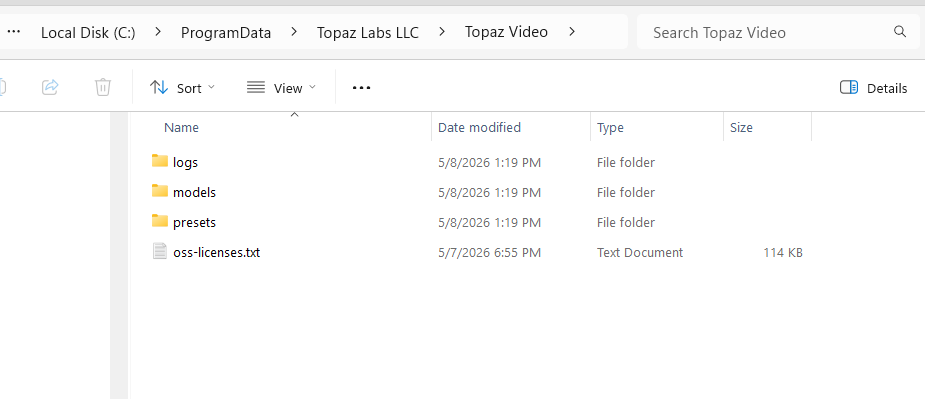
Please go to the file path and delete the text document if you see it there and then launch the app and try and run one of the Starlight models.
C:\Program Files\Topaz Labs LLC\Topaz Video\neuroserver-install-warning.txt
There’s currently nothing much in Topaz Video after I uninstalled and reintall with the SHA-512 error
Kyle, I’m running RTX 6000 Pro with Driver Version: 595.97 (CUDA Version: 13.2). Is there a Server Side or CDN issue on Topaz End?
It’s awesome to see all these new models being released after what feels like forever… but is there any timeline on when (or if?) these will be available for newer AMD cards (9070xt, 7900xtx etc) or Nvidia cards with lower VRAM?
The Starlight Mini 480x3 cannot be used when fonts are present, otherwise it will be severely distorted.
2 Likes
I have tested both the Nyx and Iris LQ V1 models as suggested, and here are the results:
Nyx (netlearner’s suggestion):
This provided the most powerful suppression. By using Anti-aliasing/Deblur at -90, it successfully “melted away” the heavy edges. However, it is indeed a double-edged sword: in other scenes, it caused “monster-like” distortions on small faces and unnatural skin tones (whitish float) on darker skin. These side effects seem inherent to its aggressive logic.
Iris LQ V1 (jo.vo’s suggestion):
As predicted, this gave a much “softer look” than the current MQ/v3. It provides a more organic texture, though it lacked the sheer “erasing power” needed for the most extreme sunlight-baked areas in this specific 1-2 second still shot.
Final Strategy: A Simple “Surgical” Replacement
Since no single AI model can fix everything without side effects, I will use a simple “surgical” approach in my video editor:
Main Render: Use Iris MQ for the entire segment to keep the natural look and consistent skin tones.
The Fix: For the problematic 1-2 seconds of harsh sunlight, I will simply cut and replace that specific part with the Nyx render.
By limiting Nyx to only the frames where it’s absolutely necessary, I can eliminate the “SLP artifacts” while avoiding its side effects in the rest of the video. This confirms that until a “Recover Detail” slider is added to SLP, we must manually choose the best model for each specific condition.
Thank you both for the invaluable insights!
2 Likes
It depends on how bad the original font was, Starlight mini 480 x 3 is able to solve font distortion, you need x3 if upscale from 480.
Does Starlight Precise or any of the other models take advantage of the extra VRAM in the RTX 6000 or did Topaz capped the vram usage at the RTX 5070 level so that it never goes above 24gb, which would be a pity for those with prosumer video cards.
2 Likes
I have the same impression: doing SLM upscale first and then SLP is often best. Then as finisher we can use Iris…but Iris 1x even as finisher can also desort small pixel faces al little bit, so watch out for this. Go with SLM as high as needed, until you get “smooth” results, zoom in, watch out for compression or blocking artifacts being resolved. It does not always have to be SLM 3x; it depends on the source material.
Unfortunately, SLM is not suitable at first if the “alien font” issue occurs in your content, SLP cannot correct them — it may even make them more noticeable. Because of this, SLM as an upscaling method may not be suitable for many movies or TV series or sport vids with jerseys and scoreboards
1 Like
Many users share their experiences, tips and tricks regarding the upscaling workflow here in the release threads. Older release threads are locked as soon as a new version is released, which can interrupt discussions. Furthermore, workflow tips often get lost amongst the other posts and are harder to find later on. I would therefore like to suggest that we collect and continue the recommendations on the upscaling workflow separately, apart from the release posts.
For those of you focusing on upscaling old Hi8/MiniDV/VHS footage (720p and below), I have created two threads in the Topaz Video > General category:
- Workflows for short clips to achieve the best possible quality
- Workflows for longer recordings with less time effort
Please feel free to share your workflows, settings, upscaling steps, model combinations, experiences, sample screenshots/videos, recommendations, tips and tricks over there.
If your focus is on enhancing newer/more modern footage (e.g. 1080p and above, or AI-generated videos), please feel free to create a new discussion thread in the Topaz Video > General category as well, so that it doesn’t get lost in the release thread as soon as a new release is available.
10 Likes

