Hi Everyone,
We have another really cool update this week! This includes a new model, a panel and some bug fixes.
See more details below:
1.5.0 Downloads
Improvements and Fixes
Features
- New SDR-HDR Model: Hyperion 2!
- New Topaz Panel for Premiere!
Additional Updates
- Starlight Precise 2.5 Updates
Bug Fixes
- Fixed Starlight Precise 2.5 last frame drop
- Addressed Neuroserver image sequence failures
- Refined Starlight Precise cloud resolution issues
- Fixed broken feedback link
- and more!
New SDR-HDR Model: Hyperion 2!!
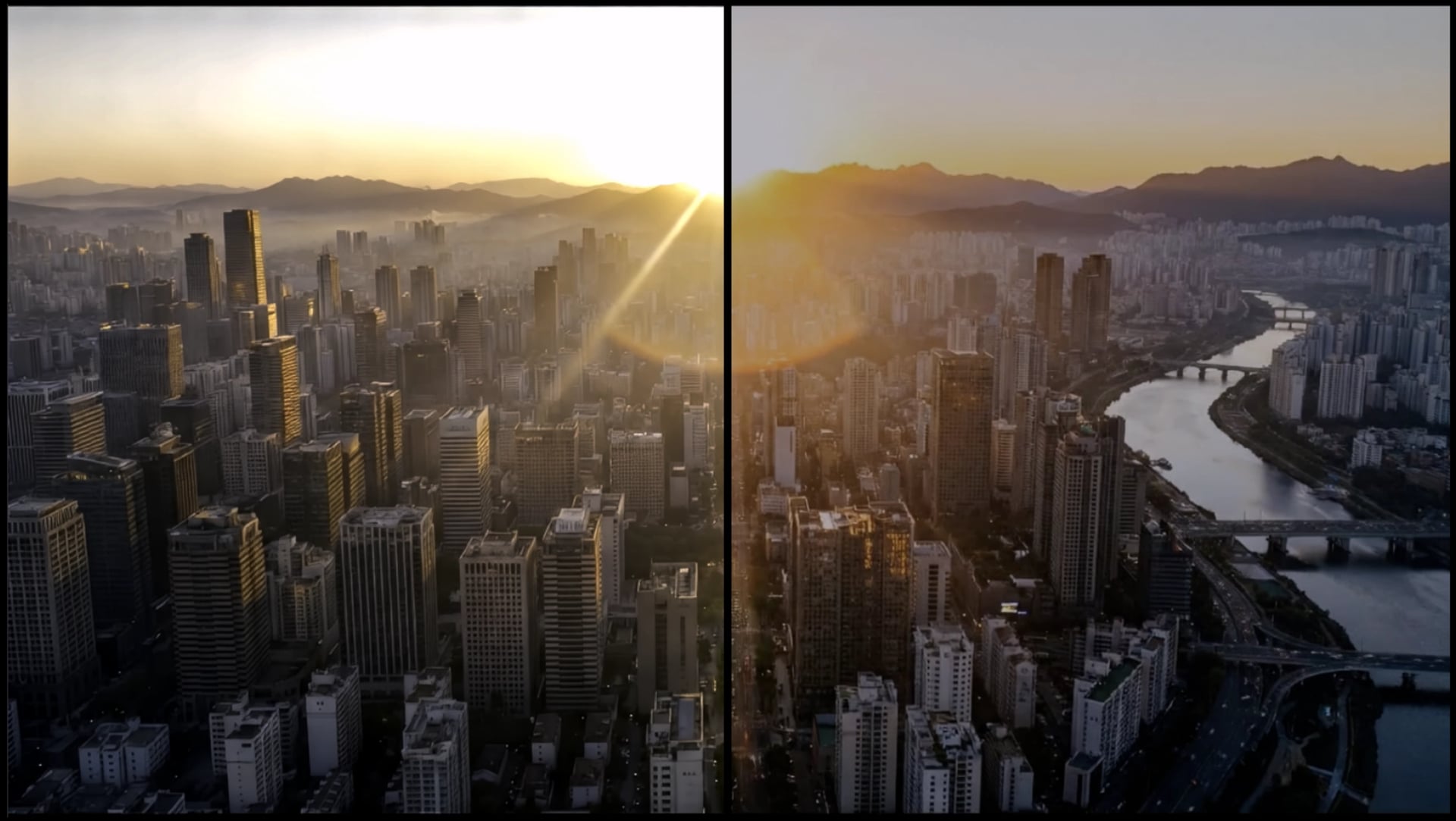
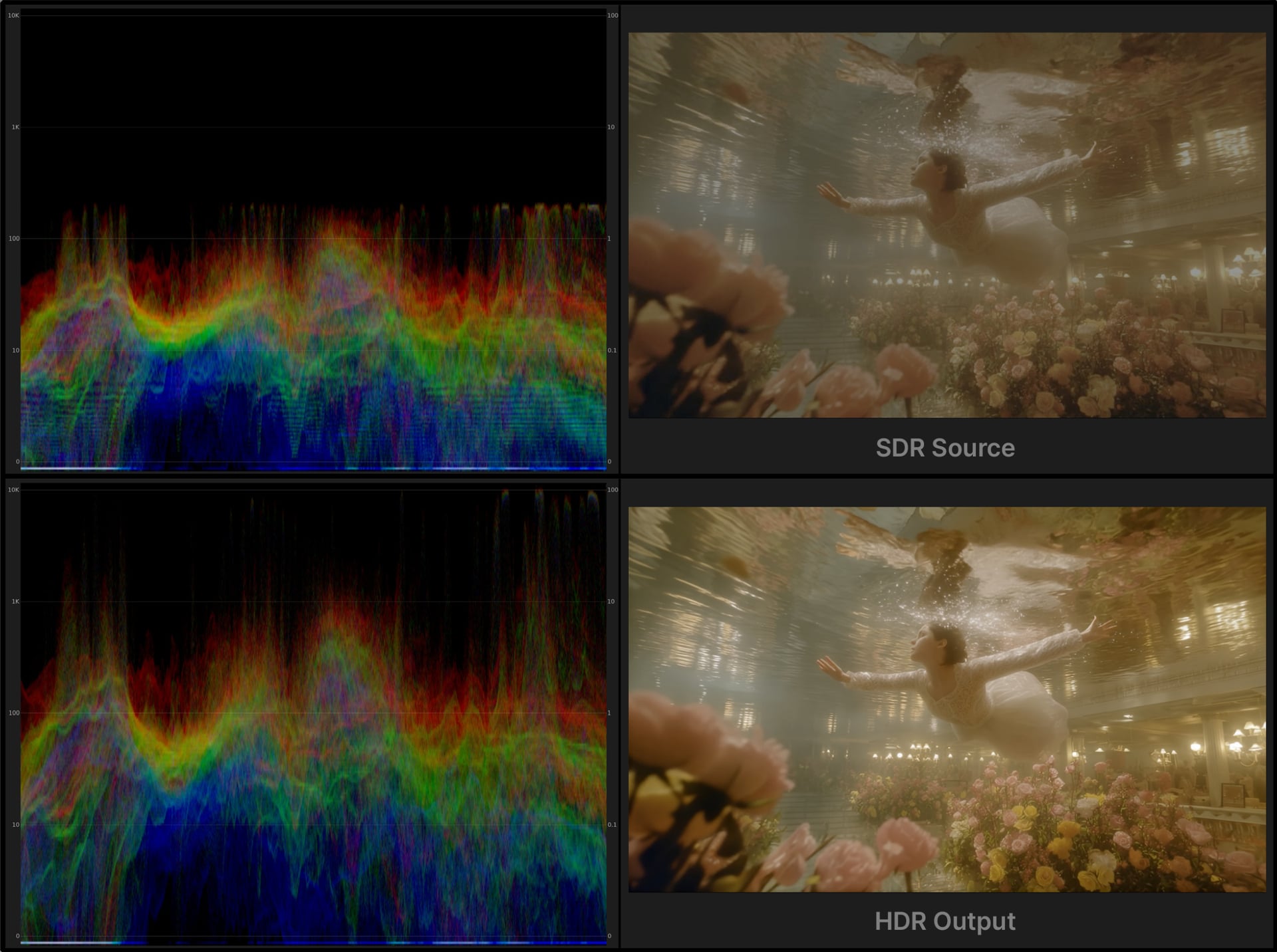
Hyperion 2, is a great update to our previous iteration. This version of the model now expands your color and nit value range even further! This is fantastic for wider spectrum manipulation for VFX Compositing and for modern viewing on HDR supportive displays!
About
- Converts 8-bit GenAI or archival video into HDR, high bit-depth media suitable for professional finishing pipelines.
- Expands tonal range and color precision to provide significantly greater grading latitude in highlights, shadows, and midtones.
- Prevents highlight and shadow clamping often seen in standard range and native GenAI video sources.
- Expands existing color opportunities/steps for professional compositing and color manipulation workflows.
- The additional color opportunities greatly reduces visible banding and compression artifacts common in 8 bit renders.
- Has great details with text and textures even during high motion blur areas.
- Export ProRes video or EXR (Pro) image sequences.
- Support ACES color output with EXR (Pro) renders for better integration into industry-standard film and television pipelines.
- This works best for medium to high quality content.
- This model has some built in enhancements to revitalize and improve content.
- This version is an easy “one click” solution. There are no parameters to adjust.
- Max input and output resolution for this model is 3840x3840.
Technical things to know
Nvidia Requirements:
- Currently Nvidia Only
- Requires 16GB VRAM though 24GB VRAM is recommended.
- Targeted for GPU compute compatibility of 8.9. This is also the recommendation.
- Please note, though there might be some success with a CC of 8.6 cards, this is not technically supported and some may encounter a less ideal experience.
Colorspace Outputs
ProRes Primaries: BT.2020 PQ
ProRes Transfer Function: BT.709
EXR (Pro only) Image Sequence: Aces 2065-1
Things to Consider
- SDR to HDR does not operate well with interlaced footage. If you do have interlaced footage, it’s recommended that you deinterlace first before applying this tool.
- Though this model has some enhancement benefits additional enhancements with this SDR to HDR Model can be a great combo to reduce issues from source such as compression and artifacts for better results.
- Extreme cases of video with very muddy/dark imagery or very bright/blown out content, may produce limited results with the limited source range to build upon.
- An HDR display will be needed in order to view the results properly. Otherwise results will look washed out.
Known Issues
- Cloud Export is not yet supported on both Mac and Windows. Coming soon!
- Limited codec options for local rendering. Looking to expand the current options!
New Topaz Panel for Premiere!
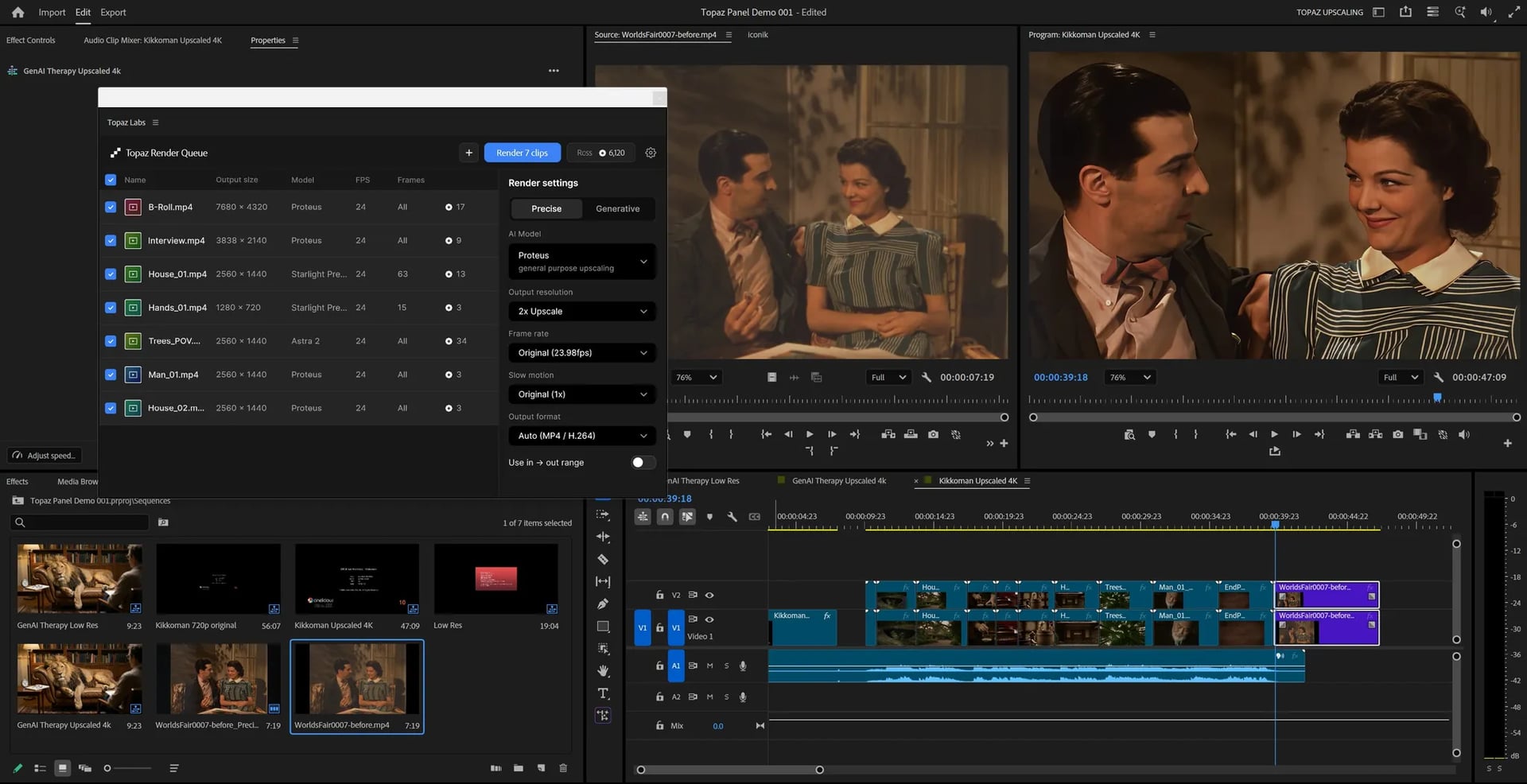
We have built a UXP panel for Adobe Premiere users! Topaz Labs for Premiere is new utility that introduces a “send to cloud” workflow to batch upscale video clips and images directly from the Premiere.
Simply drag video or image clips from your bin or timeline into the panel, choose an AI enhancement model, and upscale to HD, 4K, or even 8K. Better yet, this process does not take up system resources, allowing you to continue editing. Rendered files are automatically imported to your project and placed in timeline. Learn more here
Download
Direct Download.
The installer can also be found here.
*Installer access via the Topaz Video app is coming soon!
FAQ:
Q: What is Topaz Labs for Premiere?
A: This is a free UXP panel for Adobe Premiere users that is used to send media from your Premiere project to the Topaz Cloud processing system for AI upscaling and enhancement.
Processing requires a Topaz Labs user account and paid cloud credits. Sign up for a user account here.
Q: How do I buy cloud credits?
A: Every Topaz subscription plan comes with cloud credits. You can purchase more cloud credits directly in your Topaz account. Your Topaz Video credits can be used in the panel. Learn more about cloud credits here.
Q: How does the Premiere panel compare to Topaz Video?
A: The panel is designed to provide an experience optimized specifically for Premiere with the ability to work directly from your timeline or bin. This allows users to batch upscale clips without opening any other application. The panel uses paid cloud credits only and offers both video and image processing. Using the panel, the user chooses automatic enhancement settings and sends to cloud, with no real-time previews.
Topaz Video is a desktop application that offers local or cloud rendering and includes many more AI video models with exposed parameters for refined user interactions and preview rendering. Topaz Video also includes advanced functions such as Stabilization, Grain, Motion Deblur, SDR>HDR conversion, file based renders (EXR, DPX) and so much more.
Q: Can I use the panel in After Effects?
A: Currently we do not support After Effects
Q. Is there a list of bugs or known issues?
A. Please refer to the documentation for list of current limitations or known issues. We have lots of improvements (including ProRes support) coming to the panel soon!
Additional Updates to Note!
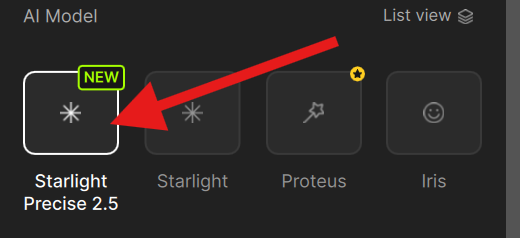
Starlight Precise 2.5: Category of it’s own!
Precise 2.5 is moving on over! You can now quickly find Starlight Precise 2.5 with it’s own icon. This means less clicks to get from model to render!
Starlight Precise 2.5 Update
Starlight Precise 2.5 for local processing is in the works for our AMD and Mac friends!
Coming soon!
Bug Fixes
- Fixed the issue where some experienced the last frame dropping from Starlight Precise 2.5.
- A fix was made for Neuroserver image sequences. These should not be failing anymore.
- Addressed cloud render issues of receiving unexpected resolutions for Starlight Precise 2.5.
- The “Give feedback…” link under the “Help” tab in the upper left side of the app, has been addressed.
- Made the default projects folder on Windows not in OneDrive.
- Fixed monitor position of app when reloaded.
- Added project migration when moving default project location.
Don’t Forget
Is your system compatible?
Click Here
Documentation
Click Here
Encountered an Issue?
- If you experience any issues, please ensure that your drivers are up to date. Next to a proper restart or an app reinstall, this is usually the first step to ensure you have the correct drivers running for this application.
- Sometimes a firewall can prevent the app from starting. If this occurs, be sure to add Topaz on the exception list.
Otherwise, you can easily reach out to our fantastic Support Team: Click Here
Have fun with the new update!