Hi Everyone,
We have a pretty sizable release!
The team’s been busy and we now have several exciting features for you!
Behind the scenes, the Starlight Mini model (being the first diffusion model for the local desktop experience) has a unique architecture that’s unlike any of our other models. We essentially brought the best diffusion/restoration model to fit in the local app. Diffusion models are computational beasts and are very slow when processing. Since it’s original announcement, we have been trying to find way to make Starlight Mini faster while keeping the quality the same. However, over the months, this has been challenging. Ultimately, we do not want to sacrifice quality nor the type of treatment you get from starlight mini in order to get faster outputs. Though, we will continue to work and refine the Starlight Mini experience, we have brought two new exciting Starlight family models locally.
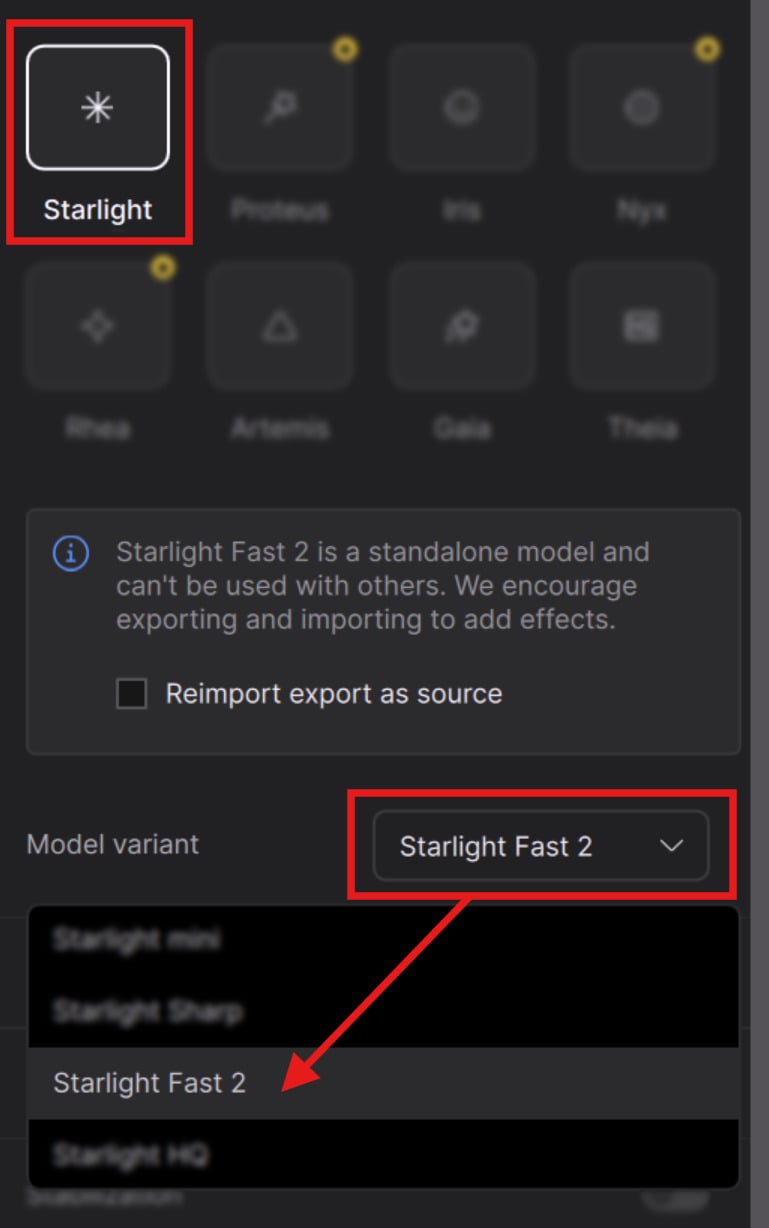
For a more speedy diffusion render experience we have Starlight Fast 2.
Those interested in a model that offers higher quality renders for inputs up to 4K, we now have Starlight HQ.
Additionally, I’m pleased to announce Gaia 2, a new animation model that I’m sure you’ll enjoy!
See more details below:
1.3.0 Downloads
Improvements and Fixes
Features
- [PRO ONLY] Starlight Fast 2 model
- [PRO ONLY] Starlight HQ model
- Gaia 2, the new Animation model
- New project settings dialog
- Telecine migration
- New Transforms + Crop area
- Horizontal + Vertical flip
Bug fixes:
- Non-Square PAR Issue Fix
- MXF Encoder Restrictions Fix
- Image Sequence Timeline Refinement
- and more!
Pro: Starlight Fast 2 Local
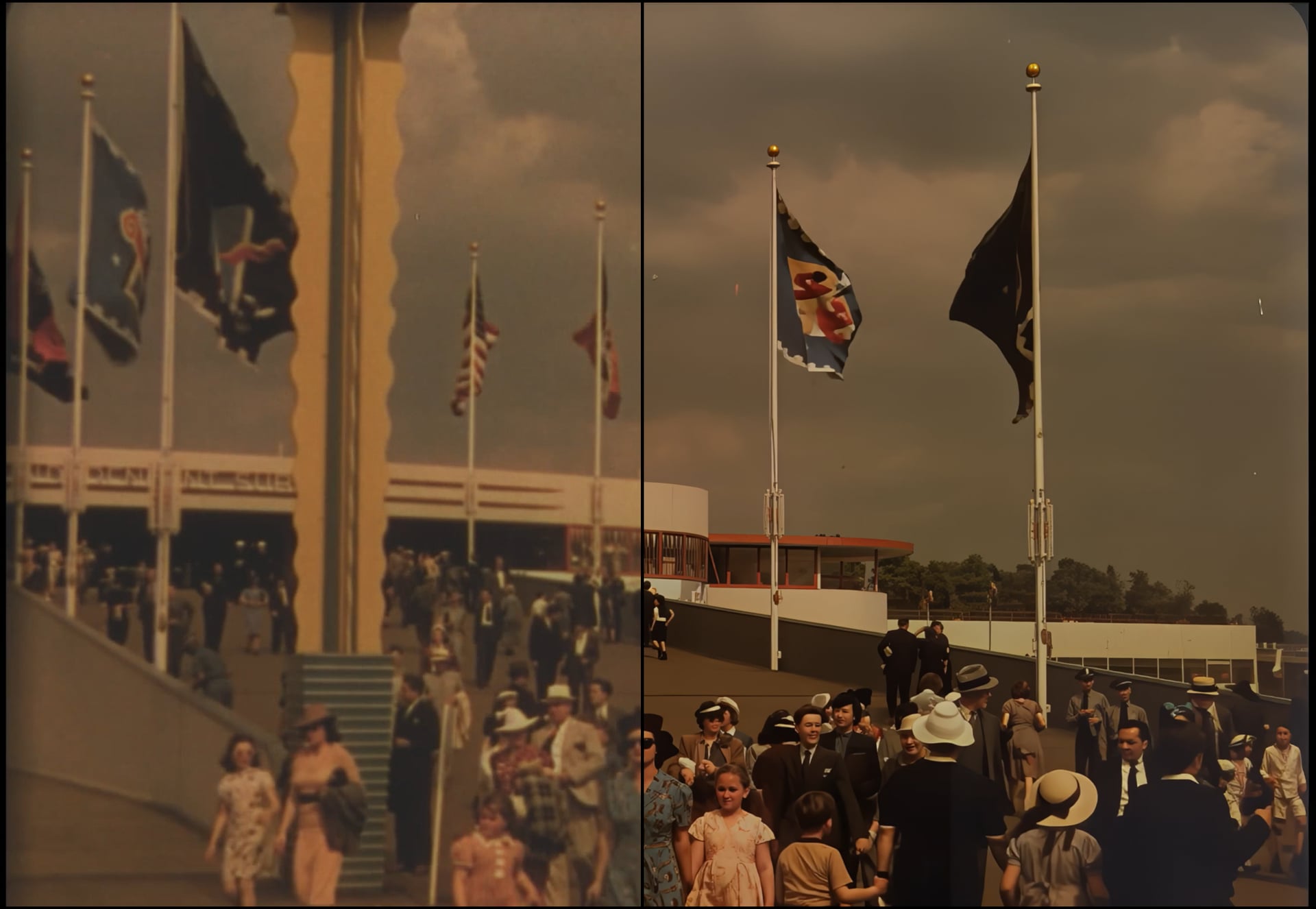
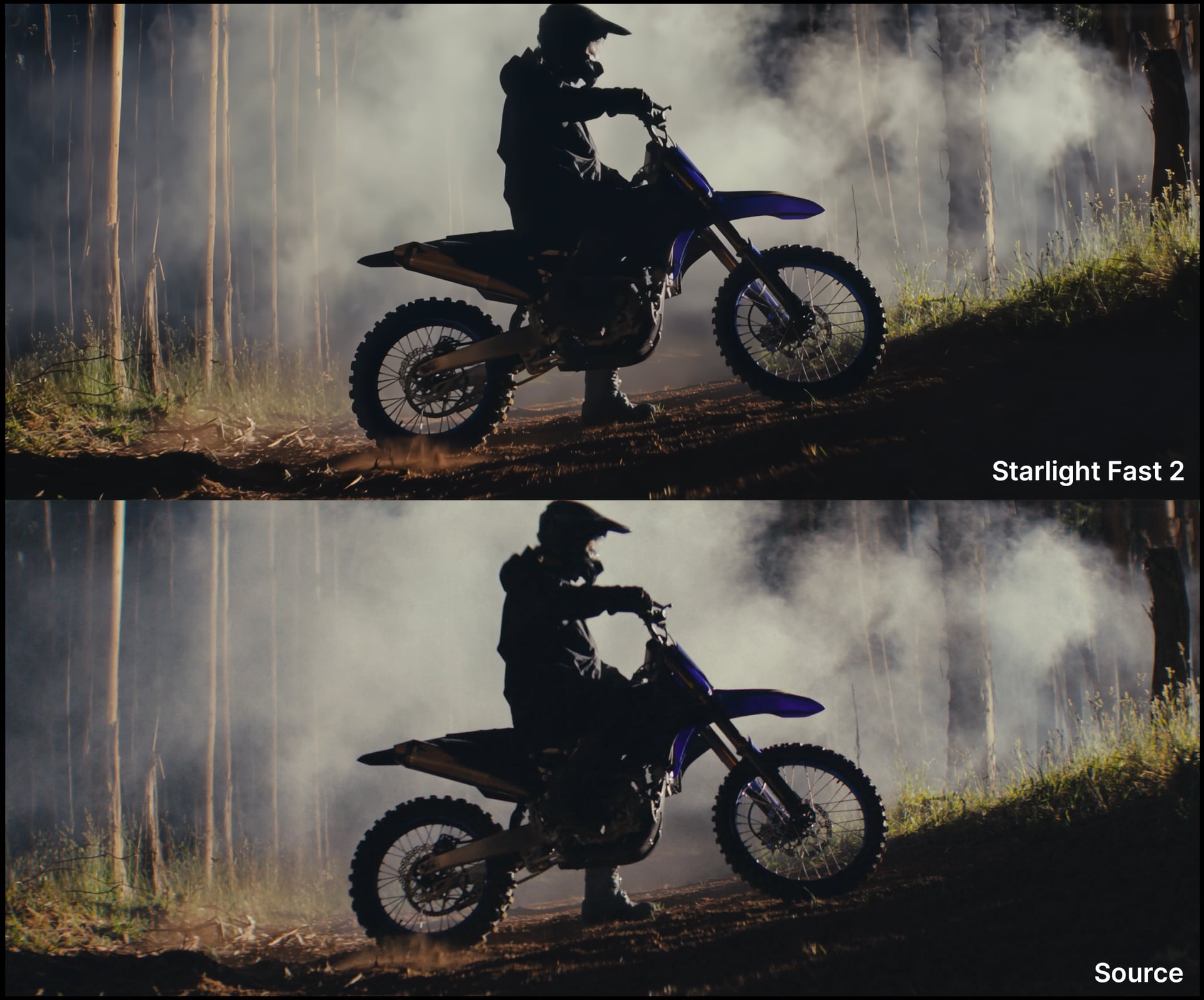
Introducing the new Starlight Fast 2, for local desktop rendering! Starlight Fast 2 is the third variant to the desktop Starlight Model Family. Note that Starlight Fast exists on Astra. This model is great to get good diffusion results at a much faster processing time. Note that in order to make this model both available locally and still be speedy (for a diffusion model) there is a slight difference in quality for local renders.
Things to know:
- Nvidia Only
- Requires a Pro license to run locally.
- Best results come from 2x and above upscaling.
- Great option for faster local diffusion based rendering.
- Recommended to use video inputs at or under 4K.
- Outputs between HD - 4K.
- This model works for Medium to High Quality content whether this is generative or live action plates/videos
- speed can be 3-5x faster than Starlight Mini pending on your GPU and available VRAM.
- Provides better treatment for flickering/stuttering frames (especially when camera moves)
- Requires a minimum of 16GB VRAM though 32GB VRAM is recommended.
- There is a slight quality difference between the renders with 16GB vs 32GB VRAM. The latter being a tad more detailed.
- Model access via the cloud for all subscription models.
- Cloud Export supported
This model is less ideal for content with:
- haloing issues common with vintage digital videos
- hair quality can vary in detail when content is on the lower medium spectrum.
- Not intended for very low/poor condition quality media.
- Interlaced content needs to be de-interlaced first.
- Small repeated patterns can flicker
Pro: Starlight HQ Local
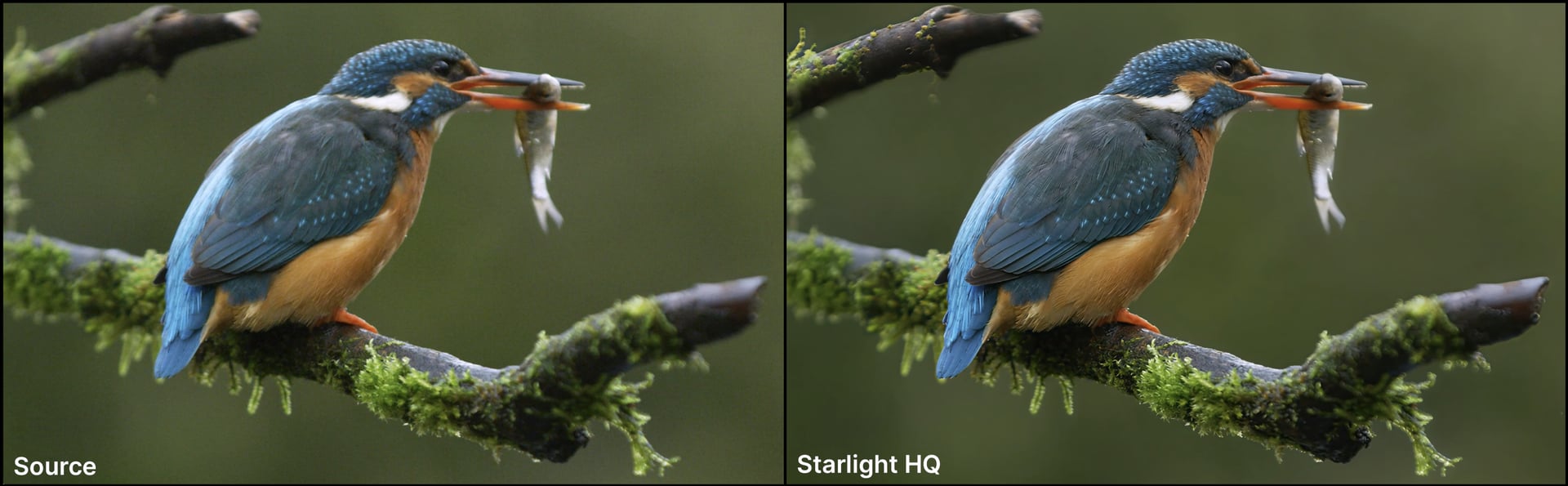
Introducing Starlight HQ, for local desktop rendering! Starlight HQ is the fourth variant to the desktop Starlight Model Family. This diffusion model has a great balance of detail and sharpness while keeping the intent of the original video source. Provides higher quality outputs for a wide range of videos, though not necessarily intended for archival content it can still provide good results. Though addressing similar intentions as Starlight Fast2, outputs have generally been higher quality and consistent with this model’s longer processing time.

Things to know:
- Nvidia Only
- Requires a Pro license to run locally.
- Processing speed is very similar to Starlight Mini.
- Supports 480p to 4k inputs.
- Outputs between HD - 4K.
- This model works for Medium to High Quality content whether this is generative or live action plates/videos
- Requires a minimum of 10GB VRAM though 12GB VRAM and up is recommended.
- Model access via the cloud for all subscription models.
- Cloud Export supported
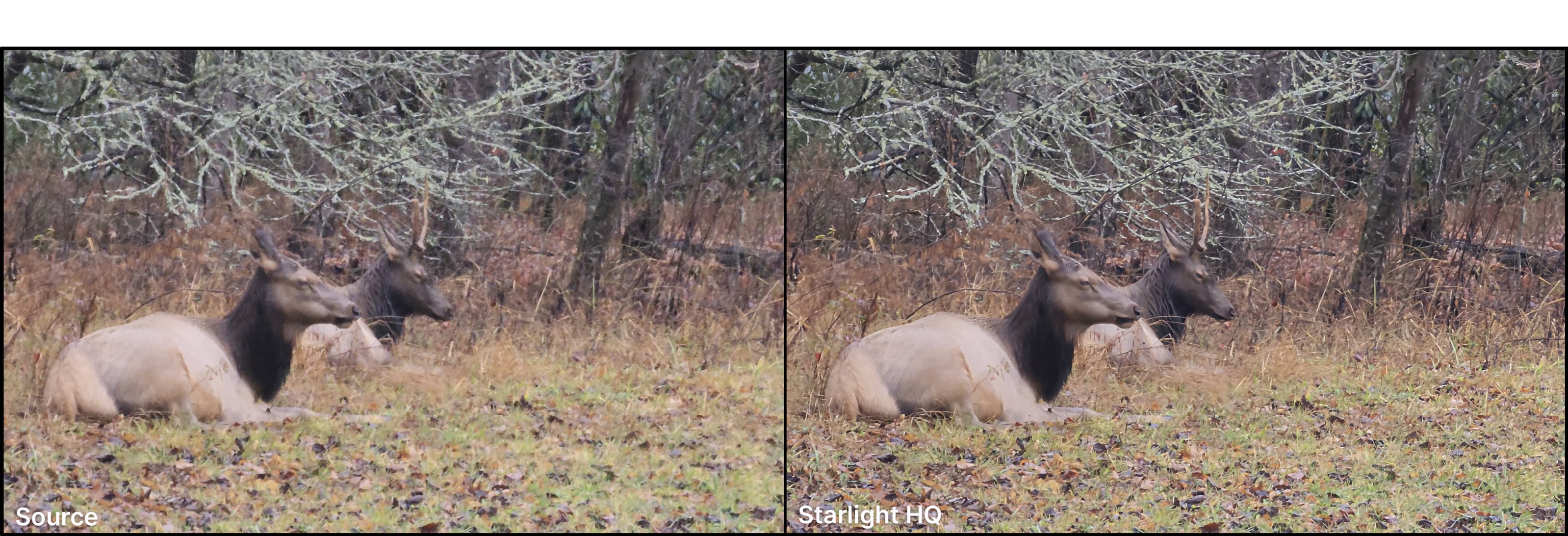
This model is less ideal for content with:
- haloing issues common with vintage digital videos
- hair quality can vary in detail when content is on the lower medium spectrum.
- Not intended for very low/poor condition quality media.
- Interlaced content needs to be de-interlaced first.
- Small repeated patterns can flicker
Gaia 2
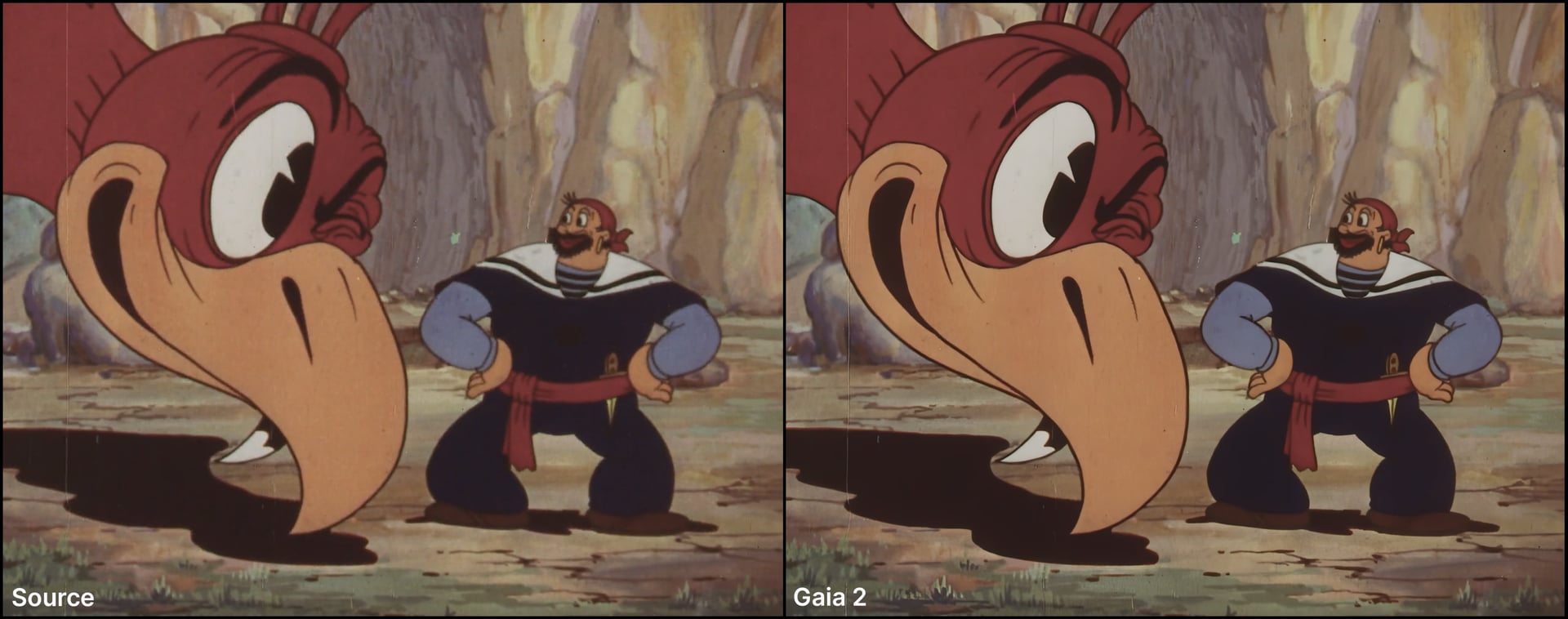
It’s about darn time that we got a new animation model, Gaia 2! This model works on a frame by frame basis, similar to an image model, which is perfect for traditional types of animation. The unique method is why this model is in it’s own category. Continuing with the Gaia initiative this model has a great handle on animation. This model addresses aliased edges, compression and sharpens without “over doing it”. This is not a restoration model, so this will not remove film hairs and scratches or generate details. As a conservative model, it aims to preserve the original source intent.
Here are the types of content that this model best performs with:
- Traditional Animation
- Motion Graphics
- Stop Motion Animation
Note that the model is not limited to the content above, so experiment and have fun with this one!
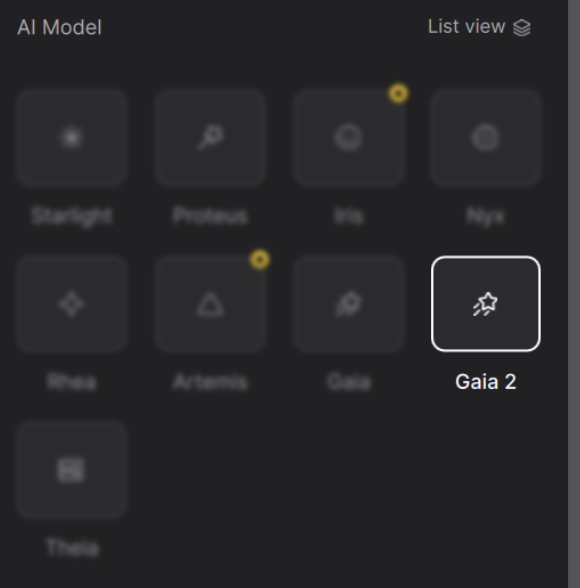
Things to know:
- Available for both PC and Mac
- Processing speed can be faster or equivalent to Proteus!
- Supports several input resolutions.
- Support a wide range of output resolutions.
- Best results come from 2x and above upscaling.
- No modifiable settings.
- Stack this model by adding a second enhancement with another Gaia2 to get sharper results.
- Cloud Export supported

This model is less ideal for content with:
- This model works for Medium to High Quality content and it is worth noting that it is not a restoration model.
- Haloing issues common with vintage digital videos
- Not intended for very low/poor condition quality media.
- Interlaced content needs to be de-interlaced first.
- If there’s heavy grain you may want to denoise first. Some grain particulates may be seen as part of the texture. Pending personal preference.
Project Settings Dialog
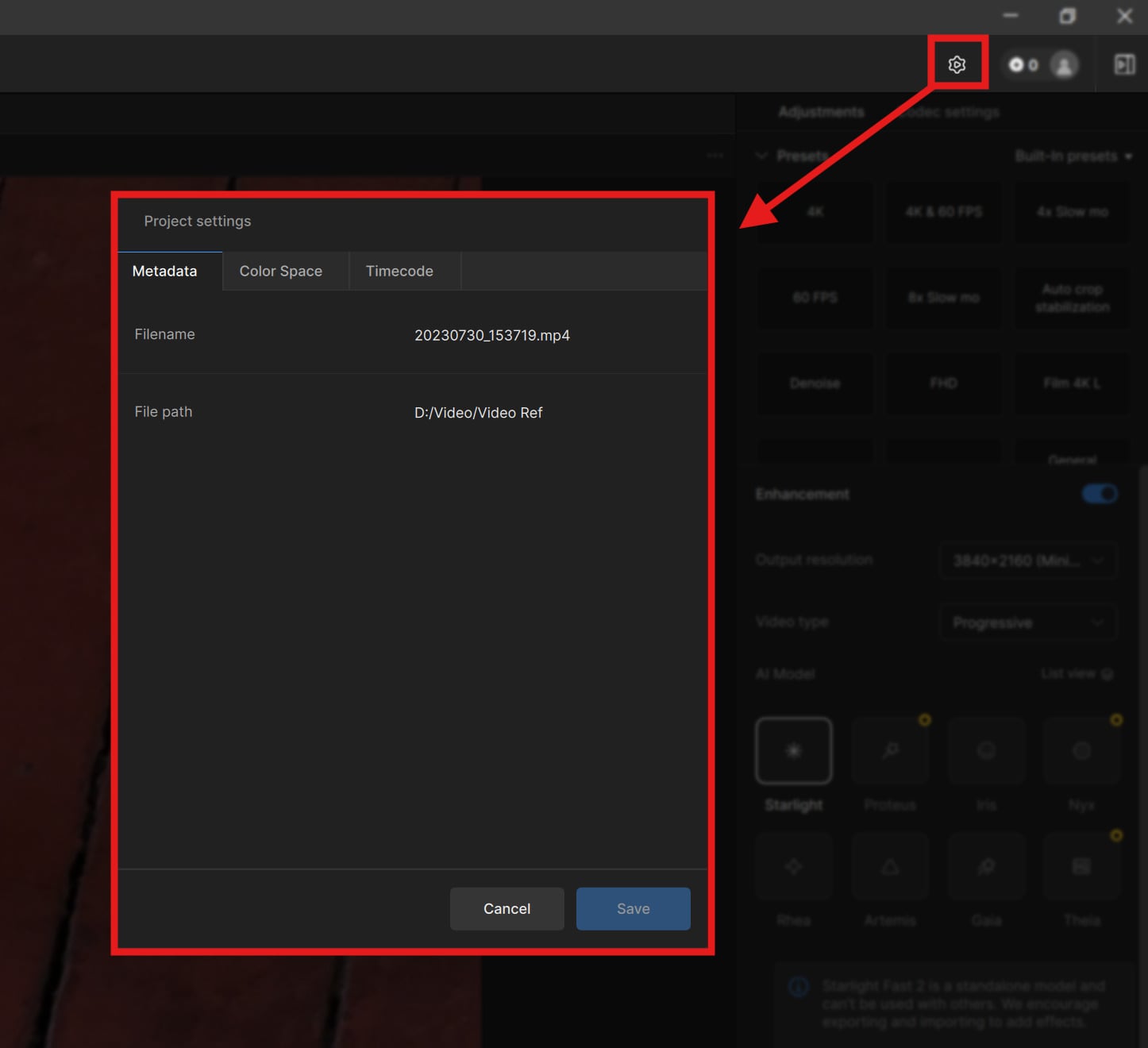
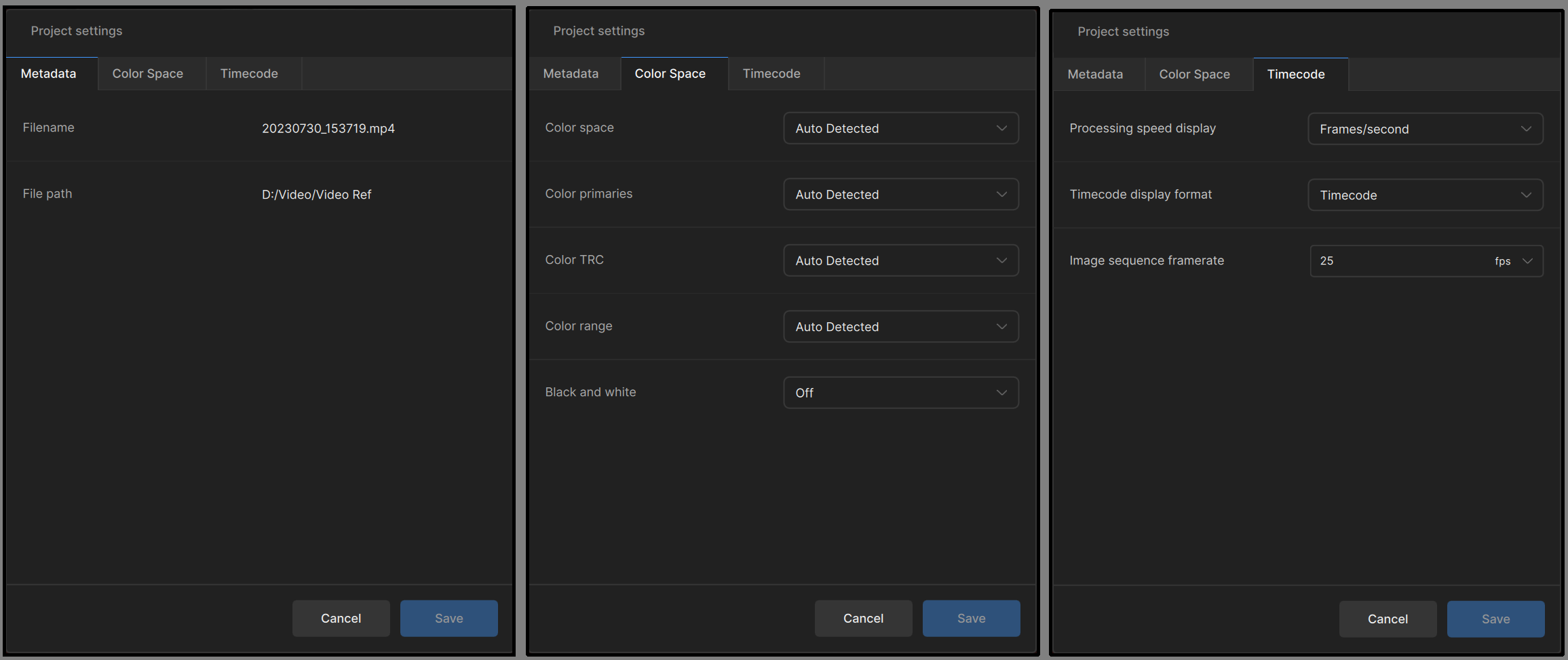
The Project Settings Dialog can be found from the File menu item and replaces old input settings panel. Some of the options for settings include project-wide input colorspace, black + white, timecode options, and image sequence FPS.
Telecine Migration
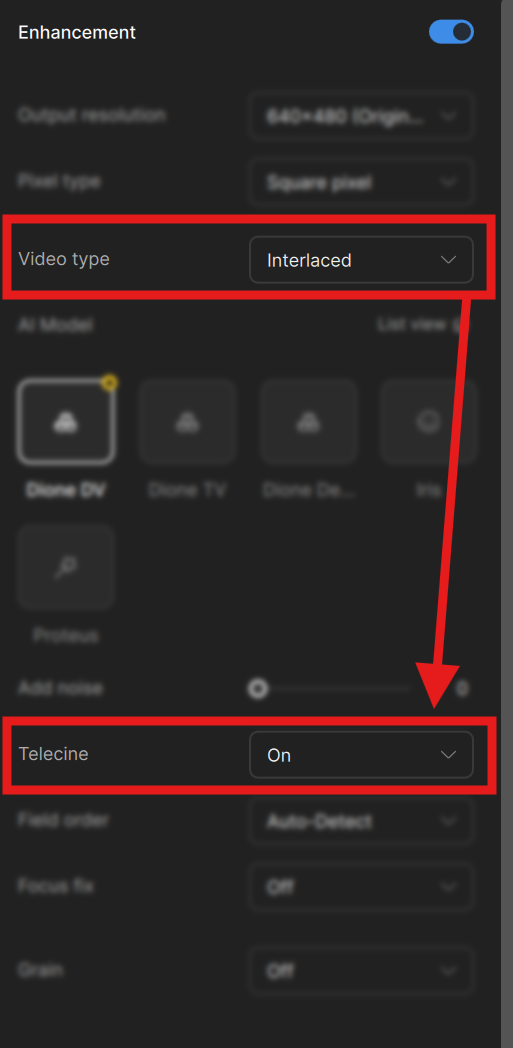
Telecine has been moved to the right panel, under “Interlaced” enhancement for more visibility. Moving this under a category that makes a little more sense will help one find this option faster rather than remembering to look into the settings menu.
Transforms + Crop area
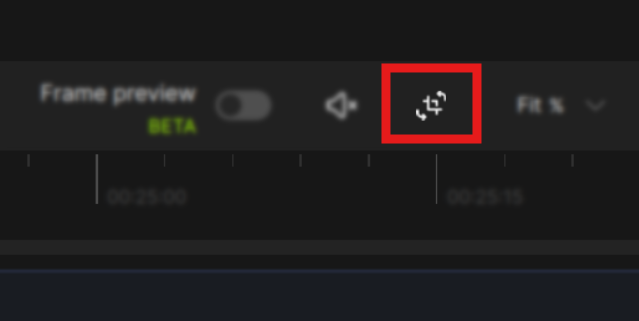
We now have a new area that includes video Transform options and Crop in the same location. This area is identified with the same crop symbol with rotations.
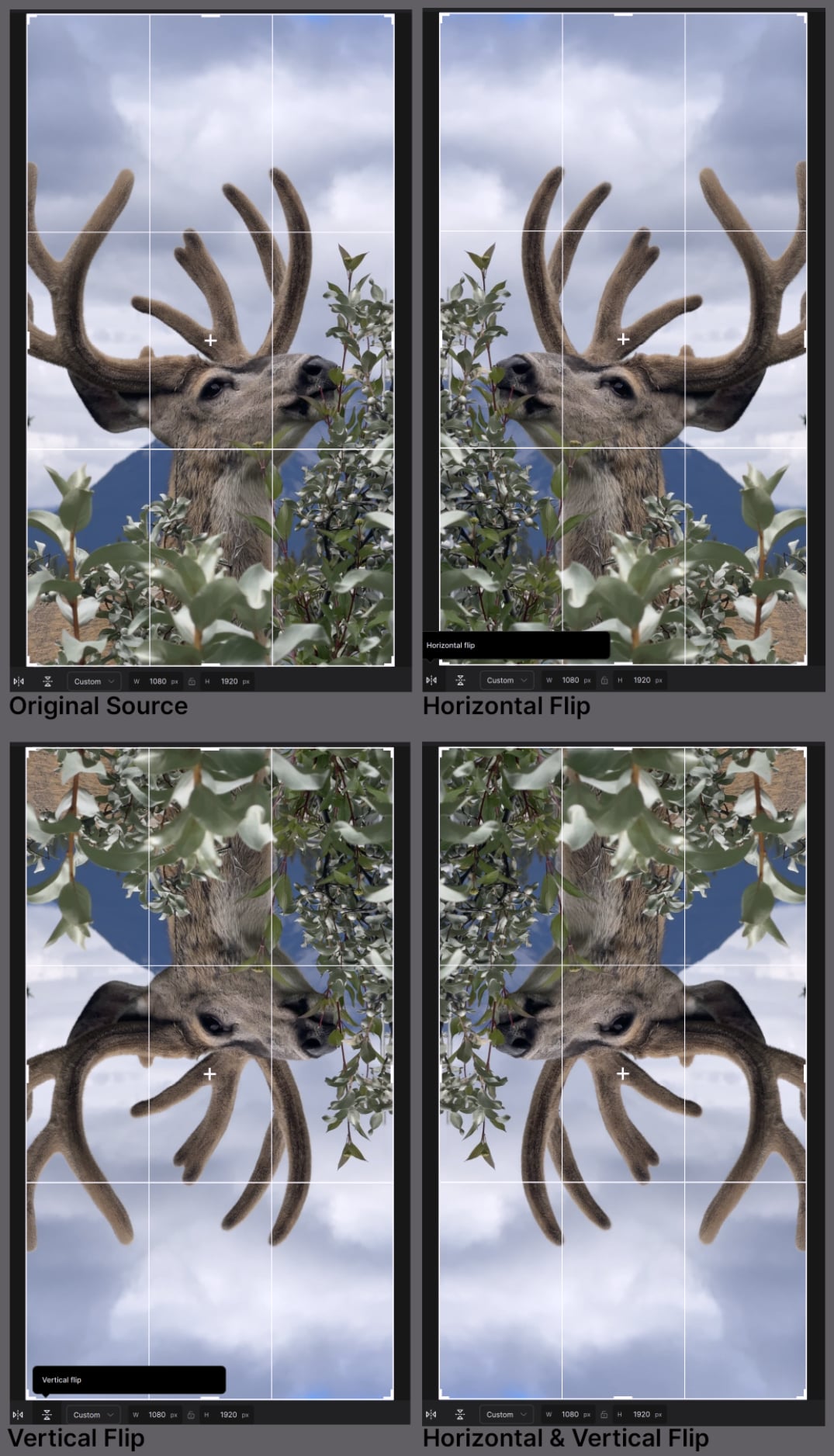
Horizontal + Vertical flip

Sometimes capturing footage can get all flipped around and you may want a quick way to fix this. You now have the ability to flip your footage vertically or horizontally.
Additional Updates to Note!
Improved Performance
- Improved some VFR and dropped framed issues.
Bug fixes
- Fixed issues regarding previewing, cropping, and rotating videos with non-square pixel aspect ratios. Please let us know if you continue to run into issues with specific formats.
- Fixed MXF render failures with DNxHR codec.
- Fixed timeline related issues with image sequence formats.
- Added re-download option for cloud exports.
- Fixed links on the “About Topaz Video” pop up menu
Known Issues
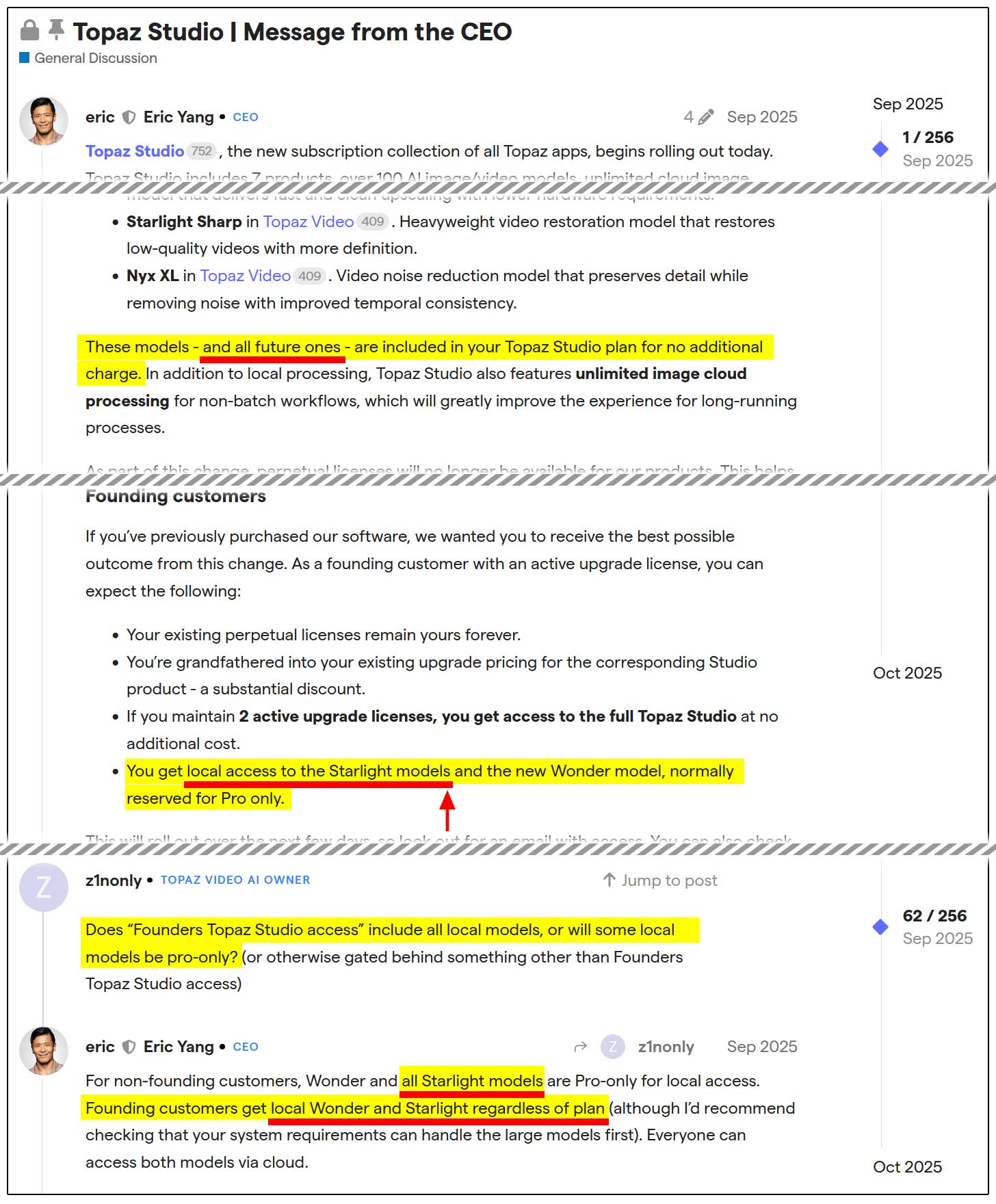
- Starlight Fast 2 and HQ are currently not available for Founding Customers. Founding Customers will have access to the Starlight Models. These will be available soon. Look forward to an update in the next couple of days!
NeuroStream
As some of you have heard the exciting news that we are implementing NeuroStream with Topaz Photo. This is something we are looking into for Video as well. However, while this is being worked on and tested, more details will be provided at a later and more appropriate time. Thank you!
Don’t Forget
Is your system compatible?
Click Here
Documentation
Click Here
Encountered an Issue?
- If you experience any issues, please ensure that your drivers are up to date. Next to a proper restart or an app reinstall, this is usually the first step to ensure you have the correct drivers running for this application.
- Sometimes a firewall can prevent the app from starting. If this occurs, be sure to add Topaz on the exception list.
Otherwise, you can easily reach out to our fantastic Support Team: Click Here
Hope you enjoy the new updates!