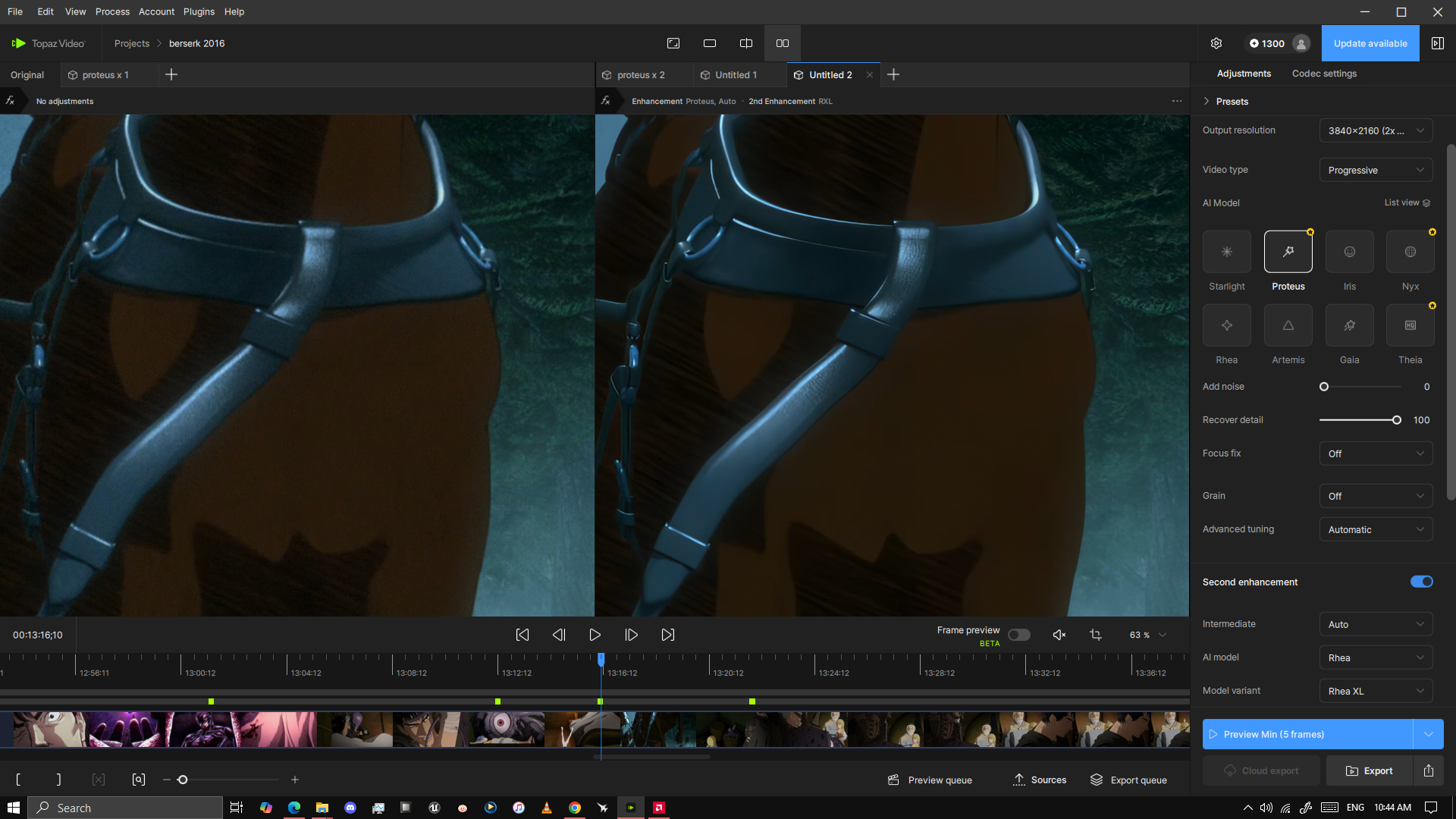
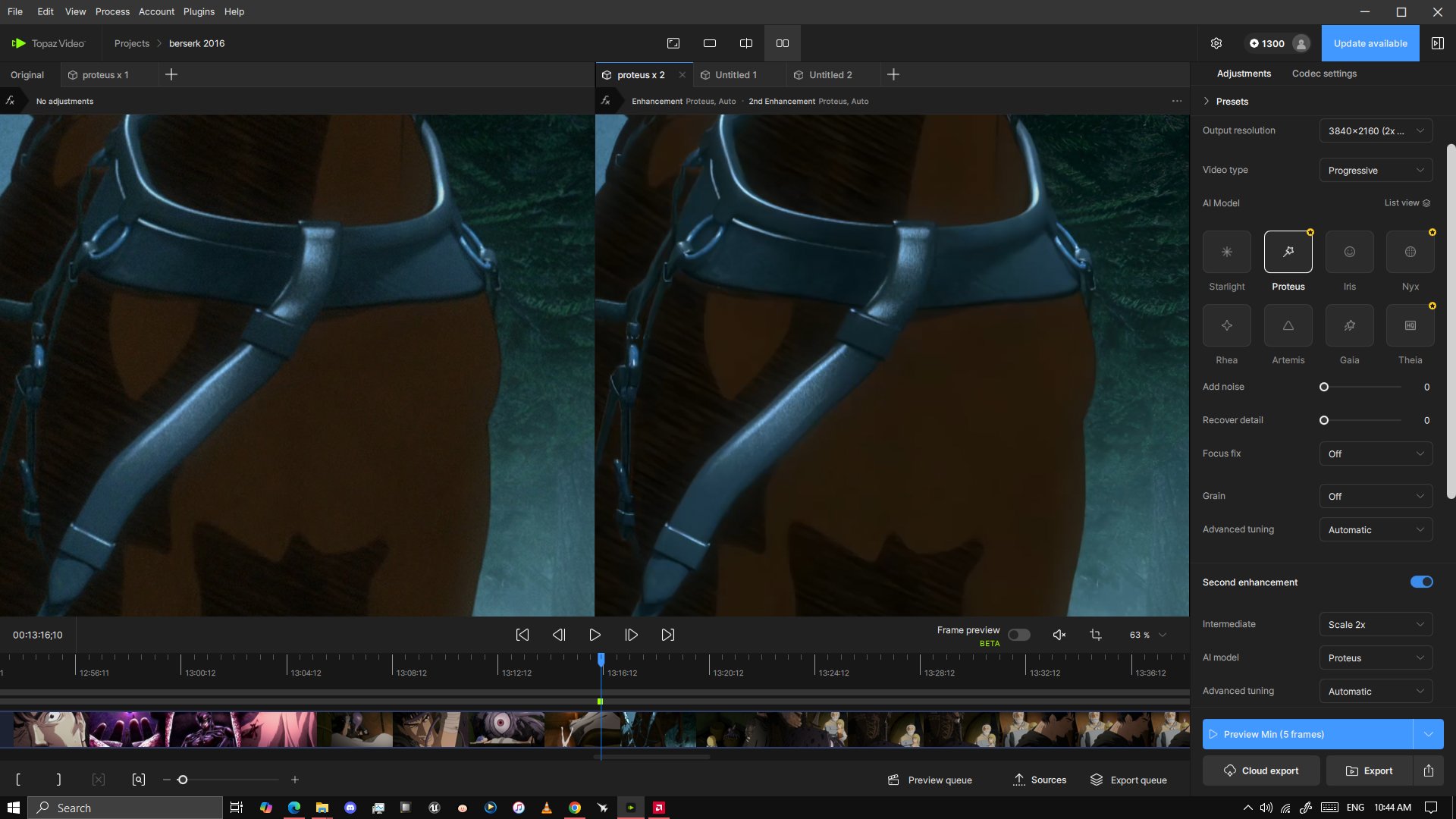
The new Proteus Natural model seems to work better for cartoons than the original Proteus model, though it sometimes leaves compression artifacts which is a bit nasty. The original proteus I think can be too sharp and sometimes it messes up old cartoons. Anyone else notice this?
Also, Topaz Team, I’ve been asking for a full screen preview of the export videos for over a year. Why isn’t this put in to the program? I have to imagine many other people would appreciate it. I want to be able to see the difference and I want it to be BIG. I don’t want to look at a tiny square on my monitor to compare the before and after. Come on guys.
Finally a new Proteus model; I am still testing with all kinds of videos and comparing their results.
Proteus Natural does not have the advanced tuning option enabled, and in my case, it seems like pnat1 indeed is like a pure original Proteus model with any parameters;
After x2 from FHD → UHD, I do see those compression pixels and artifacts originally from FHD. It is more like a “lossless amplification” type of upscaling without any AI tuning and sharpening, just like the model name, Proteus Natural.
But I also found if the original clip already has great detail and not too much grain or noise, pnat1 will actually do lossless upscaling from FHD → UHD, just missing the sharpening part from prob4.
My temp thought so far, pnat1 could be great for the initial upscale/downscale step, and it will still depend on the original quality; if it’s too bad, pnat1 will reserve them; if it’s good enough, it will keep it as natural at it can.
So has the problem with Starlight being able to render to only 720 because the custom resolution option was removed and replaced with the useless 2x, 3x , and 4x? This has been a publicly known problem since 1.0.3 and all your support can do is to insult your customers while you guys expect us to pay monthly.
I don’t want to spend time on downloading this only to find out that nothing has been fixed again.
they could give us free scale, starlight is not made to specific resolution. I don’t understand why they don’t do this. There is a trick, you can get 720p min. upscale with 4:3 content; do letterbox left/right on 4:3 source to create a fake 16:9, you can remove it after the upscale.
I haven’t been able to log in for weeks. Either nothing happens after I enter my password, or the login button turns gray, or I get the following message:
We couldn’t connect to our servers to complete activation. This is usually caused by a firewall, VPN, or other security setting blocking the app from accessing the internet. Please check your network settings and try again.
I’ve turned off my antivirus program and VPN. Topaz is the only program on my PC that I can’t access…
Hello, since this version of Topaz Video, I have to enter my connection parameters, user and password, each time I open it. I can use the software, but as soon as I close it, I have to start again.
Topaz Video AI version 1.0.4 outperforms the newer releases with models like Artemus and Proteus in terms of speed, but it is disappointing to note that the newer versions have introduced significant latency issues. This oversight during the quality assurance validation process raises concerns about the effectiveness of the QA team’s smoke testing, suggesting that their performance may not meet the necessary standards.
Tried using proteus naturaul and result is the same as before.
Denoising isn’t really the issue here its the blockiness that topaz creates after the enhancement. Its really annoying to see good results from the upscaler but then it adds compression like blocks across shades of colour that is very easy to see and distracting.