Hi everyone,
Today we have a new release! See more details below:
1.1.0 Downloads
Improvements and Fixes
- [PRO ONLY] Starlight Mini: You asked, we listened. The Starlight Mini name is back!
- [PRO ONLY] Starlight Mini: AMD and Mac improvements
- Grain: greatly improved!
- New Denoise Filter!
- Plugin Updates: AE & Davinci Resolve
- Fixed Starlight cloud resolution mismatch on the cloud for all platforms
- Engine Refinements
- Codec Update
- And More!
Pro: Starlight Mini - Boomerang of a name!
You asked, we listened. The Starlight Mini name is back.
Some Historical Context:
Starlight Mini had dropped the “Mini” after the original Project Starlight was renamed in ASTRA (our cloud app) as Precision Quality. Precision Quality, could only render on the cloud due to the complexity and size of the model.
Starlight “Mini” was originally named for it’s more efficient model size that still keeps a high quality output.
With Project Starlight renamed, it was thought best to promote the Starlight Mini model’s name to just “Starlight” for the desktop experience. This model produces outputs that rivals the original Project Starlight while adding some unique properties that is more natural to the original content. So, the “mini” part of the name was removed.
Unfortunately, this only caused confusion. We’ve listened and learned. It gives us great pleasure to return the “Mini” back to this model’s name. By a large request, the Starlight Mini name is back to stay!
Moving forward, Starlight, represents a series of AI models. Models such as Starlight Mini, Starlight Sharp, etc are variations of this series with specified properties to enhance and improve your footage.
Pro: Starlight Mini: AMD & Mac
We have improved the quality and performance of Starlight Mini for AMD and Mac by addressing the following issues that some have encountered:
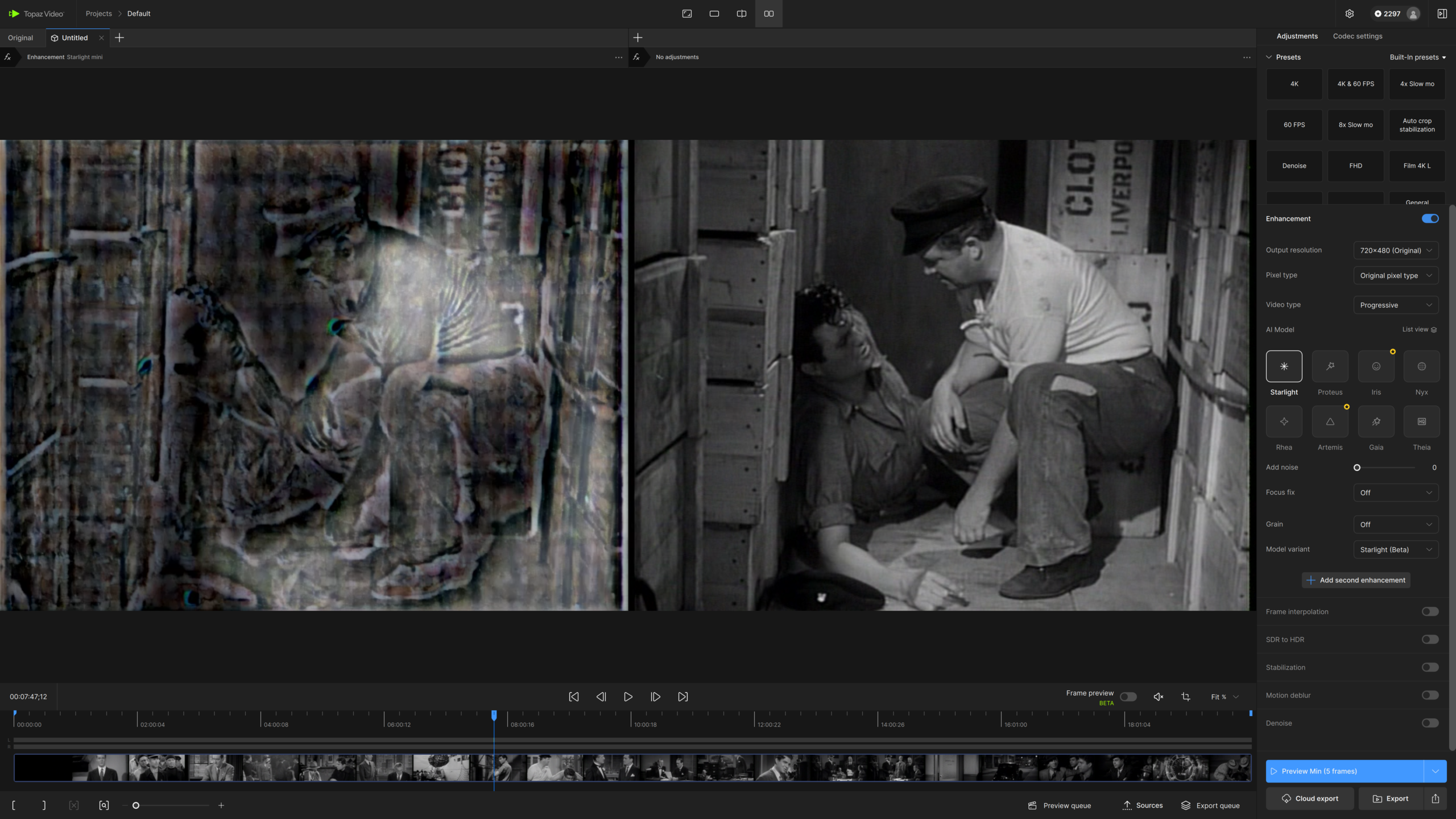
- RGB channel shifts (color smears such as chromatic aberration)
- Export fails even if when matching the minimum requirements.
A few reminders for Starlight Mini
- You will need at least a Pro account to render locally.
- A requirement of an NVIDIA GPU with at least 10GB of video memory, but we strongly recommend a GPU with 16GB or more memory for optimal performance and quality.
- One of the minimum NVIDIA GPU requirements, is that the GPU needs the compute capability of at least 7.0, which means all the legacy GPUs with compute capability smaller than this version is not supported, including GTX 10 series and Quadro P series.
- In addition to these GPU requirements, Starlight also requires a minimum of 32GB of system RAM.
- It is recommended for AMD, to have 20GB of VRAM.
- The recommendation for Mac is to have a minimum 36GB of RAM.
- This is an AI model that is both complex and resource heavy. Meaning, that it could take hours to process.
- It is not recommended to run Preview or Frame Preview with this model. For Nvidia users it will not work. AMD and Mac users this may also not work. It is recommended to export a few seconds for Preview purposes.
- Per Cloud Render, there is a 5 minute maximum for Starlight.
Grain: Cinematic and Natural!

I am absolutely happy to announce the very very long awaited update for our Grain is finally here! Though our previous grain was good in it’s own right, it always felt a bit like an overlay and not scientifically accurate nor natural when compared to actual film stock or digital captures.
When light travels through a camera’s lens, it hits either the film that causes a chemical reaction or the sensor with ISO that has to be pushed further to interpret light, especially in low light situations. It is at this point for either the film or sensor interaction with light, where the grain or noise gets generated and affects your output.
What’s New?
We have overhauled the grain to take the following considerations into account:
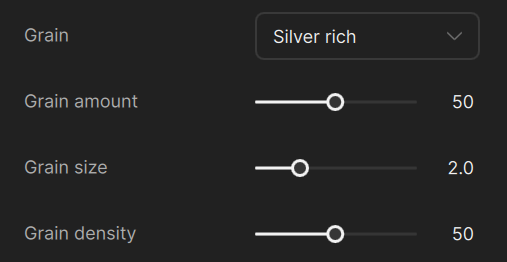
- Luminosity levels (happens in the background)
- RGB Channel wavelengths causes different strengths for grain (happens in the background)
- 3 Grain types (select-able)
- Size (modifiable) - overall dimension of the grain.
- Density (modifiable) - is the strength of the grain.
- Amount (modifiable) - The quantity of the grain.
Grain Types
- Gaussian: This is grain with color.
- Grey: Similar to Gaussian, however there is no saturation.
- Silver Rich: This is a more organic grain, something a little more akin to older film stock. The parameters don’t need to be as aggressive. More conservative adjustments is recommended from the default settings.
Denoise: Pure denoiser for High Quality content!
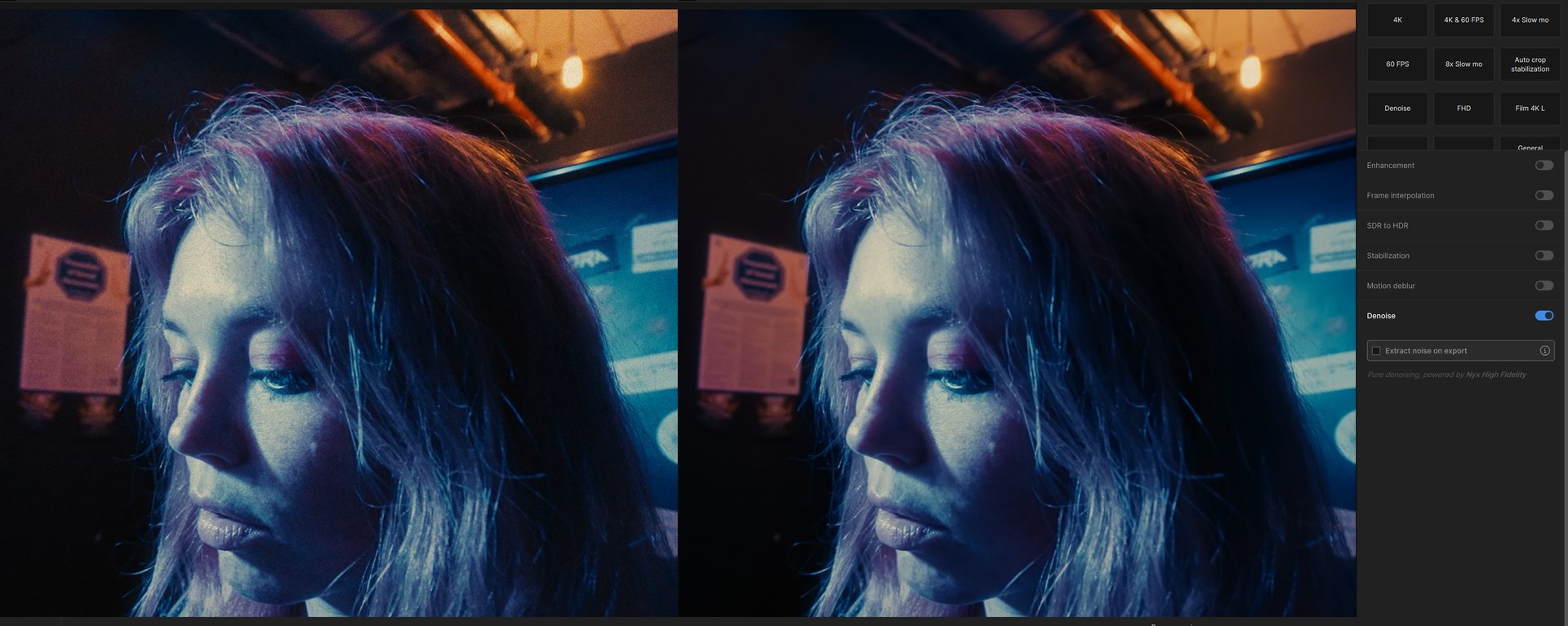
Nyx has been our leading denoise option for Topaz. However, Nyx and it’s variations are also enhancement models, meaning that although they reduce noise, the models intend to sharpen and modify the original content.
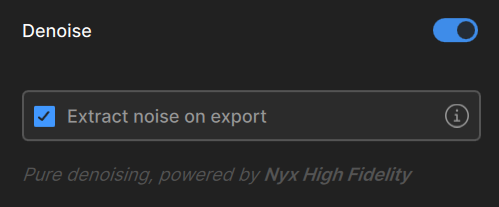
Denoise (powered by Nyx High-Fidelity) was made with a singular purpose, remove grain from high quality content without adding any additional enhancements. This is perfect for VFX teams that have film plates that need grain removal without any additional changes to their source.
Things to Note
- Please note, that there are no modifiable properties to this model.
- Option to extract grain – You must initiate this option by clicking on the check box for “Extract noise on export.” This option will take the denoised output and input and create a noise map tiff sequence in the same folder of the export.
- There is no option to access the noise map from the export directly.
Additional Updates to Note!
After Effects and Davinci Resolve Plugins
- AE – fixed freezing/hang issues experienced on some machines
- Overall speed for Davinci Resolve and After Effects are faster for enhancements
- Quality of the enhancements are better than previous plugin iteration
Starlight Cloud Rendering
- Fixed the Starlight cloud resolution mismatch on all platforms.
- Additionally, add info in cloud dialog in edge cases.
Engine Refinements
- Models should run, export and do frame previews for Windows AMD and Nvidia RTX 20 series cards with greatly reduced crashes. Overall giving a performance improvement for Windows AMD and Nvidia.
- This also includes better general performance for 2x & 4x upscales.
Codec Update
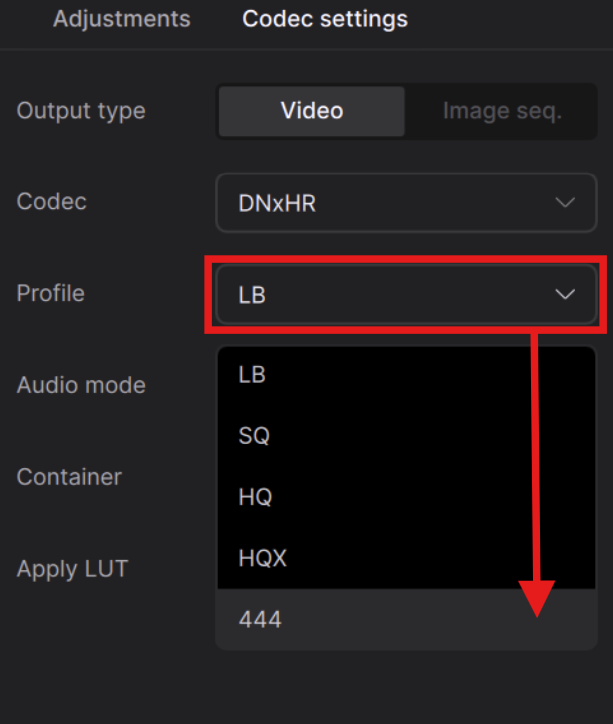
We have an additional Codec, DNxHR which includes the following Profiles
- LB
- SQ
- HQ
- HQX
- 444
Additional Updates
- Fixed issue that requires double clicking for play
- Fixed Starlight Mini and Starlight Sharp failures experienced by some users with some encoders.
- Fixed issue of the application not fully closing at times.
Note:
- If you experience any issues, please ensure that your drivers are up to date.
Hope you enjoy the new updates! Enjoy!