can you DM me your logs for Remove 2? or send them to support@topazlabs.com and we can have a look
After turn off ECC the process was much faster.
Turning on Sysfallback to NO i still get an error.
I think still that there is an double data movement from ram to vram and back, and this would explain the sysstutter when ecc for the 4090 is enabled.
Then you have the regular datamovement from the neuroserver process and the datamovement from the gpu driver sysfallback at the same time.
The new model is great, but the three presets are almost identical again. They look great, so I’m not complaining.
I’d like to see it optimized a bit better, though. Wonder 2 uses just 14GB of VRAM to produce a 210MP output, the old Wonder 3 used 16GB of VRAM to produce a 100MP output, and the new Wonder 3 uses 16GB of VRAM to produce an output of only 35MP
1 Like
@drkweiner-293397 - I have received your log and have shared it with Lingyu and the development team for the Remove 2 error. Will circle back with their input
Yeah I improved the quality of low/medium from feedbacks from users. But they still have different performances.
If your source image is already high quality (low noise, no severe artifacts), you’ll find that the Low, Medium, and High presets yield similar results.
-
Low: Best for preserving the original input data. It stays most faithful to the source, though it may appear slightly softer at 4x.
-
Medium: A balanced middle ground.
-
High: Can be more ‘creative’ with detail reconstruction. It’s best suited for heavily degraded images or large upscale factors, such as 6x.
Ultimately, the choice depends on your personal preference for sharpness VS accuracy.
5 Likes
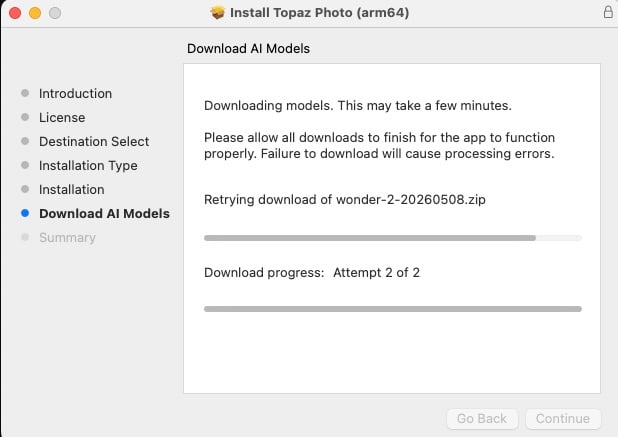
I downloaded the 1.6.0 Apple Silicon install file above and the install has been stuck on this for a long time. First time this has ever happened with any update of any of the various Topaz apps I have over the years.
First results focusing on Noise-aware (M1 Ultra Mac Studio, Tahoe) with old digital images (film scans did not seem to work as well):
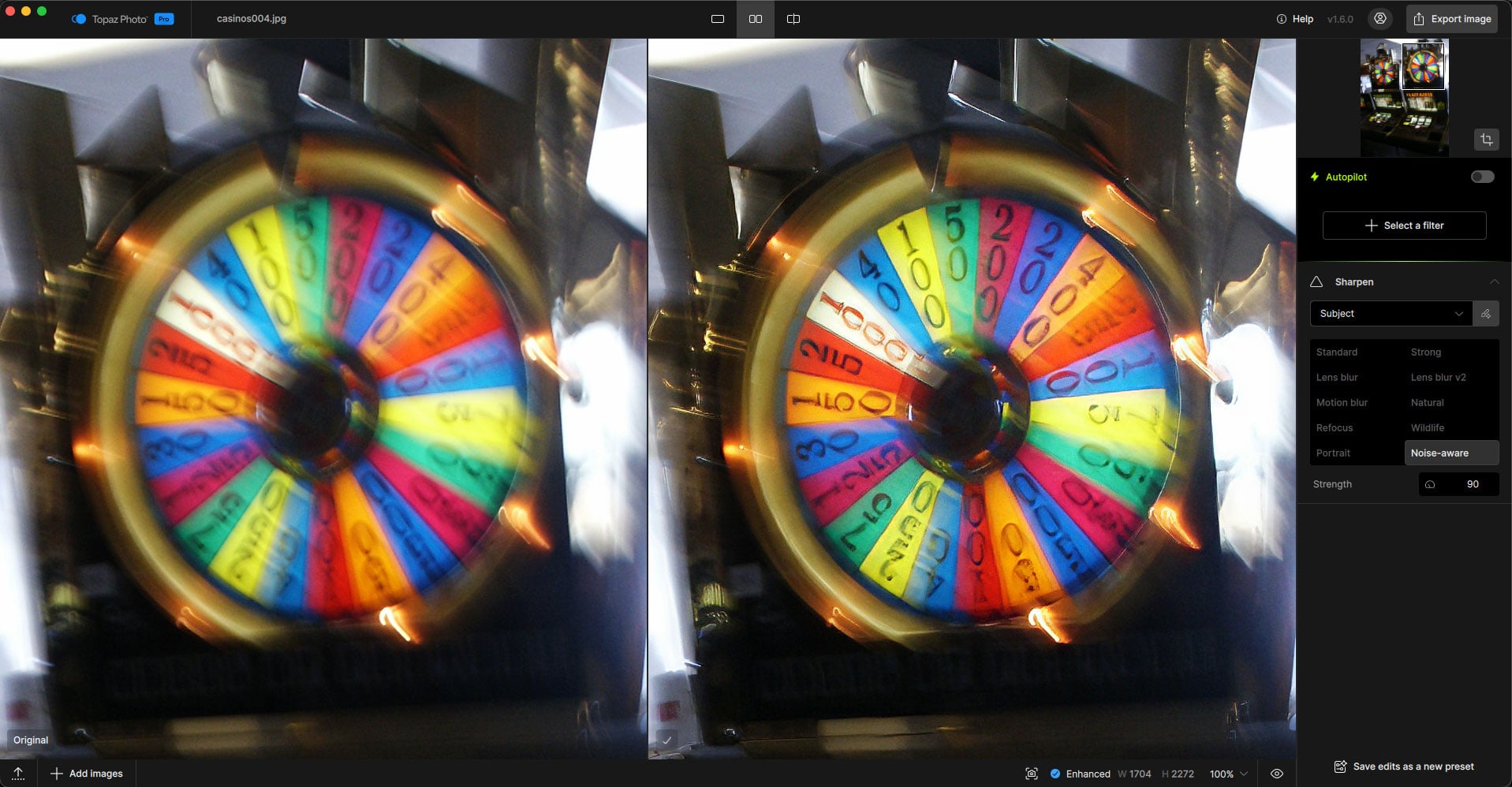
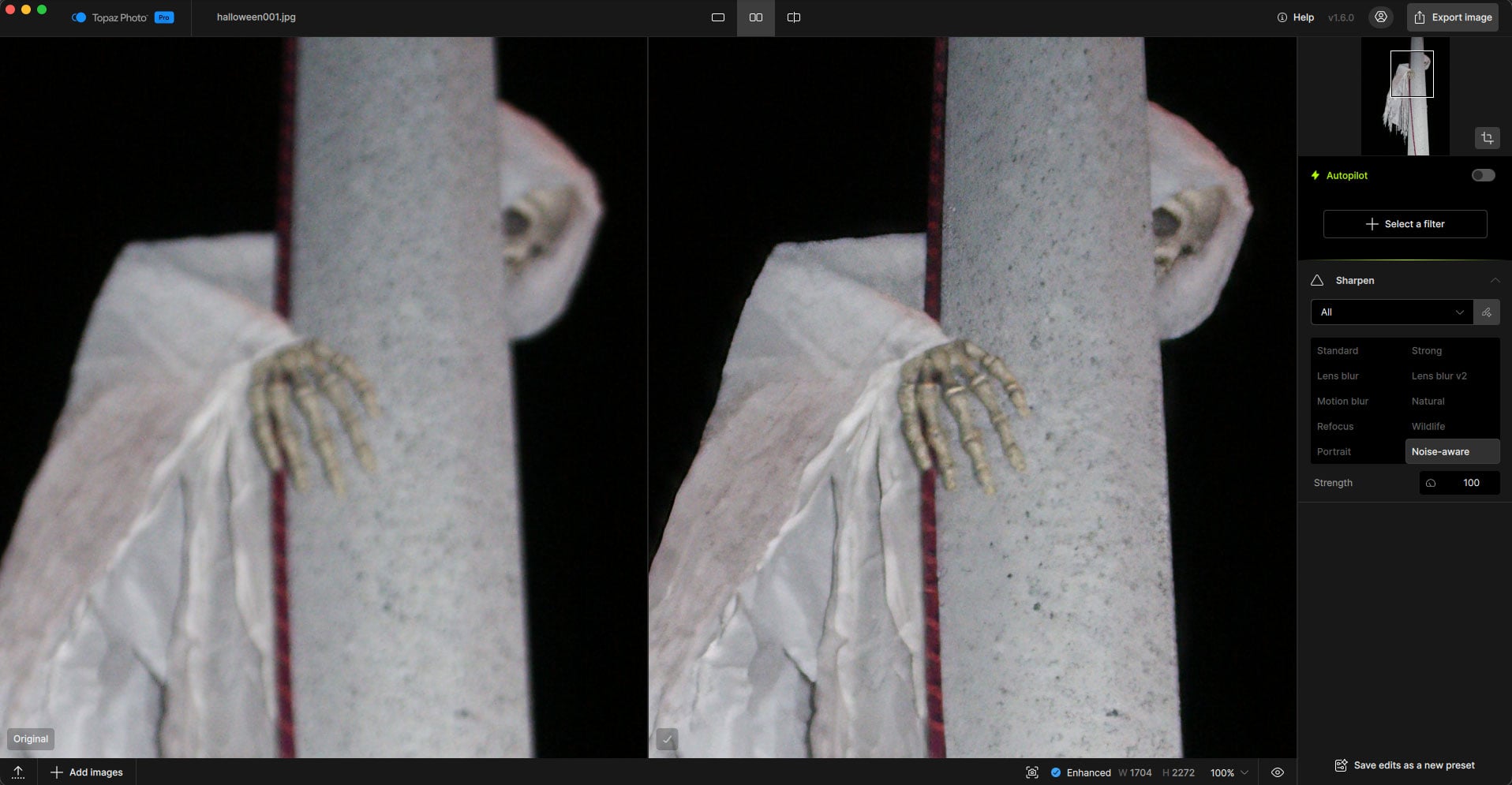
2 Likes
Face Recovery v3 is looking great so far, with some early testing. Hair is coming out a bit over-sharpened compared to the face at higher settings, though, so it could do with a bit of tweaking.
Also with hair, is there any possibility that the range of the recovery could be expanded to longer hair?
1 Like
The Recover Faces model is focused on the faces. For the hair you can add a feature request here. If you can share by DM your before and after as well we can see if other models can be used in tandem with Recover Faces to be able to recover the rest of the file for a seamless blend, and I can also relay to the development team the before and after current results, showing the hair issue/feature request.
Thanks for your work on this!
3 Likes
If anyone experiences issues updating to v1.6.0 overnight
We had users confirm running the installer a second time repaired model conflicts. To do this:
- Close all programs
- Run the installer again with below v1.6.0 installer - no need to uninstall, just to rerun the installer.
- Then Retest the model that failed previously
Topaz Photo v1.6.0
Windows: Download
Snapdragon: Download
Apple Silicon Mac: Download
Intel Mac: Download
If issues remain even after attempting to repair the app:
-
Gather logs: from Help > Open Logs folder > Send all logs to support@topazlabs.com and the development team can have a look at the errors. Make sure to put details on the issue, if local or cloud or both, what model, screenshots if any errors, etc.
-
While we look at the logs: Revert to a prior version.
Below is links for v1.5.1, but if you want to go on another version, all versions are here. Click on your chosen version and the installer links will be at the top of the page:
Topaz Photo - v1.5.1
Windows: Download
Snapdragon: Download
Apple Silicon Mac: Download
Intel Mac: Download
3 Likes
This happened to me as well. I ran the install program a second time and it completed the install.
1 Like
After a very long time it finally finished!
1 Like
Installed overnight and working flawlessly. Briefly tried the “Remove tool” and it works like a champ. The “Noise Aware” is also great, tried with a heavy noised picture and although still noisy (did better with the “normal” denoise but that’s because the noise was waay too much), I can see it working great with light noised images (100% wildlife).
Also, it downloaded, installed and launched without any issues. Thank you!
1 Like
I tested the new version. Wonder 2 is working again. It was broken on my system in versions 1.5.0 and 1.5.1, but worked fine on 1.4.0. Here on 1.6.0 it’s OK. But where’s the force slider? It’s gone.
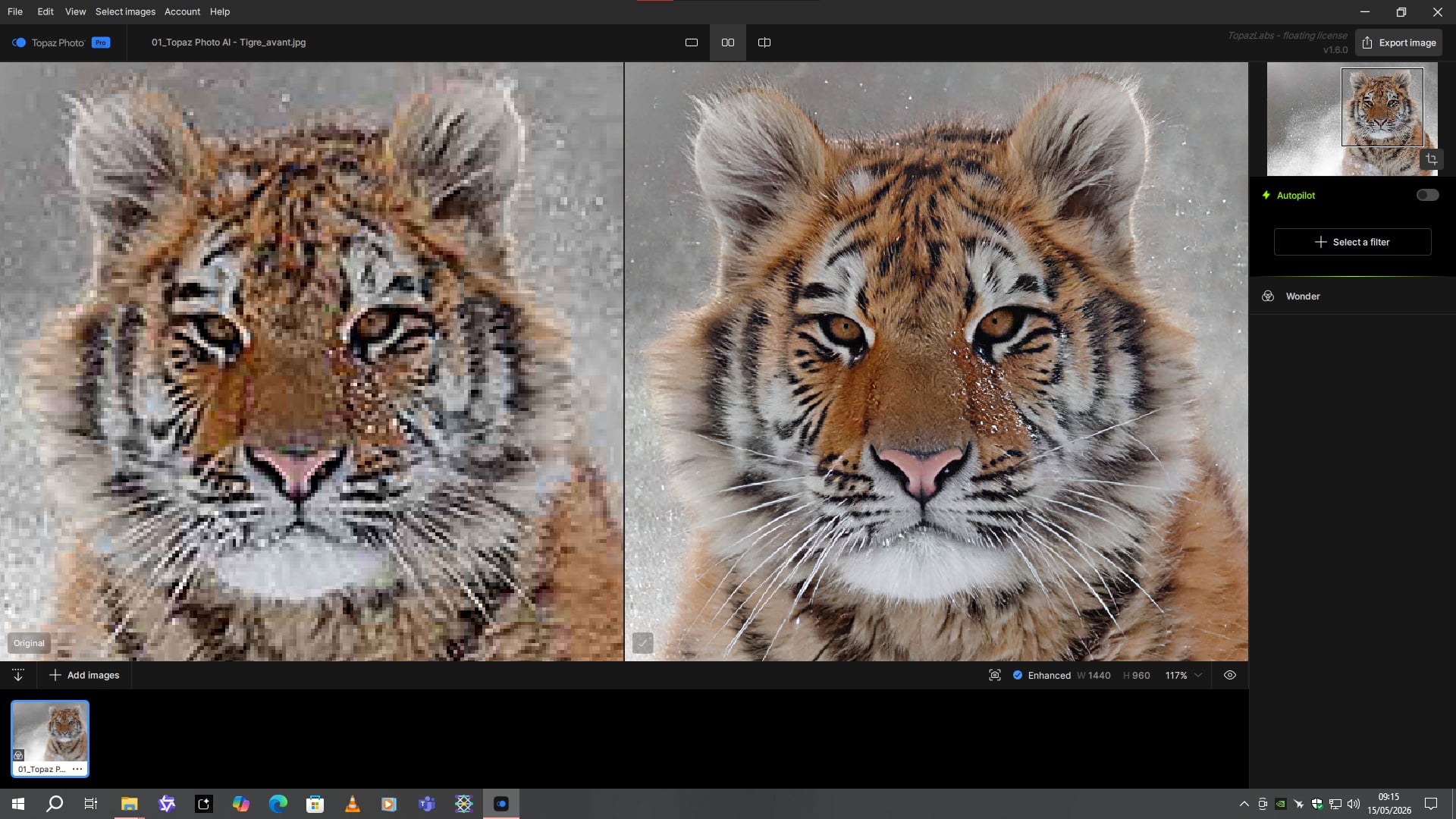
The other wonders also work.
Wonder 1:

Wonder 2:
However, Recover 3 is still not fixed. And I don’t want to switch my Windows to English just to get it working. I don’t understand why this comma issue is still not resolved. The same problem occurs on Gigapixel 1.3.0.
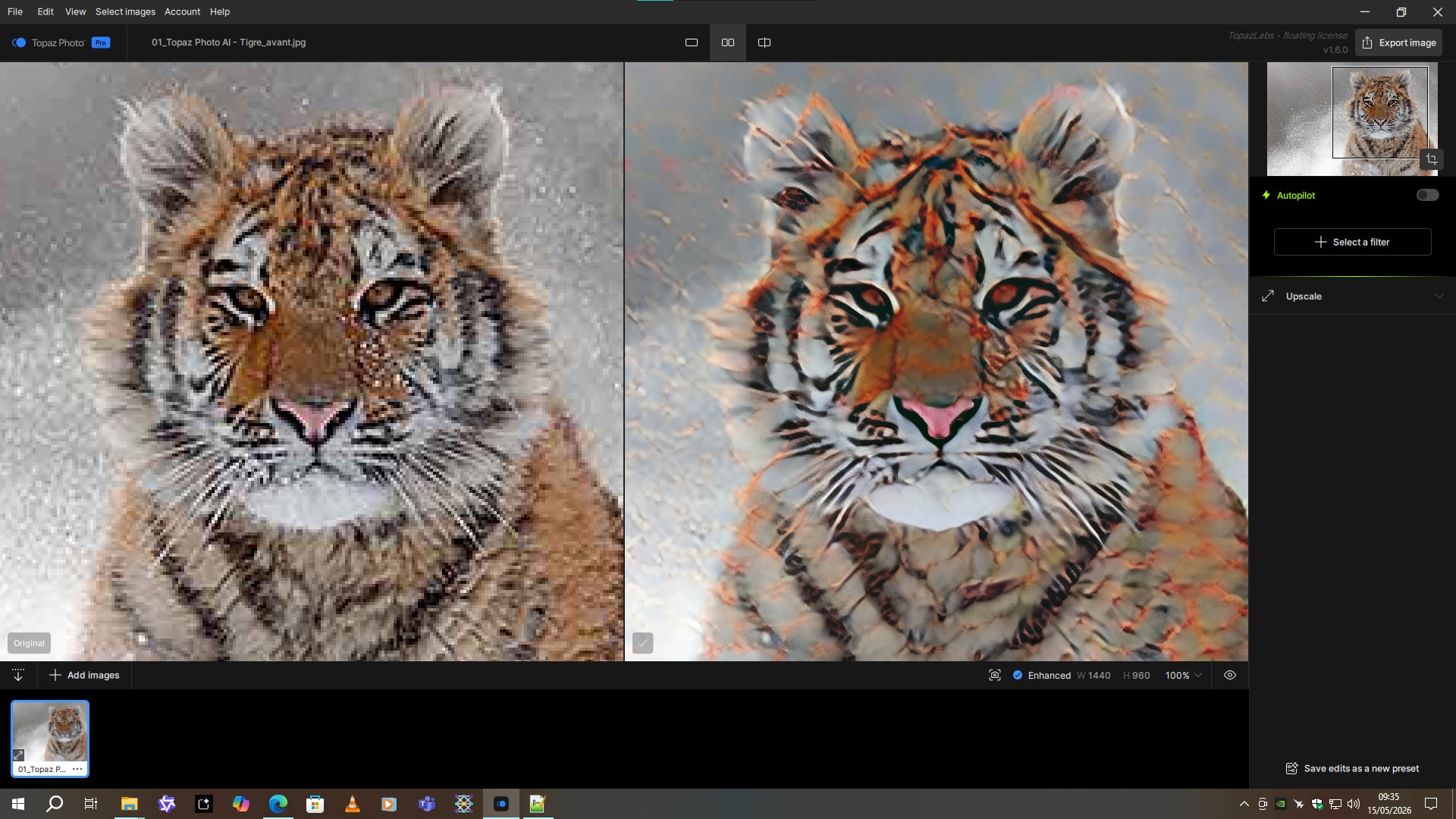
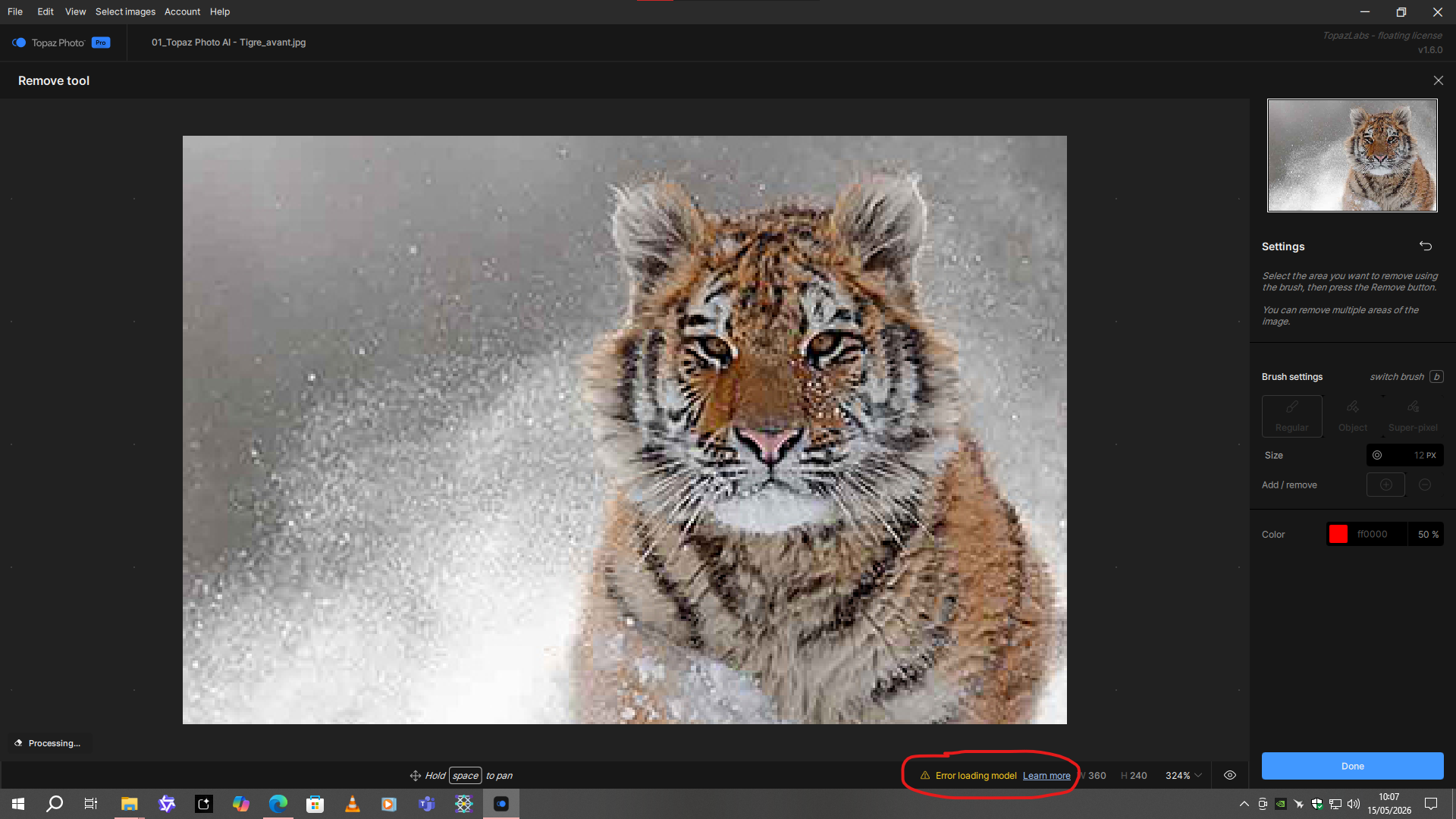
The removal tool is broken this time. It’s as if something is missing.
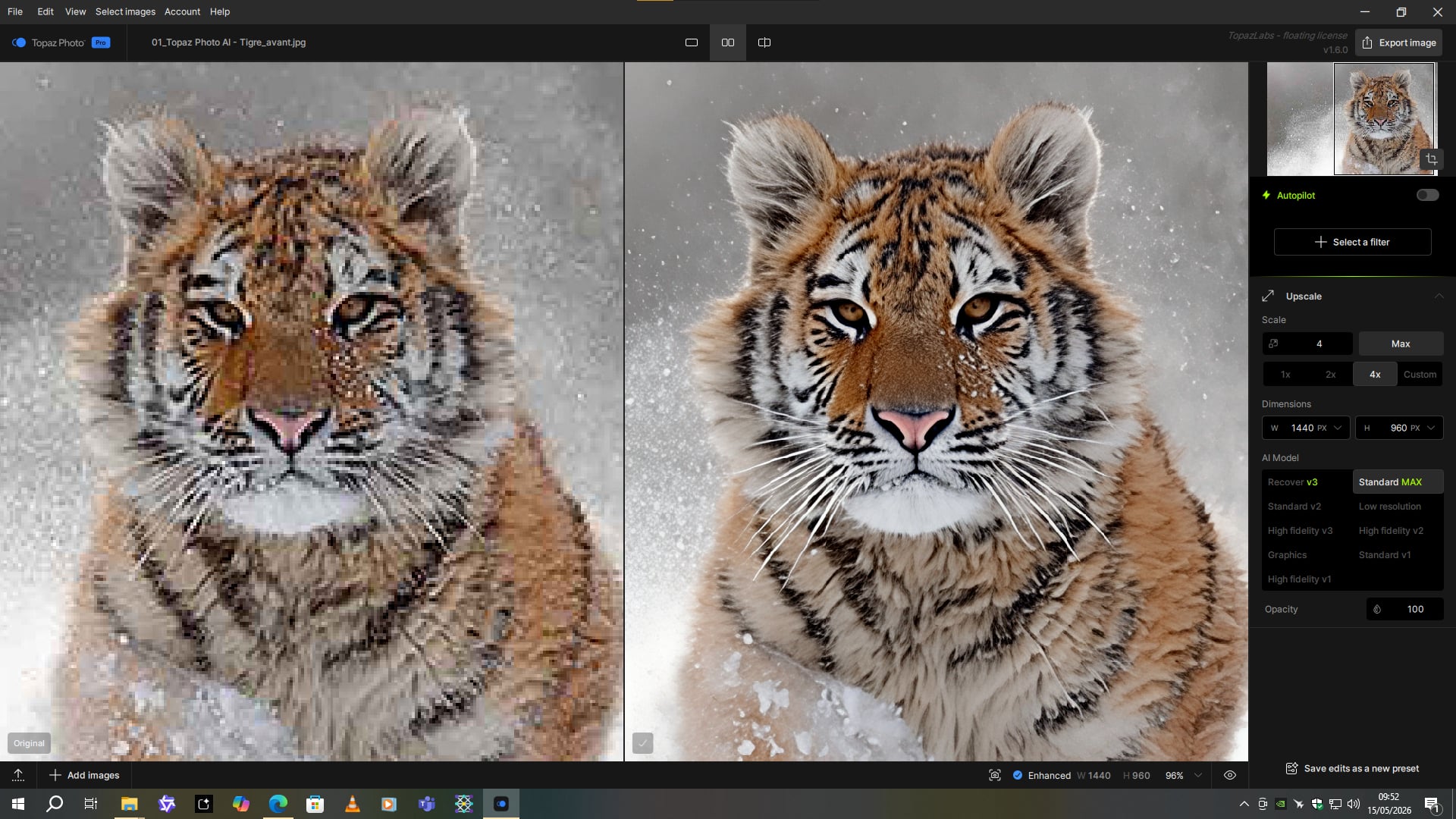
Standard max is still functioning well.
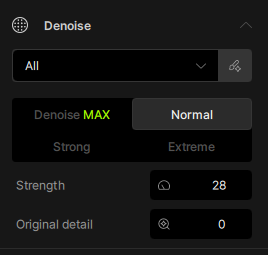
Another question: weren’t there more models in the “Denoise” section? I’m not sure. 
1 Like
The installer is showing that it is downloading the new Wonder 2 instead of Wonder 3. Is this a problem?
Please, I need someone to check the VRAM usage on the new Wonder 3 with a 40MP output (or higher)
I’ve been running a lot of tests, and for outputs under 30MP, the model works perfectly and is very fast, but for outputs over 30MP, it uses more than 16GB of VRAM. In Wonder 2, it was almost impossible to use up the 16GB. The first version of Wonder 3 could handle 100MP outputs without any issues, but the current version uses three times as much memory in my case.
If anyone could take a look at it, I’d appreciate it
1 Like
A post was split to a new topic: Feature request - Progress bar for Batch processing to match Topaz Image Web
I also see “wonder-2” and “wonder-all” in the neuroserver folder located in C:\ProgramData\Topaz Labs LLC\Topaz Photo\models\neuroserver, but no “wonder-3”?
Any plans to improve this? Because that means the first run would take a significant amount of time every single time you start the app again.
