I certainly don’t need all the Topaz Studio apps, only Photo, so I’m not sure what to do here. These are the options I’m given to download from my account:
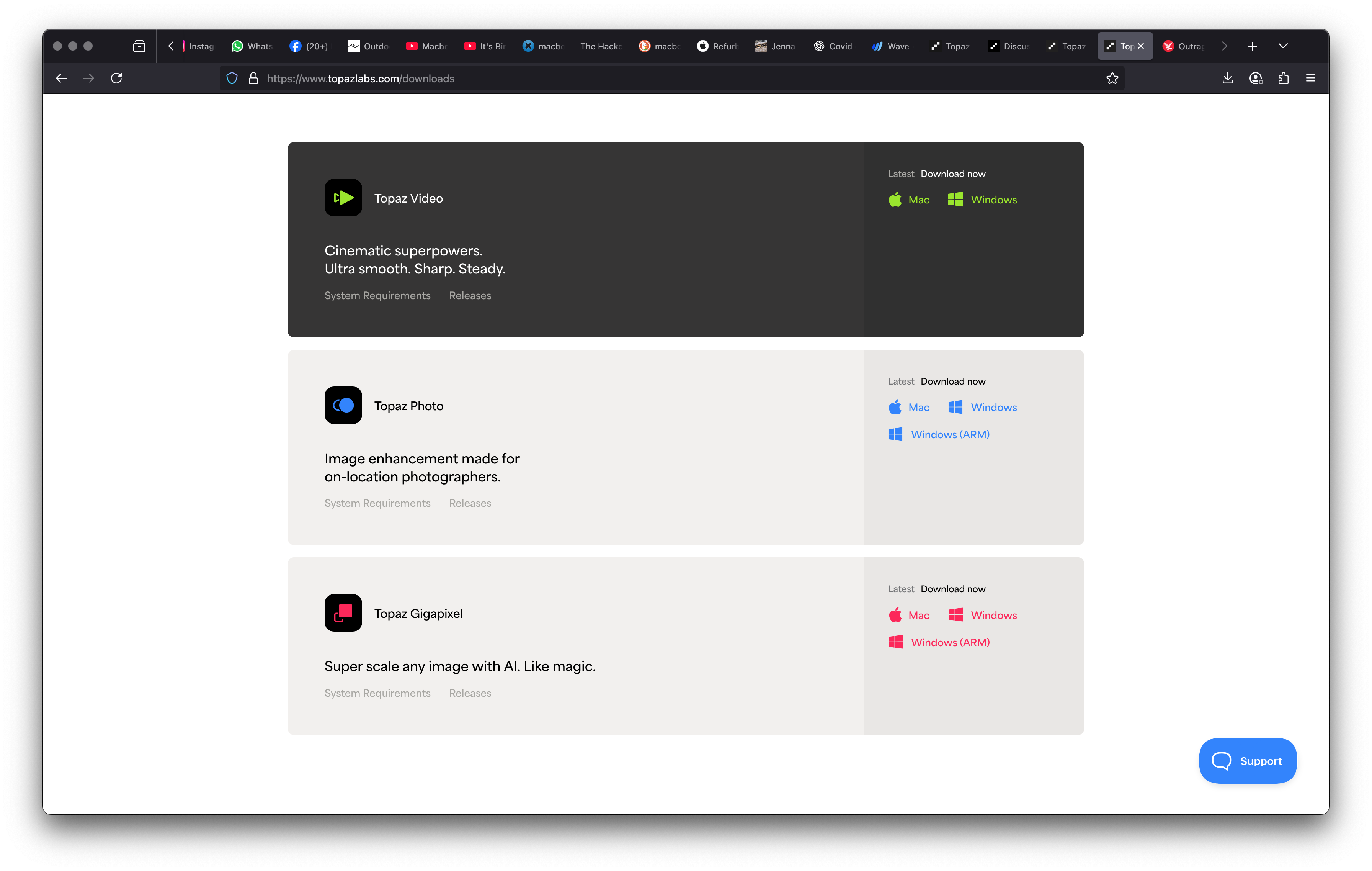
Plus it says, if I want Studio (not even Studio Pro) it’s gonna cost me over $400 a year - way more than things were costing beforehand.
Oh, hold up - now it seems to be working. Thank you for the info! I’m honestly not even sure what made it work though…
Thank you.
More random inconsistent GUI changes for no reason.  Gigapixel 1.0.1 has it in the bottom right corner. And so does PAI 4.0.4 and GAI 8.4.3.
2 Likes
@Tostanica-fezanamu - one of the most popular user fetaure requested for Photo AI. You are still owner of the Photo AI app if you want to continue using this! Happy editing!
@jonathan.healy - glad it works now, reach out to support@topazlabs.com if any other issues arise!
Are you saying that one of the most popular feature requests was to put the export button in the top right corner for only Photo, but put it in the bottom right corner for Gigapixel, Photo AI, Gigapixel AI, Denoise AI, and Sharpen AI?
I have been on these forums for several years and I don’t recall ever see any requests to do that.
1 Like
One of the popular feature request of the user interviews performed yes! I was surprised too since it was not on the forums. Denoise AI and Sharpen AI are discontinued and are not UIs that will be updated. For the current UI of Topaz Photo it was chosen to be at the top. You can put a request in in Ideas if you would like it back to where it was before and the development team can consider. It’s a change that will become easy to adjust to once you do a few edits or you can always use your owned Photo AI as well! Have a great day!
1 Like
Wonder is very good for me. I appreciate the devs making Cloud Processing free. I’m on an older M1 so local processing times are very long. Cloud Processing relieves the stress until I get an upgraded machine.
1 Like
The location is not particularly important. Consistency is. For no compelling reason to deliberately make the GUI inconsistent across apps is, IMO, ridiculous. So, to be consistent then the GUI of other apps should also be changed. Or it would probably be less work to just change Photo back since it is only one app.
With all the areas of more importance that need work I am frankly surprised that time was spent moving the export button as if this was a major benefit.
I don’t recall seeing this change listed in the change log.
Yes, of course, now that I see where the button has been moved I can deal with it. But I still say intentionally making unnecessary inconsistencies is not a good thing and a waste of your developers’ time.
2 Likes
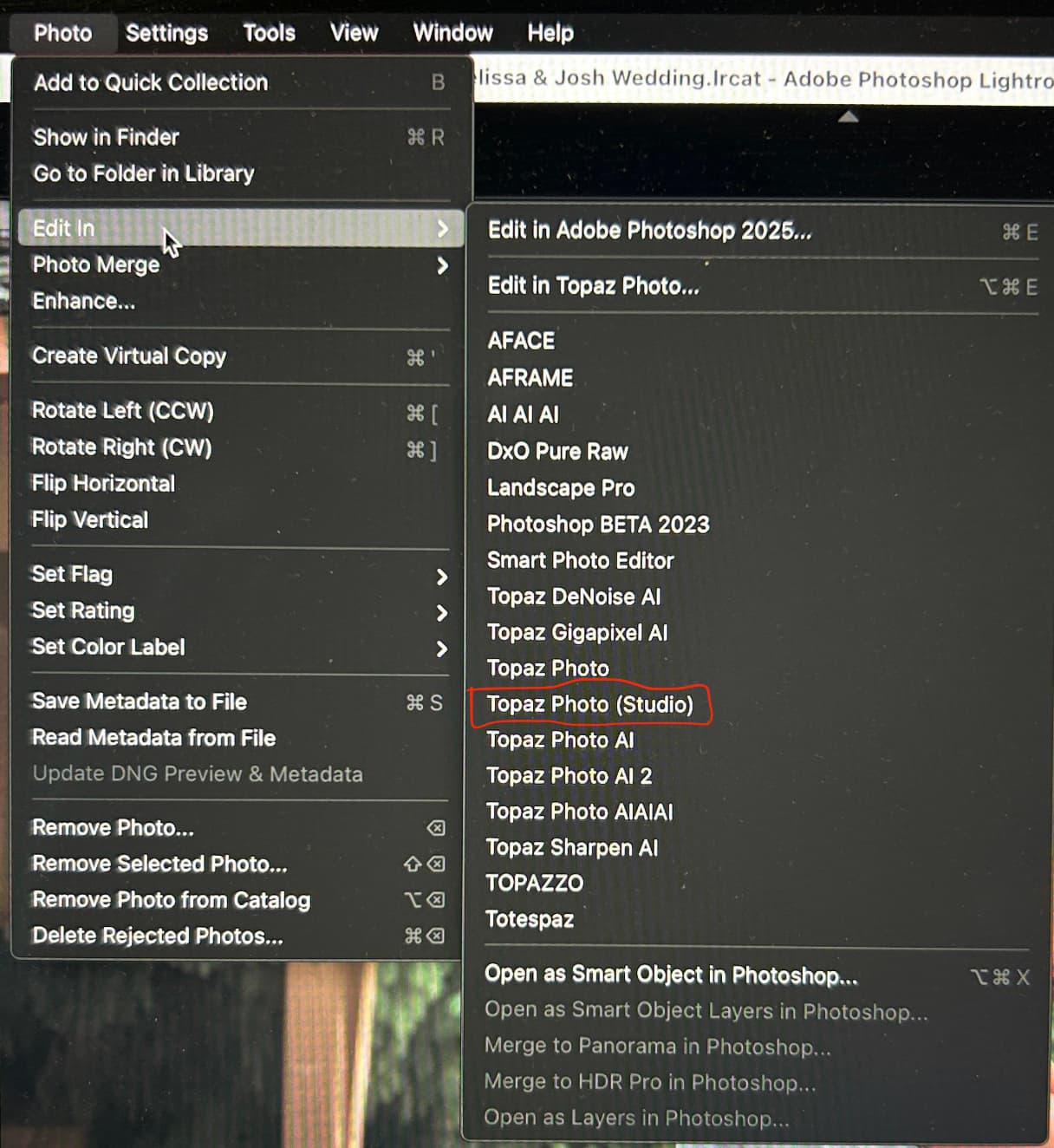
There are two plugins here. Topaz Photo (Studio) is the automatically installed version. It looks like you may have manually added the Topaz Photo option which was not configured correctly.
My apologies, I missed adding that to the change log.
With the accordion style right panel we want to give the controls more space. It felt less cramped without the export button especially as multiple enhancements can be used together.
These applications are not the same, nor do I think they need to be consistent. Gigapixel processes one to two enhancements at a time. On average, Photo is processing more than two, each with it’s own controls.
Okay, I can see your thinking. Ange says that this was a much requested change though even back when there was no accordion right panel.
Anyway, I have no problem adjusting, of course.
Hi.
Although, it’s not what you’re used to at the moment but, it does actually make more sense this way because, all your adjusting is done in the upper most part of the right hand side Panel therefore, you don’t really want to be travelling up and down the Panel with your Mouse.
Basically, a more logical approach and I wouldn’t be surprised if Topaz didn’t change the other applications to match this behaviour.
Hope this helps
1 Like
Yes. There was a large contingent of us that asked for Export to be returned to lower right - where intuitive.
It was returned there. People were happy. No accidents were made hitting Save Preset (placed where Export is expected).
Then it was returned to top right with negative reactions voiced about that in beta. Apparently it wasn’t moved back to lower right.
If Save as Preset (a less used function) was at top & Export - which is used constantly & makes sense where intuitive at bottom right - the panel real-estate would be unchanged but user-centeredness would improve. We can lobby, again, in Ideas.
3 Likes
I am reminded of an email I sent to Topaz support in April 2022 about a very poor choice of a button color change for GAI and DAI, but they kept the good color for SAI:
The Gigapixel AI 6.0 version has a bad UI change from the previous versions. A few months ago the same bad UI change happened in Denoise AI also.
The standalone Gigapixel AI 6.0 and current Denoise AI have a button named Update Preview (when in Preferences the Auto Update Preview option is turned off) that changed color. It used to be blue in both programs. Sharpen AI is still blue. Now in Gigapixel AI 6.0 and Denoise AI the button is always black and that is the same color as the background. It looks strange and appears almost like it is meant to be grayed out and inactive, but if you click on the black button it does, in fact, work. I think you should change the color to blue like it used to be and also to make it consistent with the other Topaz products. Thank you.
13 posts were merged into an existing topic: Topaz Studio | Transition Questions
Unfortunately just constantly crashes. Wonder if Photo AI being installed as well is the issue but I am not about to uninstall it because it works and the new software doesn’t. Am watching for a new version ready to download and hopefully solve the issue.
Could you share your system specs & full description of what’s happening with Topaz Labs support. Support@topazlabs.com or Help@topazlabs.com
Do you get the crash on launch or while in the interface? TL staff will likely want to see your Logs & can point you where to find them.
In the the meantime, did you try an uninstall / reinstall and system reboot before launching the program to see if that helped? I assume your system meets the tech requirements.
I’m not TL staff. This is a user forum. I’m a user. Just queuing you up for info they’ll likely request or provide.
