Just noticed the size of the preview window changes when I change focus boost level from minor to major.

Maybe I’ll get a can of Whop-ass opened on me for “almost” double posting, but if anyone with Windows have problems with PAI 3.2.1 and later not launching (not at all - you double-click the icon and get nothing in return) try right-clickning the icon and “Run as Administrator” and see if that launches it. If it works you only have to do that just that one time, after which you can launch (and update) normally again…
Not saying it is an universal solution, but I tried the same “fix” two times this weekend and it worked for me both times and thought I’d share (I also had and solved the same problem with GAI 8.0.0)
Br
Great news, but you need to fix the mask selection tool urgently. It is the most annoying/terrible part/tool in the app. It is very annoyingly lagging causing many mistakes when applying masks wasting time. It also seriously lacks many of the helping features and options as is available with LR and PS masking tools.
Please work on the mask selection tool and make it as good as the rest of your app. and the mask selection tools available in LR and PS.
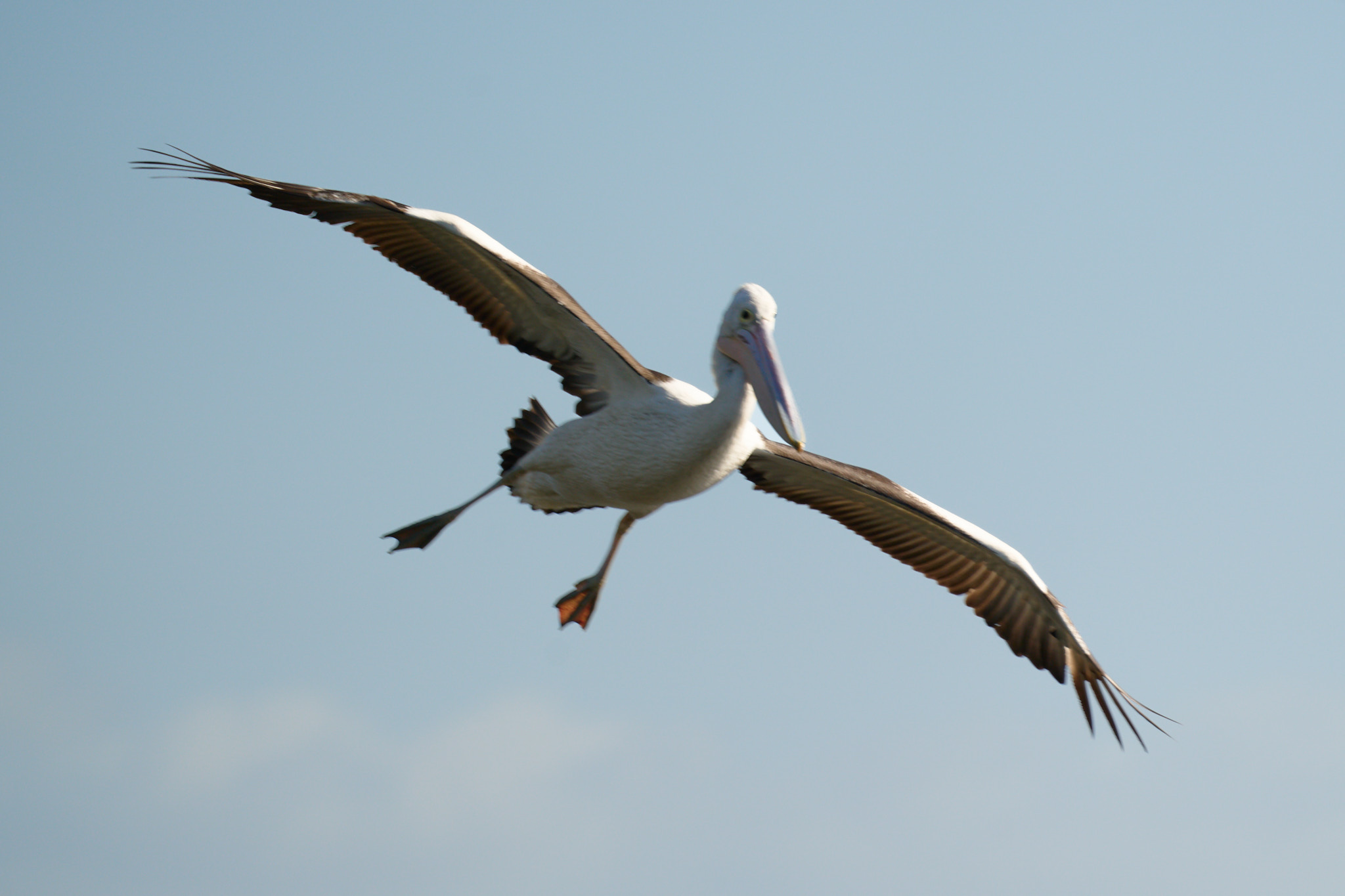
A bit limited by my hardware but for my bird images I can get it running in a finite time. Often have a few images with missed focus with birds in flight and Super focus does a good job on them. Still learning how to use it properly.

1 Like
looks pretty nice! what sort of hardware/how long did it take?
RTX 3060. Around 10 minutes on a tiff sent from Capture One. Masked to just the bird and image was cropped.
Your statement is interesting because I consider Sharpen and Denoise to be better than Photo AI 3. And I continue to use them to this day, even though Sharpen’s processing time is a bit long. It’s still acceptable. But I insist on processing images in Photo AI as well, especially in more difficult cases, where the results of the old software were not satisfactory. In any case, I think that both Sharpen and Denoise are consistently better, even though they are discontinued.
I am an amateur photographer, I use Fuji X, and I like to photograph wildlife and nature, which makes me have to use high ISO and low shutter speed, almost never with a tripod, to capture good moments. I don’t know if all photographers understand this, especially those who usually photograph people in studios or events with artificial lighting. 
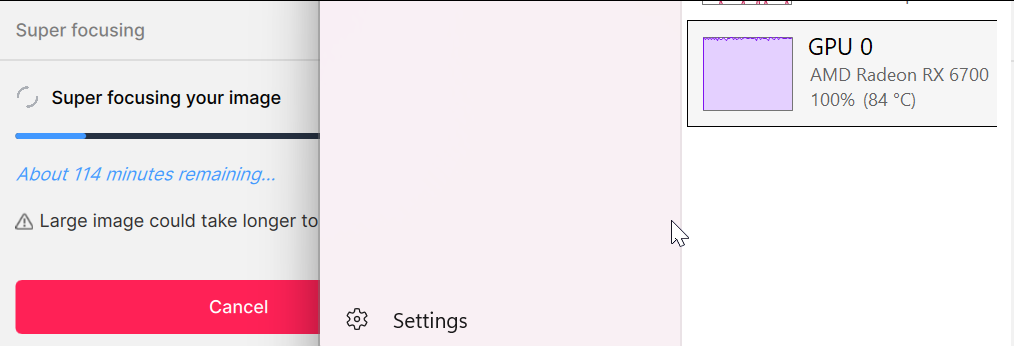
That’s why I was excited to test the new feature, super focus. I even liked the result in some of the tests, but the processing time is unacceptable, especially if you consider that the difference in the final result compared to Sharpen is very small.
Despite the slightly more refined, less rough final result, Sharpen remains more consistent, because in some tests of the super focus there was no expected improvement.
5 Likes
Wow, I consider the mask to be a strong point of Topaz Labs. In my photos, Topaz Labs, whether Photo AI or older software, gets the subject masking much better than, for example, Lightroom. If I had to retouch the mask in Photo AI, it’s because I had to do a lot more work in other software. I don’t know if you’re expecting some kind of magic or if you’re comparing it to some other specific software, I’m curious to know.
2 Likes
If you are limited by your hardware, you should try the old Sharpen. It does a very similar job in a fraction of the time as Super Focus. The problem is that the old software is discontinued and should no longer be available. But if you are an old user, go back to using it!
3 Likes
The newer products’ masks aren’t up to the par of the ‘classic’ Topaz products …
1 Like
Same thing happens to me…
1 Like
lt‘s really a bad thing ,Sometimes it’s smooth ,sometimes it’s slow ,and sometimes it’s too laggy it feels unstable . I think I won’t buy it again
1 Like
Does processing time with Super focus depend on the size of the image or the size of the selection?
I suspect it depends on the size of the part that Super focus is applied to. But I do not know for a fact that is what happens.
You can easily find out though. Take a big, full-size image and with an editor (Photoshop, Affinity, etc.) crop a portion of it and save it.
Use Photo AI to sharpen all of that small, cropped portion and time it.
Then in Photo AI open up the big, full-size image. With Super focus mask the same portion that you had cropped earlier. Run Super focus and time it.
Please report back here the timings and what you discovered. Thank you
Cropped, no selection. 1:45
Cropped, selection. 1:45
Full, no selection. 15:38
Full selection. 15:38.
So it appears the selection doesn’t alter processing time.
One would like to think selecting a small part of the image would give faster processing times.
This is Windows 11, RTX 3060.
4 Likes
I have to agree. Since they made the improvements to the masking tool a few versions ago I have found it to be smooth, accurate and responsive.
I just wonder whether any problems members are having with the masking tool are maybe down to hardware or settings. Maybe try another mouse and see if that’s better.
Having said that though there is a problem with the mask selection at the moment in Version 3.3.0, as described in my post “Denoise masking incorrect” in the Bugs and Issues section. Though I’m sure it will be soon fixed.
Regards.
1 Like
Off topic, but I have to word it: This is an awesome photo.
4 Likes
Appreciated Luka!
2 Likes
Olympus users need RAW help too. What is the timeline for OM system RAW photos?
3 Likes
