I’ve installed the update to Photo AI 3.2.1 without any issues during the installation process.
After the first tests I’ll see no problems.
The plugin in LrC is working fine (Lightroom 13.5.1, Windows 11 23H2).
Also the differences of brightness, saturation and the little color shift between original and the image from TPAI as decribed here Topaz Photo AI v3.2.0 - #13 by axel.matthies are gone.
As far as I can see, this is a version which I can work with.
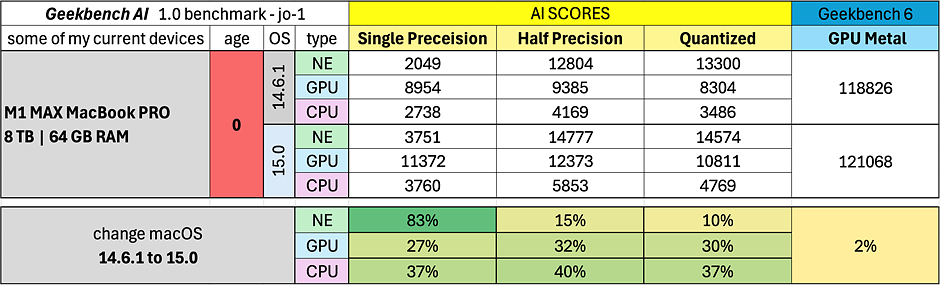
Today someone posted that he has been running the Geekbench AI benchmark software on his M1 MAX with Sonoma and then Sequoia. He reports that the AI benchmarks for the Neural Engine, GPU, and CPU are MUCH faster using Sequoia.
I’m assuming Topaz isn’t going to handle the Gigprinting inhouse. They wouldn’t have the equipment or resources for that. So I’d assume the EULA will include some mealy mouth legalese to cover the sharing of content with whomever will actually do the printing (and/or whatever else arises feature-wise that requires external vendor collabs).
Yes, the amendment clause is troubling and unusual. Typically when companies change terms you can either agree to the new terms or continue on the old ones until the expiration and not be able to renew. Still, a perpetual license or an owned product would remain yours, even if it could no longer be updated.
Unless they fix, I will stick with TPAI 3.2.0, VideoAI 5.3.1, and GP 7.4.2 – these are all on the old and quite reasonable agreement. I am still hoping that it will be resolved, as I would like to keep renewing and getting their new upgrades – despite the recent TPAI glitches, they have typically made amazing products better and better over the years. The important thing is not to install the newer ones, because installing means you are agreeing to the new EULA – it’s like signing a contract.
If I cannot renew, then the money that would have gone to those renewals will go to one or more competing products.
Gigapixel 7.4.3 was just released with perfectly reasonable terms. I got worried when seeing “changed EULA” in the change-log, but it did not have any of the unacceptable things that we have been writing about here.
Let’s hope they’ve come to their senses and the new TPAI will also be usable. The Topaz folks have hinted at some great new things coming to the software, and I would love the chance to try and to use new features.
CTRL + F4 should close the current image. It’s a standard Windows shortcut. CTRL + TAB should cycle through open images. It’s also a standard Windows shortcut.
I appreciate it when apps follow standard UX & UI practices.
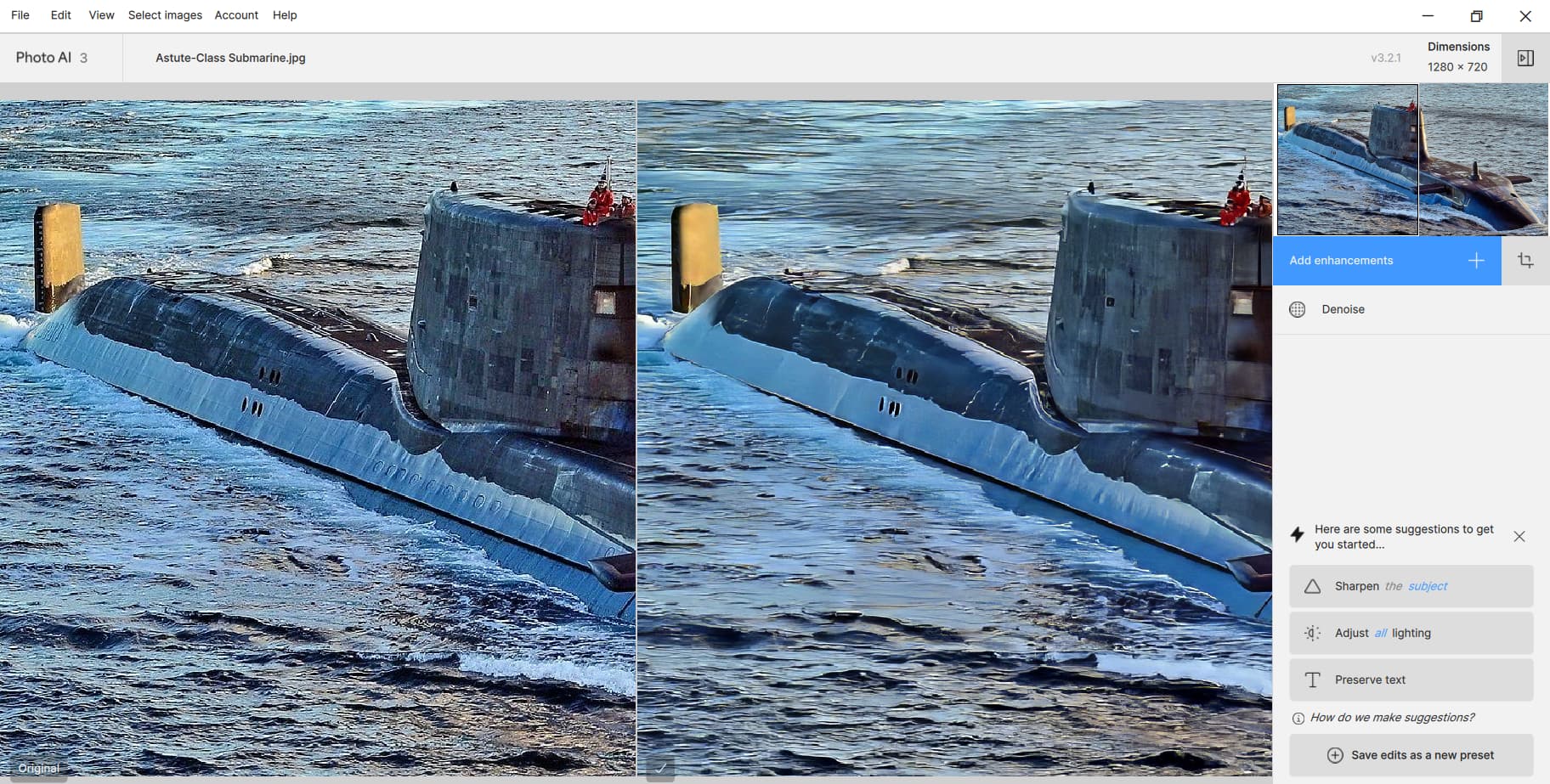
Try swapping the denoise with the adjust lighting - I tried this with a moonshot and saw the tile pattern when denoise was before lighting but not after (even just reordering the steps without changing parameters). I think this is an artifact of denoising low light areas (or low contrast - I haven’t tested this exhaustively).
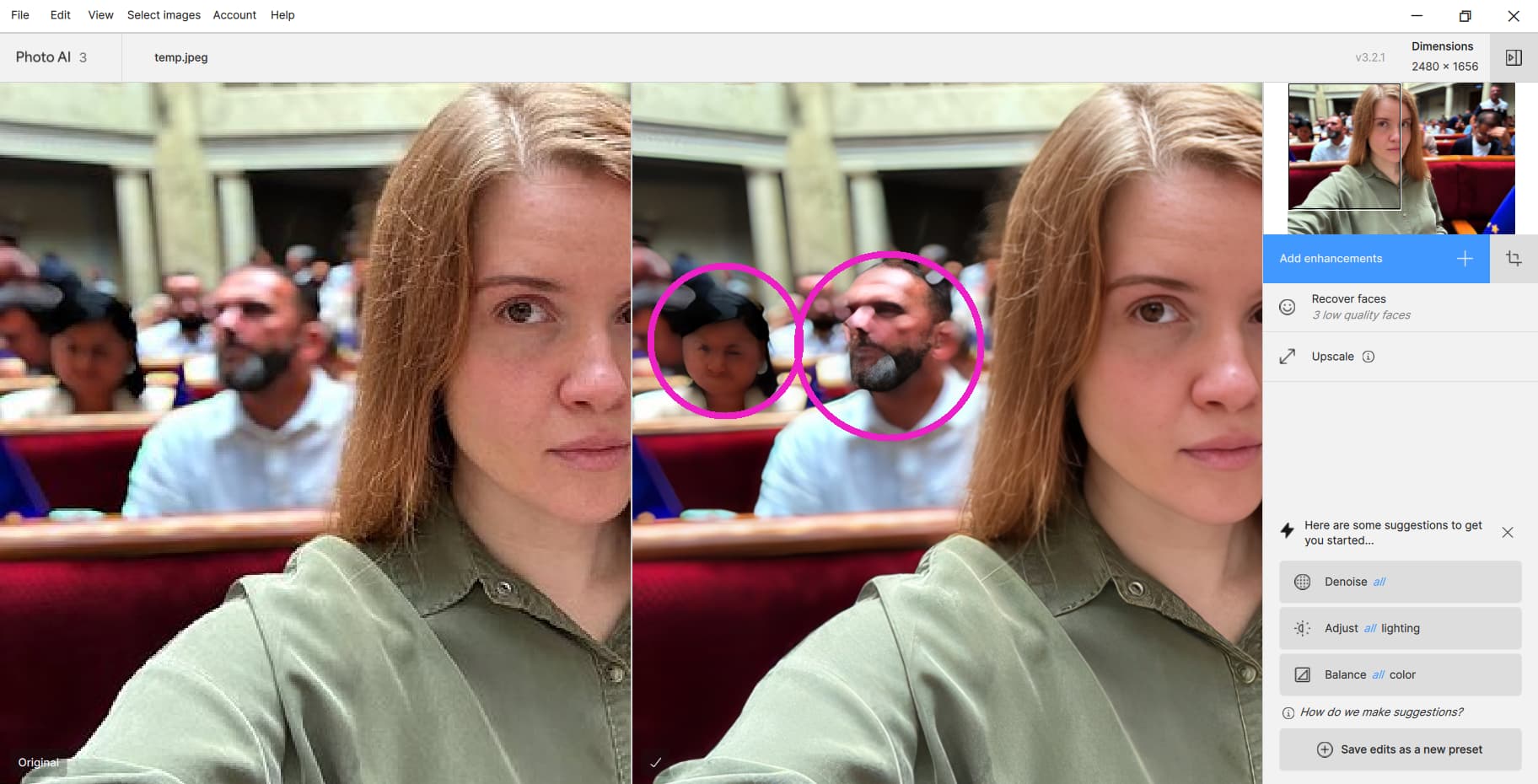
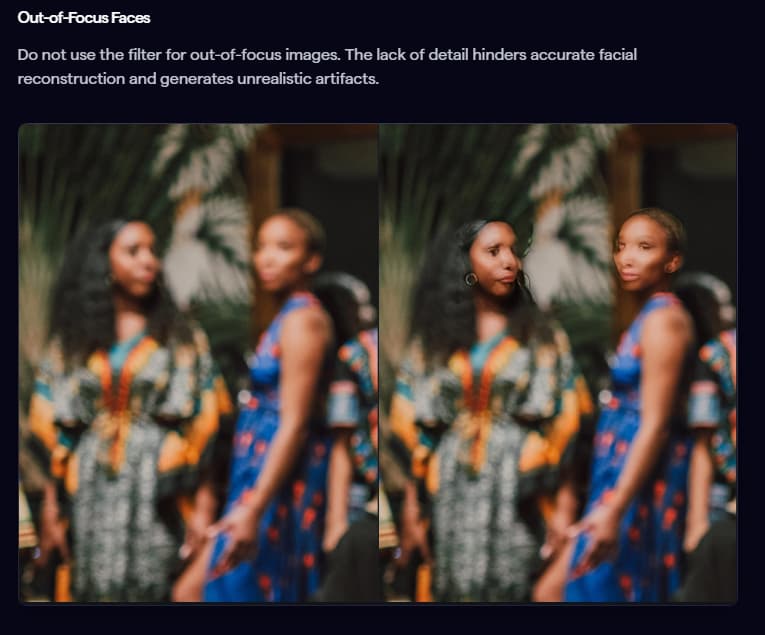
But wouldn’t it be more correct if Face Recovery did nothing in these cases? Or even made these faces unselectable? Otherwise, what’s the point of AI if the user still has to decide?
I am sorry to see that you have gone to the Adobe model. I will not be upgrading after 3.20. I do not buy software which charges me without my decision monthly or yearly. Affinity Photo is still with the old model, and their current version has nothing for a stills photographer from the older version, and so I did not upgrade.