The recovery faces are not working under the latest release. I have uninstalled and reinstalled etc so but the problem remains. Many thanks. Regards Mike
1 Like
After doing some trials I can confirm it’s the Subject Detection. As soon as I change it to None, the problem disappears and this is currently what I am doing.
I hope somebody will look into this.
2 Likes
You are correct as this happens each time you move a slider when it reinitializes the model but is more likely associated with your PC specifications. Can you post your technical details of your PC: include your OS, RAM, GPU and GPU drivers version (if on Windows).
I ran photo AI on a photo and it decided all it needed was some sharpening. Great. I have disabled all the color adjustment stuff as i dont care for that. This is what happens:
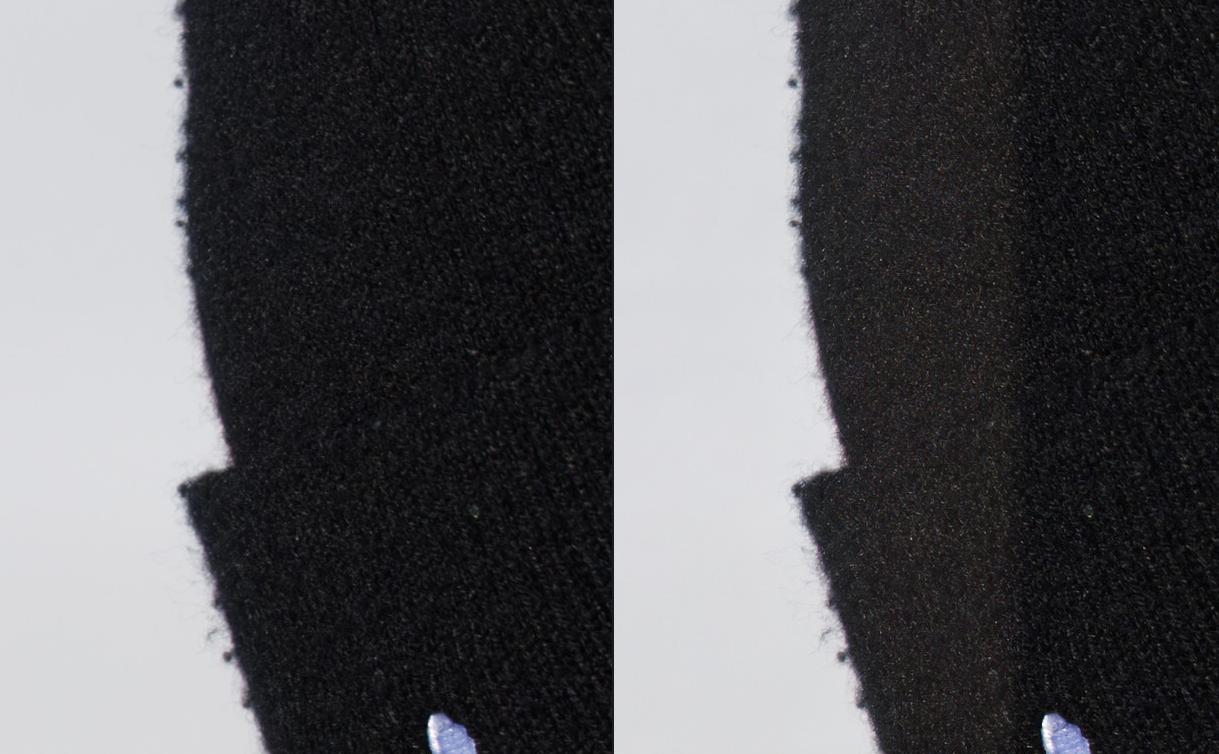
It totally changed the color of the hat on the left side. How does sharpening only do that? I have different photos of the same thing from different angles, and it does it on all of them. Not just that one photo.
I still have v1.3.6 installed on another computer because i often find that it works better. It does not have this problem. It does not change the color
Any idea on how to fix?
1 Like
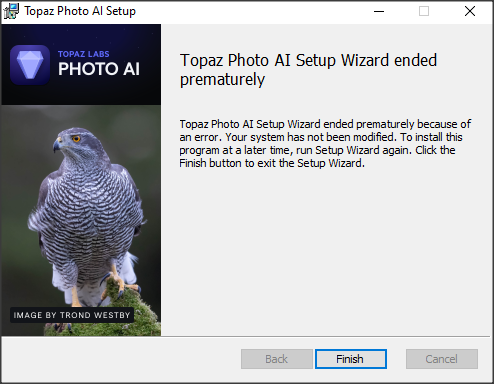
After installing v2.3.1 I encountered the same problem as many other people - it was hanging on face detection necessitating a force quit. On the one occasion it completed autopilot it promptly crashed, then restarted itself, ran through the autopilot process again and then crashed again. Fearing a corrupt installation I uninstalled it, and now neither it nor v2.3.0 will install (though v2.2.2 will).
I get this error message:
System specs:
Application & Version: Topaz Gigapixel AI Version 6.3.3
Operating System: Windows 10 Version 2009
Graphics Hardware: NVIDIA GeForce RTX 3060/PCIe/SSE2
OpenGL Driver: 3.3.0 NVIDIA 551.23
CPU RAM: 32701 MB
Video RAM: 12288 MB
Preview Limit: 8000 Pixels
2 Likes
Like Bob and others mentioned I am seeing the same issues that since moving to 2.3.1 the autopilot continually hangs on “Detecting Faces” and the product is unusable. Everything worked fine on 2.3.0. Not sure how such a basic bug got passed QA. RTX3080TI.
Hi Paul,
Where is 2.3.3? I don’t see it listed on product releases tab. Oops, now I see you mean GAI for that, not PAI.
Does Face Recovery work in it?
I may be stuck w/out PC anyway. Ginormous tree adjacent to our house just fell on the house in past hour with heavy rains & 50mph winds in northern CA.
Fire Dept just left. Said they can’t do anything b/c of number of emergencies due to the storms. They said stay away from that part of house… which is where my computer is. 
1 Like
Stay safe …
2 Likes
Please post your OS, GPU driver version and the Face Detection settings in the preferences. I have a RTX3060/6GB with the latest drivers and have no issues with Windows 11.
Sorry, meant v2.2.2. I used GAI just to get the system specs. I’ve not seen face recovery do much in any of the apps - not many people in my pics!
Keep safe.
2 Likes
Same with me. Hangs at detecting faces and will not progress past this phase, not can I turn it off.
You can turn it off in the preferences before you open an image.
I’m in Sacramento. No, weather really is not that good, right now, is it?
1 Like
Had to go to hotel. FD advised not to stay…
Fingers crossed arborists can come tomorrow to remove tree & prevent more damage. Sigh.
Sacramento gets very hot temps when weather gets warmer.
I grew up in Santa Barbara, a much milder climate than here; and back in those days, I was a sedentary computer geek. It’s been almost twenty years, now, since I moved to Sacramento, and switched to more physical lines of work, much of it on construction sites, outdoors.
1 Like
Hi, there,
It’s weird for others who have a problem with the “face Reconvery” model because for my part, it works just fine. I’ve just tested it and there are no bugs, no software crashes. At one point there’s just a tiny freeze when I set the slider to 100%, but otherwise it works. Maybe just slightly slower than in previous versions.
My system and the next one:
Windows 10 22H2 build 19045.3996
CPU I9 9900K
32 GB ram
MSI RTX 3070 Ventus 8 GB
Motherboard: MPG-Z390-GAMING-PRO-CARBON.
Windows 10 version 2009? It’s time to update your version of Windows 10. The highest and 22H2. The 2009 version no longer even supports cumulative and security updates.
In fact, there isn’t even a 2009 version. After 2004, it starts at 20H2

Same for me - no problem at all with face detection/recovery. It does seem like processing times are a bit slower, but can’t say for sure.
Windows 10 22H2 build 19045.3930
CPU half of my 24 threads on my R9 5900X
16GB RAM
AMD Radeon RX 6700
I don’t know where GAI got that from - I used the Help>Graphics Info to get that. Windows itself says I’m on 22H2.
Windows 10 22H2 build 19045.2728
i7-11700K @ 3.60GHz 3.60 GHz
16GB
No face recovery issues found,and speed is faster than GAI 7.0.1 in Photoshop.
Only the Remove Tool is slooooooooooooooooow 
