Seems to be a widespread issue. Lots of reports now of version 2.3.1 failing on face recognition.
2 Likes
Hi Bob, This info is the best I could find…for what you’re asking….I looked at support and my Topaz Photo AI was doing exactly what others said……it just regurgitating “detecting faces” in a loop. My tech guy was here, so he did a ‘restore’ to before I downloaded the update……using 2.3.0, but will want to know when the glitches are fixes as I paid for the update!!
Thank you,
Suzanne C

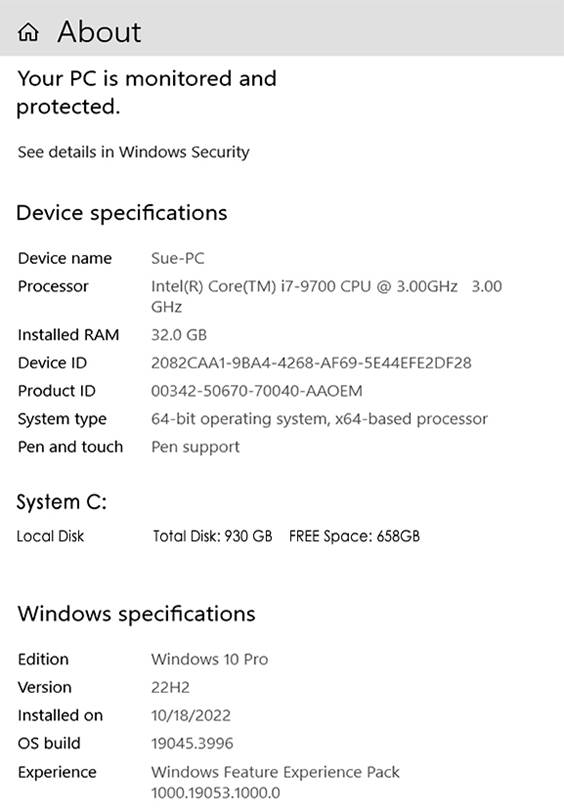
is your GPU driver a half year old?
hi guys. just would like to leave this here:
update available:
-
install?
-
install?
-
download?
-
install?
-
agree?
-
u have to close the program EVERY time, want to close the prog so u can install?
-
OK, now It’s installed! so… you just closed the prog you were going to use, to install the update… u want to open it again?
I mean… come on guys… can we please have an option to bypass all these or even auto-update?
other than that… cheers. the software is great 
OK, so my computer is old and slow and doesn’t actually meet the claimed requirements to run this software. But until 2.3.1, it has run this software just fine, albeit being rather slow about it.
Unless there are some things about modern computers that are radically different regarding the use of virtual memory that what my outdated mind knows about, RAM, in particular shouldn’t be such a hard limit as hinted at. The software supposedly demands a computer with at least 16 gigabytes of RAM, and I only have half that. What this should mean is that the software will run, but if there’s not enough RAM, then you’ll get a lot of, what in my day was called “thrashing”, where an excessive amount of exchange takes place between what is in RAM and what is shuffled off to the hard drive, slowing down that process and everything else running on the computer. And yes, I do get a fair amount of this when I am processing large images under Photo AI on my computer.
But until 2.3.1, Photo AI, albeit with some obvious and expected performance issues.
This new problem with 2.3.1 does not appear to be relate to any of that, and now we see a lot of others reporting the same problem, at least two of which have posted information that shows that their systems are up to the official system requirements for this software.
I am confused about the many denoise and sharpening/deblur sliders. We have:
1. Upscaling has Minor Denoise and Minor Deblur.
2. Removing Noise has Minor Deblur.
3. Sharpening has Minor Denoise.
If we only use one of those 3 modules then the sliders are understandable. But, I notice that if I am using 2 or 3 modules that Photo AI will automatically select values for the sliders such that there is often Denoise being used in all of them and Deblur/Sharpen is used in all of them.
I would think that if the Removing Noise module is turned on then Minor Denoise in the other two modules would automatically be set to 0. And similarly, if the Sharpening module is turned on then Minor Deblur in the other two modules would automatically be set to 0. That is not what happens though. So, there seems to be a reason that denoise happens in all of them and sharpening happens in all of them even when the other modules are also being used. Anyone know why?
Or is Photo AI mistakenly doing this? Should I override what Photo AI chooses and reset Minor Denoise in the other modules if I am using the Removing Noise module? And the same for Minor Deblur if I am using the Sharpening module?
problem is that nowadays we get new versions, drivers, updates… that barely avoid breaking one/another.
if you got old hardware, this is bound to happen. and you have to just hang onto old versions of this and that… and hope they’ll work as long as they can… by luck. because noone tests/cares about PC setups older than ~5 yrs. tops. I’m on the same boat as you. someday… some version… it’s all fine. then it’s over.
deal with it. this may not be exactly why your problem happen. but eventually… it will happen. and you will not be able to update stuff. the end.
- “some things about modern computers that are radically different regarding the use of virtual memory that what my outdated mind knows about, RAM, in particular shouldn’t be such a hard limit as hinted at”
dude… today VRAM is a hard limit. Nvidia just released an option to move crap from Vram to Ram… IT absolutely SUCKS. it takes AGES. BUT… lets you do stuff out of an “OoM”.
and that’s Nvidia… VRAM. RAM. and ur talking about virtual memory? probably on a mech hd? above all?
there’s no way… I don’t even use virtual memory for like… ~4-5 yrs now. just upgrade man. let it go. run AI on 12yr old hardware? come on…
2 Likes
I really don’t know what you expect Topaz to do. They’re not going to make changes for your ancient and out spec setup. Maybe your issue is the same as others. If so, if they fix it for them, maybe it will help you too, but don’t count count on it
1 Like
"I really don’t know what you expect Topaz to do. "
online service subs. (I want 2% on that, pls).
*actually, I deserve 3% for this AND the idea to streamline update install, saving the planet and the user energy, time and sanity.
I already posted in the topic regarding v2.3 and stille have the same issue with v2.3.1
What I have noticed is that this is not happening when the subject detection is set to None
1 Like
Can you point out what applications can be updated without closing?
1 Like
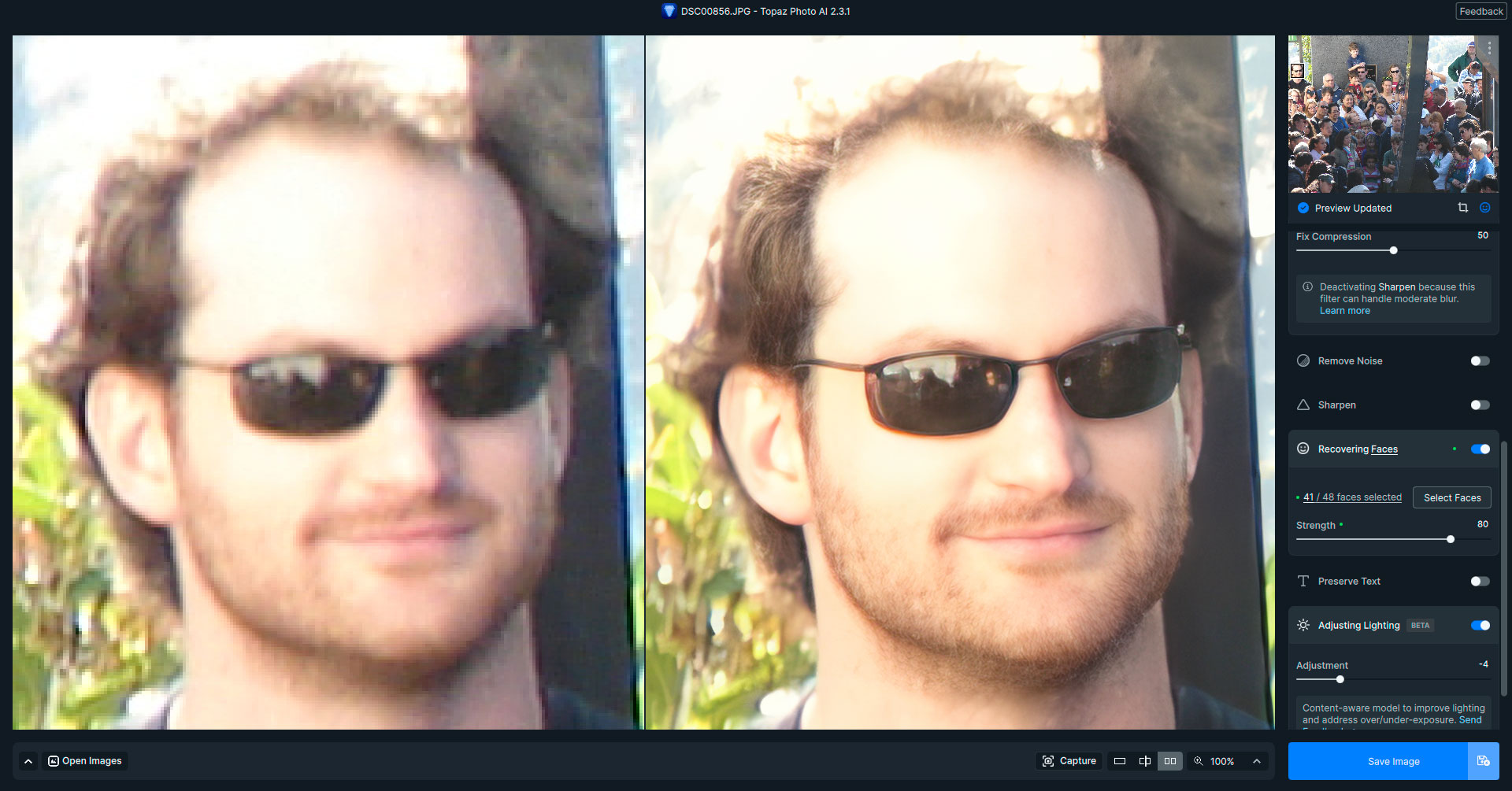
Photo AI 2.3.1 on 2023 M2 Mac Mini (500/16), latest Ventura OS.
No problem at all running facial recovery on a 2011 non-DLSR lo-res digital image (Winter Solstice at Griffith Park Observatory, LA). Running facial recovery on the entire group at 4X took about a minute to export.
Here is the work in progress in PAI (different crops of the same crowd):
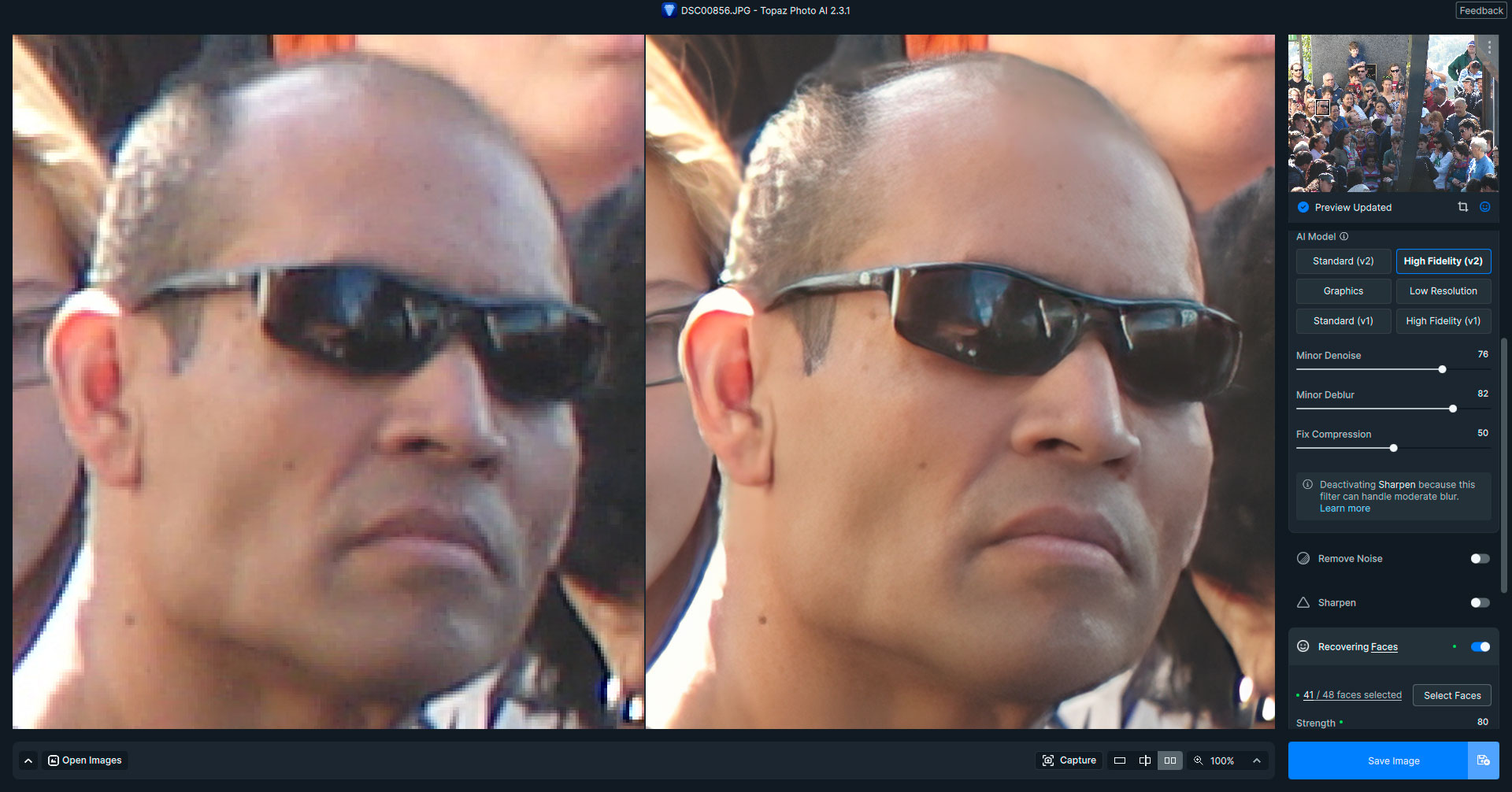
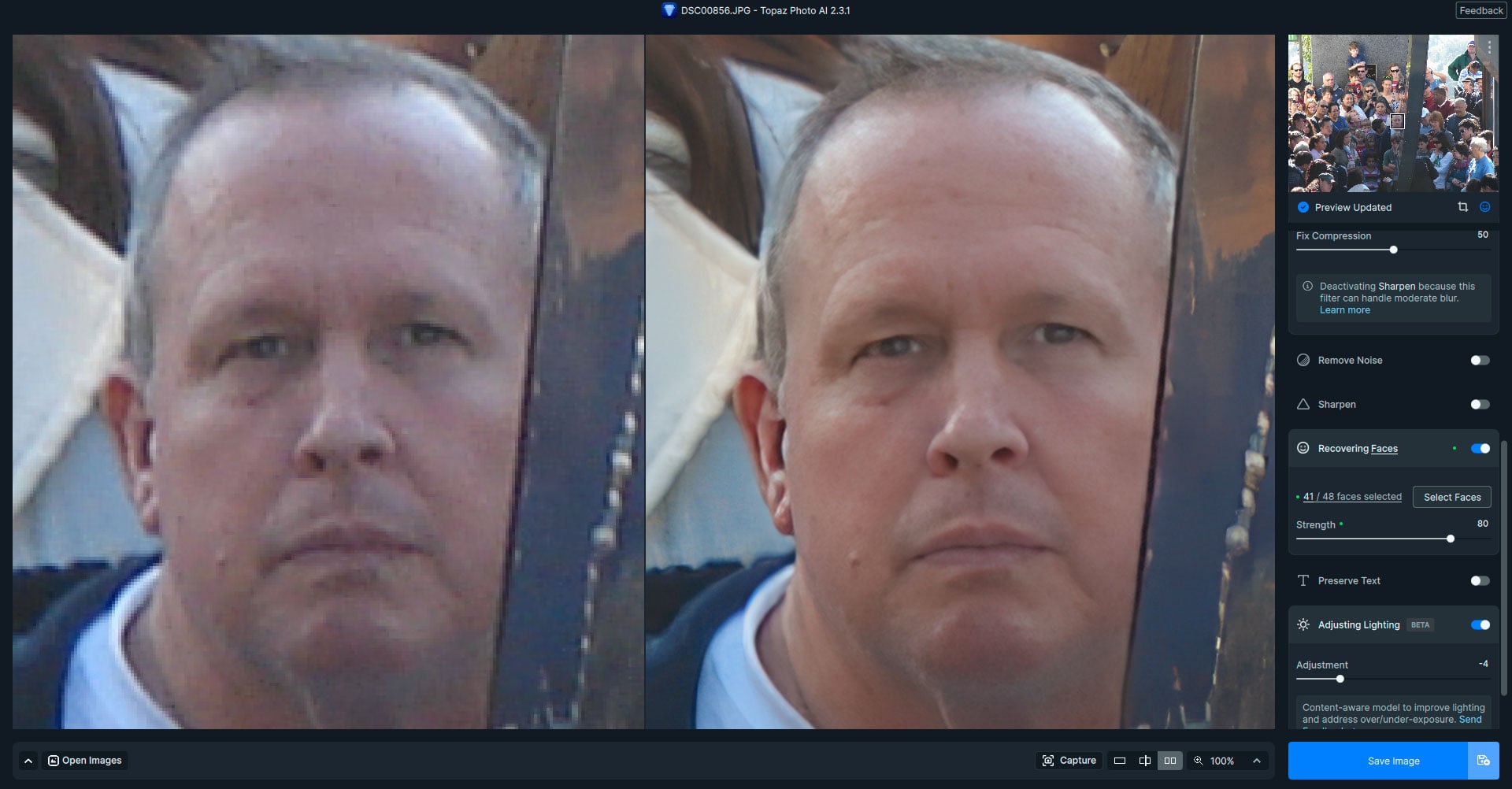

2 Likes
In 2.3.1 Face Detection not run!
Perhaps if everyone having the “detecting faces” failure to progress issue would send in a formal report with a copy of their log files…
1 Like
The delete tool works correctly again in this new version.
One major drawback, however, is that it cannot be used for batch processing. In other words, if you process an image and want to move on to the next one, it deletes the effect of deleting the previous one. It’s a real shame. It slows down the workflow a bit.
I’ve just looked at a few pictures where I had to run the face enhancement, which works perfectly.
I can’t even see the box that used to be around the people.
One thing that bothers me is that the model has problems with perspective.
In the last picture of your images, you can see that the perspective in the original is aligned to the bottom right, but the improved result is straight.
This is probably because most of the pictures that have been trained are from the front.
When i run Face reconstruct b4 denoise, denoise model Normal does not work.
1 Like
A word of warning to Mac users.
The remove tool is not working with the latest Sonoma beta: 14.4 (23E5180j). It’s OK with the previous one but the one that was released in the past week produces results as below.
I have reverted to TPAI 2.3.0, but the problem persists.
I have sent a report to the devs. Nothing I can do about it, since it’s not possible to revert to an earlier OS without a lot of hassle!
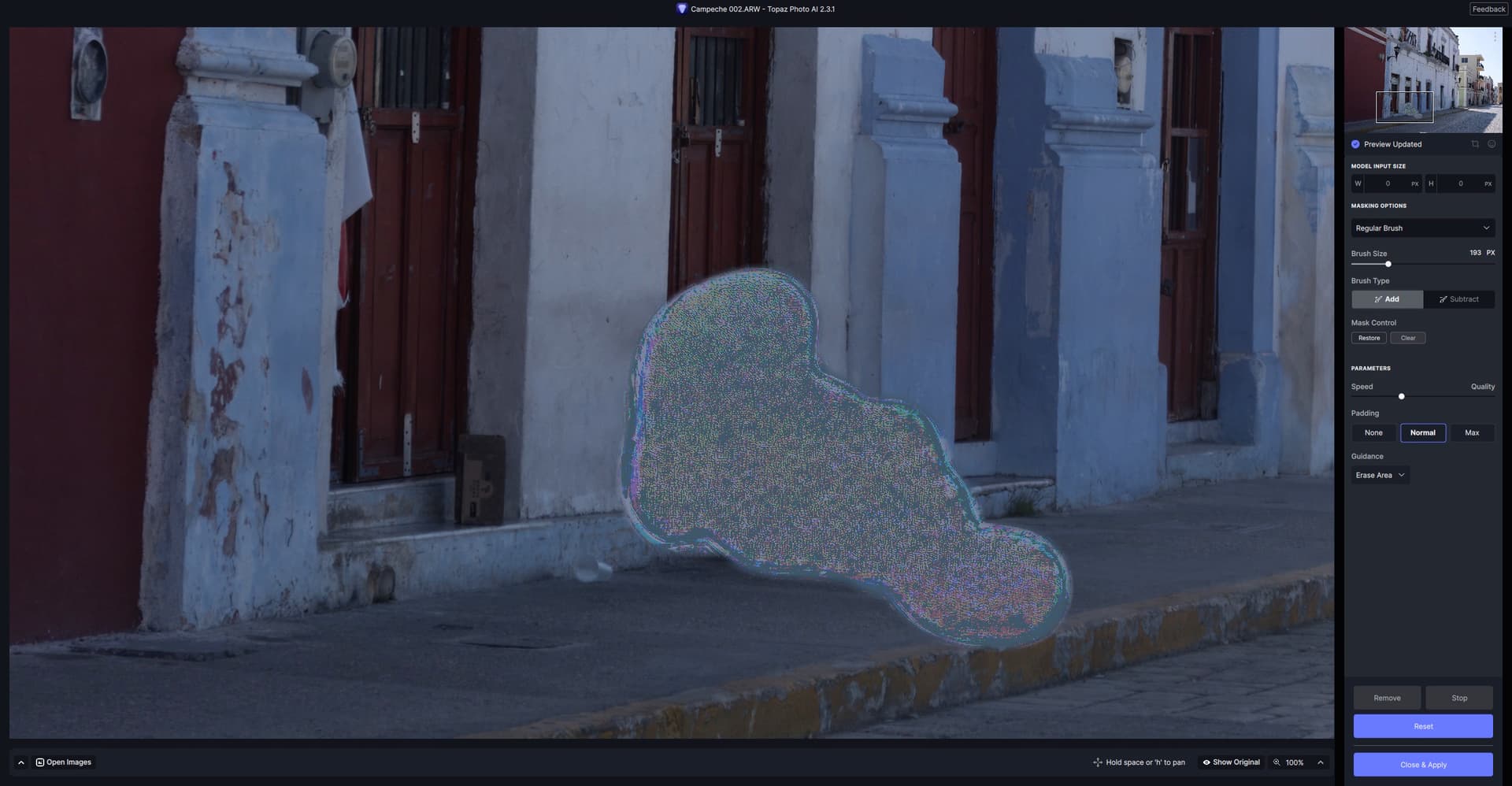
1 Like
The 14.4 beta also broke OCLP (Open Core), so something drastic is going on with it…
I run the OS betas on a 2020 M1 MacBook Pro but haven’t tested Topaz apps on it yet. I haven’t noticed any issues yet in general use.
I keep my M2 Mini on Ventura (latest release). I don’t trust Apple like I used to 
Just upgraded to the latest release of Topaz Photo AI and now when I import a photo from Lightroom Classic it hangs on Face detection. the same thing happens when I run it as a stand alone software. I have rebooted and reinstated the latest but still the same. Any ideas as to a fix would be much appreciated.