Do you also have a Panasonic like the other people with the problem?
Or the free Adobe DNG converter tool: Adobe Digital Negative Converter
Yes, the image was shot in 2016 on a Panasonic DMC-TZ80. I haven’t tested any other images - busy on a sabbatical! 
For me this does not happen with Panasonic images converted to Tiff or Jpeg using DxO Photolab. It also only happens with raw images in landscape orientation. Raw images taken in portrait are not rotated. This has also been reported in the bugs & issues section (Rotated images) where i have uploaded log files from both orientations. These are
RW2 Portrait.tzlog (86.8 KB)
RW2 Landscape.tzlog (86.6 KB).
I have also uploaded the image files to Yazi’s dropbox.
Considering the number of reports on this issue the Topaz development team have been very quiet!
They’re too busy trying to finish 2.0 before this week’s deadline…
Indeed, I forgot to mention it  .
.
Apparently a recurring bug in version 1.5.4 for most if not all Panasonic camera models.
That’s as maybe but I for one am not inclined to pay for an upgrade to another beta version!
2 Likes
Greetings–I’ve successfully used PhotoAI on a MacBook Air for at least a year. Running Big Sur 11.7.9. Haven’t used it on this laptop for a few weeks until yesterday. I got a blank screen–see screen shot.
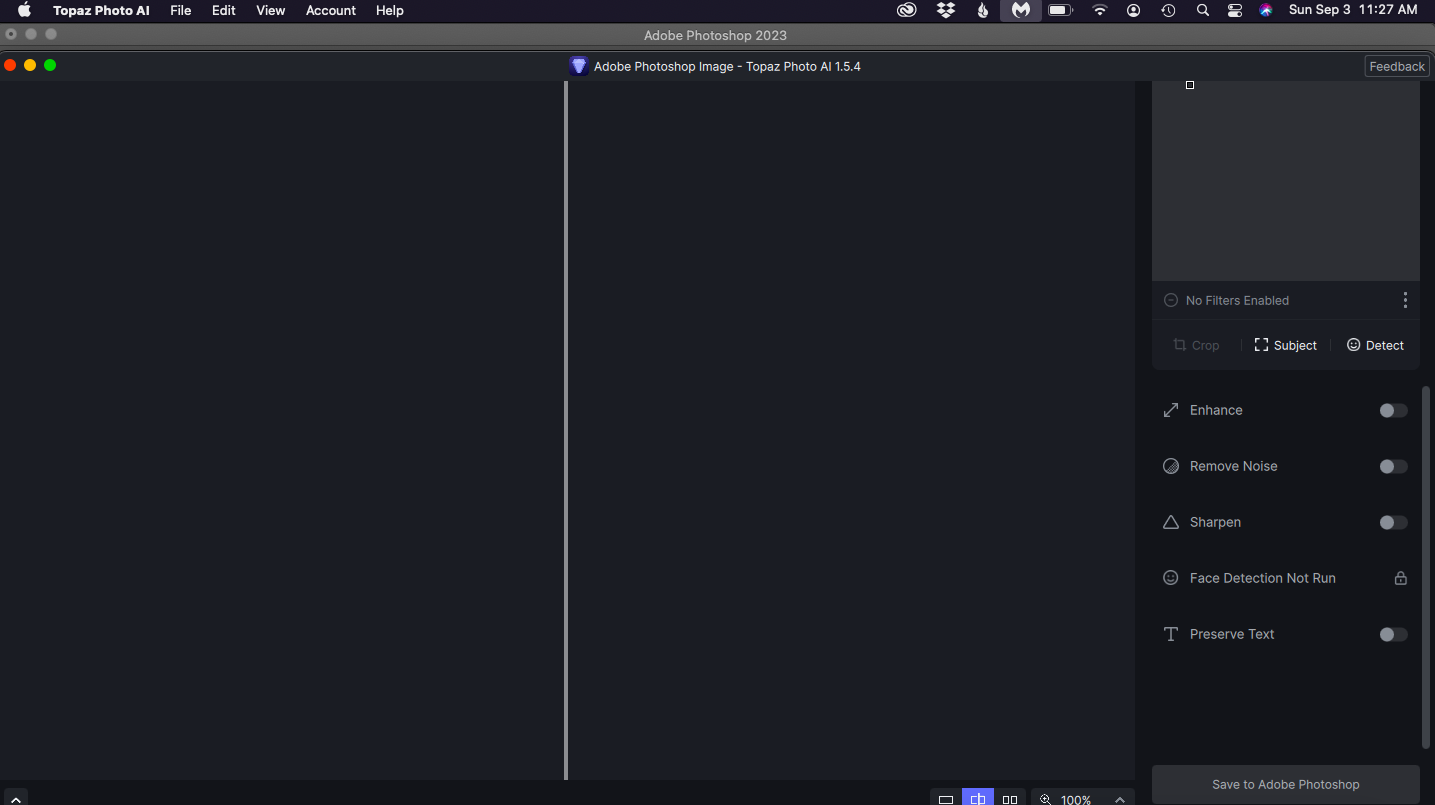
Updated PhotoAI to 1.5.4. No difference. What’s going on?
Just updated, crashes while loading a high number of images, was not an issue before. Also seems to crash loading a single file from the recent list.
2023-09-03-16-28-50.tzlog (327.3 KB)
I think I’ve fixed the problem by going through the steps described under the topic "Freezes on Importing Image (Mac).
1 Like
Is it possible to make the “Recent” files section + cached thumbnails an option we can disable, perhaps?
I had a similar issue, going ‘full screen’ and back again seem to fix it, might be worth other people trying that first before deleting the files are per the “Feezes on Importing”.
If it works, great if it doesn’t all you lost is 5 seconds of your time 
All metadata be stripped when sending TIFF to Photo AI from Affinity Photo 2. Using Mac mini M1 (2020), Monterey 12.6.8
Only workaround is importing metadata in Affinity Photo after processing with Photo AI. Believe I have seen this report with RAW files too. Could be a big problem for those working with a lot of photos.
Edit: Photo AI does not strip the metadata from a TIFF file if you load it into Photo AI directly. So, it looks like something different in the way it is being written back to Affinity Photo.
As a plugin only the layer is passed to Photo AI, I would be surprised if there is any EXIF data passed, check the original TIFF image to see if there is any EXIF and then check that AP can actually read it.
Note use Window-> Metadata to display metadata in the Photo, Develop and Export personas. Note that if you have the Layers Panel open it will appear as Mtd in the Layers panel. Note that EXIF metadata is editable in Affinity Photo, i.e. Camera, Make, Model, Date shot.
Make sure that when you Export the image that you select Embed metadata.

2 Likes
AIDon, you are absolutely right. Thank you for correcting me was my error completely.
1 Like
Edit: oops, user error. Every thing works as it should.
2 Likes
The DNG issue has still not been fixed: Topaz Photo AI v1.5.2 - #7 by poopisan
A post was split to a new topic: Crashing
Are these files getting downloaded every time you update? This should not be happening as we change only a few models at most each update. It should be checking all model files and skipping the ones that already exist.
If it is still happening for you, please write in to help@topazlabs.com so I can send detailed instructions to gather information and fix this with my team.
This is possible but seems quite niche. How often would you use a feature like this?
Please get Topaz Photo AI to crash with Face Detection on. Then reopen Topaz Photo AI, go to the menu bar on the top and click the Help > Open Log Folder menu option. Upload the last 3 logs files that you can see in the window that opens to my Dropbox so I can review.
You can securely submit your image(s) to my Dropbox using the link below. Please be sure to send me a note to let me know you sent something.
Dropbox File Request
