That’s very not effective the way you are sorting the added pictures when we try to do a batch of multiple pictures. I have 5k images that I want to process and they are all identified from 0- to 4999- but they are not process in order as windows would have it sorted. It do 1, 10, 11, 12, … 19, 110, 111 … 119 and so on, so when the app crash after 1k photos, try to figures what photo wasn’t processed.
That should be good to at least in the pref to have an option to SKIP if exist other than just overwrite or rename.
Or a recover last session before it crashed sort of.
5k pic take days to process…
Thanks
1 Like
@anthony.lawn did you mean to close this thread? I re-opened it since it’s for the latest released version.
3 Likes
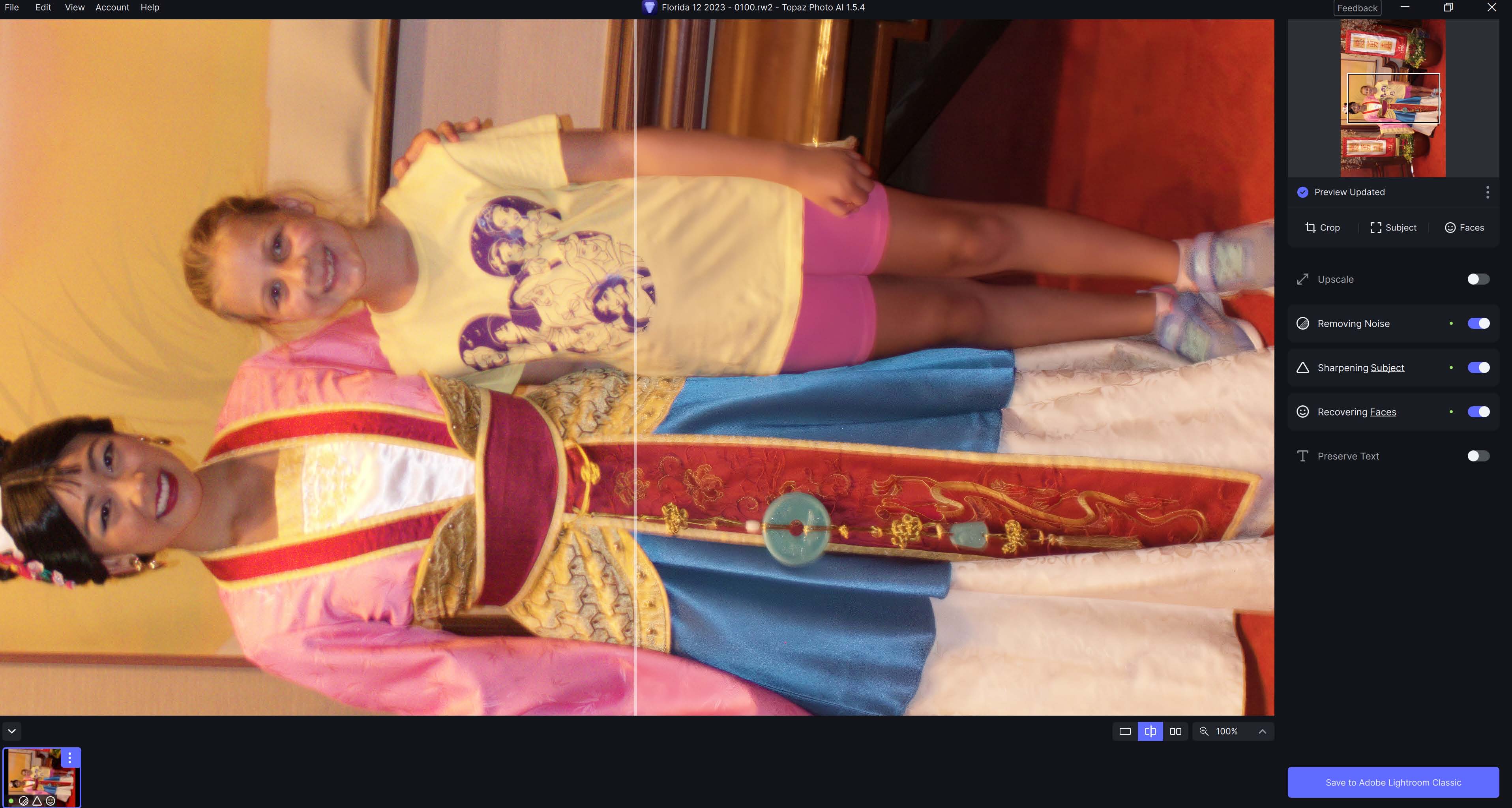
Two photos uploaded which have the rotated preview. The camera is a Panasonic Lumix DMC-FT25. A portrait orientation photo from the same camera is not rotated.
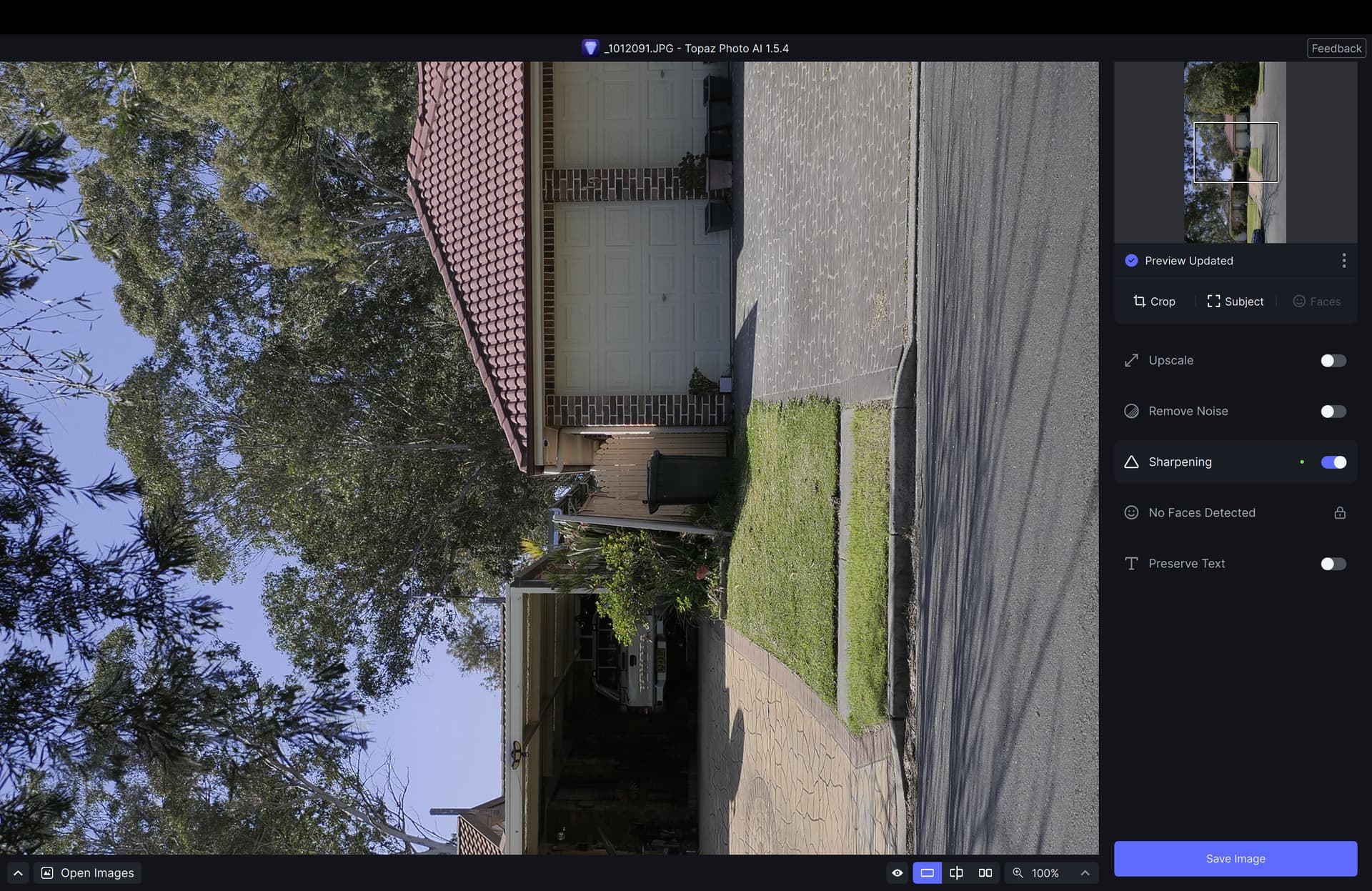
This photo was taken in landscape mode as a jpeg using a Panasonic G9 camera. I can confirm the same issue presents with Panasonic raw files as well. As you can see, Photo AI displays it rotated 90 degrees counter clockwise. I can confirm, however, that when the file file is exported from Photo AI the orientation is correct. I attach a screenshot for your info. I notice that comments from others with the same issue also seem to be users of Panasonic cameras so I don’t know if this is peculiar to Panasonic images or is a more general issue.
I have downloaded the latest version of Topaz. A few things I am finding, is that when I have been processing my batches, Topaz has closed it self down. It has done this today and the first time I only had 8 images open it did 5 of them but on the sixth one it closed it self down so I had to start again, this time I opened 9 images and it did 5 again but then froze and then closed itself down. Ii ended up restarting the computer and started again, this time it completed all 9. The other thing I notice is how long it takes to actually save a CR2 file to a DNG or a PNG and it does not copy all of my metadata when saving a DNG. Saving time is taking around 5 minutes per photo. I have other photo software and it does not happen in these. any advise. I will say my pc is running on 8gb Ram windows 11 and my motherboard has built in graphics, is this a problem?
I’m curious, just as another user, did previous releases of PAI rotate your Pana images also? Or, did it just start?
As mentioned several times above, all raw files (RW2 and DNG) from all my Panasonic cameras (G3, G6, G9, FZ72 and TZ95) open in portrait orientation even when shot in landscape. Olympus raw files (ORF) and all other file formats open correctly. I don’t know when this started, but it hasn’t always been the case.
2 Likes
I have done a complete uninstall of 1.5.4 & rolled back to 1.5.3. I can confirm that this rotation of RW2 files started with 1.5.4. The files open correctly in 1.5.3. I’ll stick with the earlier version until this problem has been resolved. As I said earlier Tiff, Jpeg & CR3 files all opened correctly in 1.5.4
1 Like
Have you tried removing the photo that kills the job from your queue and running it again without it?
I haven’t had a chance to report/write anything about my “case” (kind of on the road atm) but for me something similar happened with a bigger job the other day (105 photos) where PAI first died on the 7x-th photo (don’t remember the exact number) and then after removing that photo on the second last one. I also tried processing only the two problematic ones which also killed PAI. The curious thing is that I actually tried to cheat my way around the crash by running them in Sharpen AI and exporting them as dng and tiff (tried both) but they killed PAI every time.
This is a bug linked to the Panasonic file format. I think it’s a problem in the metadata, as Raw and jpeg files have the same orientation problem. I’ve just tested a few images from this site.
Panasonic Lumix DC-G9 Samples: Digital Photography Review (dpreview.com)
Here you’ll find a photo gallery for one camera model. The Panasonic Lumix DC-G9.
And if you test any image, the orientation is 90° in Photo AI.
This site is really great for testing iamges before buying a camera.
The rotation bug did not occur with any previous version of Photo AI
2 Likes
I have the thame problem. All my Panasonic GX9 raw files are loaded in wrong orientation.
This release is not useable for me.
Same here! My landscape are loading in portrait!!
I have the same problem in 154. All versions ahead of that were fine!!
Earlier versions did not rotate the image. This is a new bug.
1 Like
Some of my images (JPG) are getting flipped or rotated when I load them for processing.
Ha. If so, Photo AI has a bug. As I don’t own a Panasonic, I can neither confirm nor assert this in relation to previous versions. The best thing to do at the moment is to convert to Tiff or DNG using third-party software. For example, I use Lightroom classic.
