I would use it quite frequently.
We have looked into this order issue and the application simply uses the order that the operating system passes to us.
To fix this, we need to fix the batch processing crash. Next time you get a crash, please open Topaz Photo AI, go to the menu bar on the top and click the Help > Open Log Folder menu option. Attach the bottom three logs files that you can see in the window that opens so I can review them.
Note: if you are using an older computer that could have issues with batch processing. Make sure you have up to date drivers. A newer computer is also less likely to crash.
With 8GB of RAM, it’s likely that Topaz Photo AI is running out of system memory during processing an saving. Saving is taking a long time because the DNG files are large and the computer is running out of system memory when writing the file. I would recommend increasing your computer RAM and making sure your graphics driver is up to date.
The minimum requirements for Topaz Photo AI is 12GB system memory, but we recommend at least 16GB.
I reviewed both issues and they are crashes during CPU processing. I shared the log with my team so we can look into a fix. For now, having face recovery off would prevent the crash.
1 Like
What is the reason for this request?
Please send me the file so I can reproduce this issue. You can securely submit your image(s) to my Dropbox using the link below. Please be sure to send me a note to let me know you sent something.
Dropbox File Request
@gpic1715 @david.stanley-2957 @geoff_foote-85350 @gdhstore @BlackCatPhoto @Harald.De.Luca @goetze_u @peter.hall @paul.tinsley
We are working on a fix for this. If the output is the incorrect orientation, you can roll back to v1.5.3 for now.
This should be fixed in the release on Thursday.
3 Likes
Thanks for the tip! 

(1) It takes up real estate and acts as a distraction while I’m working on other images.
(2) I simply clear it every time the application starts because I have never had the need to work on the same image in Topaz Photo twice. The app gives me what I need (eventually) in the first session, then I may further process the image(s) elsewhere or use them as they came from Topaz Photo, but it is simply wasted effort for me to clear the upper right corner every time for a feature I will never use.
(3) Privacy. If I am working on images and someone else uses the computer under that account or sees me open the application, I don’t need them to view what I’ve been processing.
Thanks for your reply.
1 Like
I have a recent computer. An Topaz Photo AI crash often, sometime when there is an update it can be stable until the next update. But for now, see attached my logs.
Actually, the 3nd one, to tell you that it crash often, is 40 Mo and cannot fit in that mail. Anywhere else I can put it?
Thanks
Envoyé à partir de Courrier pour Windows

2023-09-05-19-38-41.tzlog (9.66 KB)
2023-09-01-23-23-51.tzlog (16.3 KB)
Great! But how do You roll back?
Sorry. I found 1.5.3
For all other users who may be curious, you can roll back by simply going to the thread for a previous release and downloading the previous installer.
Run the installer for the previous version to replace the current version with that version.
Note: you may need to run the previous installer twice to repair the installation and make sure the previous version works properly.
Lingyu
Would it not be better to uninstall first when rolling back, and then install previous version? Just thought I would check.
Mark
Thanks for the info . But since I don’t have a Panasonic, I don’t have the problem. I had just checked on a site with Raw images from many cameras for testing and thus confirmed the problem with Panasonic RW2 files.
You should have them by now
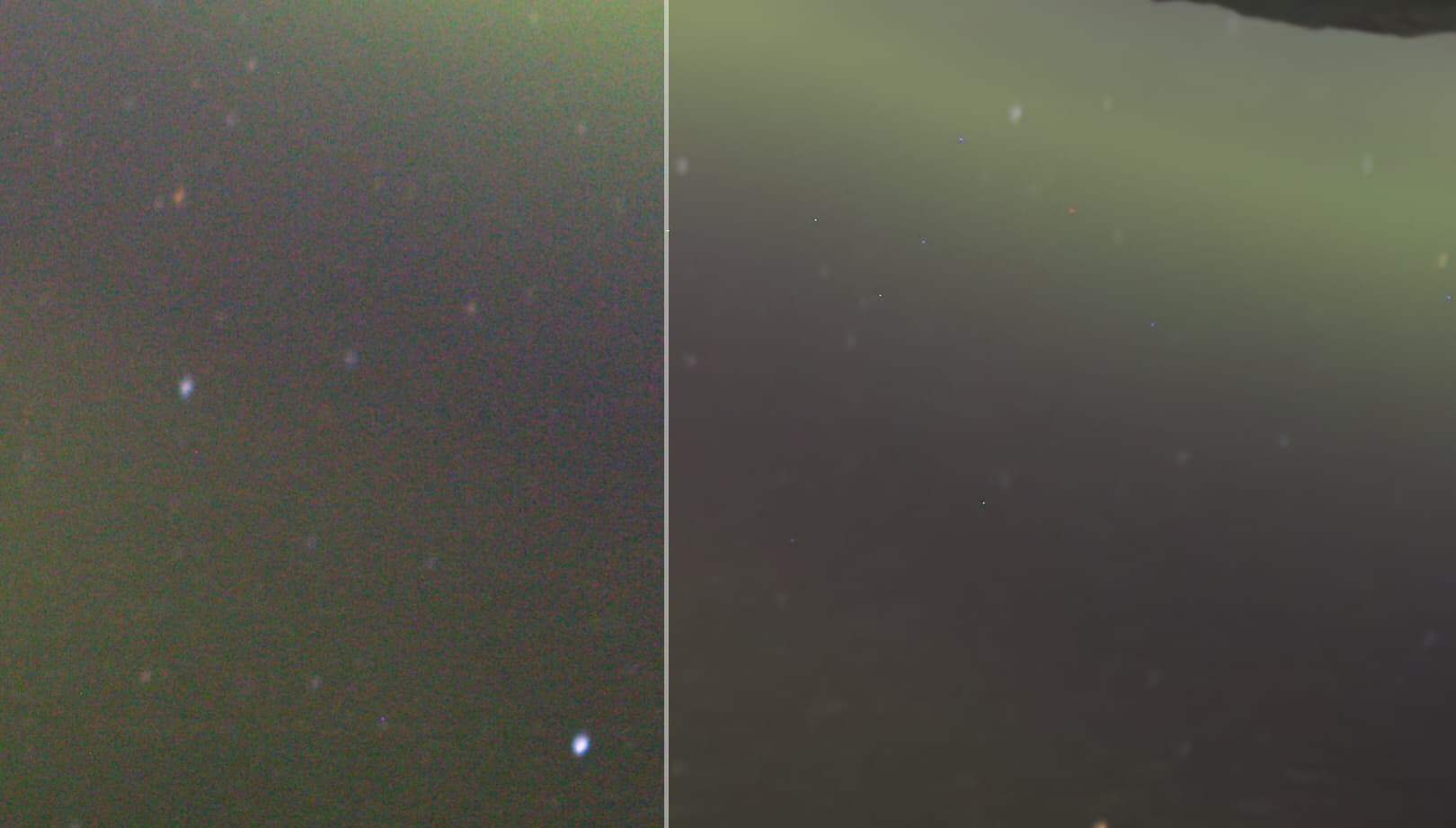
I don’t know if this is the right location, but i still find that Photo AI does not manage the hot/dead pixels in the photos. This is not related to the latest version but has always been like this.
On the other side Capture One 21 is able to overcome this issue quite easily. In order to solve this problem i have to go through Capture One and then in Photo AI. I don’t know if this has already been pointed out before, but it could be a nice feature to be added in future versions.
2 Likes
Wonder what delights we will get this week.
Doing this would delete all the model files so you would need to reinstall them again. It would be faster to roll back with the previous version installed instead of uninstalling.
This is a known issue that we will be working on soon. I spoke to the researchers and we will try to handle the hot pixels on import with Raw files.
2 Likes
Thanks for the confirmation.
