You should be able to claim a seat if it’s already taken after clicking Activate on the login dialog. The old way we kept track would make multiple seats for alpha, beta, and release versions of the app so your second seat was probably a beta build. The new way seats are tracked makes it so alpha, beta, and release are the same seat. In this case just claim one of the seats when prompted and you should be fine. If in the future you use this app on another machine you can claim the second seat as well.
Hey, I’ve recently listed this as a known issue. I believe this happens if you are somehow upscaling when using it was a Photoshop plugin. Since upscaling is not supported via PS there are issues when saving. You can try to manually turn off upscaling if you see it turned on, or change Autopilot settings in preferences to not auto-upscale or resizes images.
Let me know if this helps.
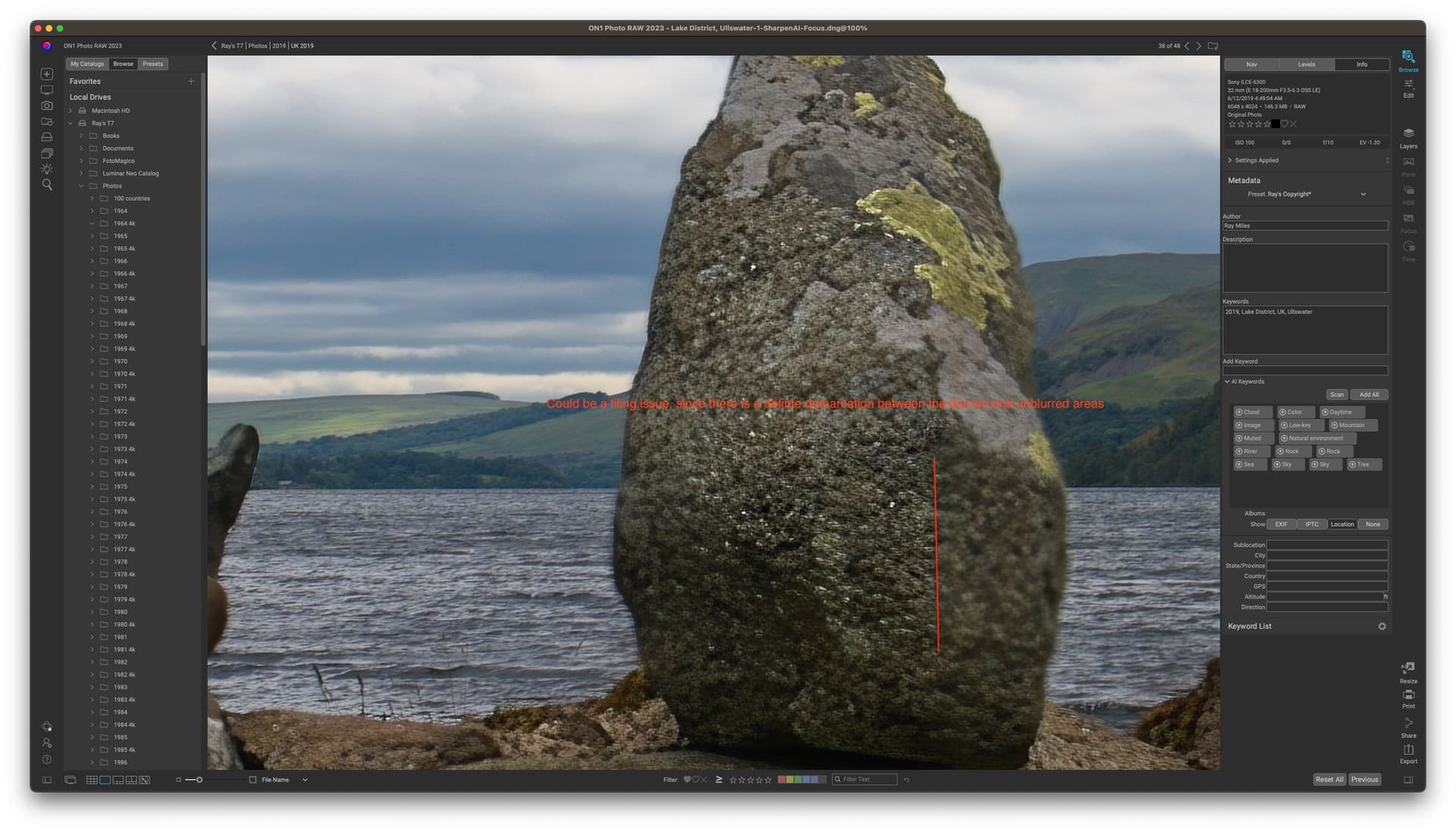
I posted in the v1.3 thread my dissatisfaction with some aspects of TPAI when dealing with a hugely out-of-focus subject and demonstrated that Sharpen AI can do a much better job, even though it has not been upgraded for ages.
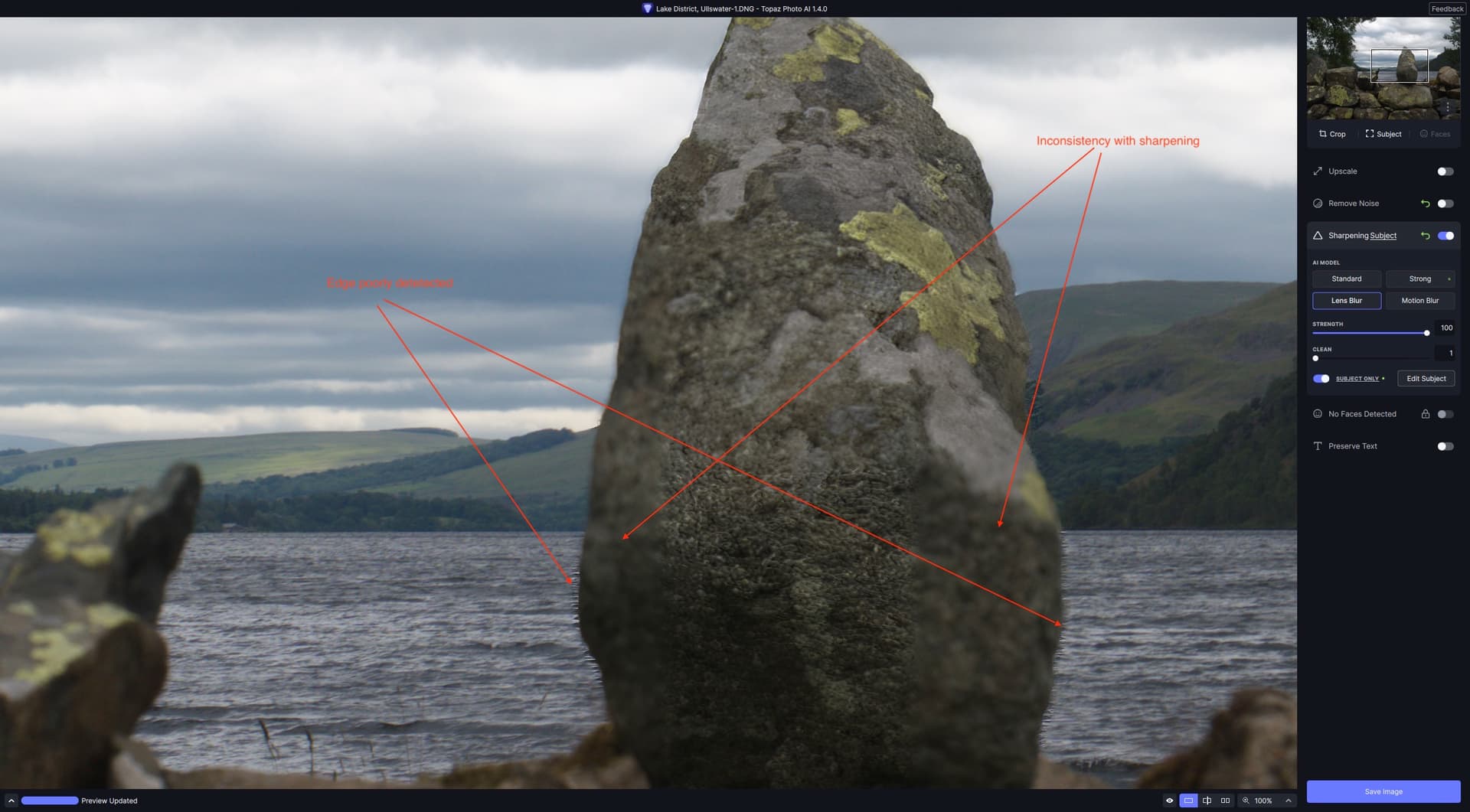
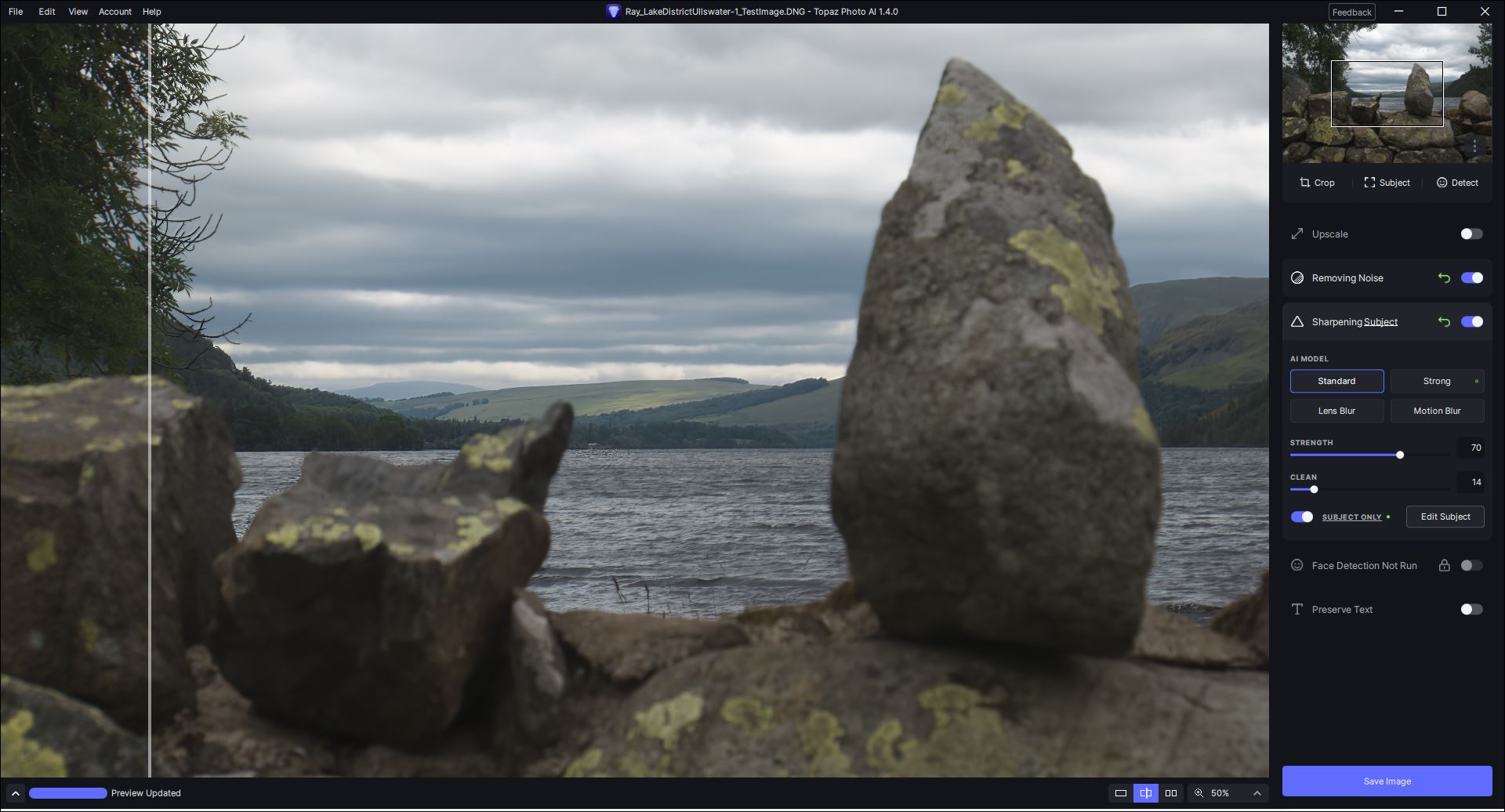
Sorry to say that v1.4 is also providing the same poor result with the image in question. Strong mode achieves virtually nothing even at the highest setting:
![Screenshot 2023-07-07 at 9.12.53|850x469]
(upload://kIvjflveenSkel8jcyblwIXKOYU.jpeg)
Lens Blur only partially sharpens the selected portion of the image and it is still very difficult to brush out the waves without an edge-aware tool:
3 Likes
Ray, Would you mind posting the original (best if jpg or tif)?
I rarely have images I can test on my system that create the random blur others sometimes rpt. I’d really be curious to try your pic on my system to see what happens. Thx!
I don’t get (hopefully I don’t jinx it!) the crashing text preserve either so wonder if it’s processor related.
Are you on MAC OS?
So far the 2 reported cases of text preserve crashing (mine + 1 other) have been on Windows + Nvidia systems.
1 Like
Hi David, I’m Win 11 Pro. AMD RX6800 XT. It’s probably Nvidia again. Several other users found they couldn’t (shouldn’t) use Nvidia latest drivers; especially the gaming one(s).
Haha 
2 Likes
@PWC preferences
I have uploaded the original DNG here. It will be interesting to see what others make of it!
1 Like
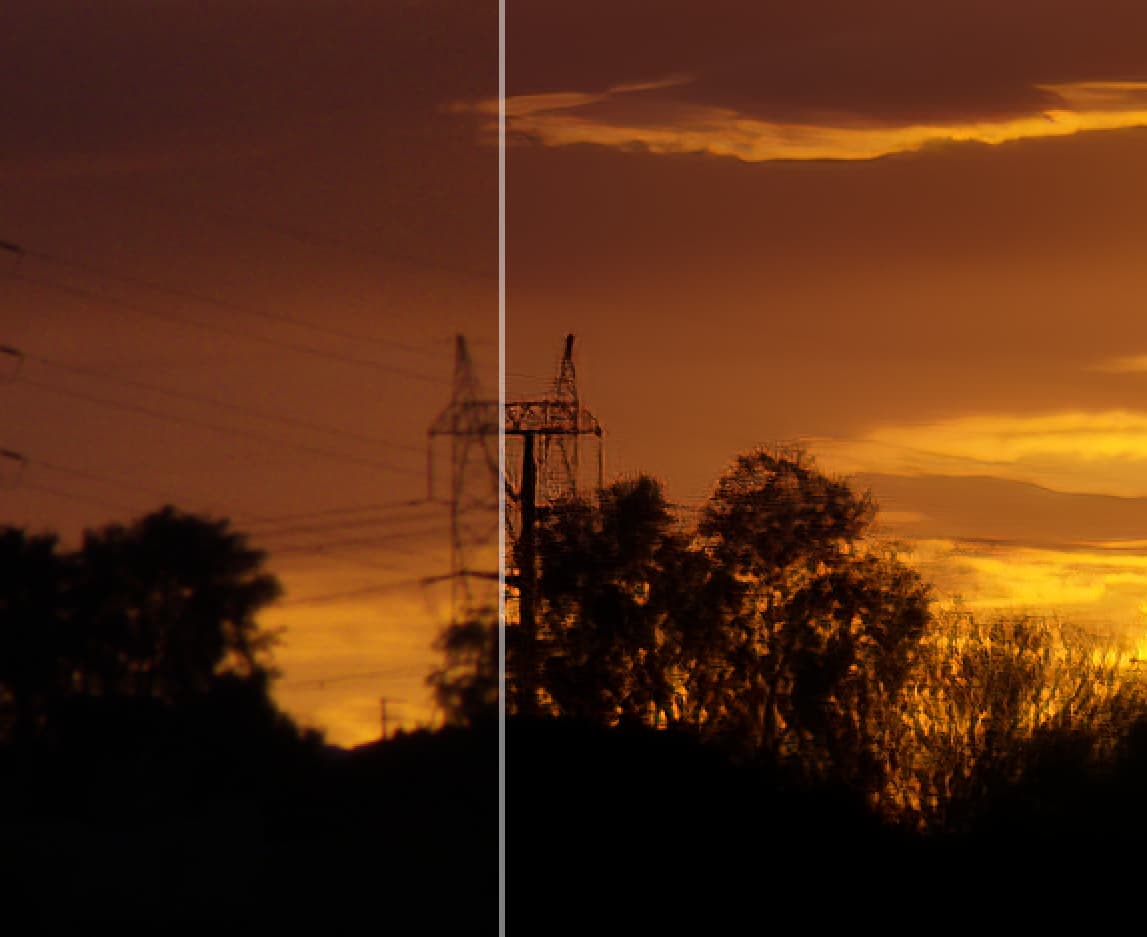
Trying to clean this image up. Noise takes out the wires and sharpen distorts the tower structures. I have not been able to find any settings that work.
Thank you for finally adding HE* support. I did have to delete my old version on my Mac to get this to work. It would not let me browse files until I deleted the old version and did a fresh install. Otherwise it looks good. I do like the new interface. I’ll make this one suggestion. In the lower right, where you have save image. Also add an option to close image without save.
Thanks again.
Photo AI 1.4.0 appears to have problems opening TIFF files I export from DxO Photolabs 6.7.0 Build 52. I get an error message saying the image is not supported.

The result on my test image is even worse when using the PhotoShop plugin with On1 PhotoRaw 2023 layers
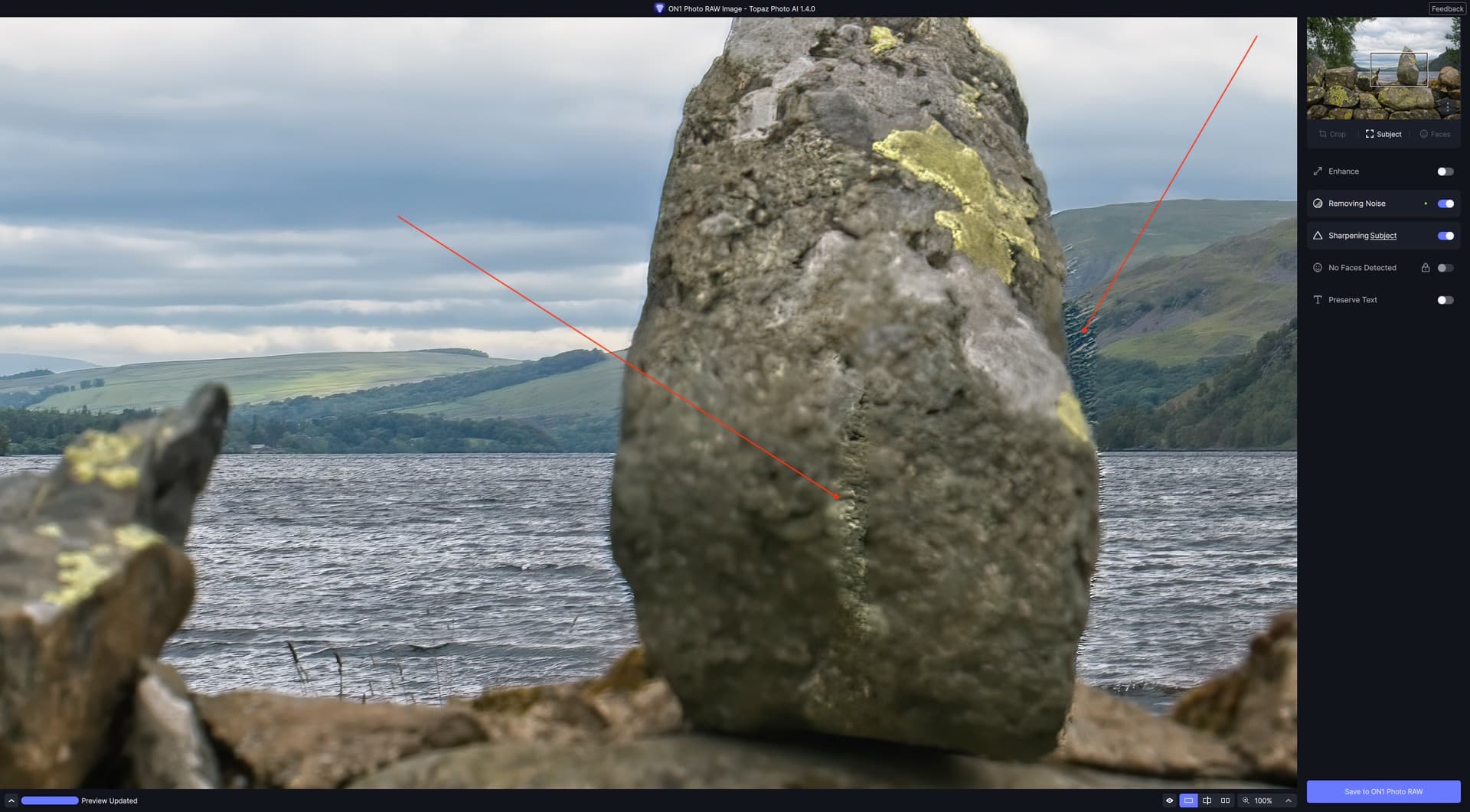
At least, in this case, it closed TPAI down after processing and returned the layer to PR2023. Using the “Edit In” command within PR (which is the same as LR I believe), leaves TPAI still running and one has to return to PR manually.
Devs please fix.
2 Likes
The new A.I. model for RAWs is in the making.
1 Like
Hi Ray, Thx for posting the pic!
I just grabbed your .dng file. 1st Question - what did you use to generate the .dng? (Adobe DNG converter, another processing program - incl. possibly a Topaz prod.)
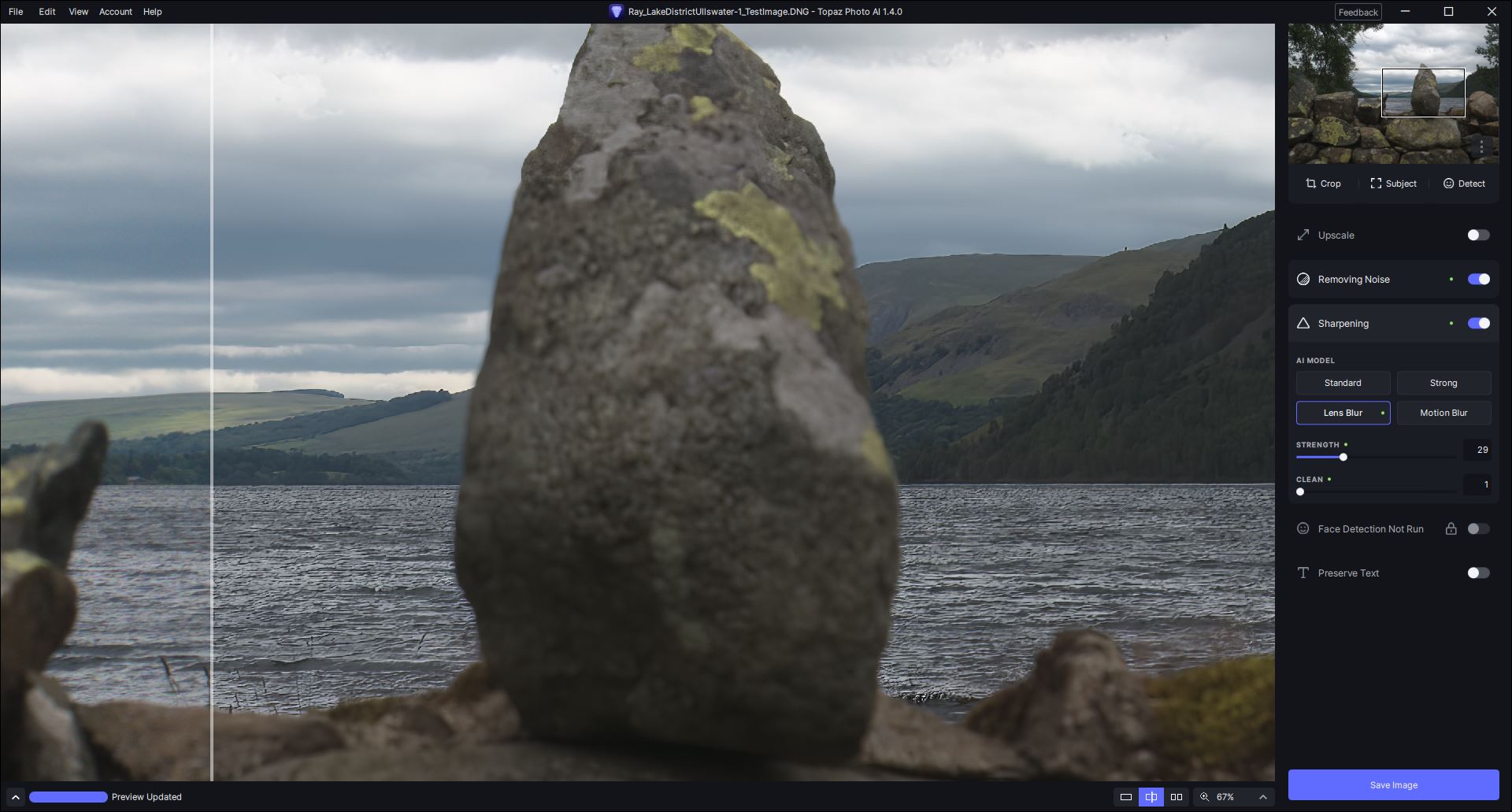
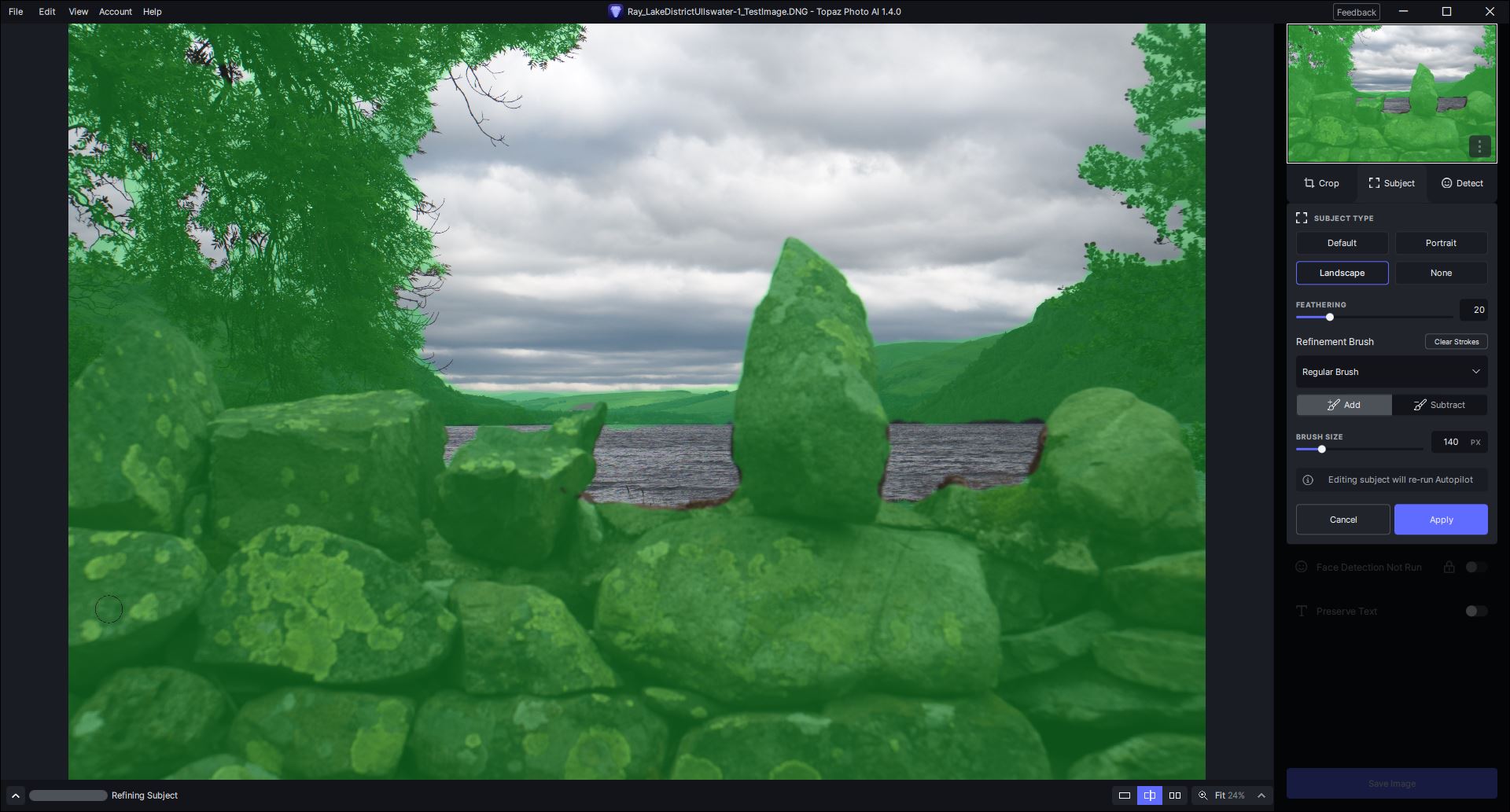
You got a much much better result than I could achieve playing around with it! I only worked using the PAI Standalone b/c the orig. image is a .dng. I couldn’t get anything in the rocky foreground sharp. It was all a big blur - not selected areas like you posted. The only thing that’s sharp (& over-sharpened) in my test is the water. It’s as if the focus point/plane for the shot was on the water rather than the rocks. Pretty bizarre, eh?
PAI turned on both Denoise and Sharpen when I loaded the .dng image. I then tried various permutations of diff. models/settings, then turned off denoise, then manually selected the foreground content and tried ‘sharpen subject only’. Nothing helped! In fact something happened in the Standalone UI I’ve never seen happen before - it started flashing green lights all around the perimeter of the image.
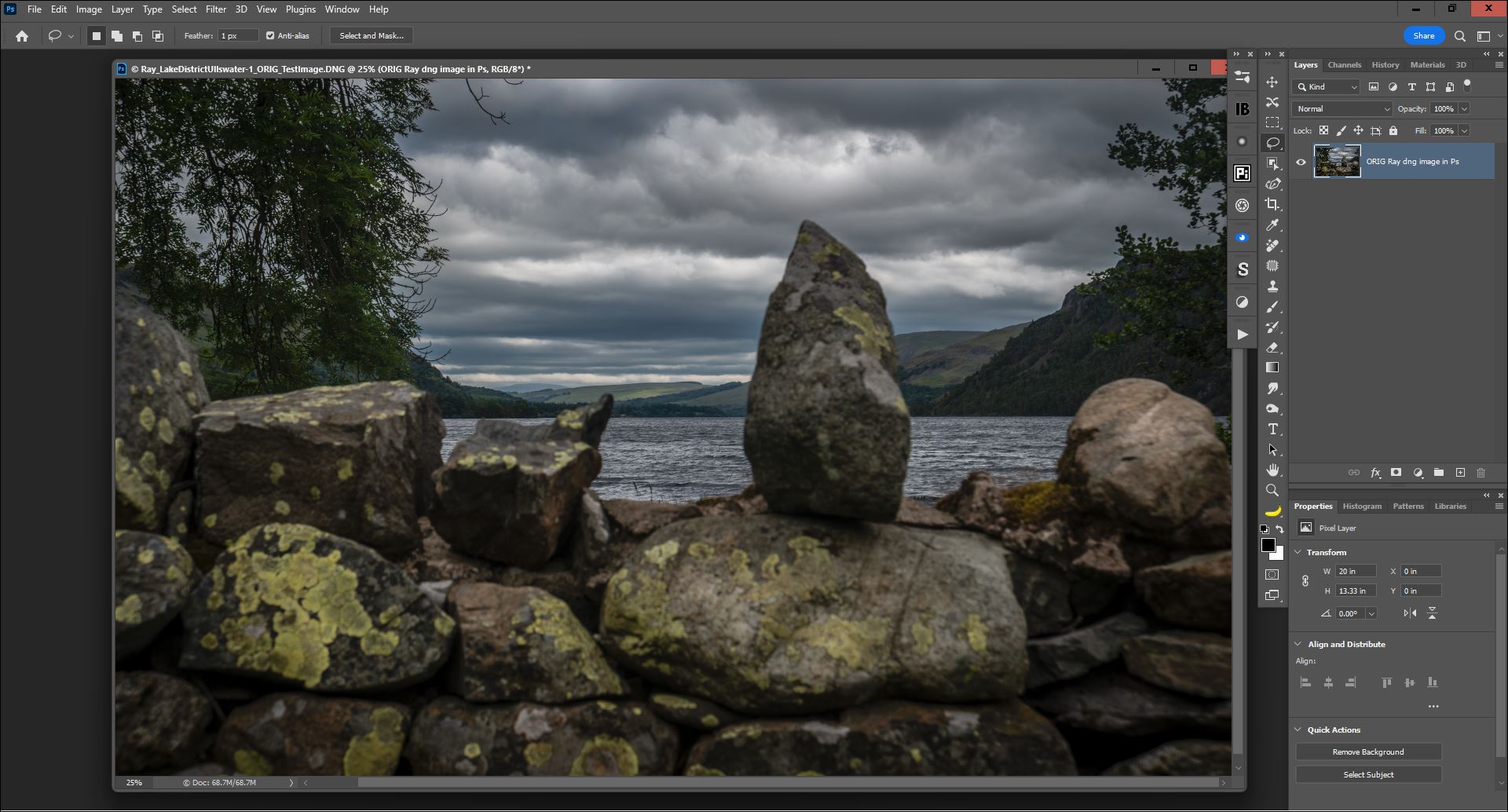
I then tried opening the image - via Adobe Camera Raw (no adjustments there) into Ps. I didn’t even bother to send that to the PAI plugin. The foreground content from the direct .dng launch looked all blurry in Ps. Again, other parts of the image were sharp. I’ll attach my snips from these various steps to show you what I saw (except I can’t show the flashing green lights in the PAI UI!)… Files are labelled in filenames.
You are a genius that you got as much goodness out of it in your run inside PAI as you did! All I saw was complete blur in the foreground rocks (sadly, b/c they have what looks like could be cool colors & textures - it’s an overall nice scene). If you generated the .dng in something other than Adobe dng converter is there a way for you to try it to see if a diff. dng behaves differently? Needless to say you don’t need to make work for me…I’m just wondering.
1 Like
Would you mind uploading a file that doesn’t open and the original before DxO so I can take a look at it? I don’t know what they are doing that isn’t supported.
On my system it saved out like this using TPAI on autopilot.
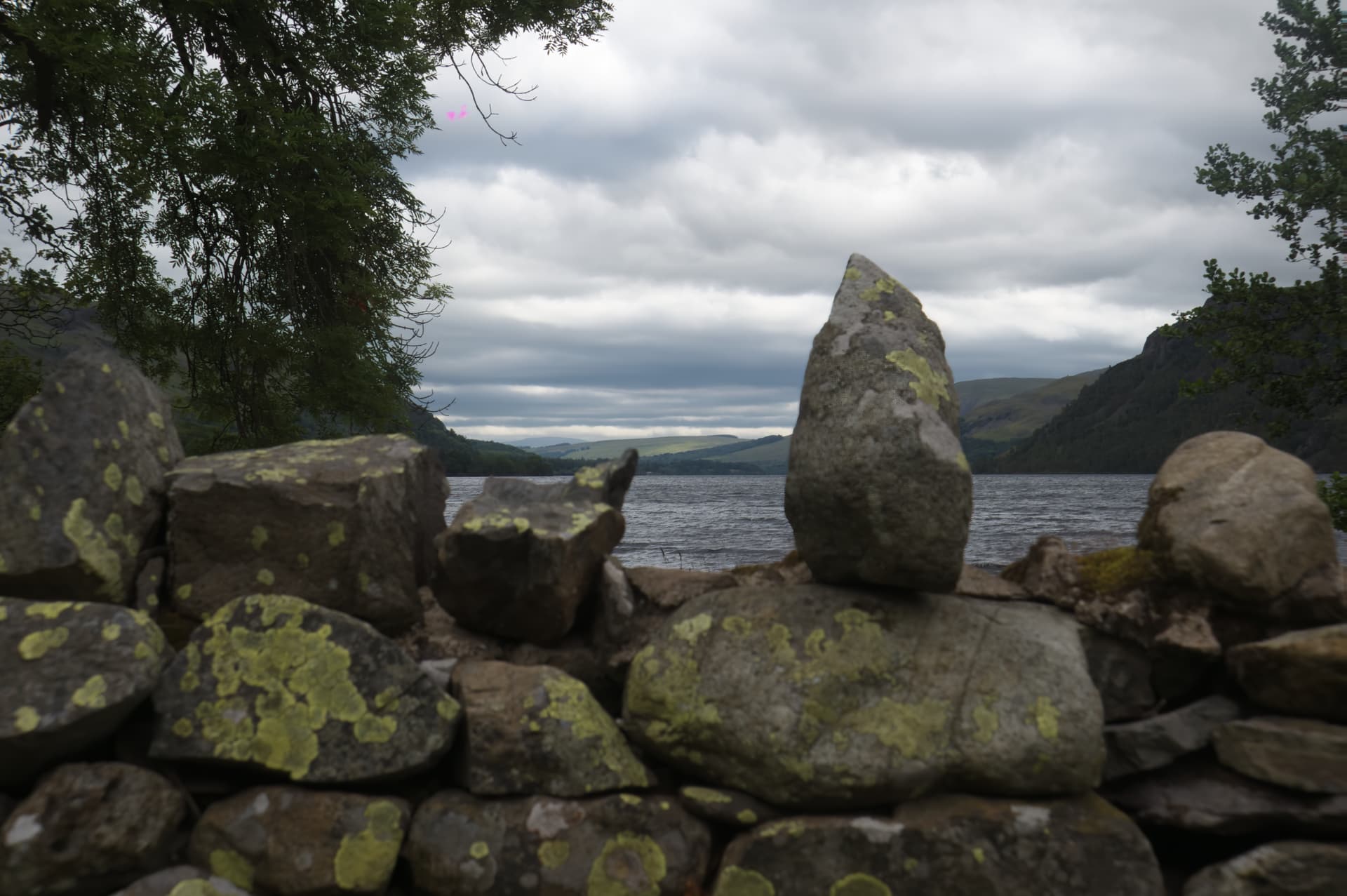
It denoised everything and auto selected the central rock as the subject of the sharpening.
That looks very much like the result I got with autopilot, which chose the Strong Mode and only selected the upright rock. The foreground is still pretty much out of focus, even with the slider maxed out and the mask refined to include all the rocks.
Same behavior, but only when Autopilot selects Enhance (upscaling) for processing. Processing finishes normally but then goes into endless Save loop.
Remove Noise, Sharpen both finish normally.
The image dates from my LR days so the original ARW was converted to DNG when it was imported. Now that I have switched to PR I no longer do that.
Obviously I missed the focus badly, but it was a gloomy day and I was with friends so didn’t bother to check the shot once taken. Pity, but there it is. Ideally the foreground should be in focus and the background blurred. Or both in focus, at the very least.
As I said in my posting on the v1.3 thread, I got a much better result using SAI, although there are still some blurred areas when looked at closely. For my purposes, ie viewing in 4k on a TV and not printing, the result is just about acceptable. I am sure I could have spent more time tidying the mask and, as has been said before, it’s a pity these can’t be saved to allow them to be worked on over time and poco a poco.
1 Like
