Is there going to be an update to the RAW noise reduction tool? It is frankly terrible right now, it smears all texture even on the lowest settings. I just switch it off for now.
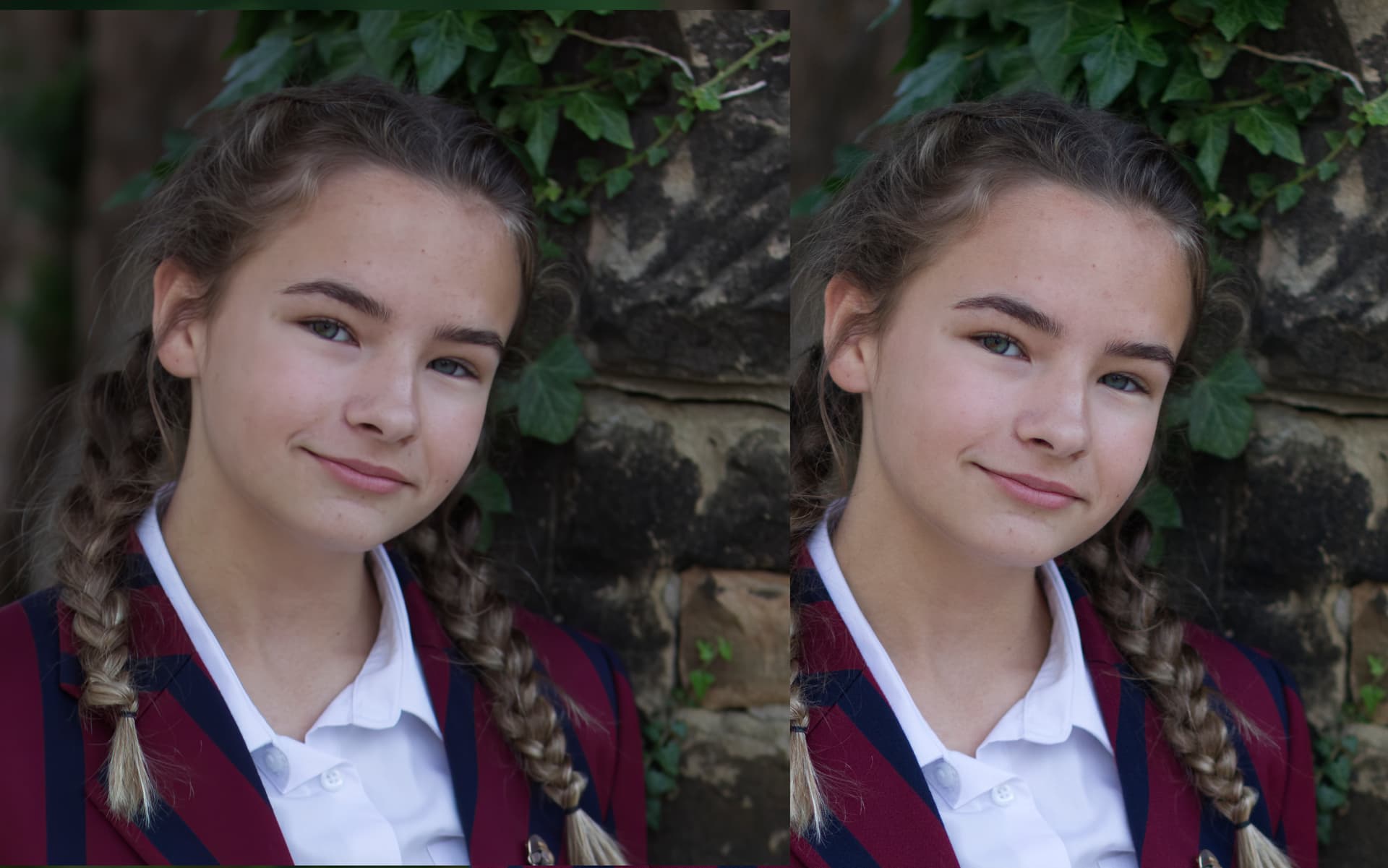
Yeah I feel the same way. In some cases it works well but in other cases it’s really not that good. What we need is models like in Topaz Denoise. And then it would be really good. Besides I notice that whatever the level of the slider (whether it is at 1 or 25 or 50), the result is strictly identical. It’s quite strange. In principle the noise level should vary according to where the slider is located as in Topaz Denoise.
1 Like
yes, exactly, noise ai is pretty good so why did they change the model with something worse? Don’t reinvent the wheel, just improve it.
2 Likes
The new Photo AI update takes more that twice as long to process. Is there a way I can go back to the previous version or do you have any suggestions as to rectify this aggravating issue?
Harold Feiertag
When will Topaz final update Topaz Studio 2 or is it another one of your many DEAD products that I’ve bought over the years? Maybe it’s time to switch to Adobe Photoshop which is constantly updated.
That’s why I have uninstalled Studio 2, and don’t use it anymore. Shame really.
Studio 2 still works, at least on the latest Macs and OS.
Topaz got away from creative effects to focus only on corrective treatments.
When Photo AI was first introduced I suggested they just build out the Studio 2 platform, but they took another direction.
As for Adobe, of course many love and use Photoshop (myself included) but their noise reduction (for instance) is nowhere near what Topaz delivers.
Yes, you need to raise a support request at the main website as there seems to be an issue with the GPU:
Failed to build graphics pipeline state
Warn | MSL shader compilation failed: :1:10: fatal error: ‘metal_types’ file not found
What is your GPU and the drivers version.
Please don’t post your email address in the replies as this is a public forum.
Studio 2 is a legacy product.
I messes up my image, adds chromatic aberration, adds blur and sparpness randomly, adds lines or something, removes detail. Example photo:
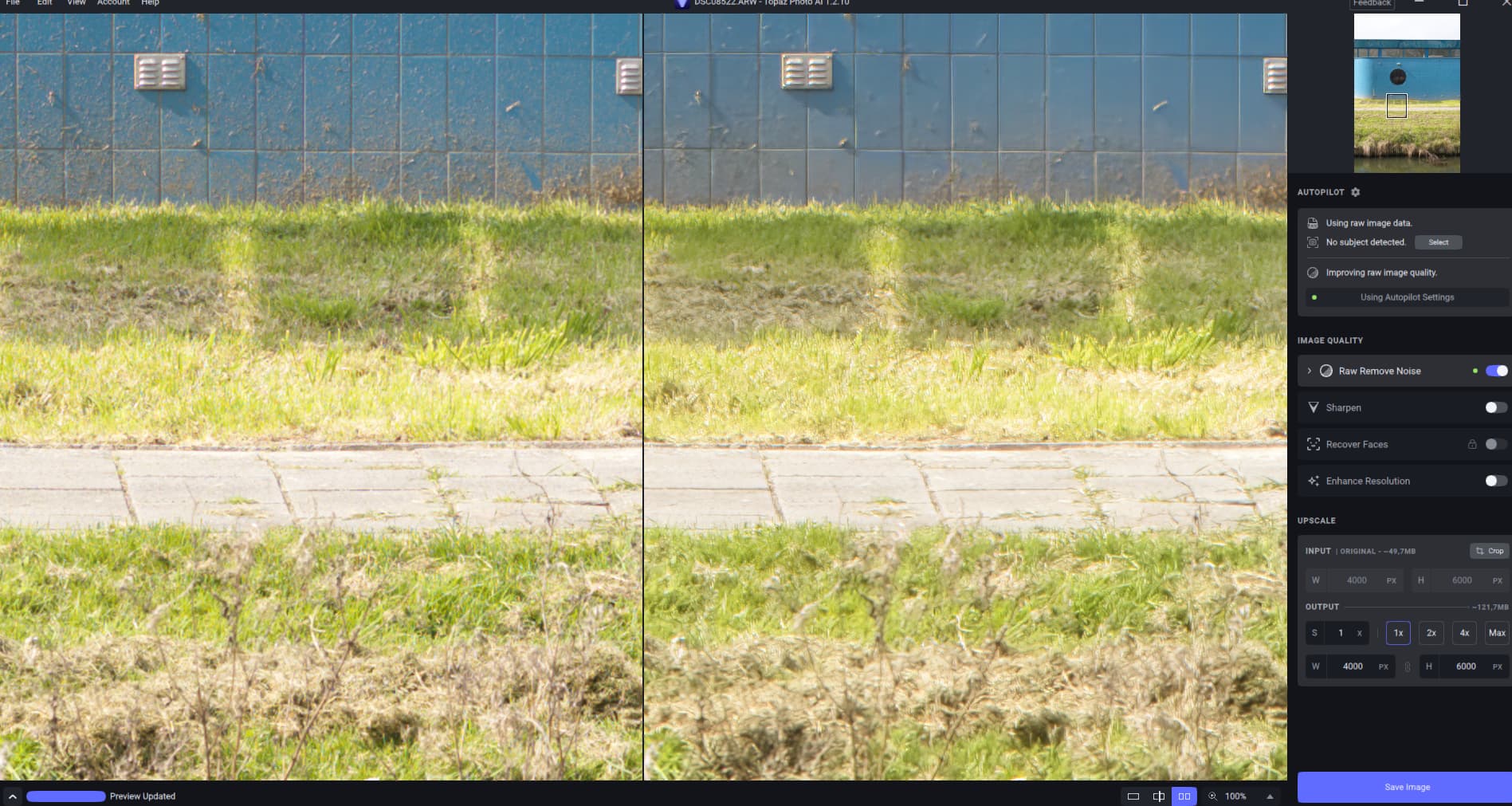
Steps to reproduce issue:
- Step 1: Take photo with Sony A7III
- Step 2: Import ARW file directly into Photo AI
- Step 3: Use any setting with Raw Remove Noise
Topaz Photo AI v1.2.10 on Windows
1 Like
Personally, I don’t see a difference in speed. But if you want to use the old version, the links are still there.
Topaz Photo AI v1.2.9 - Topaz Photo AI / Releases - Topaz Community (topazlabs.com)
On my system (Windows) I don’t see any slowdown.
Am getting vignetting on .dng photos after the new update on Topaz Photo AI
Is it true that this version does not work on macOS Ventura 13.3.1?
And do you know if it will work soon?
[2023-04-10 09:44:37.692, 20.18 ms] [3090] Info | Setting window geometry: QRect(0,0 1920x1080)
[2023-04-10 09:44:37.754, 58.50 ms] [3090] Info | Local server listening on port 52525
[2023-04-10 09:44:37.770, 17.64 ms] [3090] Info | Starting with files QList()
[2023-04-10 09:44:37.770, 8.27 ms] [3090] Warn | qrc:/imageenhance/window/WinAppMenu.qml:74:13: QML TMenu: cannot find any window to open popup in. | (qrc:/imageenhance/window/WinAppMenu.qml:74)
[2023-04-10 09:44:37.786, 2.28 ms] [3090] Info | QML engine loaded
[2023-04-10 09:44:43.014, 5.23 s] [3090] Info | Windows DisplayVersion: 22H2
[2023-04-10 09:44:43.212, 198.88 ms] [3090] Info | 0 Memory Info 8.212797 Available 0.000000 Reserved 0.066952 Used 16.175594 Budget
[2023-04-10 09:44:43.244, 31.59 ms] [3090] Info | 1 Memory Info 7.219790 Available 0.000000 Reserved 0.000000 Used 14.189579 Budget
[2023-04-10 09:44:43.245, 153.60 μs] [3090] Info | === System Information ===
[2023-04-10 09:44:43.245, 106.40 μs] [3090] Info | OS Windows Version 11.220000
[2023-04-10 09:44:43.245, 53.20 μs] [3090] Info | CPU AMD 3020e with Radeon Graphics Threads 2 AVX 1 AVX2 1 VNNI 0
[2023-04-10 09:44:43.245, 41.80 μs] [3090] Info | Is Apple Processor 0
[2023-04-10 09:44:43.245, 39.10 μs] [3090] Info | RAM 29.879158 GB Total / 7.090153 GB Used
[2023-04-10 09:44:43.245, 36.30 μs] [3090] Info | Machine Id: a86209c0-45ca-4f61-95ae-682edfb7cf6a
[2023-04-10 09:44:43.245, 33.60 μs] [3090] Info | Device count: 1
[2023-04-10 09:44:43.245, 33.50 μs] [3090] Info | - Index 0 Name AMD Radeon™ Graphics Cores 0
[2023-04-10 09:44:43.245, 143.40 μs] [3090] Info | VRAM 1.986015 GB Total / 8.212797 GB Used DataType 2
[2023-04-10 09:44:43.245, 49.40 μs] [3090] Info | Serial 000000000000c44c Legacy 0 CudaId -1 Capability 0
[2023-04-10 09:44:43.245, 33.90 μs] [3090] Info | ==========================
[2023-04-10 09:44:44.357, 1.11 s] [3090] Warn | QFSFileEngine::open: No file name specified
[2023-04-10 09:45:01.716, 17.36 s] [3090] Info | Opening directory: “c:/ProgramData/Topaz Labs LLC/Topaz Photo AI/Logs”
[2023-04-10 09:49:58.893, 4.95 m] [3090] Info | JWT status: “not_found”
[2023-04-10 09:49:58.893, 103.10 μs] [3090] Warn | Expiration date invalid. “”
[2023-04-10 09:49:58.899, 5.96 ms] [3090] Info | Auth response: false “xxxx@xxxxxxxx.co.uk” false false “” 1683708599
[2023-04-10 09:50:10.797, 11.90 s] [3090] Info | Opening directory: “c:/ProgramData/Topaz Labs LLC/Topaz Photo AI/Logs”
It does work on mine Mac studio without any problem. (Ventura 13.3.1)
Yes I know it still works, but it would have been nice if they still did at least an occasional update for it.
Those logs indicate that you do not own TPAI. I’d suggest ensuring you’re logging into the same account you purchased TPAI with. You can contact our support to get further trouble shooting steps.
I’ll see if we can explore the fringing issue. My guess is that there is some demosaicing issue in the RAW model, especially if it doesn’t happen for non-RAW inputs.
As for the bottom stretching issue I’ve seen this before on certain Sony cameras where the crop metadata was incorrect (and unfixable a far as I am aware). However if this is only in HDR DNGs then it might be that there’s something new we don’t handle correctly since we added support for loading HDR images recently. Having the image to debug would help although I’m not sure how fast I can get to it since I have quite a few things I’m working on.
