I’m NOT discussing the intricacies of camera RAW files. I’m simply focusing on the direction Topaz has stated they are going with THIS product.
1 Like
I think we need to stop here as you don’t seem to understand that a RAW file must be processed to get an image where noise reduction and sharpening can be applied. They CANNOT be applied to the RAW file.
The profile that Topaz applies is different to all other RAW converters and then you can adjust that result in the app of your choice.
And I removed “son” from your reply, DON’T use that terminology to address any forum users unless, of course, you are talking to your son.
As well the “direction” Topaz is taking is clearly outlined here:
Hi! I’m new here and just starting to learn how to use the software. My main concern with Photo AI is how often it crashes on my Mac Studio. When it does crash, there’s no crashing reporting window. It just blinks out of existence. How is Topaz collecting data on why it’s crashing if nothing is being reported?
2 Likes
The 1.1 update is a disaster from a technical point of view. (Using a MacBook Pro with an M1 processor). It takes forever to load and to be able to import images. Then, when trying to save the images, the software crashes. On Friday I was able to save about 4 or 5 out of a batch of 20 before a crash; today I couldn’t even save 2! I’ve reached out to tech support twice and so far have not received a reply.
I even uninstalled and re installed the program; no difference. For me, the update rendered Photo AI 100% unusable.
I am inclined to attempt to go into Time Machine and restore version 1.0.10 but will give it a couple of days to see if anybody from Topaz is paying attention!
From this chat, it sounds like I’m not the only person experiencing this problem.
2 Likes
The initial (ie default) profile is applied by AFP without any user intervention.
PAI has recent coding updates to raw file processing that apply the RAW profile much closer to what AFP does (seen from the very similarly exposed end-result images as examples).
AFAIK, DeNoise does not have those updates, yet, but probably will eventually (TBH, I haven’t tracked the change log that closely). That’s why the DeNoise end result looks dark and low contrast; in this case a happy accident according to the OP.
1 Like
No need to repeat post in other threads the devs will pick it up here and reply if they have an answer.
What the hell? Are you on a power trip or something? I DID NOT repeat my post. I reported a problem with Photo AI in this forum and a problem with a completely different program, Sharpen AI, in that forum. You often jump the gun, do not read, and then use some power you have been given to censor stuff that maybe you do not like. Get over yourself and take a chill pill. I have seen you do this sort of thing to many people on these forums over many months. Maybe time you take a break from these forums?
2 Likes
Let me quote you above…
“Denoise AI and Gigapixel AI do not have this problem. I just discovered that Sharpen AI 4.1.0 does have this problem also though.”
Apparently I remember better than you, make a post like this again and you should take a rest with a “chill pill”.
Thee are two potential profiles in Affinity Photo. The “Take no action” one and “Apply tone curve”. Which one did you use?
You did great work!
But since the last update to 1.1.0 you won’t find a face automatically anymore.
Most of the time when I want to select a face, the face frame is somewhere but not over the face itself.
At the moment, “Topaz Sharpen AI” is the better choice to enhance your images.
The brush in Topaz Sharpen AI works also better than “Photo AI v.1.1.0”
1 Like
getting jagged edges on curved objects even with the detail off and the sharpening off

look at the bow in the image.
And here is a new example of how poorly TPAI handles dark landscape images or architecture.
Canon CR2-RAW, 100% crop, no sharpening, only standard denoising. To be able to judge the dark areas better, the shadows were pulled up completely.
First denoising with Luminar NEO Noiseless AI lowest level.
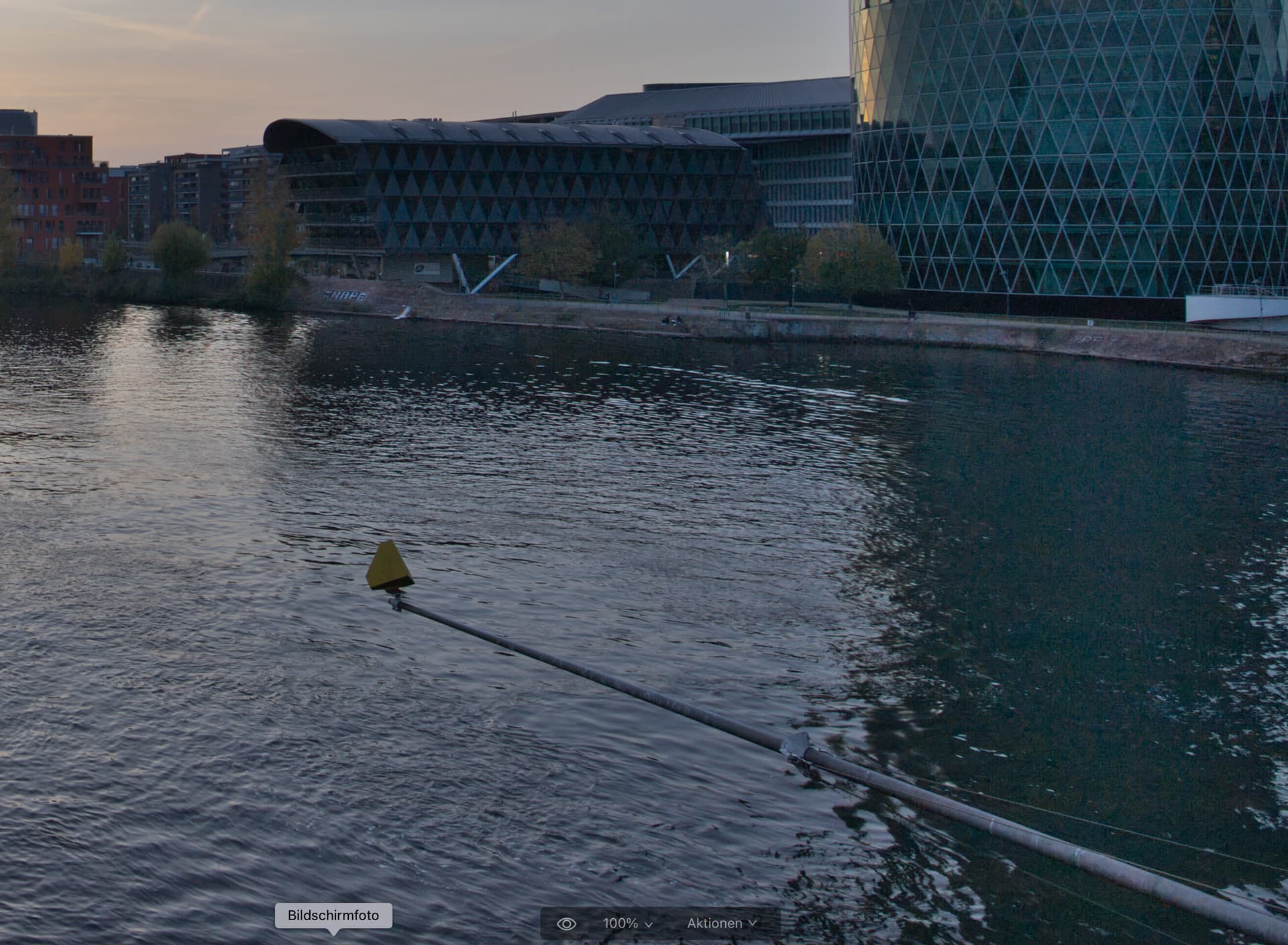
No colorshift. Relatively natural denoising. Residual noise still present, well seen in the water reflection. but the details all preserved. Overall quite natural result.
Here is the result with TPAI 1.1.0.
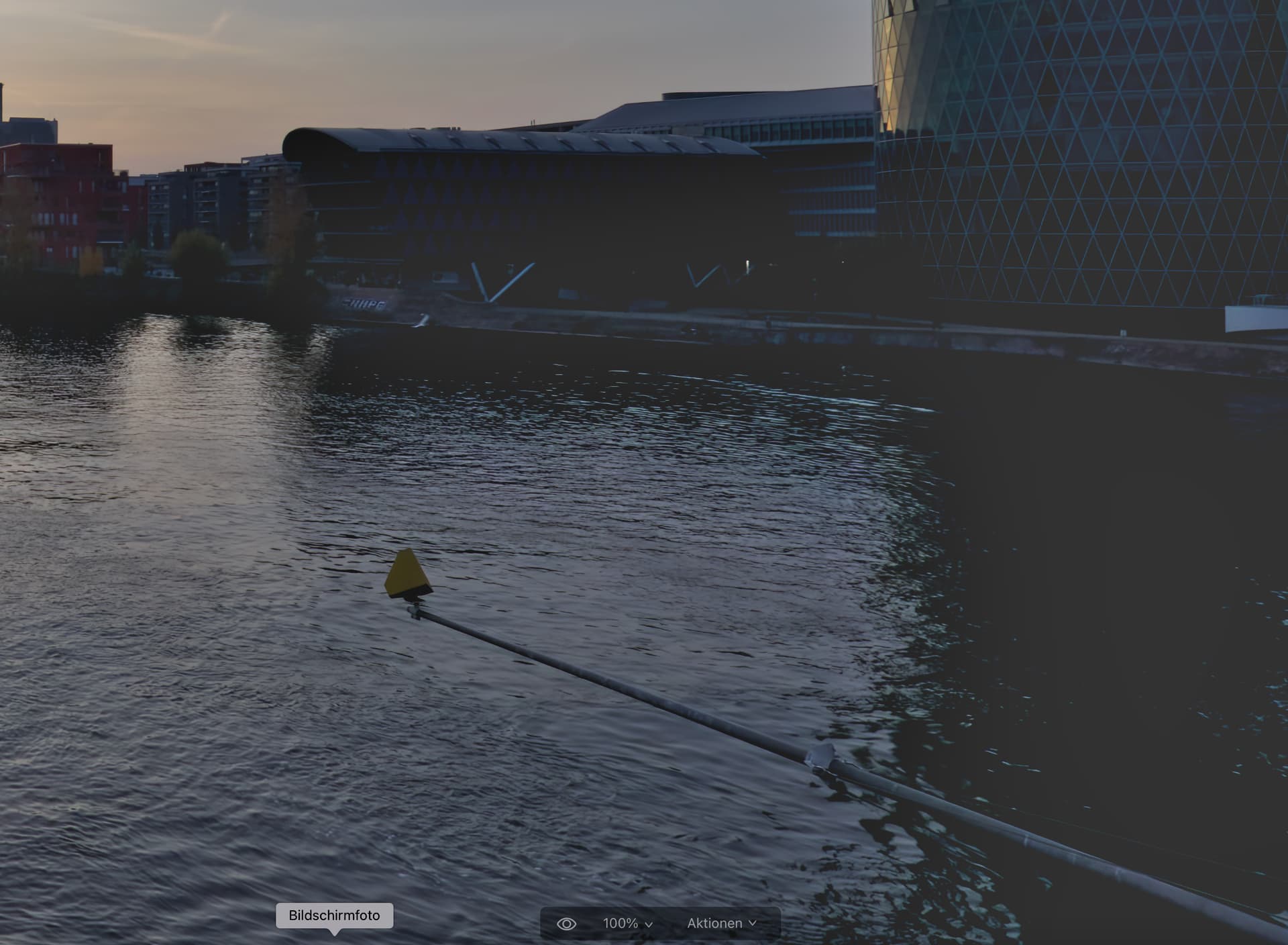
Not much to say here, the image has become completely unusable. In the dark areas all details are completely gone. Only gray area.
And here the result of Denois AI.
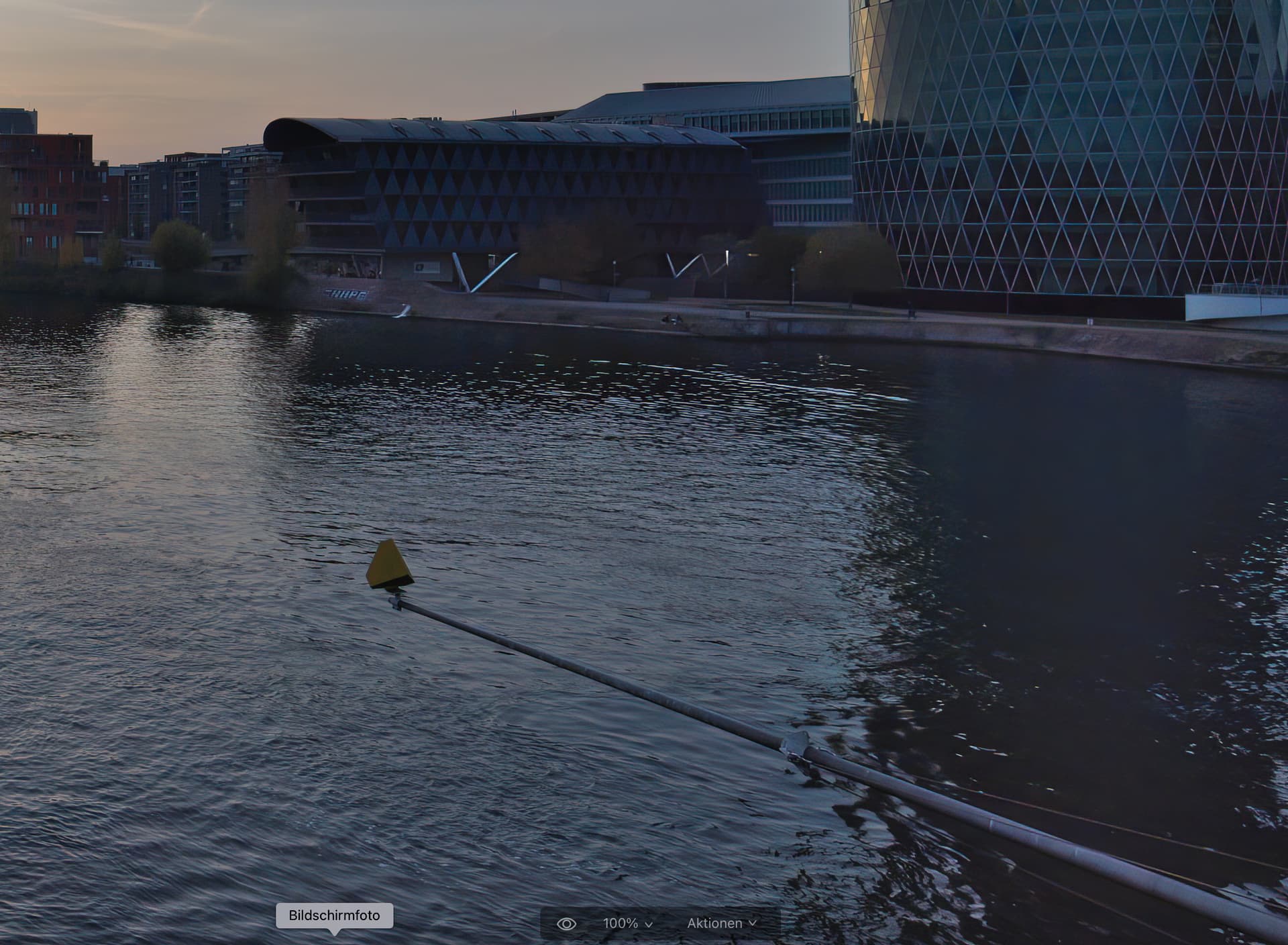
As you can see very well, there is a colorshift. That’s not nice, you have to compensate it in the RAW converter. In the water surface partly complete loss of detail. Overall very unnatural and artificial looking. Result better than TPAI, but clearly worse than Noiseless AI from Luminar NEO.
So Topaz programmers…there is much to do.
Here is another addendum:
The same image, first processed as TIFF and then pass to TPAI. See the difference to the RAW file above.

TPAI apparently has (at least partially, does not occur with all images) a problem with RAW images.
1 Like
I found that using De-noise with Sharpen in Photo AI 1.1.0 sometimes gave weird pink blotches around the object whether I selected Sharpen manually or if the AI decided it needed sharpening. To overcome that, I now send the RAW image to “plug-in extension” editing and when it returns to Lightroom Classic, I choose “photo” then “edit in” then “Sharpen AI” which seems to be a work-round until a real fix happens. I must say that the De-noise operation seems better than in any of teh previous version.
There is no progress indicator when processing multiple images. Also, the batch processing seems to be very slow (on existing DNG raw files). Switching to “Apple M1 Max” instead of “Auto” does seem to have a marginal improvement, but, the average CPU utilization is around 100% instead of something like 800-900% as I get with Lightroom when I build previews or convert my NEF files to DNG.
Basically, the app is not utilizing the Apple M1 Max and the “Auto” selection for processing is selecting the wrong mode.
Hi Nitinchandra,
How did you find out that TPAI is selecting the wrong mode when “Auto” is selected? How fast is your processing when you set “M1Max” compared to “Auto”?
I was having the same problem. I ended up un-installing 1.1.0 and downloading 1.0.10 and installing it. The face selection is working ok in 1.0.10.
Here is a screenshot of what I’m seeing. It’s like the faces are drawn in at 50% scale on top of the rest of the preview. When exported, the file is saved properly, but the preview being this screwed up makes it impossible to understand what the final file will look like in advance.
This is using the latest update as of this morning - 1.1.0

1 Like
Re-raising the issue of crashing: this is extremely frustrating to spend 20 minutes going through 30 old JPEG images, tweaking things here and there, then doing an export and it crashing after a few seconds.
This would be less of a problem if it would save the user-defined settings per image, but of course it doesn’t. Has it been this unstable all along, or did I just happen to buy it at it’s most unstable?  I’ll have to start loading in one image at a time, exporting, then doing another in the hopes I can avoid wasting more time.
It’s really an amazing program technically, so this is an unfortunate problem that’s sapping my joy of using the program.
1 Like
I just tried the other modes and monitored the cpu/gpu usage in the activity monitor. Setting to M1 Max seems to use more of both and a rough estimated time of processing 10-15 files showed that it was marginally faster and therefore the conclusion that the Auto mode is selecting the incorrect instruction set…
And here is another example that TPAI’s Denoise algorithm is useless on RAW images and destroys the entire image.
Here the Canon CR2-RAW, 100% view, shadows and dark areas extremely lightened, so that the drawing loss in the dark areas becomes clear. No more details in the trees. Only a uniform gray area. This makes the image unusable.

And here is the same image previously converted to a TIFF. Here you can see very nicely all the details in the trees.

Conclusion:
The Denoise function in TPAI on RAW images is buggy and makes the image unusable.
1 Like
