when i try to open topaz photo ai i get a message --failed to initalize graphics backend for for vulcan
While I believe that Photo AI will someday be a great product, I am getting better overall results from Gigapixel. I always run both on a photo and then choose between them. Usually, it is Gigapixel that wins. I believe the difference is in the sharpening module, where Photo AI over-sharpens, and even turning the feature off Gigapixel gives me a smoother result.
1 Like
Hoping for the upcoming AI Brush improvements. Question- exactly what processing is and is not included/excluded when something is masked?
2 Likes
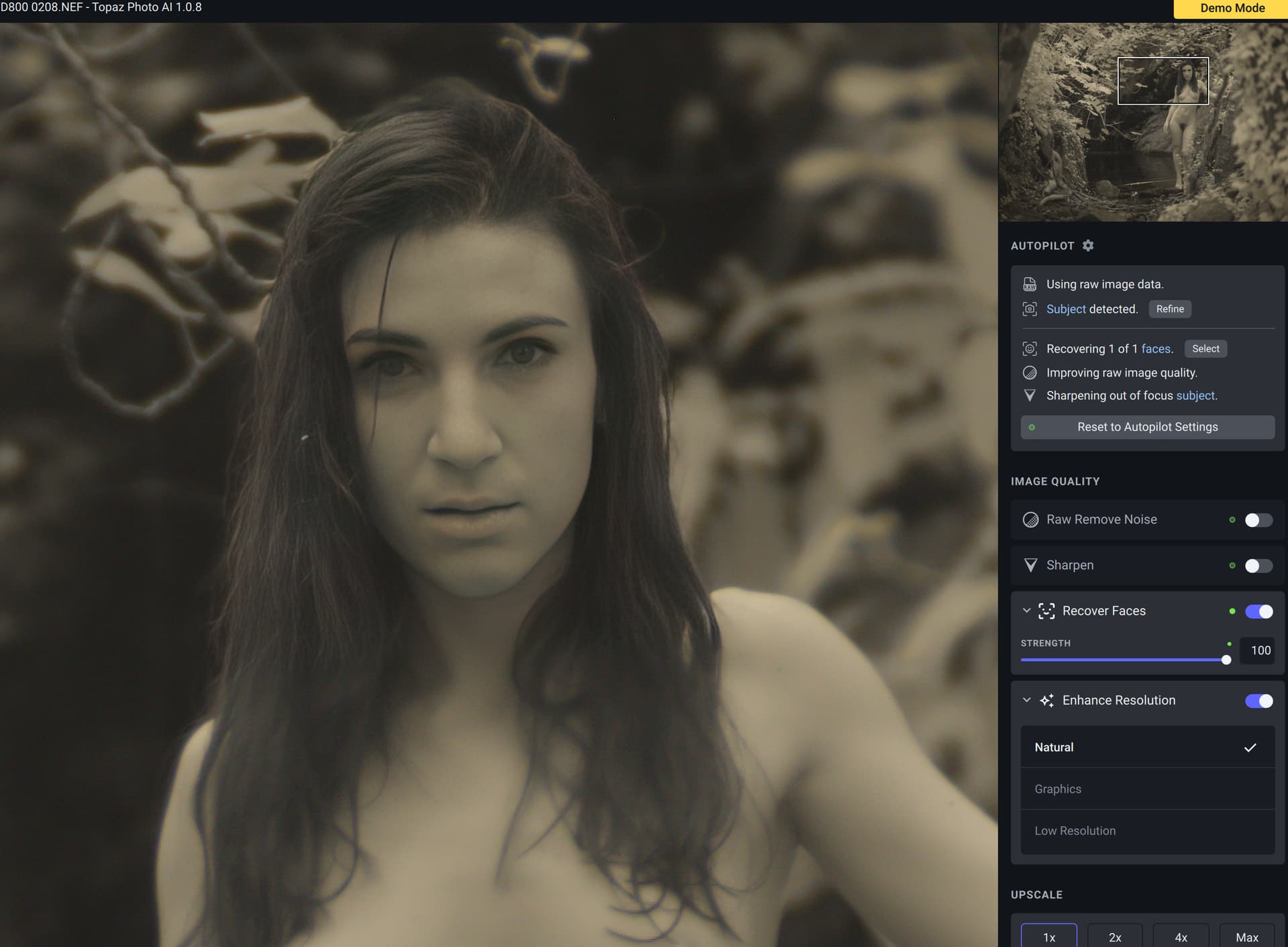
I have problems with Photo AI having problem with long hair and Face detect
were the lower part of the hair is not optimized
would it be possible in fucture version to show the what has been detected and maybe a add/remove mask like for subject “Refine”
1 Like
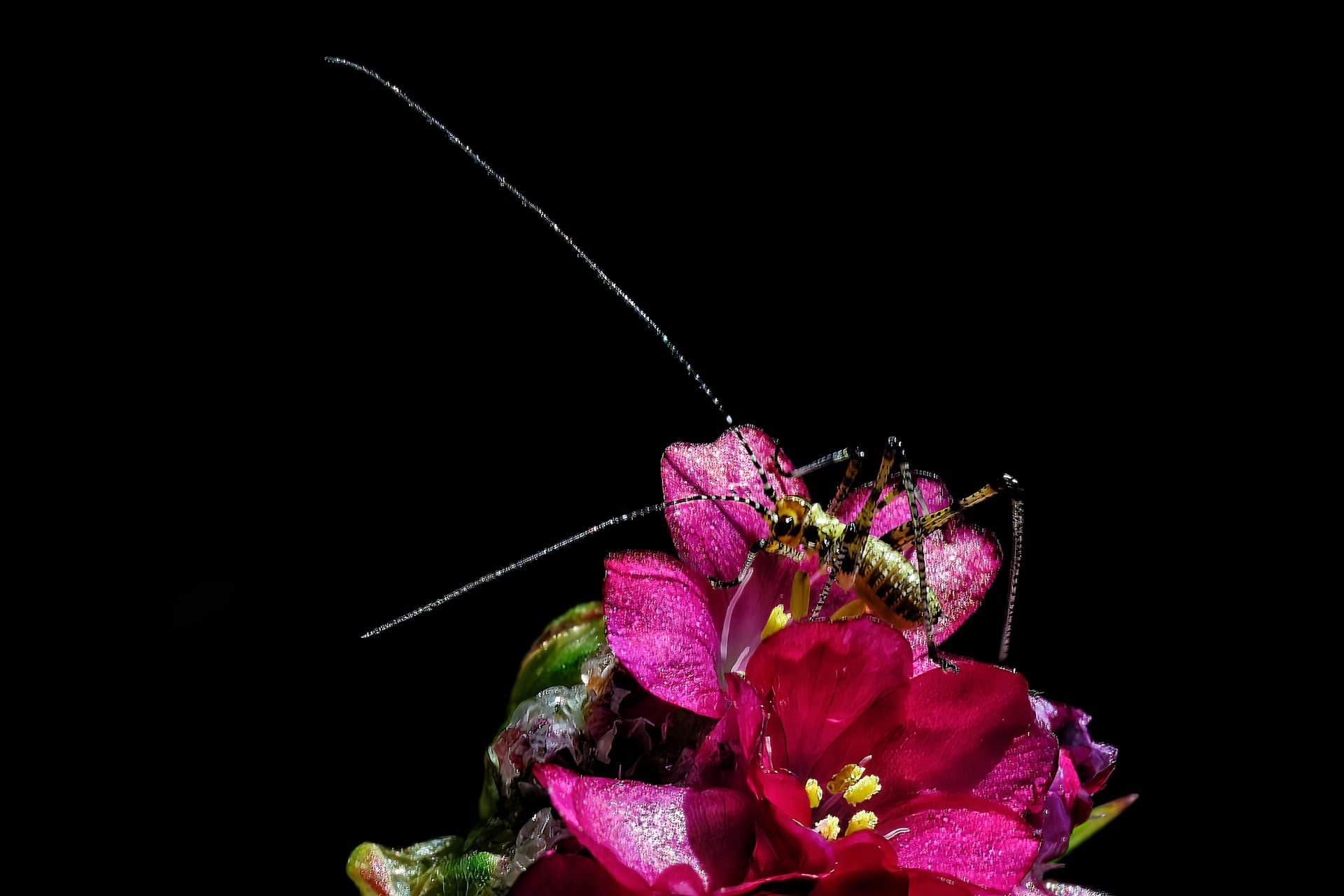
I use Photo AI in addition to DXO photolab 4 and honestly it’s pure happiness.
Autopilot knows how to do feats and when you want to make the adjustments yourself you just have to be careful to go slowly.
Thank you to the entire Topaz team!
1 Like
I’ve had to downgrade to 1.0.7 as 1.0.8 crashes on launch
I have two event log errors for the crash
Log Name: Application
Source: Application Error
Date: 11/6/2022 3:26:52 PM
Event ID: 1000
Task Category: Application Crashing Events
Level: Error
Keywords:
User: BASEMENT\secka
Computer: Basement
Description:
Faulting application name: Topaz Photo AI.exe, version: 1.0.8.0, time stamp: 0x636438c4
Faulting module name: amdvlk64.dll, version: 31.0.12029.4013, time stamp: 0x6358052a
Exception code: 0xc0000005
Fault offset: 0x00000000001281f2
Faulting process id: 0x0x201C
Faulting application start time: 0x0x1D8F21E171A7421
Faulting application path: C:\Program Files\Topaz Labs LLC\Topaz Photo AI\Topaz Photo AI.exe
Faulting module path: C:\WINDOWS\System32\DriverStore\FileRepository\u0384991.inf_amd64_ec94cf5fef2223e7\B384893\amdvlk64.dll
Report Id: 77fde827-0b5d-4852-9a01-f753395609c7
Faulting package full name:
Faulting package-relative application ID:
Event Xml:
1000
0
2
100
0
0x8000000000000000
23455
Application
Basement
Topaz Photo AI.exe
1.0.8.0
636438c4
amdvlk64.dll
31.0.12029.4013
6358052a
c0000005
00000000001281f2
0x201c
0x1d8f21e171a7421
C:\Program Files\Topaz Labs LLC\Topaz Photo AI\Topaz Photo AI.exe
C:\WINDOWS\System32\DriverStore\FileRepository\u0384991.inf_amd64_ec94cf5fef2223e7\B384893\amdvlk64.dll
77fde827-0b5d-4852-9a01-f753395609c7
strong text
second message:
Log Name: Application
Source: Windows Error Reporting
Date: 11/6/2022 3:26:54 PM
Event ID: 1001
Task Category: None
Level: Information
Keywords:
User: BASEMENT\secka
Computer: Basement
Description:
Fault bucket 1400259833097578827, type 4
Event Name: APPCRASH
Response: Not available
Cab Id: 0
Problem signature:
P1: Topaz Photo AI.exe
P2: 1.0.8.0
P3: 636438c4
P4: amdvlk64.dll
P5: 31.0.12029.4013
P6: 6358052a
P7: c0000005
P8: 00000000001281f2
P9:
P10:
Attached files:
\?\C:\ProgramData\Microsoft\Windows\WER\Temp\WER.ab9e54ee-34b7-4504-bc1b-2718c42d3338.tmp.dmp
\?\C:\ProgramData\Microsoft\Windows\WER\Temp\WER.a8257b1a-05a4-4ac0-8d6c-286e2e569295.tmp.WERInternalMetadata.xml
\?\C:\ProgramData\Microsoft\Windows\WER\Temp\WER.ef4b3d47-c91c-4b00-b2ac-e5d4ae4a9597.tmp.xml
These files may be available here:
\?\C:\ProgramData\Microsoft\Windows\WER\ReportArchive\AppCrash_Topaz Photo AI.e_e4279ce19a0953a3491bde295d2575cf5d2320_f799ddc8_ae5f21d1-6a30-415e-befd-0d3d8b4d6194
Analysis symbol:
Rechecking for solution: 0
Report Id: 77fde827-0b5d-4852-9a01-f753395609c7
Report Status: 268435456
Hashed bucket: 827b7c938a4cdf11436eb8e63907694b
Cab Guid: 0
Event Xml:
1001
0
4
0
0
0x8000000000000000
23456
Application
Basement
1400259833097578827
4
APPCRASH
Not available
0
Topaz Photo AI.exe
1.0.8.0
636438c4
amdvlk64.dll
31.0.12029.4013
6358052a
c0000005
00000000001281f2
\?\C:\ProgramData\Microsoft\Windows\WER\Temp\WER.ab9e54ee-34b7-4504-bc1b-2718c42d3338.tmp.dmp
\?\C:\ProgramData\Microsoft\Windows\WER\Temp\WER.a8257b1a-05a4-4ac0-8d6c-286e2e569295.tmp.WERInternalMetadata.xml
\?\C:\ProgramData\Microsoft\Windows\WER\Temp\WER.ef4b3d47-c91c-4b00-b2ac-e5d4ae4a9597.tmp.xml
\?\C:\ProgramData\Microsoft\Windows\WER\ReportArchive\AppCrash_Topaz Photo AI.e_e4279ce19a0953a3491bde295d2575cf5d2320_f799ddc8_ae5f21d1-6a30-415e-befd-0d3d8b4d6194
0
77fde827-0b5d-4852-9a01-f753395609c7
268435456
827b7c938a4cdf11436eb8e63907694b
0
1 Like
I have the exact same issue, it worked great before I did the updates and now I can’t even get it to open!
1 Like
Which was this processed with, DxO or PAI? It’s full of artifacts from over-sharpening.
May I ask which OS you’re using (Win 10, Win 11)?
And, after you installed rel. 1.0.8 did it show up in your Programs List in your Control Panel?
I only ask b/c I’m having the exact same experience with the latest 2 versions of Adobe Fresco. They crash immediately on launch attempt. And, they do Not show up in my Programs List after seemingly running through a full install. So, I’m trying to figure out if there’s something common going on in code that’s similar for your PAI 1.0.8 experience and mine in a diff. program… my PAI loads okay. Thx
Re: Crashes. I am not seeing this on Mac. I started with an install on a 2013 MacBook Air (running Monterey), no problems installing or processing other than slooooowness.
Installing on an 2020 M1 MacBook Pro with Ventura right now, I’ll report back.
Nope, no problem other than getting my new Topaz password entered.
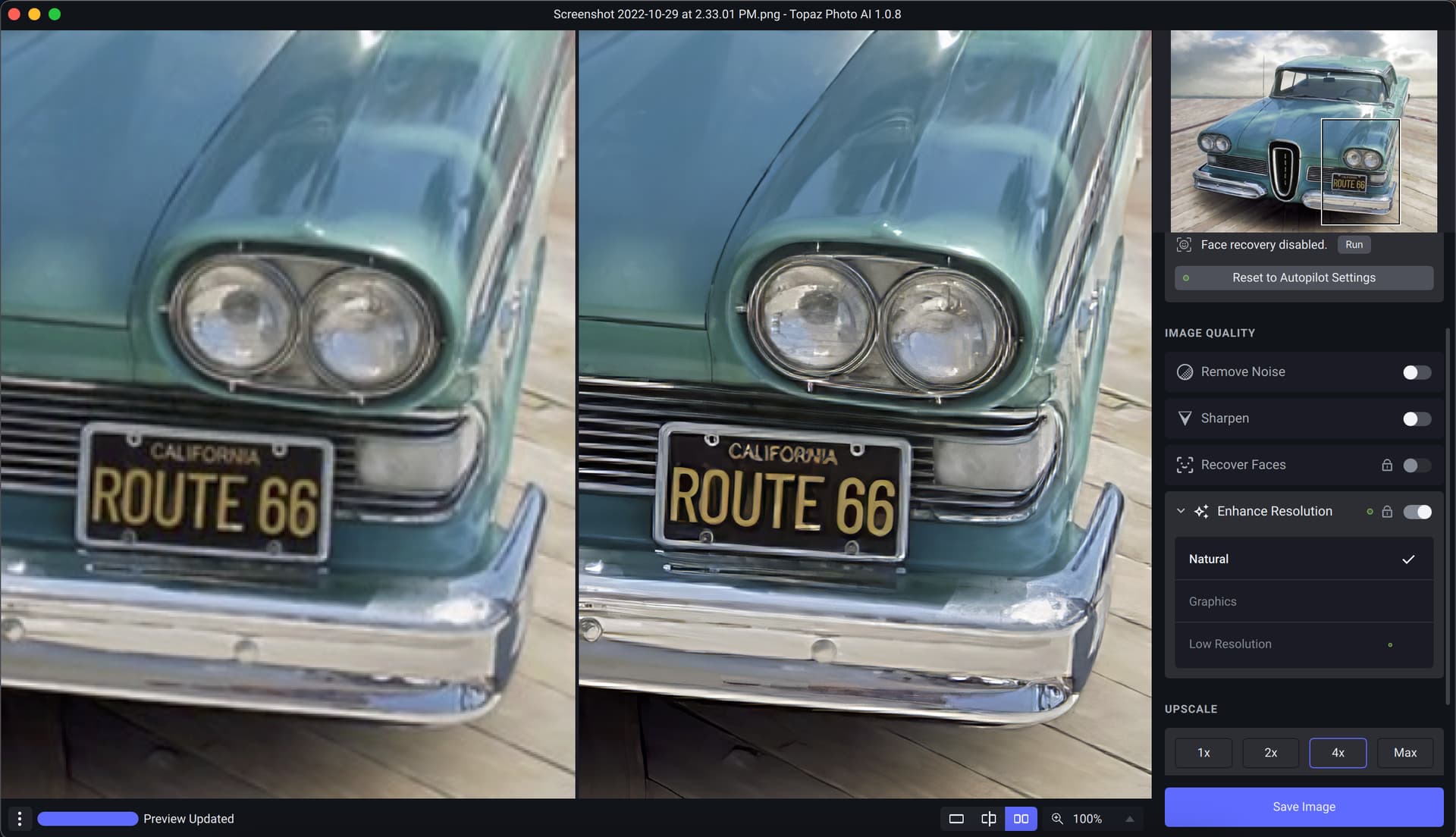
As the error is caused by your AMD drivers please update from the AMD website. Otherwise use the CPU as the processor.
Make sure your PC meets the minimum requirements as from the main website, find on the support section.
It’s getting really good. But for me the colors are still messed up when in Topaz - I launch from LR and my colour monitor is Adobe RGB. Once inside the app it is totally saturated and very red. If I ignore all that then when it comes back to LR it is totally fine. So something is going wrong in the color space. I use Win 10, Nvidia card. I’d REALLY like the face recovery to NOT default to 100. Or to be able to set the Default value in Preferences. I find I have to dial back EVRY face recovery to about 12% of what the autopilot wants to use.
AiDon, You are correct in reminding folks to check minimum requirements for PAI. However, it appears multiple users are having this problem of 1.08 installing but crashing on opening. My hardware and software meets the minimum requirements and has worked with many beta versions of PAI and through 1.07 of the commercial version. However, I had to back up to 1.07 to use it. Granted it is a bit slow on my older hardware, but it has been working with PAI and Sharpen, Denoise and Gigapixel. I am hoping this lack of starting will be corrected with 1.09.
3 Likes
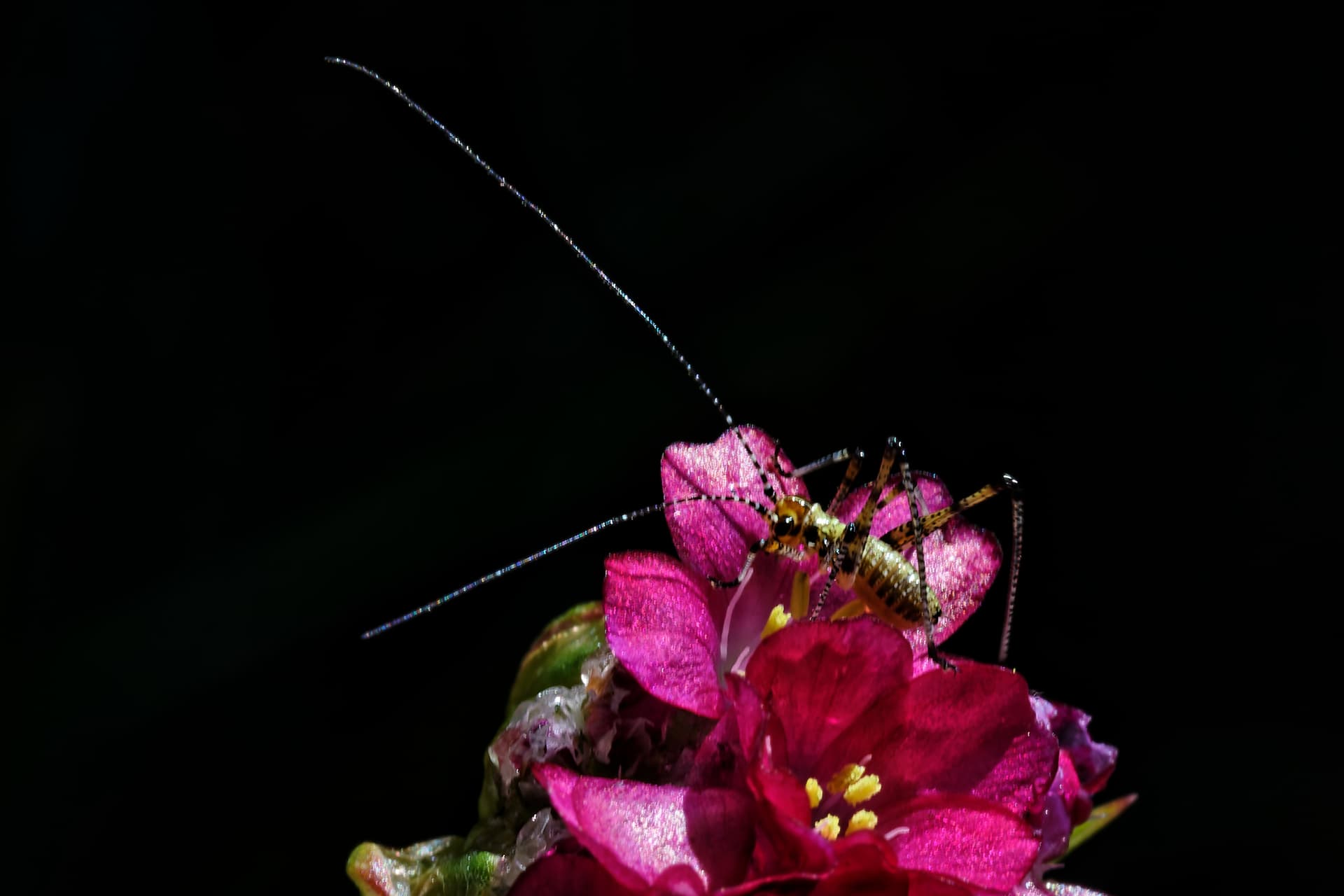
This photo was processed first with DXO then with PAI where I left autopilot without touching anything.
Indeed, I had looked a little too quickly, there are plenty of artifacts!
Here is the same just with DXO
It was really not the good example to support what I said!! 
2 Likes
What is your configuration? I note you have already mentioned an i5 CPU/12GB but the GPU is also important, what GPU and it’s dedicated vRAM and is the driver up to date from the AMD website?
The reason I ask is because the crash is in the GPU driver.
I cannot finish downloading process, very strange
if you’re not seeing any output, it could be due to the application you’re using. I’ve found git bash will not show output (due to a quirk of windows not really liking us having the same executable for graphical and command line interfaces), so have to switch over to pwsh or cmd.
You should be able to just specify the image name without a flag.
Same here. PAI completely oversharpens…
1 Like
Hi, I like the innovation with the AI brush for refining subject selections, however we really need a regular brush for this too, and also a way to clear the entire auto selected area like we could do in Sharpen AI. Right now, if I only want to sharpen a subjects eyes, it takes forever using the AI brush to subtract the other areas of the face. Am I missing something – is there another way to accomplish this? Is there any way to make the AI brush bigger or smaller?
1 Like
