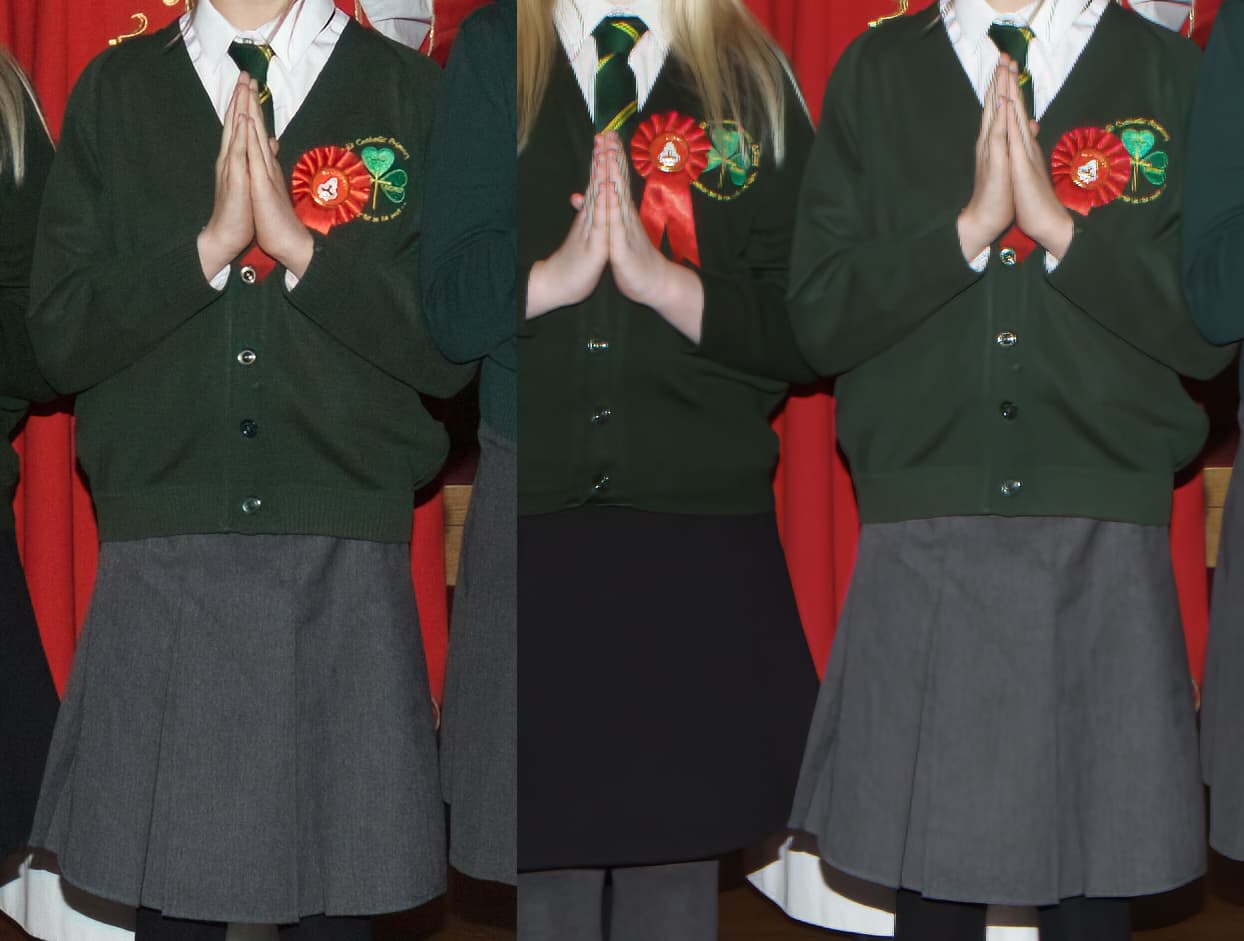
considering how good there three apps are right now, and the fact that they keep improving, i was shocked when i saw the results from P ai compared to Noise ai with a raw image. it makes no sense to release software that would tarnish their image. I think the idea of P ai is fine in principal, but it would only work if it operated at the same quality as their existing apps.
3 Likes
sorry i do not knwow what io just did, I filled the screen with a side-by-side of the image. Only i cannot retun to the other screen options. Esc is a kind of stabndard, this does not work. ’ View’ igive only zoom options. No interactive interface options are visable.
In ‘file’ i cannot save my changes too, closw without saving is the only option.
May be an option to add some extra screen-change-options in the newe 1.0.0.1 version . 
Thanks
Hi,
great product. I still have an issue with GPS coordinates not being brought back into lightroom. It seems to keep them when used as a standalone app. Possibly a lightroom issue but the other topaz products seem to bring them back okay. It seems to only be happening to photos taken with a mobile phone, (Apple and Android) Photos that are taken with a DSLR keep the GPS coordinates once they have been added using Geotag photos 2.
Thanks for the beginnings of a great product!
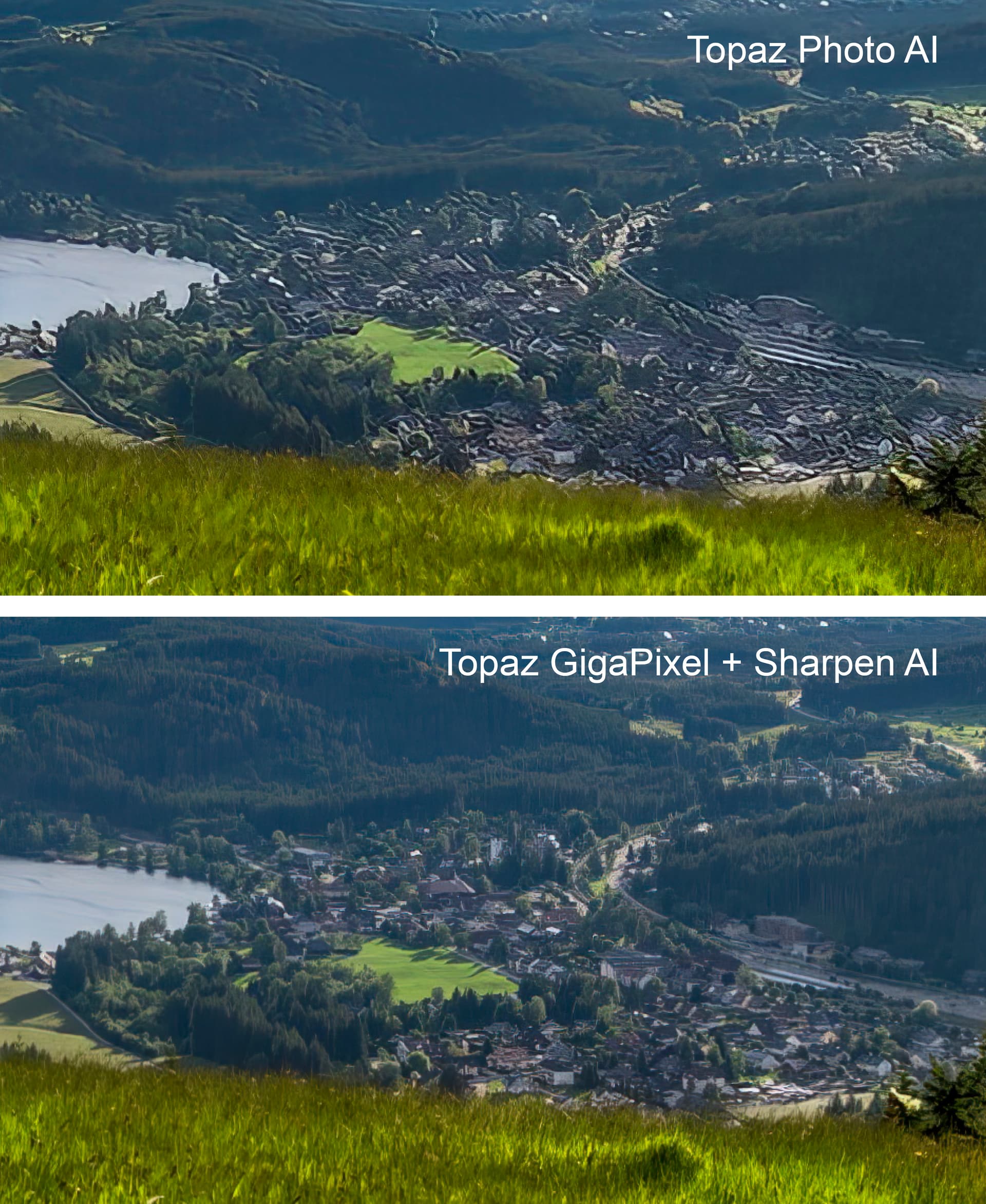
I really have to say “Photo AI” is really, really disappointing… 
Here is an Example as a Comparison (“Photo AI” vs “GigaPixel AI + Sharpen AI”)…

And a zoomed Area from this Picture, to see the Details:
5 Likes
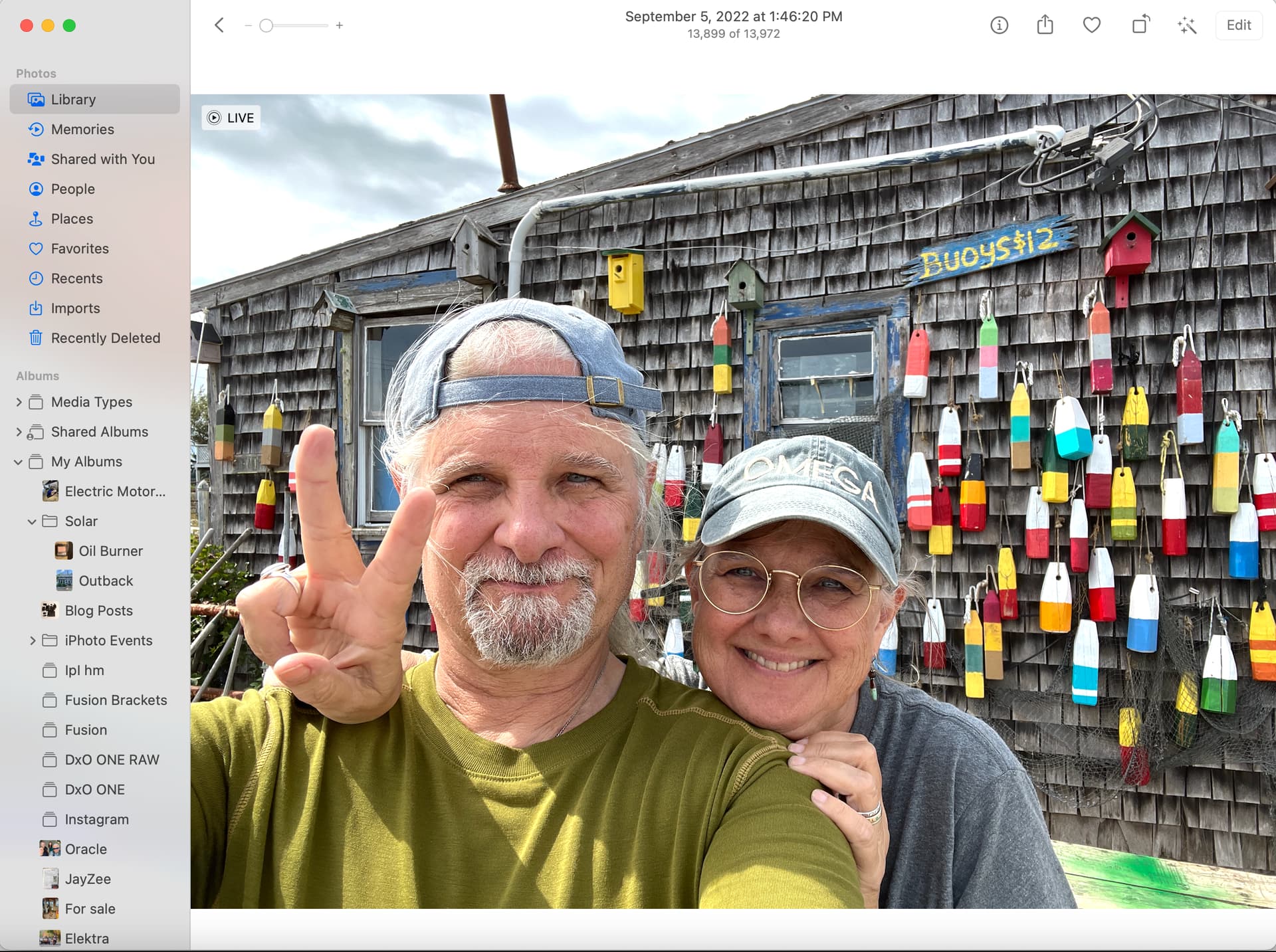
Possible bug: I opened an “Apple Photos” image directly via PAI “browse images” button and upon import, it rotated the image 180 degrees! Other than not recognizing faces, it processed the image just fine. See attached. Apple MacBook Pro M1, latest OS, 32gb RAM.

I have been comparing as well and am in agreement. Did you use SAI first, the GPAI? Or the other way around? The former would be the recommended way, but maybe the latter works better?
i have encountered the same sort of artefacts, comparing noise ai (left) with P ai. noise ai retained all of the original texture, whilst P ai smears it. clearly it is using an aggressive noise algorithm. i would have expected it to be virtually the same, but not even close. Topaz need to go back to the drawing board on this one.
1 Like
I use GigaPixel first and then Sharpen AI 
In that case it might be an issue of going above the max for that image. TPAI will not resize above 6x the original resolution.
Definitely not made with the camera upside down. FWIW, the Apple Photos app DOES show by default images rotated in their original orientation.
I stumbled across this problem when testing Photo AI on a few of my pictures.
I don’t know why, but some kind of clipping occurs on this image:

Perhaps Photo AI should have a better jpeg noise suppressor?
Here’s the original image, if you want to test it yourself (same thing happens in Gigapixel AI):

I agree, Photo AI seems to still have some “beta” version issues
I am having an issue when I go from lightroom cc or photoshop to photo ai. When I try to save the file back to lightroom or photoshop I do not get a renaming option. It just gets saved as a dng. When going directly into photo ai I get the option to change the file name.
That is by design. You are editing the file using TPAI, not exporting to a new file location. This way PS picks it up inside the editor without needing to open the image and copy its contents back into the file you’re working on. For lightroom it should be creating a copy within LrC itself that then gets modified - unless you specifically tell it to edit the original. That copy then gets added to the catalog for you to continue editing or categorizing after finishing with TPAI.
A couple thoughts:
I can confirm PAI works with spaces in the file name under macOS Ventura, FWIW.
As for the spaces, it’s usually Windows that has problems with that, not Macs, so that’s interesting. I DO know PAI doesn’t like “?” in the file names, it will refuse to open them.
We reported this from the earliest betas (ie, combining denoising and sharpening gave these garish results).
There appears to be some who do not play with programs and the YouTube does not cover to much of the starting part. In the auto part you can also select face or landscape and also sensitivity, for landscape night go to max.
Also it is not good to do much in Lr, Color profile (like portrait for night), Lens Correction selection,All not able to select after results and Temp Picker, as well as whites and darks control to get rid of the dark blues and whites red
After is Noise, Sharpen, Recover faces (if needed) and you can select faces if one is missed, then Enhance Resolution (that in Sharpen takes time and puts a lot of load on a computer) all of which have the same options in the seperate programs. Added is Upscale (Gigapixel) (New in Lr also) that you can select 1x, 2x, 4x, MAX, BUT you can type in one of the blocks MP amount number you desire for what you need as an output.
The Pièce de Résistance is the speed and non loading on your system. And after, playing with the clean image that can be adjusted in many ways to bring out shadows of night or reducing highlights of day as well as adjusting exposure, contrast and even some clarity and texture and others.
The results allow editing of a clean image for brightness and shadows with less noise mainly none.
Also if you do bracketing you can do the pre editing of each with syncing then goto edit in Photo AI and each in line adjust Photo AI settings. The results of each will be sent back to Lr and doing a HDR of all will give a great image. Night Milky Way images even old will have hot (red) and dead (white) pixels removed that result from bracketing and camera NR is disabled just go to max on Noise. The Sharpen will get rid of the painting look and more realistic image.
I have played with some old images from 2005 using point and shoot cameras and early Canon T2i of '10 to '14 and all look like a 100MP camera results.
Today it is software that makes a great image. I have used Topaz from the beginning it came out and each time an update was greatness. Yes a camera get the image and settings have to be good to start with but if a bright day and a white swan settings cause dark shadows so software is needed to bring out. Night captures using high ISO’s need software to clean up. Photo AI gives a great starting place.
I agree that manually being able to select faces would be great. Adjusting the sensitivity in the auto pilot does help selecting people generally. But sometime faces our getting missed, which results in some faces being much improved whilst others are low quality still. I end up having to reduce the resolution in order to even out the quality of the faces.
1 Like
Question mark is a wildcard for a single character…Asterisk is a wildcard for a string of characters… Has been since the first versions of OS…
Any ideas what could be causing a crash of Photo AI when loading (any) image?
All other Topaz apps run fine, mighty fine now that tensor support is here, but Photo AI crashes at loading the image, it goes into “detecting subject” but no preview is visible, and crashes with no error messages at all.
Windows log of the event (reinstalled in a new directory so AI is missing in the name):
Faulting application name: Topaz Photo AI.exe, version: 1.0.0.0, time stamp: 0x63237828
Faulting module name: Qt6Gui.dll, version: 6.3.1.0, time stamp: 0x6298c3e7
Exception code: 0xc0000005
Fault offset: 0x000000000002b6ba
Faulting process ID: 0x3f80
Faulting application start time: 0x01d8cc5df880bf36
Faulting application path: C:\Program Files\Topaz Labs LLC\Topaz Photo\Topaz Photo AI.exe
Faulting module path: C:\Program Files\Topaz Labs LLC\Topaz Photo\Qt6Gui.dll
Report ID: 2b5a980b-e4a3-4f92-ad34-bd27660a33af
Faulting package full name:
Faulting package-relative application ID:
Am I missing some Microsoft packages for Photo AI? It feels like this is the case somehow, any suggestions?
1 Like
