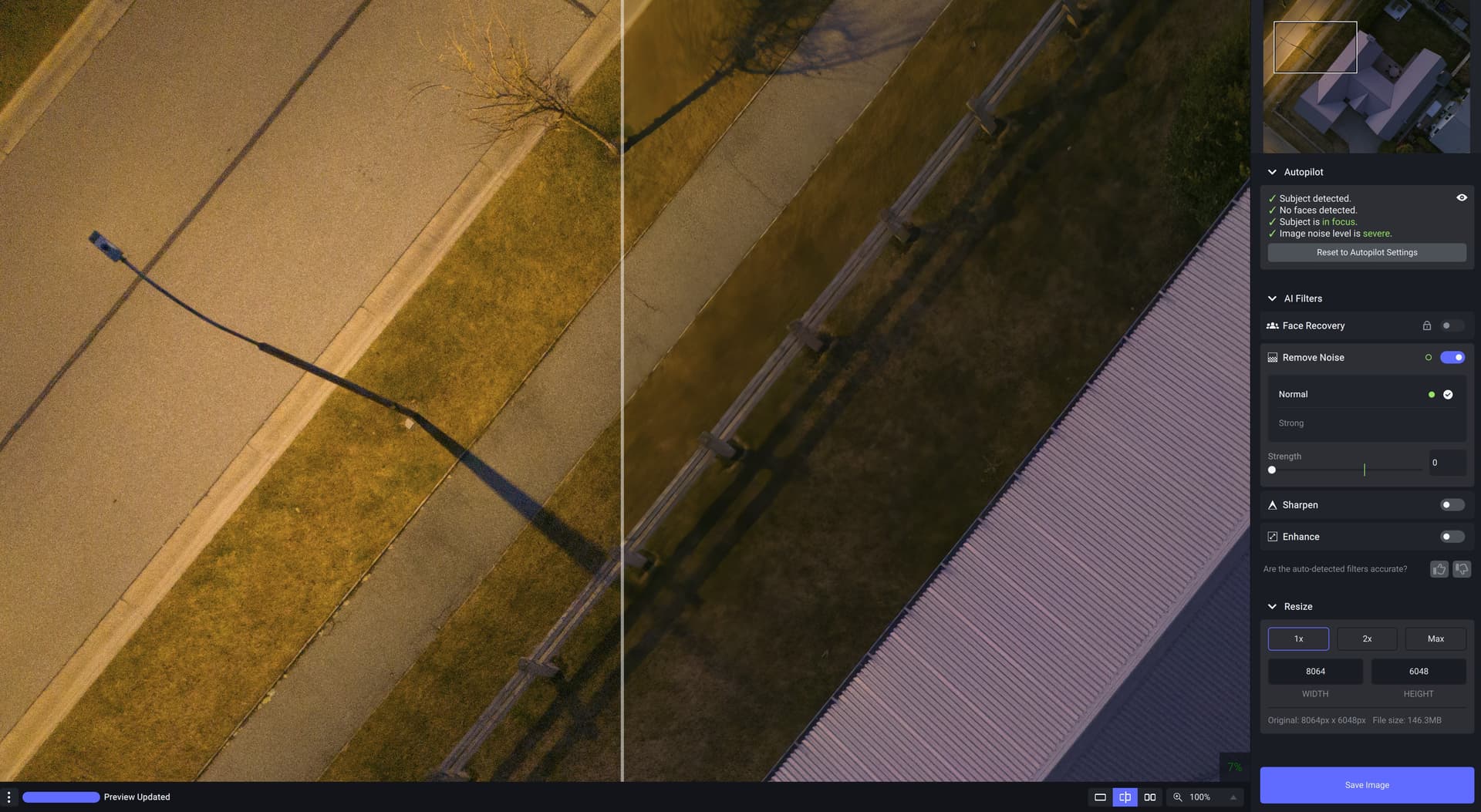
PAI v0.8 continues to do really bad things to texture in this Mini 3 Pro file (Tiff from DNG) even with noise reduction at lowest setting. At this level is unusable.
I believe support said that they were working on it. No software developer ever commits to providing fixes or updates at a predetermined time, but if it is done then the release notes will let you know.
HI, I use Topaz DE Noise, Sharpen and Gigapixal without problems. I have installed the beta version of PhotoAI and although it seems to scan an image, there is no change in the image visually. ( when I run the same image through one of the other products there is obvious improvement). I’ve tried it via Lightroom and also directly via the application.
Does anyone have any ideas?? cheers
James
PC Win11 32gb GPU RTX 3060
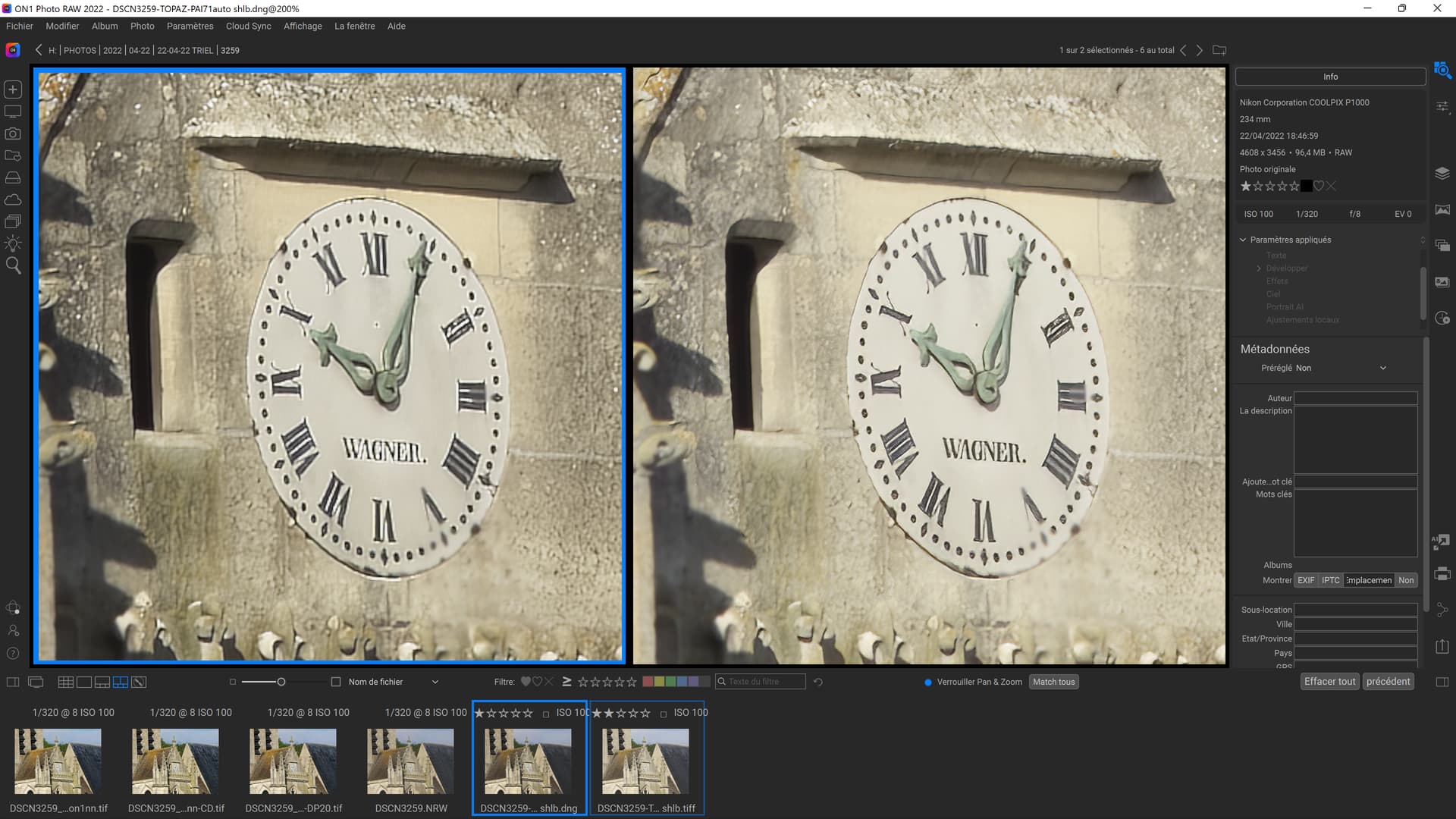
I confirm same thing for me DNG and TIFF are different colors and halos within DNG
1 Like
Yep - it shows up every time. Even when I minimise it in one session, it is not minimised in the next. Not a bid deal, but mildly annoying given that it’s not a useable function…
1 Like
PS plugin crashes each time on MacBook Pro / M1 pro.
I do not know what I clicked on, but I accidentally deleted my earlier post and I cannot find a way to undelete it. Oh well, here it is again.
Earlier in this thread I asked, but no developer has answered:
In the 0.6 thread I also asked, but no reply:
Then this additional info I posted:
Denoise AI does not do lens corrections for m4/3 raw files. Will Photo AI finally do them?
1 Like
I see this at the top of the page:
Known Issues:
- Image Quality assessment is slow
- When exporting images, Image Quality assessment is erroneously running
There is no mention of m4/3 lens corrections for raw files. Does that mean there is no plan to do anything about them? I have checked and this problem also exists for raw files for these:
Canon G15
Canon G16
Canon S95
Panasonic Lumix ZS100
Sony RX100
m4/3 lenses
NOTE: THIS POST IS DIRECTED TO TOPAZ, NOT FOR USERS HERE WHO DO NOT KNOW ANYTHING MORE THAN I DO ALREADY.
ACDSee, darktable, On1, Lightroom, Photoshop ACR, DXO can handle these. Probably other programs too.
1 Like
A very good contribution to the discussion here. We can save ourselves a lot of suggestions for improvement if the vision does not provide for more precise settings at all.
But if that is the case, Photo AI in its current state is completely unsuitable for simple autocorrection via “single button”, unless I have the wrong idea about “autocorrection”.
According to my ideas, the buyer of Photo Fixer software is also not happy if
- textures are smoothed mercilessly
- one’s own face no longer looks like it did originally (the skin looks strange)
- the faces look like doll faces
- Faces cannot be added and removed manually
- The skin is nicely restored in some places, but not at all in others (my wife would complain
 )
)
etc. there are still some good suggestions here
But this vision somehow does not fit to a RAW development. As a rule, only ambitious amateurs or professionals use this, and in my opinion, they are not the right target group for simple photo fixer apps. But maybe I’m wrong about that.
1 Like
4/3 lens corrections are embedded in the EXIF data so you will need to check on the LensFun site to see if they are supported.
You should see Topaz Labs appear in the “filter” menu within the PSE photo editor now. I believe you can also configure TPAI as an external editor within PSE organizer.
Turns out I have an issue with the external hard drive where some apps see the files and structure and some don’t. Tried another external hard drive and Photo AI sees the files. Does Photo AI work like the individual apps- no. Still a ways to go.
Very good idea to merge the three moduls (G,D,S) into Photo AI. Very good results, congrats! I worked with noise, low res, low light, portrait like photos. Very good face recovery, very realistic, not so artifical. The subject detection (I could check it when showing the mask) is not always perfect. The face detection is ok, however the AI does not recognise faces viewed from their side. I often turned on denoising(and pushed it to 40-50 ) strength) however AI said that the noise level is low. AI amplifies wrinkles on the faces a little bit too much (I understand that it will be also sharpened with the whole face, but it should do it with lower contrast)
I have/use 2 from your posted list (Sony RX & M4/3) and have been processing raws from them in PAI just assuming they were included in the lens correction types (as well rated, popular cameras).
Agree, it would be good to know if/not included in PAI processing specs, Henry.
My older Sony lens is in the current rel LensFun list, but none of my Oly m.Zuiko or Tamron (long zoom for wildlife) lenses. I didn’t chk the Canons…
Hi,
Still finding the Greens are slightly desaturated in Landscapes and subject detection on a Landscape
can sometimes be on for instance moving water which you don’t want especially if sharpening is needed.
I would think you will be adding masking at a later date which would eliminate this problem.
Topaz Labs appears in the filter menu, as it has for a long time. But the only filters are Denoise and Sharpen: not Photo AI (and never Gigapixel).

Hi Steven,
I can’t speak to your PAI not appearing in the Filter menu. My plugin does.
But Gigapixel doesn’t reside under the Filter menu. It is an Automate function. Gigapixel is under File > Automate.
The GAI-like Resizing functionality is currently not in the PAI plugin (at least not wrt Photoshop).
This is so true as soon as you do this the software is not usable. Topaz’s unique benefit has been to reduce noise and retain fine detail but on some images with PAI this is just not even close to happening and a massive issue in my opinion.
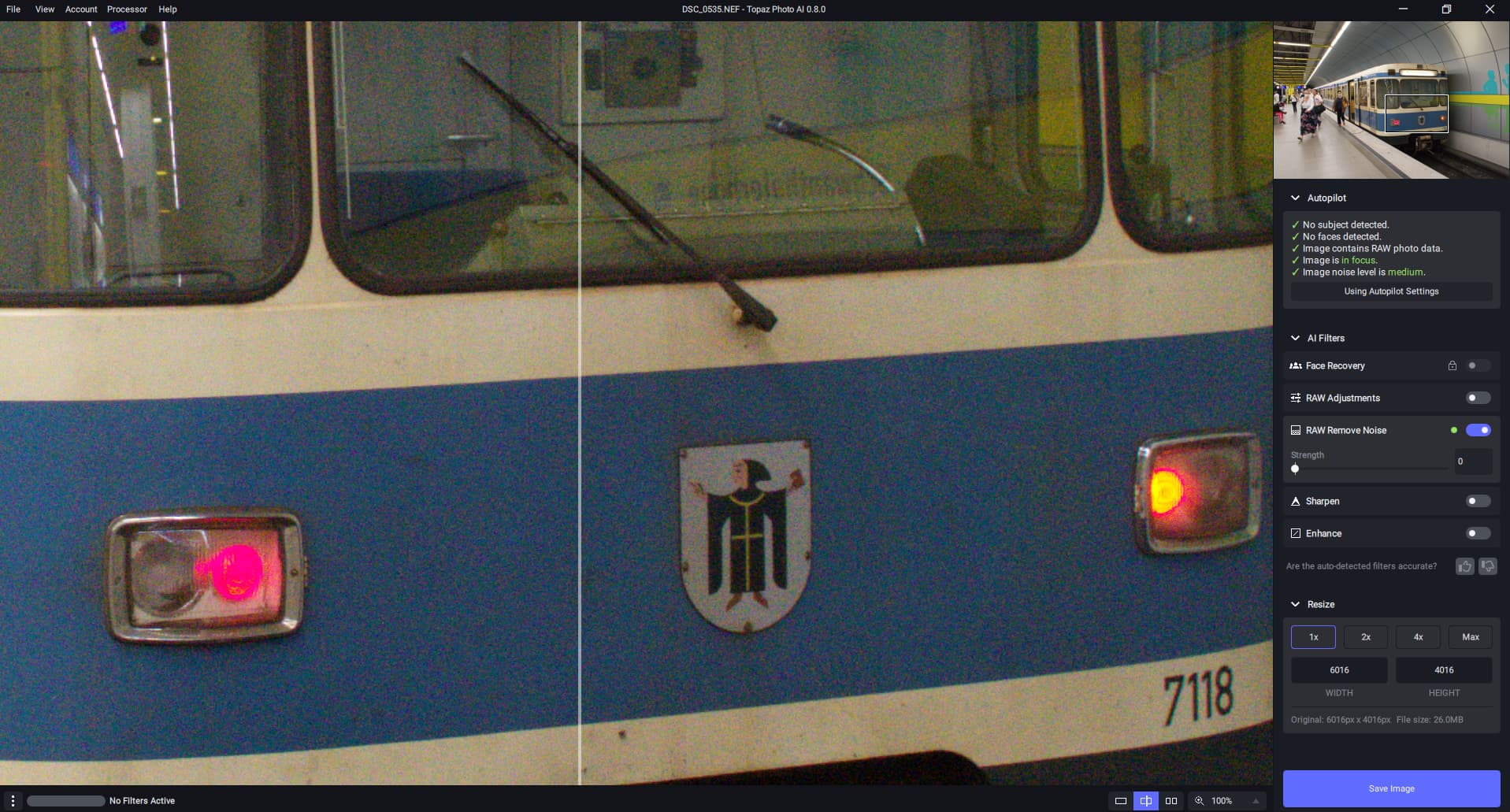
Hello all. I hope someone can shed some light on this issue with v0.8 whereby none of the models will apply? I have attached a screenshot. All I get is “no filters active” and playing around with the manual settings produces no joy. If I try to save the image I get “Error: Could not run model”. I have tried:
- Reinstalling both with the originally downloaded installer
- Reinstalling after downloading it again
- Repairing the install
- Rebooting in between installs
- Installing with AV off
- Trying v0.7.2
- NEF, TIFF, JPG, DNG files
- Standalone + from within LR
It seems like a critical component is just failing to install, and I’ve not had any issues with Denoise or Sharpen AIs (never felt the need to use Gigapixel). My specs are:
- Windows 10 Pro (21H2)
- Intel i5-7600K
- 16GB RAM
- nVidia GTX 1060 6GB (up to date driver v516.94)
Thanks in advance!
1 Like
This may be a silly question - but down the bottom of your screen shot it is asking you to download the filters - have you done that? The program will not function without them, that is why it is telling you to download them. Just a thought.
