I certainly agree with you Fotomaker Photoshop’s Remove Tool is far quicker, more reliable and I achieve better results than, either the new Dust & Scratches Healing Brush or the Photo AI Remove Tool if, they’re not the same thing similar to Smart Objects and Smart Filters same thing different names.
I also have the AI Removal Tool within ON1 Effects and Photoshop outshines that one as well
It use to be I can arrange for Denoise to come first, then Sharpen. With 4.0 I can’t do it anymore and Sharpen always comes first, then Denoise. Does it matter?
@peter.mengede -can you send your original and results to support@topazlabs.com and we can test it and relay to the development team how to make the tool better over time!
@mrtoyota03 - v4.0.0 new interface came with a change of the stack order. The order is now from bottom to top, to align with other editors, this was a popular feature request we were getting at Support. This means that Denoise Should be at the very bottom, then Sharpen (you don’t want to sharpen noise). The enhancement list also shows the recommended order.
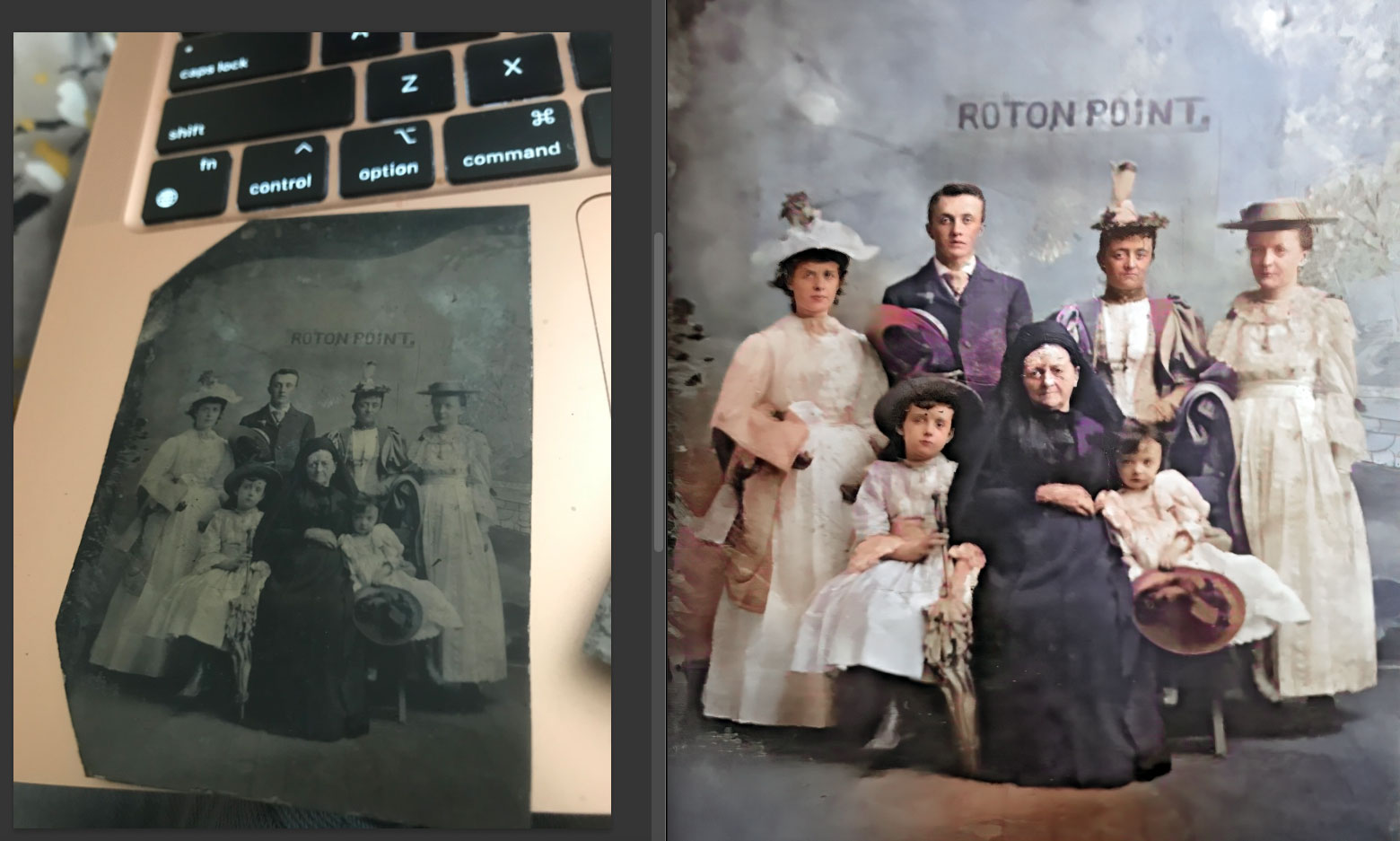
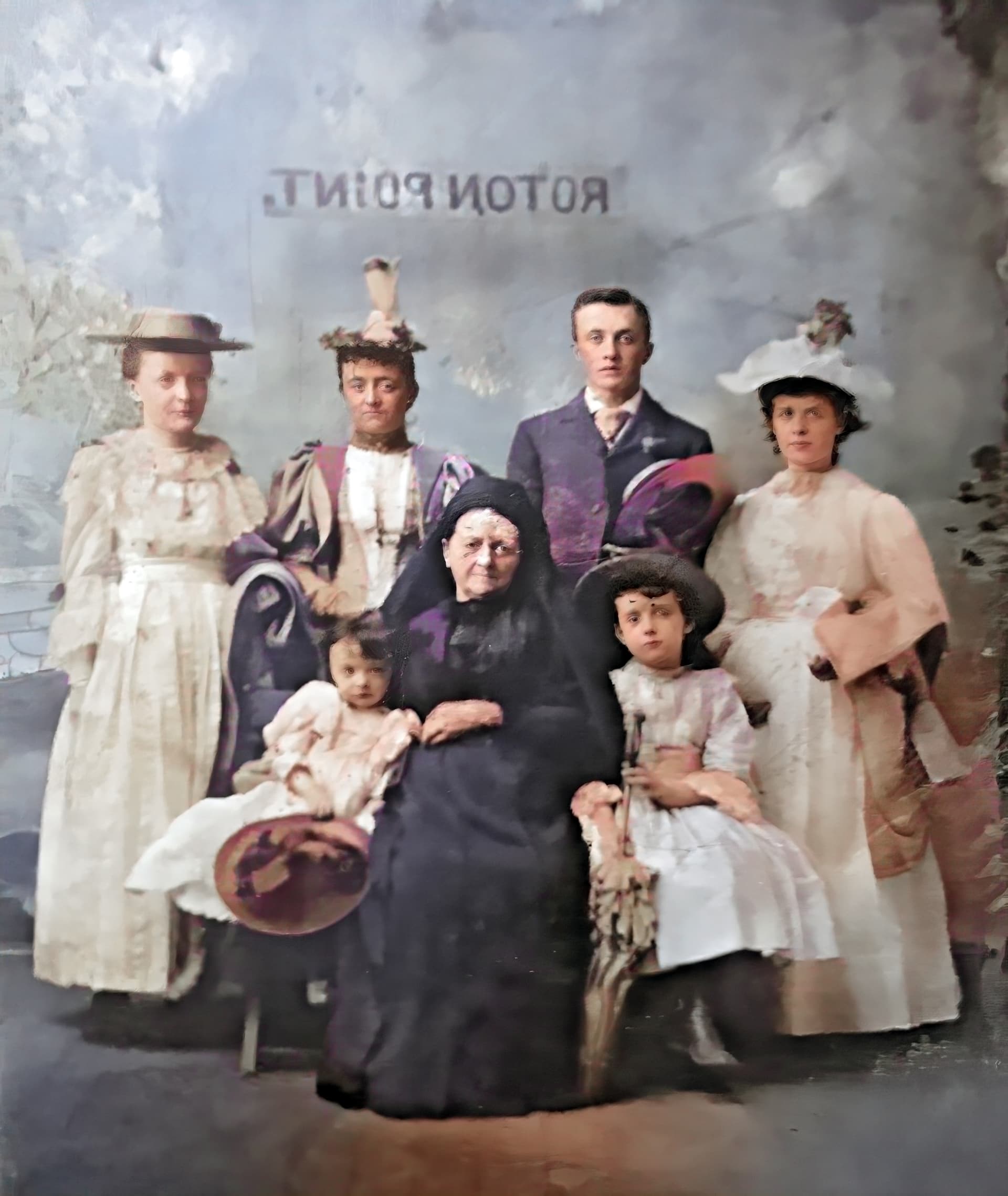
When your relative sends you an iPhone pic of a family tintype (!) and you fix it as best you can with a combo of Photoshop (crop and skew, colorize) and PAI (recover faces, denoise, dust & scratch):
I’ve wrote about this a few days ago. With the request the we can move the enhancements via drag&drop like in version 3.x. This would significantly increase flexibility
@axel.matthies - I added your contact information to a feature request to bring this back! It’s important to note, as Dakota mentioned in the Releases notes, the stack order changed in v4, and the screenshot you posted is correct, Denoise at very bottom, then Sharpen on top. That is correct. V4 is now aligned to other editors like Photoshop, the order is from bottom to top, like a cake layering concept.
@peter.mengede - there is multiple positive reviews already on the forum! keep in mind this is a support forum so of course you’ll be seeing the ‘bad’ more then the good but users have posted very great results here and on the ‘General’ forum too. Send in your exmaples (before and after) to support@topazlabs.com and we can relay to the development team!
Thanks! My aunt sent it just this morning and I did a quickie job on it before heading out for some errands. I expect eventually to be able to borrow the original for a proper scan.
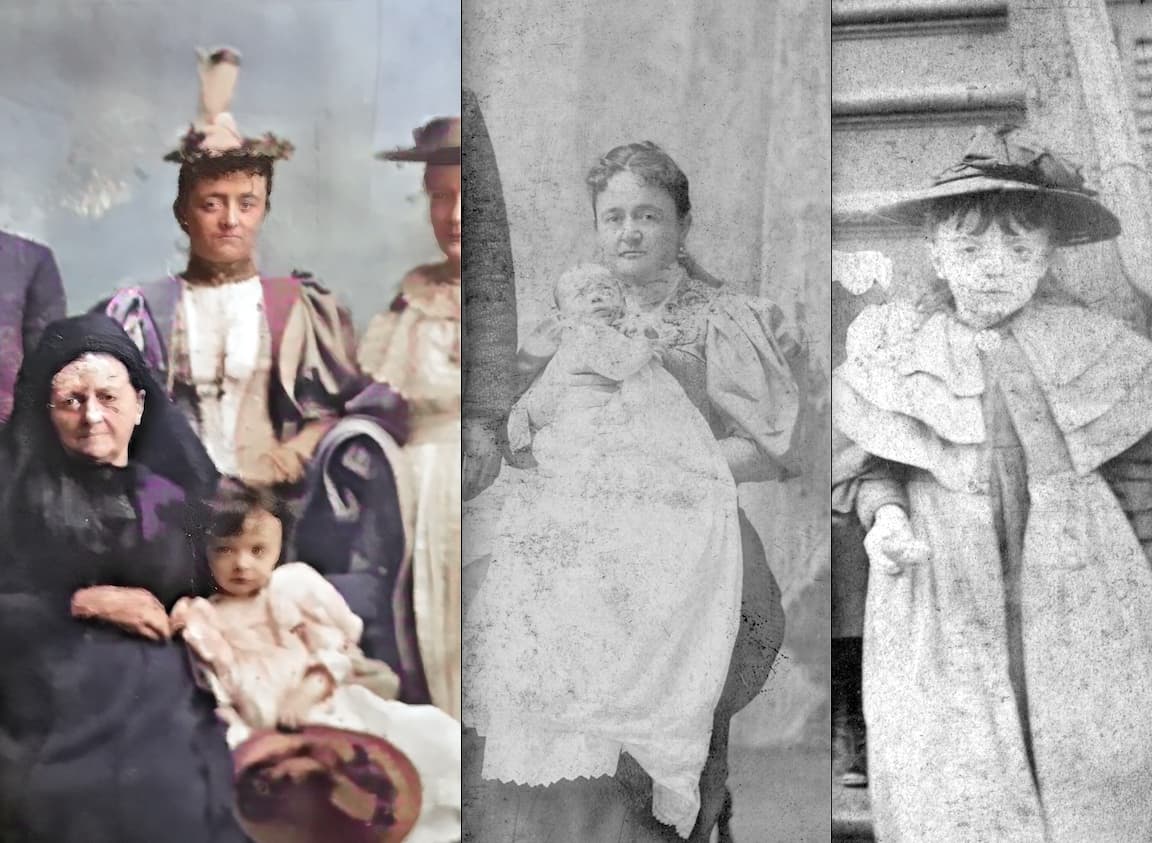
Based in my identification of the individuals (my great-grandmother is the youngest girl, she is leaning on her grandmother (born 1824) and her mother is behind her.
I estimate the date to be 1892.
Based on the man’s hair part and placement of his boutonniere, the use of people’s right hands (and the fact that this is a tintype), suspect the image I showed is probably backwards (with the words in the background probably painted in reverse on-site to show up properly on the tintype).
The additional known photos show my great-grandmother as a baby and child, and they look similar to those in the tintype image so the ID is probably right:
So cool that you have the photos and the family history.
I think my grandfather was born 1892. But we only have photos from much later. I don’t even know where they are now … now that my parents are both gone. I have to ask my brother! But know we don’t have great pics like you.
The photos in my collection were scattered among a large Irish family years ago. For over a decade I have been trying to gather them back together from various people (to scan digitally). I’m surprised stuff is still popping up, my aunts sent me boxes of images and documents to scan back around 2008! Back in the '90s I copied some handful of items with a 35mm camera…
It doesn’t help that I’m in CA and they are in NJ, otherwise I’d go find this stuff myself!
examples of instances where you would like to have stack reordering back? I can share the example with the development team to strengthen the feature request to bring it back. IF you follow the order of the enhancements in the list, there will be no problems or artefacts caused by an incorrect order. Data also showed that it was a feature that was very rarely used. The development team chose in the new v4 design to make the order of enhancements clearer instead. Let me know for the examples that you will send by email and I can share to the development team.
That is 2 different things though. Upscale was always last, still is in this version. That has not changed. The Upscale is still last in this interface. The ability to put it anywhere is something the development team is looking into introducing yes.
in what instance would the lower models need a change of order if you followed the order that is in the enhancement list, in-app? We need a concrete example to relay to the development team. Having this will help the development team see in what cases it can be useful to bring this back.
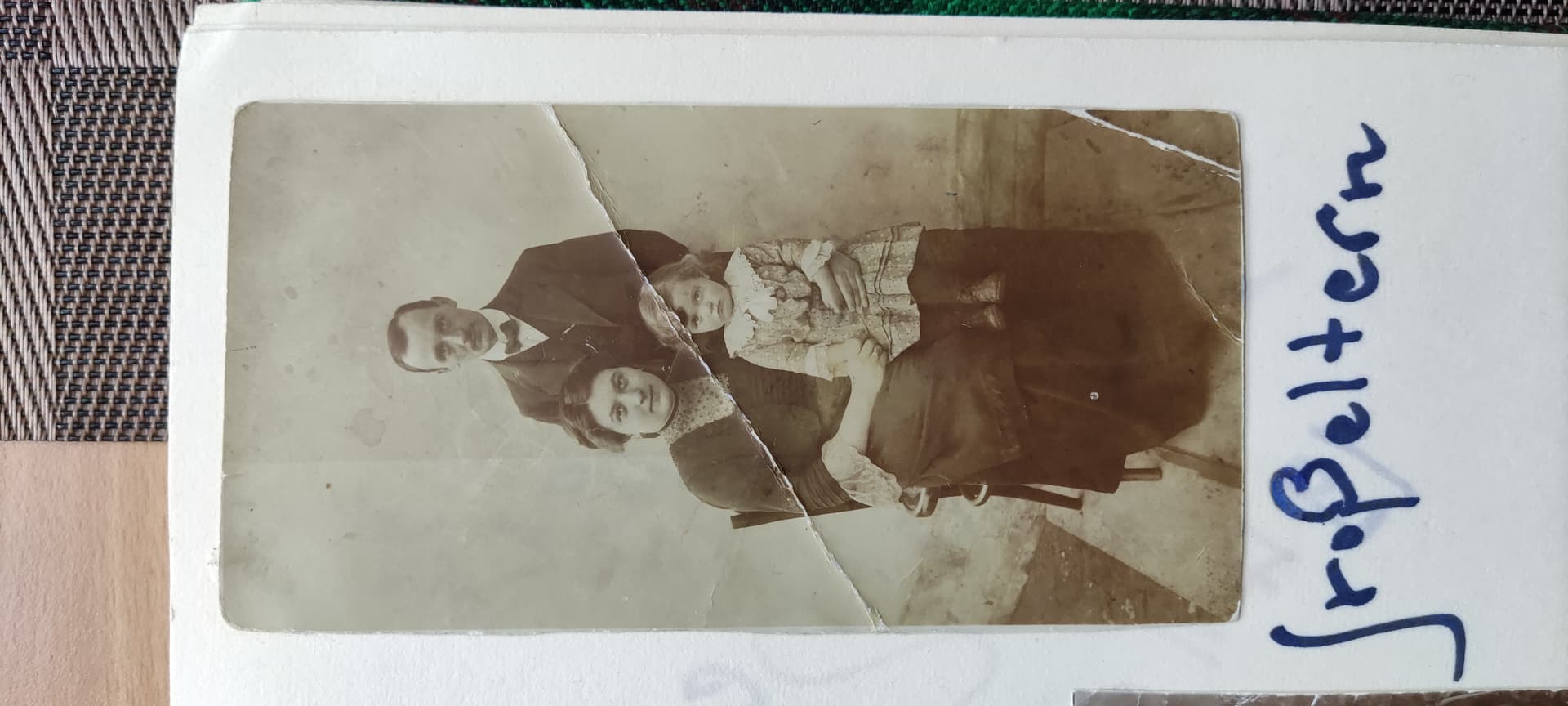
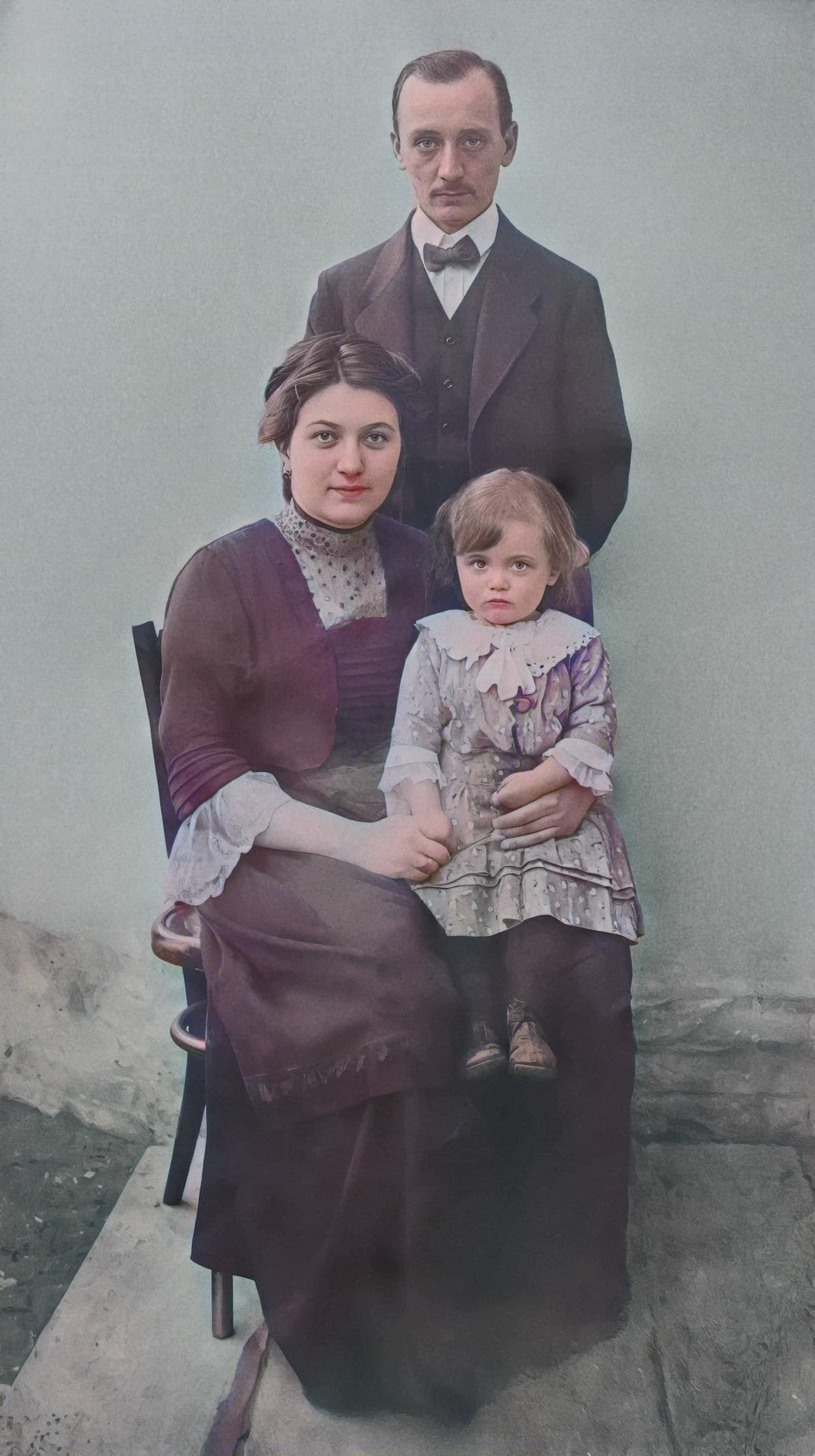
I tried to improve several similar sources. For example, one photo from about 1915; the little girl was my aunt (my father’s older sister). Fate has placed my ancestors in different places, even in different countries, and one of them (now much younger than me) mysteriously tracked me down via the Internet and sent me a series of photos (but as a result of taking pictures with a smartphone camera). The source is the first image. The result was created using TPAI/GPAI and finally colored with something free online (I don’t have such a coloring program). I don’t deal with this type of photos, but curiosity got the better of me and I was pleasantly surprised. (I removed large scratches and some unwanted blemishes manually, but AI improved many things.) Interesting, seeing the past:
I’m not sure what’s worse, copying old photos with a 35mm and Tri-X in person in the 1990s or having a distant relative use a smartphone today! Either way at least we have something, and thankfully PAI and GPAI can do wonders with each source.