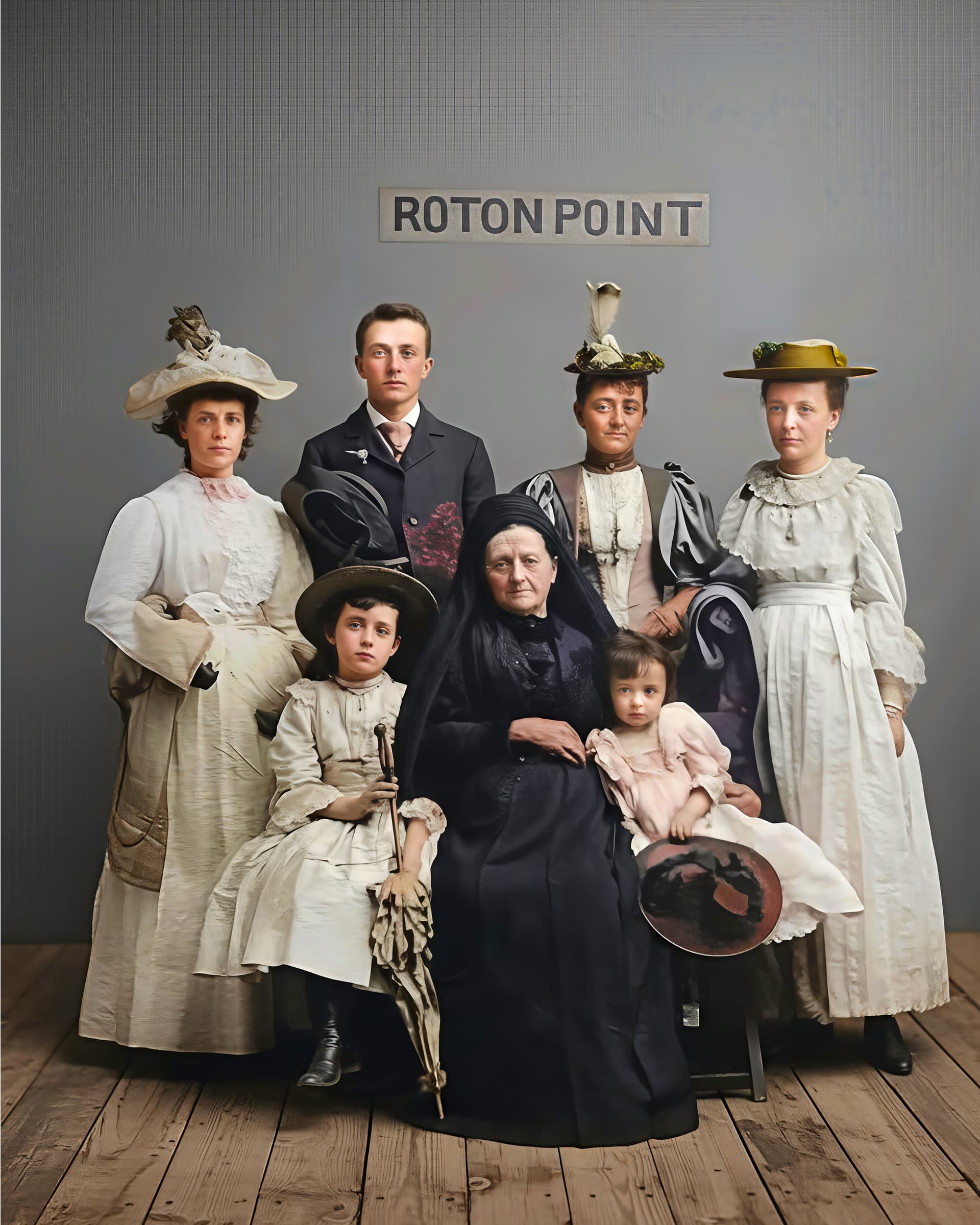
I used Pixelgeeker’s excellent prompt but a different model. It was Gemini 2.5 (Nano banna) then ran it through Gigapixel recover with upscaling.
1 Like
That’s quite amazing, and the faces are pretty close to the original!
I thought I would try just one more. I took this from your original posting and had to correct the perspective. Using the same technique as my previous one.

1 Like
Nice clarity all throughout. Head → clothing (no dropoff of focus from head/neck to clothes). Great sense of 3D depth w/out it looking over-sharpened. And, even correct number of fingers (and, they look human!). Hands do have a bit of a Rodin effect (largish for the young woman and long arms). I’ll have to look to see if that matches the proportions of the original. Good detail in the set elements too.
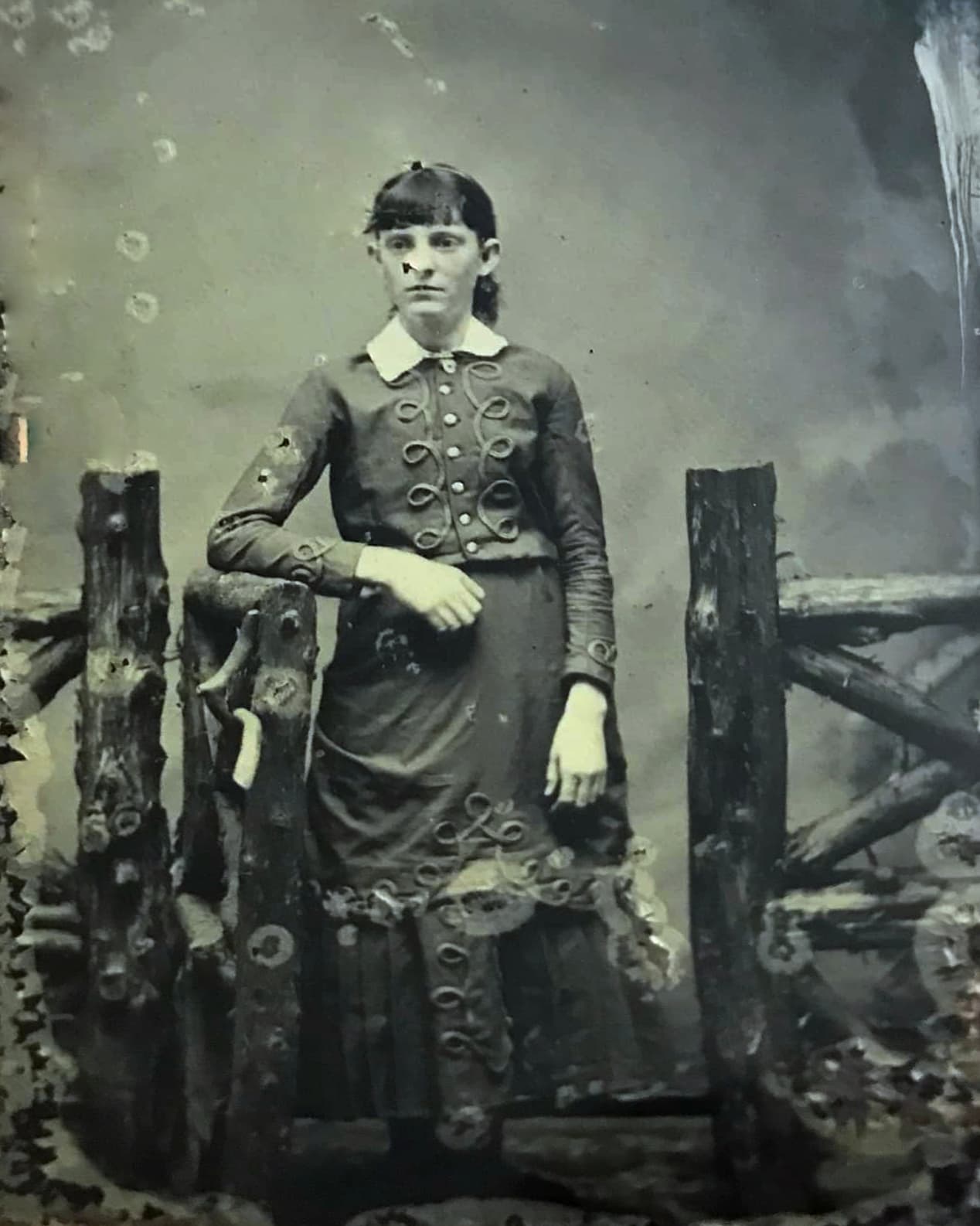
This whole exercise has been quite an education in photo-salvage!
Thx. It really did a terrific job recovering that contemporary (except for the hair and clothing styles) looking photo without the damages. Impressive. The skin is a tad red. But that could be very easily corrected and toned. It could just be the perception of size from the short sleeve jacket style.
Dear @esther.huynh, thank you. I tried running the test again on part of the same photo, this time with smaller Sharpen and Denoise values (which I’ll be using from now on). I can’t see any difference anymore, so let’s assume the issue is resolved. I’ll let you know if it comes up again.
1 Like
So, the cloud processing seems to have shut off?
It was fun though and we have learned that some AI models can do very good restorations. Topaz will soon come out with a Photo restore AI program which I think is called Mosaic. It will be good to see if it can match out examples. BTW, I used Gemini 2.5 Flash (Nano Banana) not the standard Gemini 2.5 .
2 Likes
I found that I was getting some saturation differences between my photo software and Windows Explorer. I tracked this down to having my monitor calibrated for Adobe RGB while setting many pictures to sRGB. So, I went to the Game Intelligence software for the monitor and set it to sRGB then re-calibrated it to that too. This seems to have brought everything into alignment.
Apparently there is a mechanical door release in the Cyber Trucks but it is hidden. Also Corel support had me reset Painter 2023 to a start up state which then recognized my Nvidia GPU. Did you hear from Topaz about getting Studio yet?
1 Like
Oh, BTW, does using gaming driver, etc impact you doing artsy AI at all? Performance wise?
Well, you got a better price than I did. My renewal is $173/yr. You deserve that small reward for all your beta testing.  On rare occasions Bloom gets stuck but normally it takes around 3 to 5 minutes to generate two pictures. It has been faster after I was upgraded to Studio, but maybe their servers are under heavy load. Check at the upper right corner to see if it is operating in Studio or Lite. The change should be automatic.
With the tariffs I would expect prices to rise on the monitors and many other things. That is just a tax on common people. I would suggest you use Newegg if the price is the same or lower. They have free shipping like Amazon and you can finance with Paypal credit. Paypal gives 6 months interest free. Once it is set up (easy ro do) you can use it now or in the future. I set mine to make auto payments. The first time you use it, you may need to make the first payment manually (about a month after purchase). Auto pay will kick in if it was set up before the first payment. I just leave it on, not deleted even after payoff. That way any new item will automatically start auto pay and all I have to do is change the payment amount. I only use it for item(s) bought at the same time and then wait until it is paid off before charging another item. It is too confusing to know how payments are applied and if you don’t fully pay off in 6 months or less then they will charge interest.
About the monitor, you should consider a 3840 x 2160 (4K) screen resolution, IPS panel, wide color gamut, Display port 1.4, HDMI 2.1, maybe USB in /out and the stand should have height and tilt adjustments. I don’t see my monitor listed at Newegg but they have the one that is LCD without quantum dots. MSI 27" 160 Hz Rapid IPS UHD Gaming Monitor FreeSync (AMD Adaptive Sync) MAG 274UPF E2 - Newegg.com Assuming you want a 27" screen. The price has gone up.
There are other brands at Amazon that appear to be good. This one is Gawfolk (New to me) which has most of the features including an IPS panel. Some reviews complained about the OSD adjust buttons being behind the monitor. One said they used the included monitor software to do the adjustments. Amazon.com: Gawfolk 27 inch IPS PC Screen, 4K Gaming Monitor 144Hz, 1ms, FreeSync, 128% sRGB, 178° Wide Viewing Angle, HDMI 2.1, DisplayPort,Height-Adjustable and Swivel,75 * 75MM Wall Mount Compatible - Black : Electronics
I use the studio driver. BTW, I you want to get the monitor I have you will be able to go here. It shows several vendors and all say coming soon. MPG 274URF QD
1 Like
Thank you! Good to know.
Oh, I thought you’d mentioned installing a gaming driver. I guess I read that wrong.
Today I was trying to learn more about Photopea - a Ps alternative. Tomorrow I’ll look at monitor info. Thanks for the tips of the types of specs to look for. That will save me time. I haven’t looked at monitors for many years. So have to come back up to speed - and want to be sure it’s something appropriate to the new NVIDIA processor too.
The last version is not utilizing the GPU as well. The old version pushed to 99% useage, this latest the CPU is doing more work and the GPU is howvering around 49% and the renders taking quite a bit longer. Right now staring at a 1/2 finished render, CPU at 30, GPU at 20%. Something def not right.
1 Like
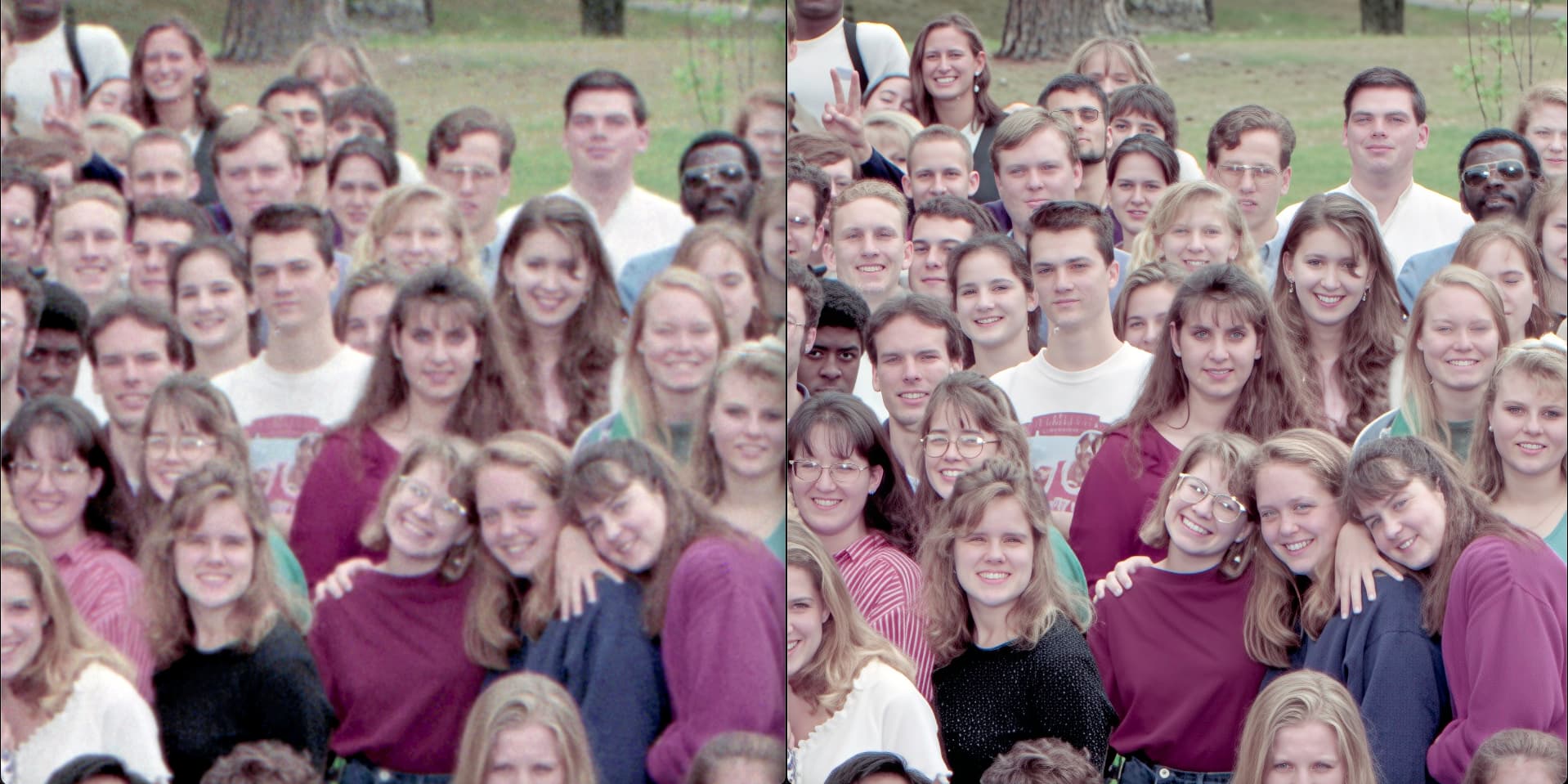
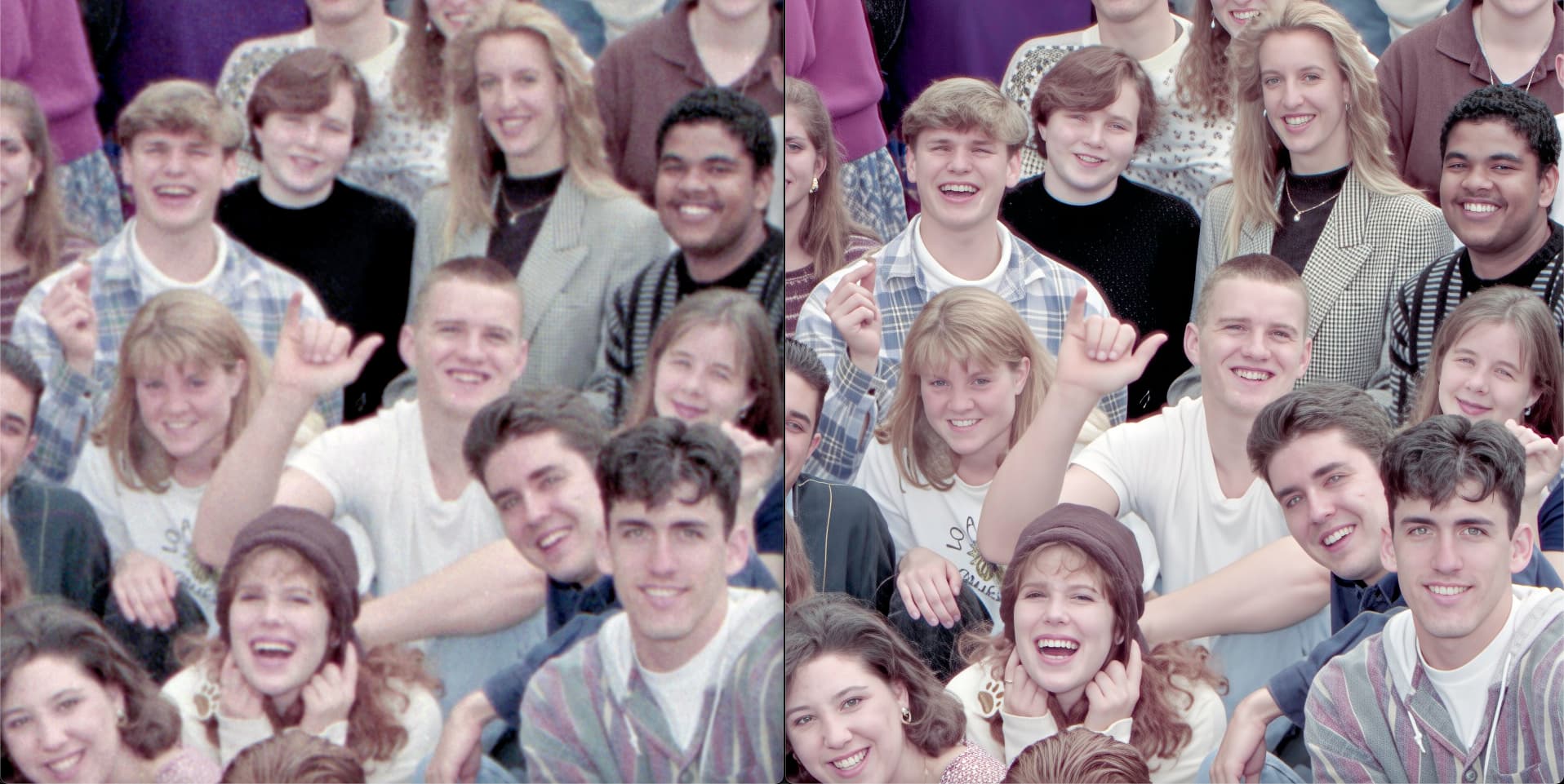
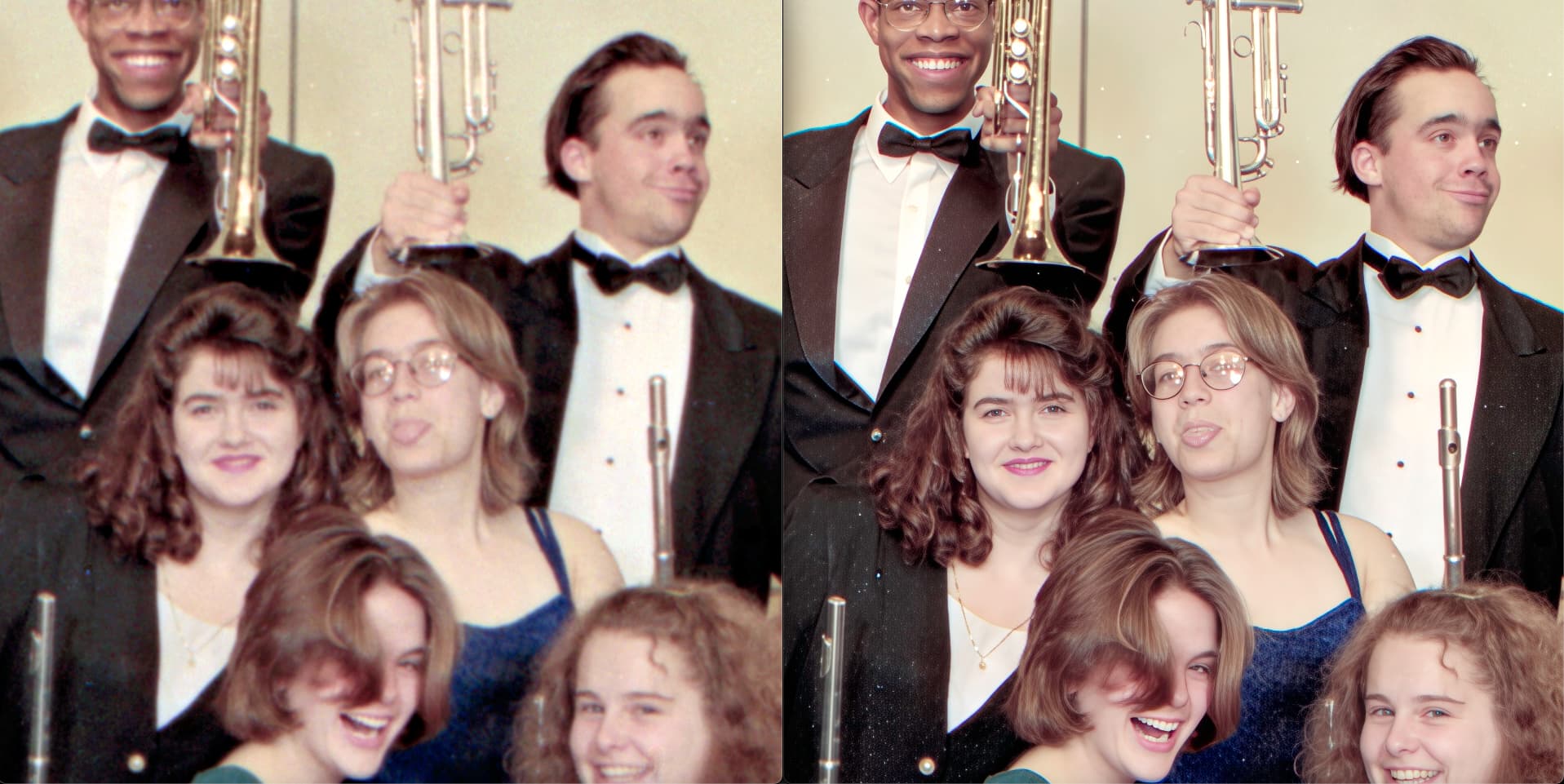
Spending some time with Wonder and getting Wonderful results! Faces are recovered but so are other details, such as clothing.
Face recovery was set at 65%. The process took longer than the supposed “50s” but of course way better than local rendering would have been. A very long “100%” 

These examples are from group shots I took 30 years ago on medium format film and scanned a few years ago at hi-res on a flatbed Canon scanner. A better scanner may have provided sharper scans, but this was the best I could do… No worries, Wonder took care if it!
2 Likes
Thx for posting! Great to see an example on a group photo.
It could be my eyes. I think Wonder could produce sharper outputs. But that improved the original from where it started!!!
Did you include any Face Recovery? Or, just straight?
Thanks, I am doing Face recovery. Above was 65%, this is 70%. All 1X since the scans are 25” wide @ 300ppi.
Results are overall excellent with minor issues such as white spot noise being added to dark areas and a little bit of facial anomalies. Here is the white spots/halftone static on the clothing:

This girl lost her tongue:
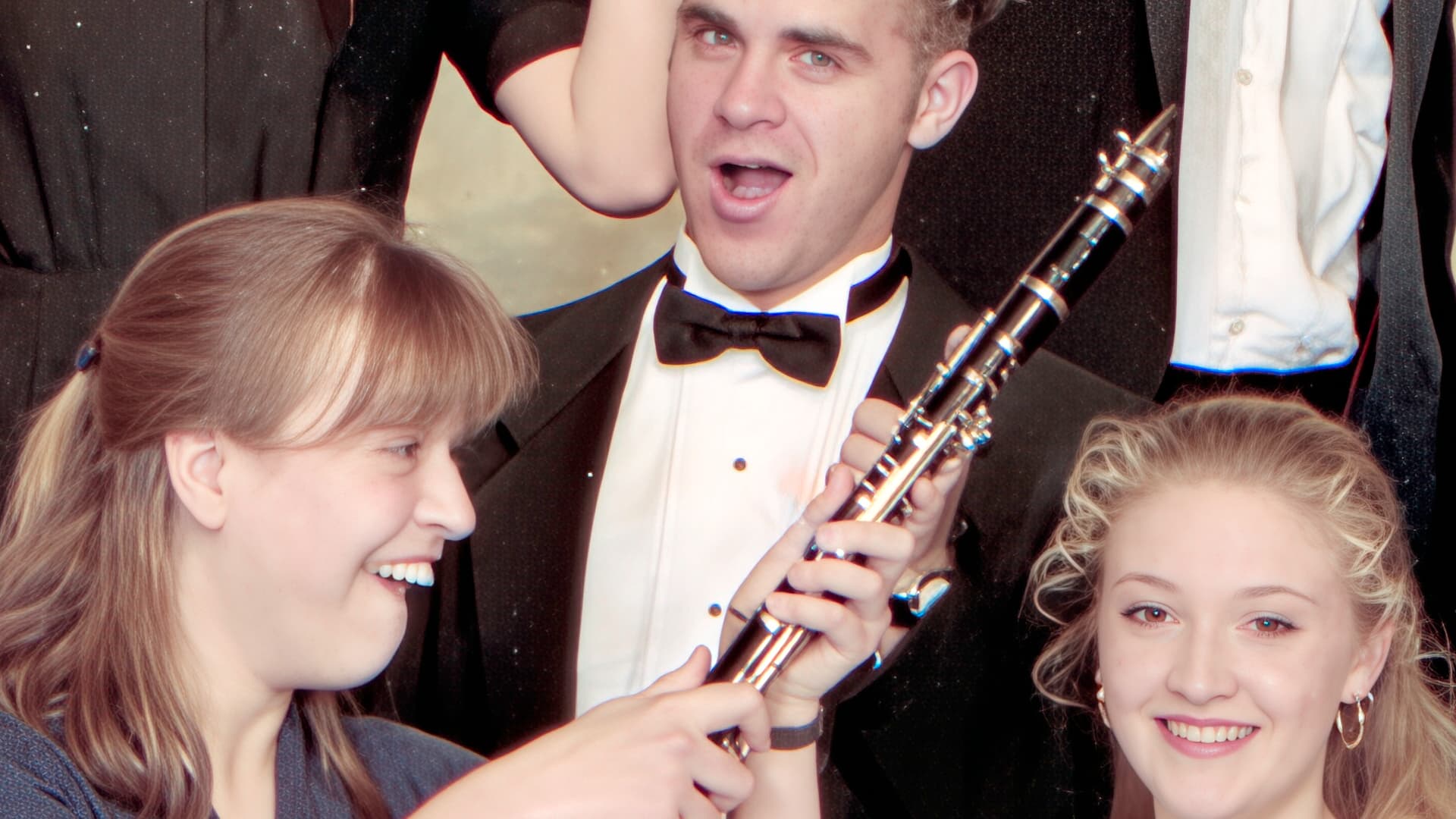
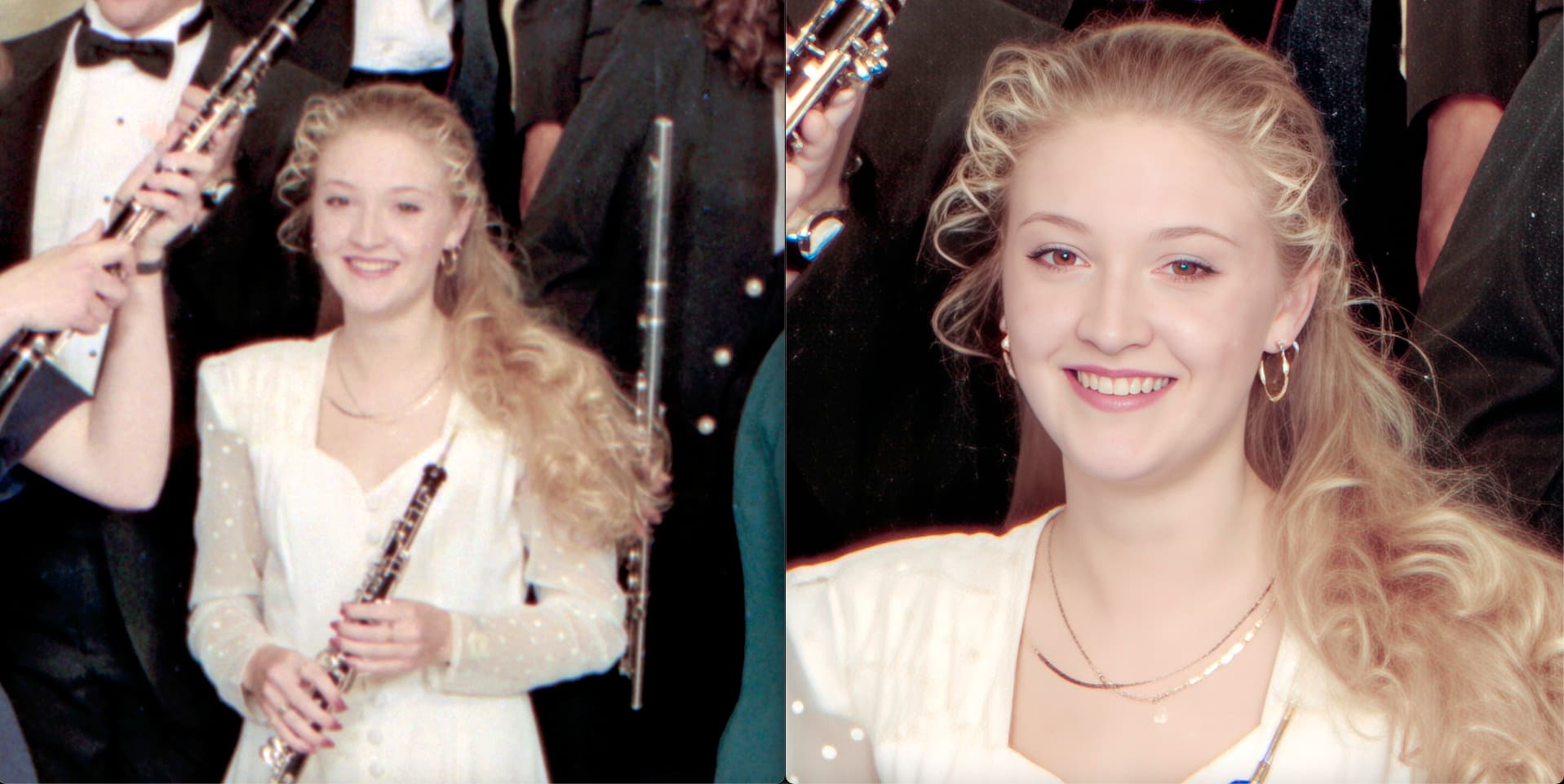
At 1X (and 2X, seen here) this guy grew some bottom teeth where his tongue was (but the girl’s teeth are actually accurate!):
3 Likes
To my eyes, that extra 5% helped!
Good to know settings that work as starting points to experiment with.
I assume denoising wouldn’t help the white artifacts. Does Dust & Scratches?
