I hear you, everybody loves those displays… I understand you can’t use it as an external monitor for a new Mac either.
I see above that Topaz had to draw a line with older tech (much like Apple itself does with its own software) and keep moving ahead.
If you’re able, get a low cost M-series Mac for use with current software and use the iMac for the rest of the legacy titles. If you haven’t tried an M-series Mac yet (even an older M1) you will be shocked at how much faster it is than Intel. Quieter and cooler too!
Yes, the M-Series Macs are quite and cool, powerful and nice. But none of them come with a 27-inch (or larger) display. Unless buying an extra Apple Studio display.
Don’t get me wrong, I am happy to continue using the legacy Gigapixel AI v.8.4.3 with a perpetual “Founder” license for the next 12+ months on the intel iMac. I am sure Topaz had good reasons to drop intel support.
My point is just, that the “Unlimited Cloud Rendering” does not work with that version - that is the part that is hard for me to understand.
I sent 10 JPGs to the Cloud for upscaling using Redefine/Realistic/None about an hour ago. Nothing is happening. 2025-09-18-14-46-49.tzlog (2.2 MB) lastSessionFiles.txt (586 Bytes)
I bought a basic M1 Mac Mini a few years back. I had to buy a trackpad, keyboard and a couple of external SSDs. I bought a 27" BenQ monitor, which was a helluva lot cheaper than anything Mac sells. I upgraded to M4 when it came out last year and was able to trade in the M1 for almost $150. No need to buy any peripherals, but I did get a dock plus a 3TB SSD that I was able to put into it myself.
Local processing using the Topaz AI models is still painfully slow, although all my other apps are snappy: On1 Resize 2026 takes about a minute per image locally, much faster than Wonder, which is its closest equivalent in terms of quality.
I got my first Mac in 1988 and have been a shareholder since 2004!
For years I used a MacBook and travelled with it. Earlier this year I took my Mac mini on a trip as an experiment and hooked it up to a monitor at my destination.
We’ve released v1.0.1 hotfix to address a few issues. You’ll find the download links up at the top of the post. Plugin issues still being investigated.
When processing the same image with identical parameters in High Fidelity, I notice slightly different results between versions 8.4.3 and 1.0.1—8.4.3 seems to introduce a bit more sharpening or clarity. Were there any changes between these versions, and is one considered an improvement over the other?
Do you also plan to make High Fidelity available for cloud rendering? I personally avoid the generative models, as they tend to alter the original image too much.
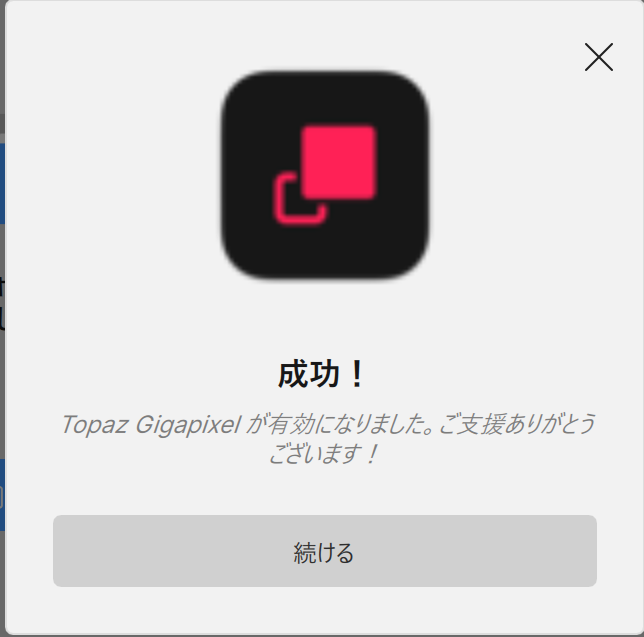
Hello! I’m Japanese, and I apologize for the machine translation. This pop-up appears every time I start up, and it’s quite annoying. Even if I close it occasionally, it shows up again. My environment is Windows 11.
I’m pleased to report that cloud rendering is now working for me. However, it does seem to be an on/off situation. Maybe due to it being the transition period?
When using the Wonder model, there is no progress bar. Also, there should be an indication when rendering has been completed rather then “Cloud queue” as at present.
I’m a bit confused. So, version 1.0 will be subscription-based, right? But for users who already have a perpetual license for 8.4, they can upgrade for free. So what happens after that?