No sorry I’m afraid not with Gigapixel 8.4.3 if you still continue to use Gigapixel 8.4.3 you will still continue to use purchase Cloud Credits
However, the message is saying that your because, your current Licence is active you are allowed to use the new Topaz Gigapixel v1.0.0 with Unlimited Cloud Rendering and Local Rendering until your current Licence Expires.
Unlimited Cloud Rendering is only available for the Topaz Studio version of Gigapixel 1.0.0.
In light of that, if you like the new Topaz Gigapixel version you can continue using it for the same price as your current Licence as you maintain an active Auto-Renewal Subscription no increase in price for years to come
But could you consider creating an Intel-Mac version that only supports cloud rendering? What are we, users with a 2020 Intel iMac, supposed to do in order to continue using Gigapixel???
If I had an annual subscription to Gigapixel AI previously, do I also get access to their new Bloom service? I got the following email:
Because you own an active upgrade license to Gigapixel, you get access to the new TopazGigapixel, new pro-only models, and unlimited cloud rendering for images at no extra cost. On Sept 16: With an active upgrade license, you’ll get access to: Topaz Gigapixel, including the upcoming Wonder AI model normally for Pro only. Unlimited cloud rendering for images (non-batch). Grandfathered auto-renewal price as long as your plan is active.
Is Bloom included in this list of “pro-only models” or will I need to buy a studio subscription for that?
No, I’m afraid not Bloom isn’t part of the single application option you only get access to the equipment version of that application in Topaz Studio in your case Topaz Gigapixel
You’ll also, receive access to the new Pro Wonder Model not available in the regular version and your renewal price is locked as long as you maintain an active Auto-Renewal Subscription.
If on the other hand, you would like access to the full Founders Topaz Studio which includes Seven Applications including Bloom and a hell of a lot more besides than, you need to purchase another application I suggest Photo AI and set it to Auto-Renewal to qualify
Gotcha, thank you for explaining the difference, I just purchased Photo AI. Any idea if Auto-Renewal is on by default or I need to set it up separately?
I understand. I have an active auto-renewal subscription, true.
It’s just that my main daily driver is an Intel-Mac (the last generation "iMac 27-inch 5K Retina Display is still supported by Apple). This means means that I cannot use the new Topaz Gigapixel v1.0.0 since it’s incompatible.
So this means I have no choice but to use the legacy Gigapixel AI 8.4.3 - which does not support the “unlimited cloud rendering” that I’m eligible for. So I would need to buy cloud rendering credits anyway.
What is the difference in “unlimited cloud rendering” and “credit based cloud rendering” if the unlimited one only works for the new Topaz Gigapixel v1.0.0? Would that also apply to the web app?
I’m just trying to find the best solution since I don’t plan on upgrading my Mac until Apple drops support - or finally releases a large iMac again.
No. It’s not but it is a simple process although, I’ve heard some say theirs was on by default.
But, that might be the case they either forgot or they activated it without knowing it because, it’s like the Terms and Conditions it’s important to read yet, some people just Tick any Checkbox they see
Anyway, once done you can double check everything OK by looking in the Subscriptions page within your Account
Well that’s another point that is (deliberately?) left totally unclear.
They just keep saying „is locked in“ but no mention of how long.
So: is it really „for years“? Or just the first year or do TL want to leave this open so that they can adjust to whatever they want/need and whenever they do so?
Unfortunately this is not the only point of this „transition“ where the conditions are more than vague.
Is the Redefine and Creative filter working? It’s not working for me and returns the original picture unchanged no matter what settings/description I use. And the split screen and side by side views are greyed out.
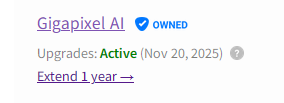
I have Gigapixel AI and I could not extend my subscription (running until November), let alone for the “grandfathered” sum, even if I wanted to. On my subscription page there is a link “extend 1 year” which leads to a page telling me my cart is empty. And I have a link to download a “V 9.9.9” which leads to the new Gigapixel forum (which indeed provides a download link) If I’d want to dive into the subscription version for the “grandfathered” price, what would be the steps I’d have to take in order to get there?
Oddly enough, if I click on the little question mark to the right of my subscription status I am directed to Product Pricing which says $ 17/month for GPAI - billed annually! That is so far off from what I paid for my last renewal of the permanent version that I won’t even consider this “bargain”. I might bite the bullet for the grandfathered price but throwing 200 bucs at Topaz for one year of GPAI is certainly not what I am going to do.
Interesting idea! Yeah, you do have unlimited cloud options on the browser at the moment. Or at least once you get Studio transitioned you will. But the interface is not as good as GP
I too am a Mac user since 1992, working in higher-ed IT since 1998 and understand what it’s like when technology moves on.
In the case of Apple hardware, it lasts forever, but Apple “forgets” about them and stops feeding them long before they stop working physically. Yours is a beautiful machine/monitor but its time has passed…
When it comes to generative AI, even the latest hardware struggles with local processing. Intel Macs are great for a wide range of tasks but not this. Even the M-series Macs (out for 5 years now!) struggle.
Maybe you can get a base-model M4 Mini for a decent price and experience this new world of AI for some time to come.
When I visit my parents I use their intel based Mac to work on photos. I have a studio subscription, 3 active subscriptions which makes me a founder. Will I be able to use the legacy apps on my parents computer and get unlimited cloud photo access on those apps when I visit them or does it only apply to the actual Topaz Studio application for the unlimited cloud photo processing.
It’s not just about having a Mac - but I really like the 27-inch 5K panel of the iMac. Since Tahoe is the last version of macOS that supports intel Macs, it still has at least a year of life left.
The basic models of Gigapixel AI still work sufficiently on the intel iMac. For the generative upscalers, I can still use the cloud if necessary. But since the “Unlimited Cloud Rendering” does not apply to the legacy Gigapixel AI version, I don’t get any of the “Founder” benefits. At least not on the last generation intel iMacs - which left the Apple factory sometime between August 2020 and March 2022.