I have the same problem on a MacBook Pro using MAcOs 14.6.
Crashes while generating a preview either auto or manual.
Previous version worked fine.
I wonder if it is a file corruption. How do I reinstall it and see?
Logging out will only ever happen if you manually sign out using the option in the Account menu. I’ll add a clarification about the watermarks in the next update, but rest assured you own any version that’s released while your license is active. The watermarks will only appear for users with expired licenses on versions of the software that release after the license expires - everything before that can still be downloaded and used without watermarks, forever. Additionally, bug patches that release after the license expires are also considered owned. That is, if you own X.X.0 then you’ll also own X.X.1, and so on, even if those come out after the license expires.
2 Likes
Thanks for clarifying!
I’m not sure what you mean by this. If you owned a major/minor release then you own all patches for that release. If your license expires when 3.0.2 is out, but then we release 3.0.3 you will still own that one and can use it without a watermark as well. Once 3.1.0 comes out in this case, you’d be asked to renew but are not forced to upgrade to a watermarked version.
Essentially this is the same as it has been, just the trial flow has changed. You can also trial the updates even without a license now, you just can’t save without a watermark when you do. At any time you can then downgrade to your owned version.
1 Like
You are talking the relative and trying to pass if for absolute. And you seem to be quite presistant at trying to be official apologists for the developers on the forum that should be really about helping people deal with problems they have or take constructive feedback from users and use it to improve the software. Your apologetic attempts seem misplaced since they failed to help developers or the users.
If you have no issues with the release , good for you. But don’t try to put words in other people’s mouths by saying that your relative experience is the absolute experience of everyone. Clearly it is not. If you really want to help, explain why someone has different experience than you vs trying to do obvious damage control. And you are not even a person who worked on the software you are according to your badge beta tester. Was it your feedback that they used to release a software in this sorry state? Halos on the edges, weird artifacts and fringing with some modes, and bugs? Why is the software not left in beta if its not ready for prime time? If you can answer that, it would be actually helpful.
1 Like
Can you post an example image that produces halos? I’m trying to reproduce and cannot seem to get any images to have this issue. Also in case it’s related, what type of system are you running?
I installed Sharpen AI v3.0 when I was notified of the update. I used the Full Legacy (win7/8) install option. I am running WIN 7 with all updates that were ever released. When I finished the install and started Sharpen AI v3.0 I got the following message.
The procedure entry point CreateFile2 could not be located in dynamic link library KERNEL32.dll
The program can’t start because hddlapi.dll is missing from your computer. Try reinstalling the program to fix this problem
I trying removing and reinstalling the program but it made no difference, any ideas on how to fix this?
Richard Fowles
There is not a direct fix I know of, but you can click through those and the program will work.
Your post said:
“Users who own the product should be able to use it offline without a watermark given they’ve logged in once and don’t log out.”
But owning it is not a trial, so what is it you really mean? You seem to imply that if your upgrade status isn’t current there will be issues with watermarked renders. And if you’re logged in and can’t log out, how are you offline?
I thought it was clear where we were going in the ‘owning/subscription’ situation, but this is muddying the water, IMO.
1 Like
That line was added in the DeNoise release because someone was confused thinking that if you weren’t connected to the internet you would get a watermark. It’s meant to convey that as long as you’ve logged in once with the owned state you should retain it even if you go live in the woods.
I’m not sure how to put this succinctly since I’m also confused as to what is confusing, so will just go over the process.
In order for us to verify you own the program you must be connected to the internet. When you login, that sets the program in owned state (assuming you own it), and then the program should work normal with no watermarks for as long as you are signed in. If you are offline and you click “Logout” under the Account menu, your owned status for the application will be reset and you will need to login again which requires an internet connection. There should be no case where you own the program, are logged in, but then it switches to putting watermarks on your images. This can only happen if you logout or upgrade to a version you don’t own.
Users who own a specific version, but do not own an update due to an expired license can simultaneously own a version (say up to 3.0.x), and be able to trial a new release (3.1.0). Lets just say that 3.0.5 is out and your license is expired. You still own 3.0.5, but you do not get 3.1.0 automatically due to the expired license. When 3.1.0 comes out, in this scenario you could trial 3.1.0 while simultaneously owning 3.0.5. In this case 3.1.0 would save with watermarks, but you could always downgrade to 3.0.5 to go back to a fully owned version.
I hope this is clear, but if not let me know what is confusing.
1 Like
Sharpening off, scaling disabled.
Aren’t allowed to put images in a post…
By the way the processing of the photo I was trying to upload took 16 minutes on my 2020 MacBook Pro without me touching the computer and the only other software running being Photoshop from which I exported the photo. With 2.2.4 the exact same photo took 2-3 minutes earlier this week.
That is totally unacceptable and is making the software unusable in my workflow.
We are aware of a performance issue I believe regarding the progress bars funnily enough that is severely impacting performance on some machines. We’re hoping to get a confirmation of that and fix that ASAP, but since we generally don’t release on Friday due to not wanting to leave stuff over the weekend, the fix will probably be early next week if it isn’t today.
Also regarding the images, I’ve made a dropbox file request link. If you have samples let me know what settings you use and upload the images here: https://www.dropbox.com/request/fFS884RHDFsnOi1c5PJW
I am reposting this from the beta thread as it refers to the release version.
I am running standalone on W10.
I find the performance greatly improved on the previous release version especially in the file save unlike several people who have posted previously
I updated to 3.0 from 2.n using the in-app installer. Quite a few of the issues from the beta are fixed but some remain – below are the results of a quick test
- Selected colour profile for saving jpg images was changed from “Preserve Source” to “PhotoPro RGB” cy the install.
- Crashed when I changed model from Motion to Out of Focus (Crash1 logs) – Once only
I was in Full View mode, Auto Update On and had just saved a couple of tries of Motion correction. Logs attached - Starting Mask when Auto Update off still displays a corrupted screen. See below
- Can still drop a new picture into the app in the middle of a mask operation on another picture which produces a very confusing state.
- The view dropdown is enabled but does nothing while Masking is in progress. Better to disable it during Mask.
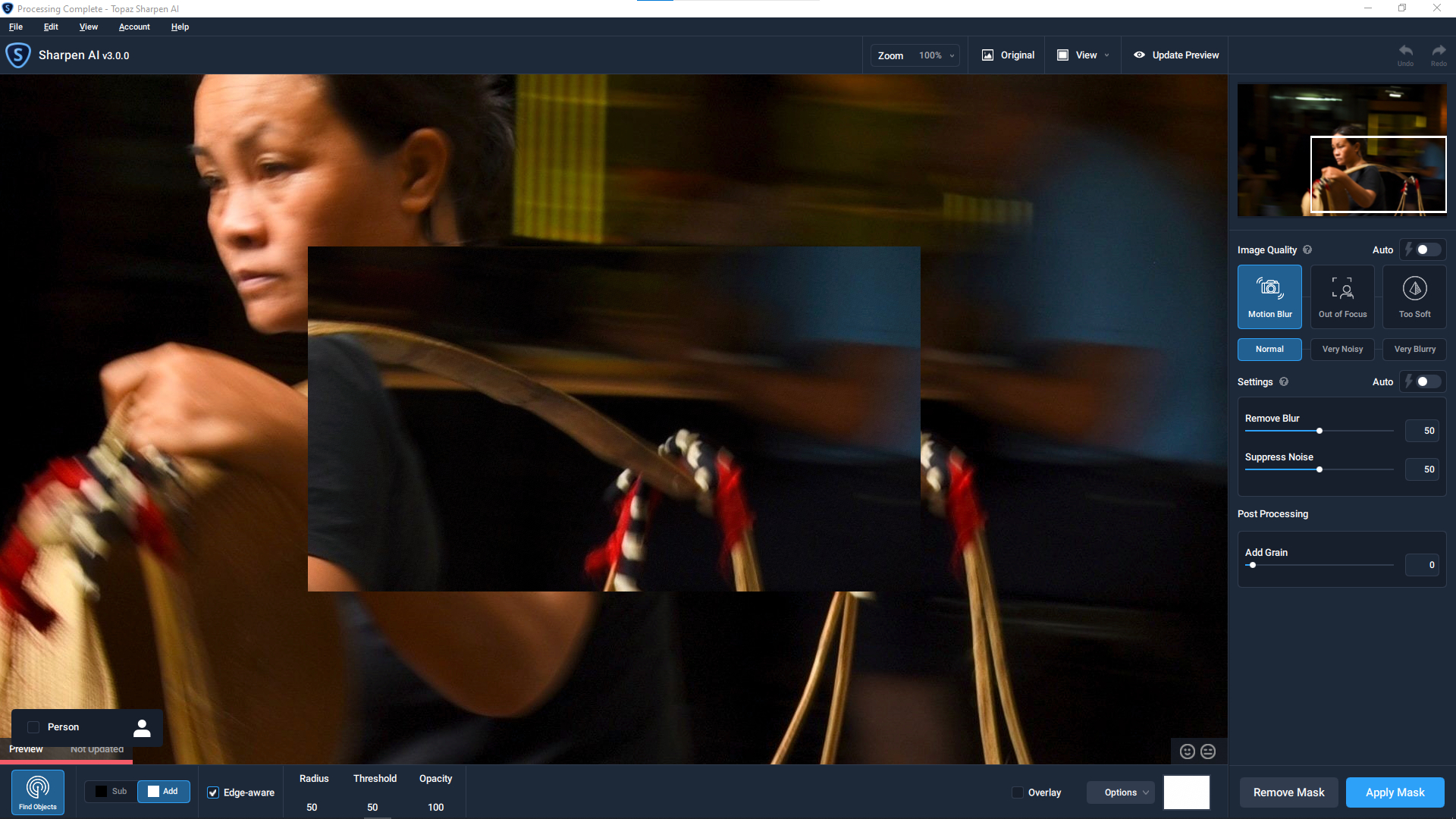
2021-03-25-06-27-31-MainCrash1.tzlog (128.0 KB) 2021-03-25-06-27-31-QMLCrash1.tzlog (55.8 KB)
Here are my sample images: Topaz Support — Postimages
Same issues with DeNoise.
1 Like
Have uploaded 100% cropped version showing the problem and how it looked without Topaz, with 2.2.4, and with 3.0.0
Settings used are ‘Out of Focus’ with auto selected.
2 Likes
Mac 10.15.7. Sharpen AI 3.0 crash on saving picture. (no picture saved b.t.w). I could see the application was calling home during that event, so I guess you’re working 24/7 to fix??
I tried it, but it crashed out several times I tried a different photo but now my original photo has a new time stamp and artifacts, not very impressed
