I had the same problem, eliminating both cars and people, until someone told me that you have to include the shadow in the selection, as well as the object itself.
Hello @Kathy_9
I added this result (the last one) to a development team ticket working on making Remove Tool better!
You can test removing the back part as a second pass.
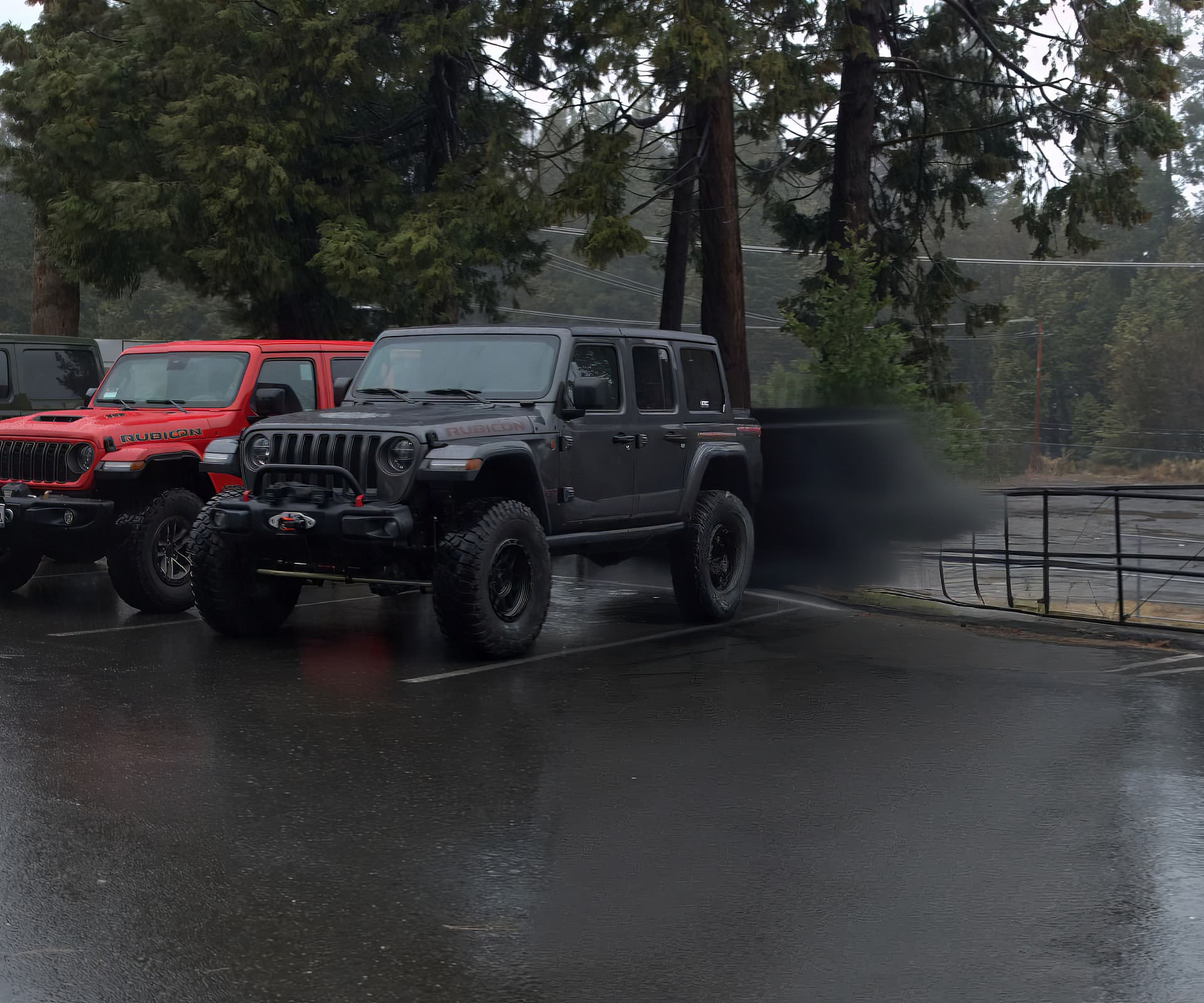
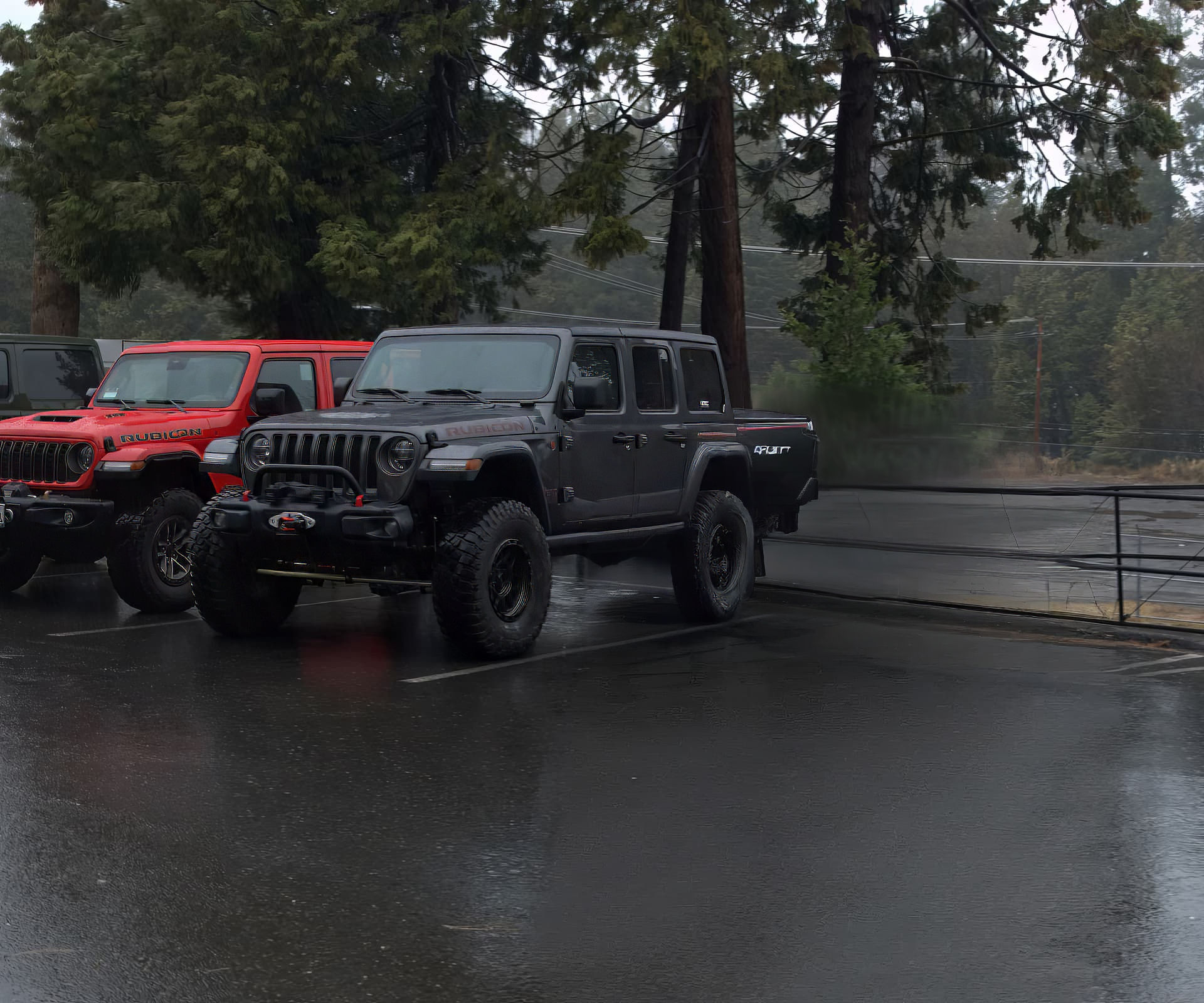
Not perfect but not bad! I have shared the results to the development team, and the tool will keep being worked on!
1 Like
@nathaniel.romero @rainer.feldmeth adding to this thread to keep track of users that have issues with Remove Object.
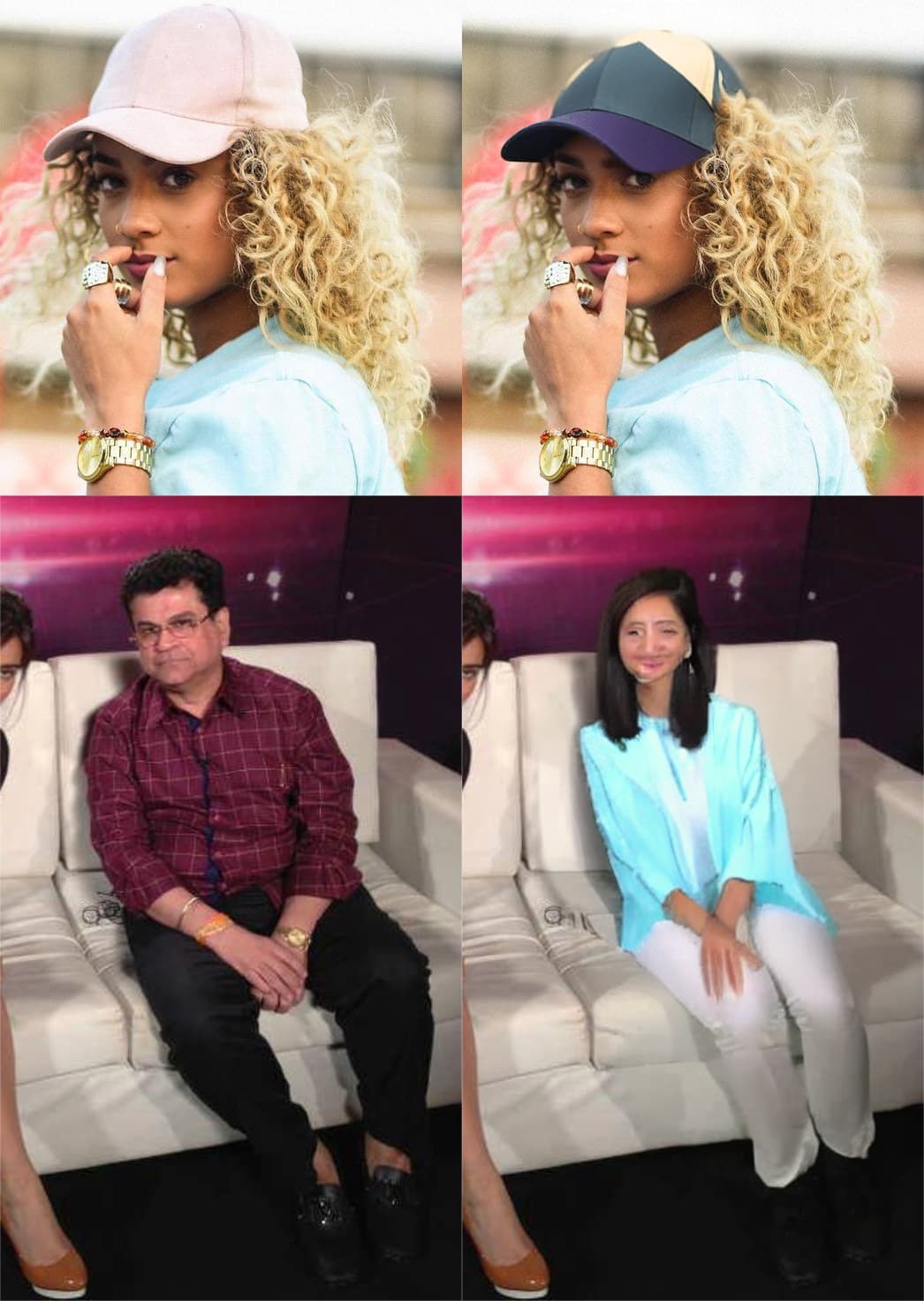
Hello…This is my first time posting a message here. I used to think object removal would be the least interesting feature of Topaz Photo AI, to me. But after I saw it work, it turned out to be the most interesting feature. But lately it’s driving me crazy. The problem is there are situations in which I want to remove something from the image, and it just replaces it with another object instead. Assuming I’ve successfully uploaded an image by the end of this message, the images on the left are the original and the images on the right are the results after object removal. In the top images, the hat was selected for removal. And it just replaced the hat with another hat. In the bottom image, the entire man was selected, and it just replaced the man with a whole other person. It’s like the AI has no idea what the goal of object removal is. If there is a way to fix this, I’d like to know.
Hi.
This is happening because, you’re are carefully tracing the subject in this case a person with a mask in the shape of a person.
Therefore, Photo AI believes you want to replace one person with another similarly I suspect you traced the shape of a hat.
If you want to correct this behaviour and just want to remove the subject or object then make the shape of the mask something completely different for example a square box, circle or blob
Another example of this behaviour, let’s take a person for example, if you trace the shape of a person and in the process accidentally missed a fraction of that person for instance, tip of a finger a strand of hair, heel of a shoe surprisingly that’s all it takes
When Photo AI analyses the whole image and you have left any hint of a person then, Photo AI in its wisdom will replace that person for another.
Strange but nonetheless True
This behaviour isn’t related to just Photo AI indeed this happens with all Genitive AI software including Adobe
Example for good in Photoshop, when I take a picture of a cosplay character
I will for instance, Duplicate my Background Layer then cutout my subject onto a new Layer
Next on the Layer below cover the whole area and my subject with a mask deliberately leaving the boots uncovered for example
Then run the AI Photoshop will analyse the whole image and give me a new more appropriate background for my subject matter
Hope this helps
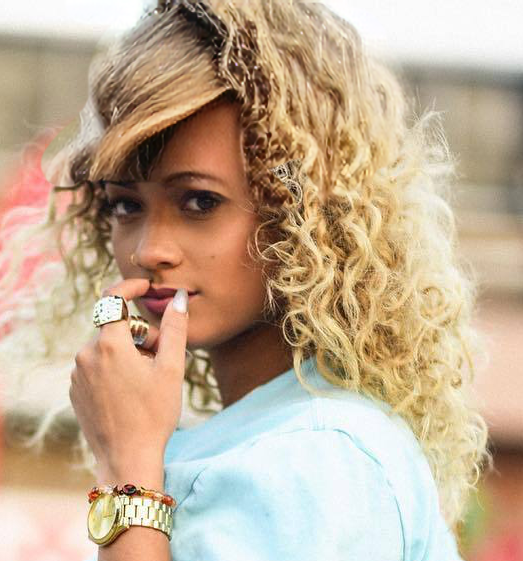
It did help. This time, I manually selected an area instead of using Object Selection. It generated hair where the hat was, as I wanted it to do. The face on the new image was distorted and the generated hair is more straight than curly like the original, but still better than a hat. I was able to combine the hair from the newly generated image with the face from the original image. I will still have work to do but this has gotten me much closer to my goal. Thank you.
Good to hear
In my previous reply I mentioned that I’ve used this strange Genitive AI behaviour to construct new backgrounds for my images.
I also mentioned, I took a picture of a cosplay character and I covered the whole area including my subject with a mask, deliberately leaving the subjects boots, as it turns out I also left the stage unmasked aswell
When I replied to your post I was using my phone so couldn’t post the Before and After Images
So, here are the Before and After of that Cosplay image
Before
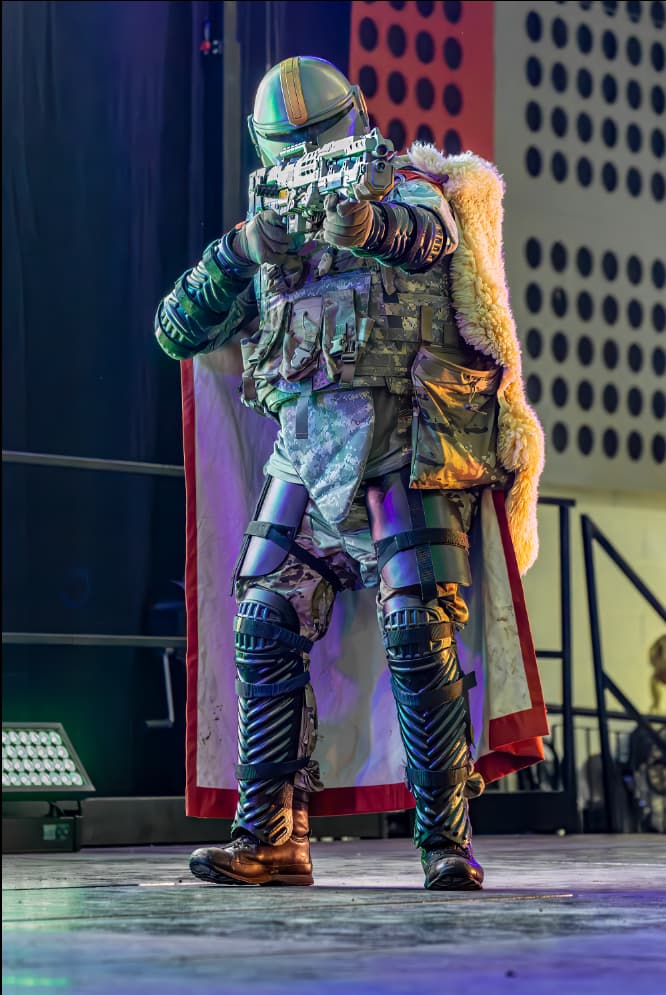
After
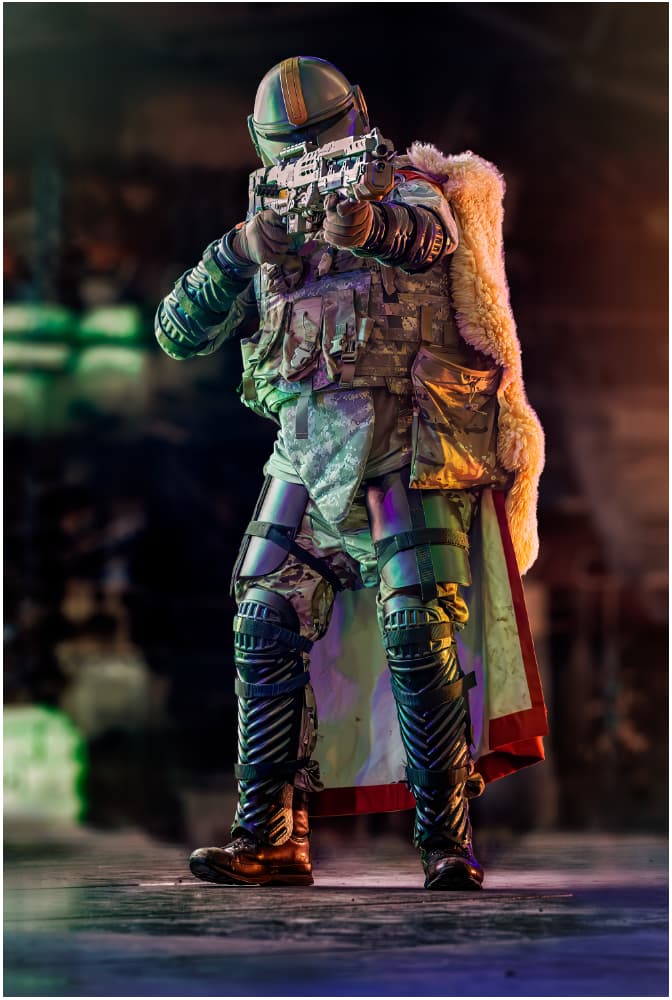
I try to fully select people in the background to “remove” but the remove doesn’t take them away. It just replaces them with other different people. The only “solution” on forums was to use more padding when selecting. Still no cigar! This program is d____ expensive and doesn’t do what it claims. I like all the other features. Other simpler programs can easily and quickly remove backgrounds, people, objects. But I don’t want to use other programs because I like Topaz.
Hi.
This behaviour happens because you’re selecting the shape of a person or missing for example a shadow or a reflection of the person therefore, Photo AI thinks you want to replace one person for another.
When trying to remove people use the Standard Selection Brush only and as you put it “cover them with extra padding” otherwise over painting them with a shape that isn’t the shape of a human for example a box and being careful to include shadows, reflections or anything that gives a hint of a person.
Here are a few tips basically, DO & DON’TS
-
Only use the Standard Brush when selecting people basically, painting free hand selections absolutely over covering the person including Shadows, Reflections, Stray Hairs, any Clothing, Fingers, Ears or anything related.
-
Also, with the Standard Brush a good tip is to paint Boxes, Circles, Blobs or something that isn’t people shaped.
-
Don’t use the Object Selection Brush because, it will select the shape of the person which isn’t good and won’t include Shadows, Reflections and may miss part of the person e.g. Clothing, Hair and other Body parts.
-
Don’t use the Superpixel Brush for the same reasons as above.
-
Don’t use neither the Subject or the Portrait Auto Selection Options yet again for the same reason as above.
Do you see a pattern emerging here
Here’s a link from Topaz explaining best practices for using the Object Remove Tool
In addition, myself and others have given plenty of explanations and examples of this behaviour here’s the link for you to follow.
Hope this helps
@reubenmb
I moved your issue to this thread as this is where we track issues with the Remove Object tool.
If you can show us some examples 
Thank you,
Remove does work sometimes but it adds stuff like a man’s shirt or a thermos bottle.
Help! Have tried many times. Doesn’t remove but replaces the trashcan in a kitchen scene with a tee shirt, a tee shirt on a hanger, and the latest was an Asian boy. None have any relation to the kitchen scene.
Please post your results here if you would like to share
This is a known issue and the development team is looking into it.
You can try selecting the object to remove with the object selection (instead of the regular brush) tool to see if it works better.
I just kept trying and finally I got something that worked. It was odd that the program added irrelevant stuff to the photo. Does speed/quality help any? Glad you are fixing it. I don’t always have the luxury of a perfect background like the grocery store in mine.
I don’t think the speed/quality changes anything for this issue, but changing the selection seems to work sometimes.
So I kept trying and it finally worked. But then I tried another. So I am repeating over and over. I hope you can fix this. It’s a great tool when it works.
