Topaz Labs has now put out a fix for this problem. This indicates there was indeed a bug in the software and not in anyone’s machine. This new version, I believe 1.2.2, works. I would recommend uninstalling Version 1 before installing this as the removal tool in Windows can be confusing with its display of two Mask AIs.
Crikey, I don’t know much about the install coding but this has become a nightmare with too many Topaz products (I have them all - and would like some of the old ones back :)) ).
Anyway, I fired up AI Mask today, it told me of another update (1.2.2 OS X) so I followed that. When it had done I was left with icons for AI Mask but nothing runs. So I downloaded the full install at the start of this thread and that installed v1.2. OS X. Guess what, that doesn’t run either.
So, now I have no AI Mask. Anyone else had this and resolved it?
1 Like
Hi Charlie
1.2.2 doesn’t work… I have updated my XPS 15 Dell Nvidia Drivers, uninstalled all previous versions of Mask AI from the LLC plus the earlier program folder and when I load a clean install Mask AI will always crash when running even Topaz’s parrot tutorial and using Auto Select Items causes a crash. Also just picking on my own image and selecting Auto Sky or Auto Objects causes a crash on CPU or GPU selected in Preferences.
I think the techs need to go back to the software and sort this bug again but it’s not solved in 1.2.2.
Cheers
Andrew
Well my version runs albeit quite slow as it hangs on 11% for a looong time when processing. Maybe I should have said this new version runs on my machine. Sorry you two are still having troubles.
BTW, I run Photoshop 2020 here and I tried Mask V1.2.2 both as a standalone and inside Photoshop as a filter plugin and they both worked. What more can I say?
Charlie
That will be good for the developers to know, lots of different setups out there but none of the other Topaz products I have (Gigapixel AI, Sharpen AI, De Noise AI) do this so guessing this just hasn’t been optimised for all likely systems yet. Happy to send a log over the crash period if helps?
…and I’ve just tried uninstalling, restart my machine then downloading the online installer version using the email link (that originally advised of an e.2arlier version (1.2 for Mac) but now downloads version 1.2.2 Same result, a very brief flicker on the menu bar, then it disappears and doesn’t run. I have no idea what’s going on there but perhaps it helps the developers?
Me too, same problem 1.2.1 / 1.2.2 installed and runs successfully but will randomly crash, either stand alone or from Photoshop. Also trying to refine the selection using the compute brush just makes the selection worse! I’m running Windows 10, latest updates.
I downloaded the online installer after reading that the beta had been updated, and after the files were downloaded and installed the app actually booted without a crash - result I thought. It then told me that there was an update, so feeling fairly confident I downloaed an installed the update, to I assume V1.2.2, and nothing, nothing whatsoever happened. No boot screen, no crash. This was the first time that it had actually booted on my Mac with High Sierra…
Please go to Help-> Graphics info, press Copy and paste the information here.
Please do the same, go to Help-> Graphics info., press Copy and paste the information here.
I have tried the online update and also the full update and it will not load it says it’s finished but when I launch it it’s the old version I am running Catalina 10.15.4
Hi so firstly the online installer never completes its download process towards the end of download almost, and freezes. So I’ve not been able to install the program via the online process. This is on a Catalina mac.
Secondly, I’m now seeing today a new problem that if I use the full installer to install either 1.2.1 or 1.2.2 the program just quits immediately after launching. Please advise. Thanks
I couldn’t install the upgrade for MASK AI because I got this message on my MACPRO (2019) running Mac OS CATALINA, 10.15.4. The same message appeared when I tried to install the trial version of Sharpen:
"The directory/Users/skiprunge/Library/Application Support/Topaz Labs LLC
is not writable by the current user!
How do I install this on my MAC?
Thanks for the quick response, graphics info below as requested. I have tried both CPU / GPU processing with the same result.
Application & Version: Topaz Mask AI Version 1.2.2
Operating System: Windows 10 (10.0)
Graphics Hardware: Quadro P2000/PCIe/SSE2
OpenGL Driver: 3.3.0 NVIDIA 442.74
CPU RAM: 65470 MB
Video RAM: 5120 MB
Preview Limit: 5787 Pixels
Hi Don I have managed to get Mask AI to work. Here is how…
Mask AI was using the Intel Integrated Graphics Driver (from Mask AI / Help / Graphics Info)
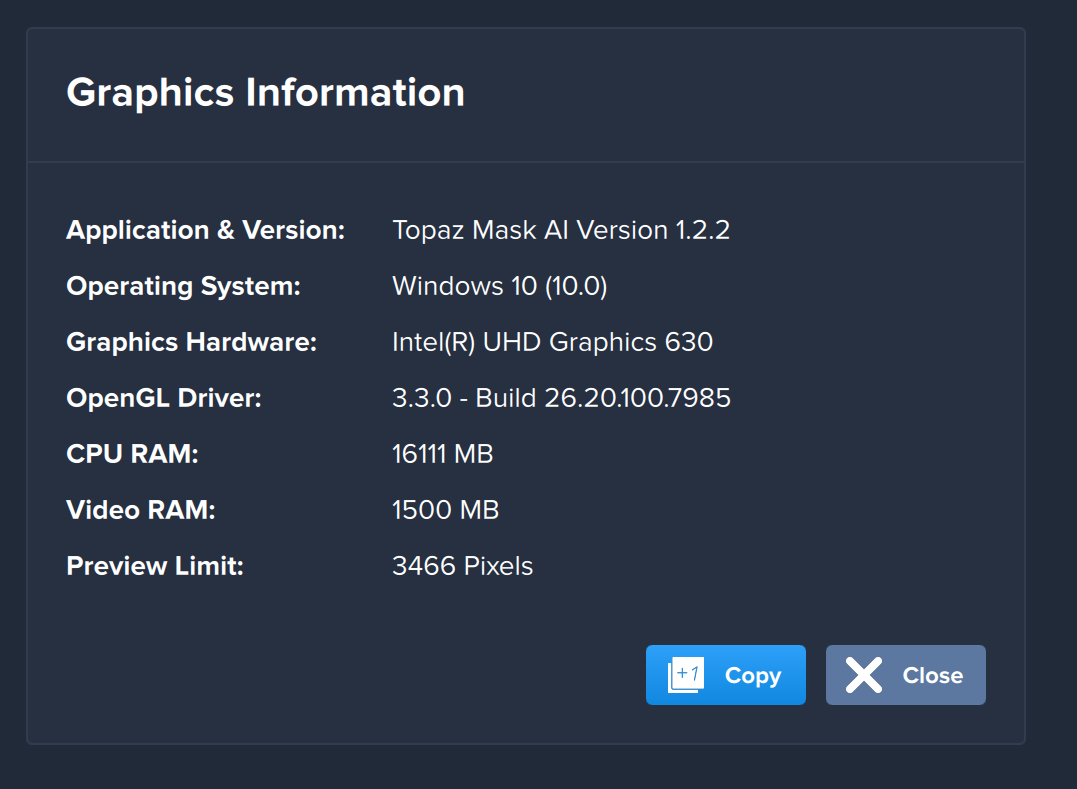
Using the integrated graphics resulted in a crash using auto-select objects or sky
So I went into the Nvidia Settings (bottom right of Windows 10 screen / Right select Nvidia Hidden Icon / Nvidia Control Panel / Manage 3D settings / Program Settings / Add / Then add the Topaz Mask AI executable / Then "Select Preferred Processor for this program / Nvidia / Apply…
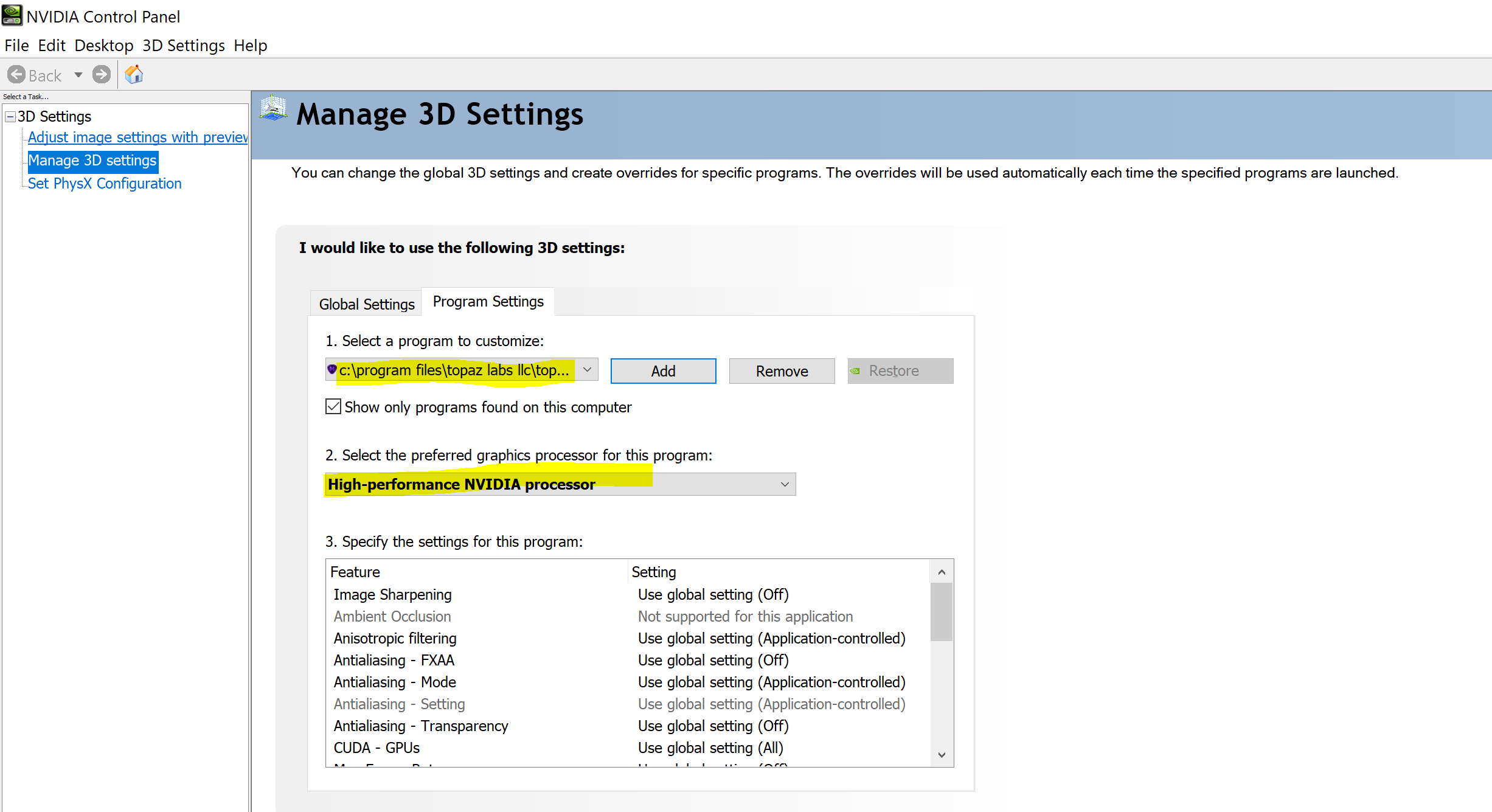
Then when I run Mask AI it’s super fast and using Auto Select Objects or Sky works great.
Now from Mask AI / Help / Graphics Info shows this…

So problem solved for me may help others.
Note changing CPU to GPU from within the Mask AI program Preferences had no impact on the above.
Cheers
Andrew
1 Like
Thanks Andrew,
I have just tried the same. I added Mask AI per your instructions above…I have no option for Select the preferred graphics processor for the program:
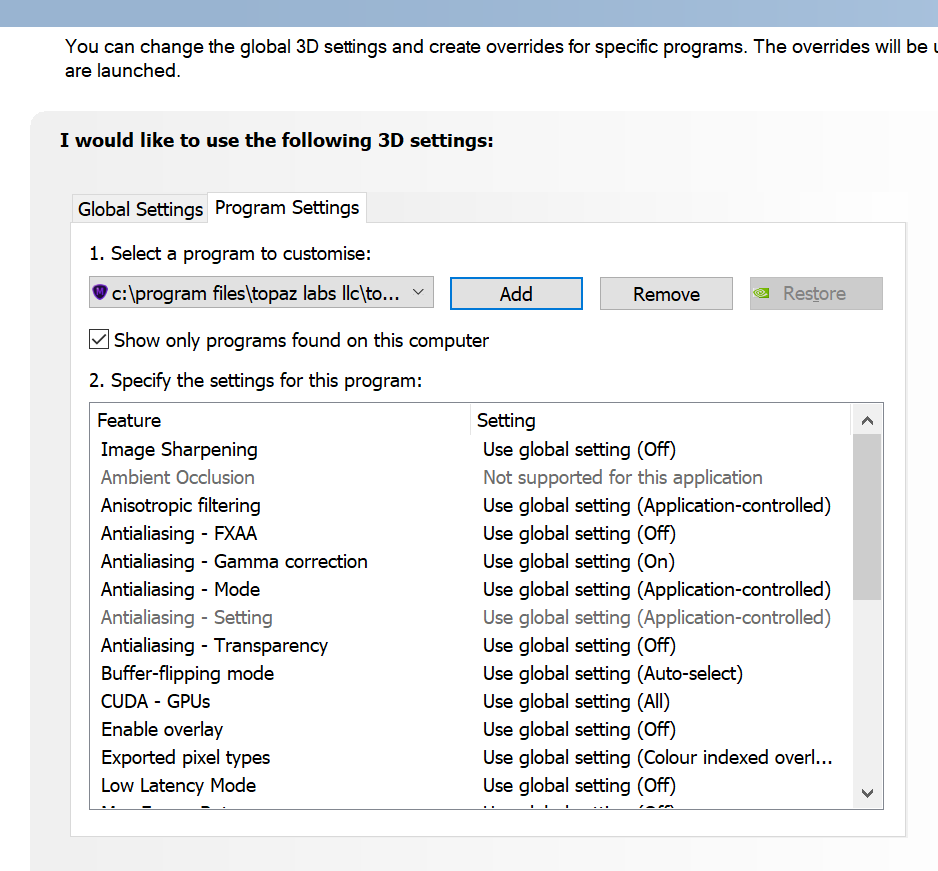
This by itself had no effect. So I also went into Manage GPU Utilisation and checked Dedicate to graphics tasks:
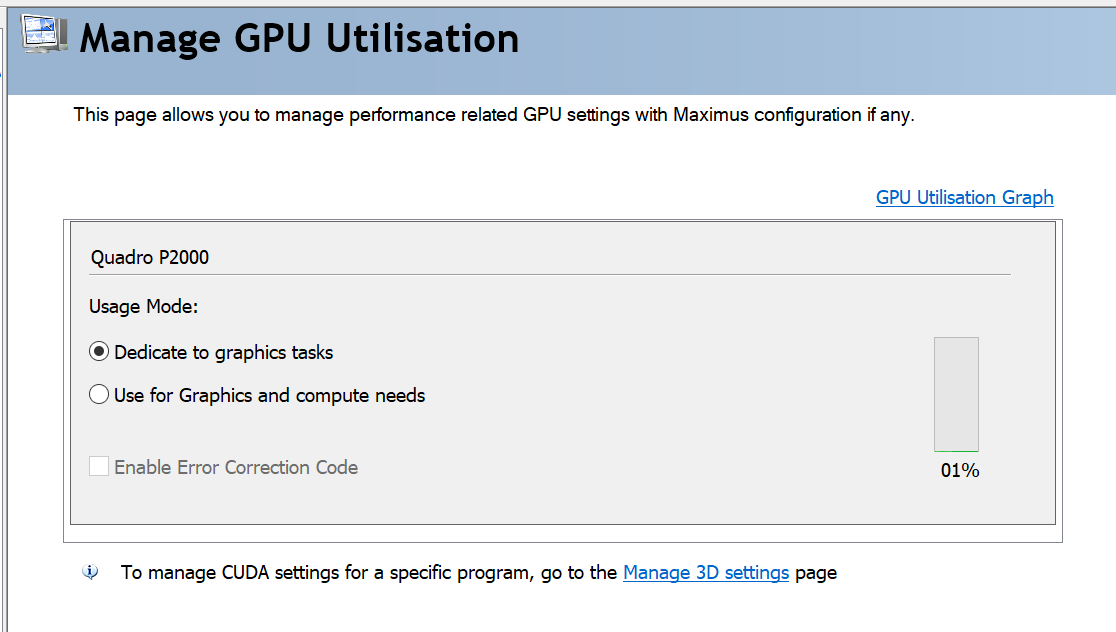
After this change Mask AI in the preferences defaulted back to GPU processing and now runs…before it would crash as soon as I clicked Auto Detect Subjects. Now it is very fast!
Spoke too soon…works OK stand alone, but still crashes PS when run as a plugin…
MaskAI 1.20, 1.21, 1.22 install but will not start on MacPro. Version 1.1 did. Also, no Photoshop plugin gets installed. Tried all this in MacOS save boot mode as well. Totally inoperative. Refund time?
Morgo
Good you got it going, stand alone at least. To be honest it should work regardless of all these settings so I think Topaz has some work to do. I tried the plugin version through Affinity Photo and seemed to work fine. Have you got Photoshop running through the Nvidia card also? Might help?
Good luck!
Cheers
Andrew
You will need to turn off the dedicate option as PS will have it first and won’t release it.
I am not sure if there is an upgrade for theQuadro drivers but you can check on the NVIDIA website and update if there is one.
Apart from that you will need to contact support if this issue persists. The link here will take you straight to the page:
I had the same issue. The updated v1.2.2 failed to open. I tried a clean install by using the “uninstall.app” and then reinstalling with the online installer. No luck.
To get back to a working version, v1.2.1, I used the “TopazMaskAI-1.2.1-osx-Full-Installer,” which is available for download in a provided links. It works, but it is very buggy at this time. It is best to save the mask while actively working on it so to prevent loosing everything when it crashes. And it will.
Best of luck.
1 Like
