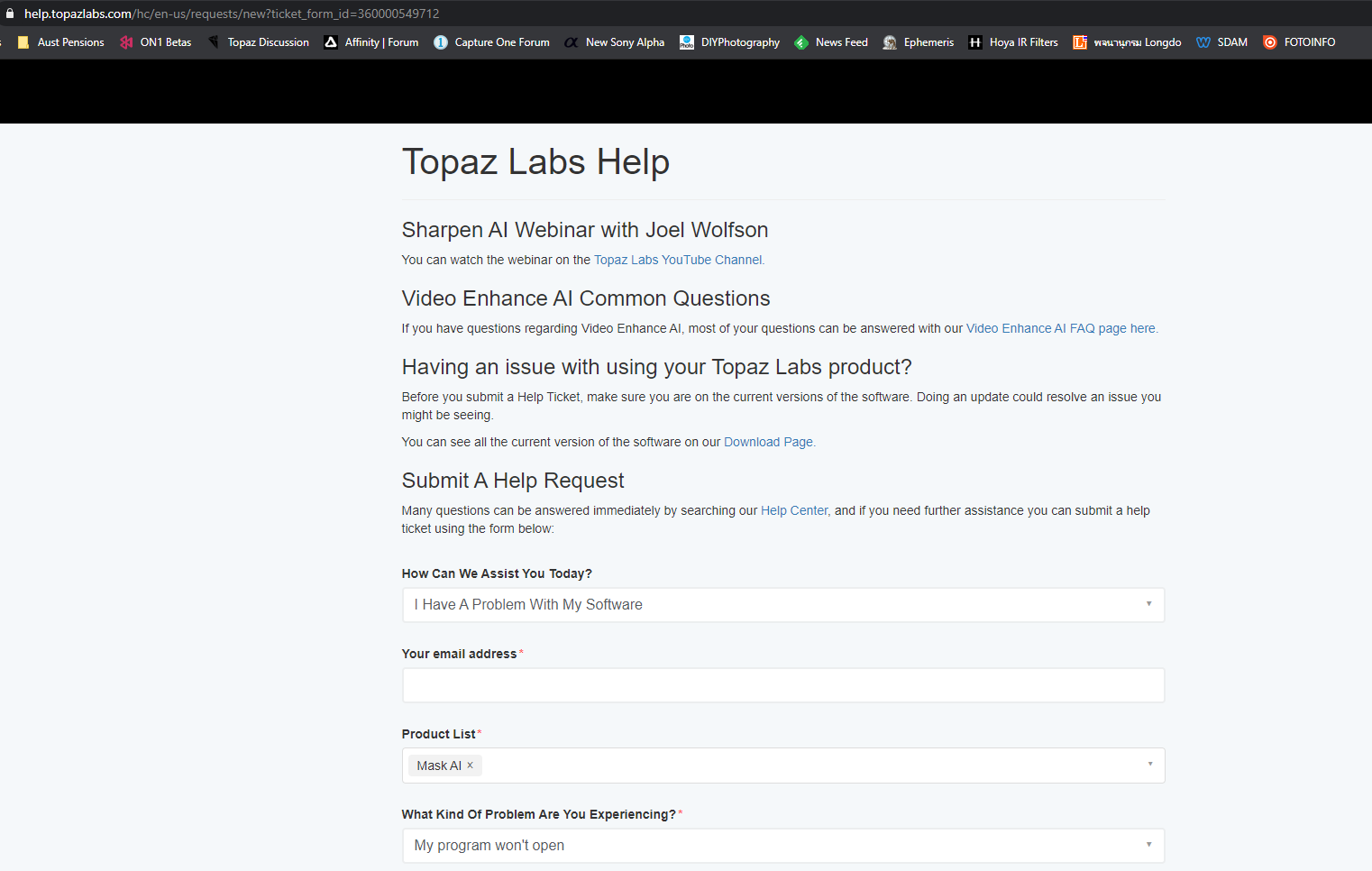
Can you please provide details of the crash & your computing environment.
Did you uninstall the previous version before installing?
I have tried numerous times to install this upgrade and nothing works. The previous version ran very smooth. Now when I open the previous version and it says do you want to upgrade, if I say yes, then when it finishes there is an option to open that version and it doesn’t work as it will not open. So, uninstalled it and downloaded from the website the install file, installed it, it doesn’t work. So, I uninstalled that, downloaded the full version, installed it and that will not open either. So, three different installs here that I will mention and none of the installed versions will open.
I am running Windows 10 x64. There is something this new upgrade doesn’t like on my machine.
To be very clear, when I click on the shortcut on the desktop, the program does not open. When I go into the folder where Mask AI is installed and click on the Mask AI.exe file, it will not open. Just nothing happens.
1 Like
This is what the upgrade e-mail states:
Please note the previous version of Mask AI will still be installed on your computer, so you will see two versions of Mask AI on your machine after installing the new version. The choice is yours to remove the old version or leave it on your machine.
Why uninstall the previous version before installing when directions state otherwise? I have found having two versions of the same program conflict.
Because it is picking up the location that is is installed too, and why would you want 2 different copies?
Are there any messages in the Event Viewer?
Did you install using a Admin account?
Did you try to right click and Run as administrator?
There were no directions to install using an Admin account.
I have tried numerous times to run as an Admin, both using the shortcut on the desktop and going into the folder where the program is installed and running the exe file as an Admin. Nothing causes Mask AI to open.
I see no messages in the event viewer.
Topaz install directions say install the new upgrade and you can uninstall the old version at your leisure. There is a conflict here between what you are asking and the printed directions for the upgrade. I am more than a bit confused.
No I didn’t uninstall the previous version first. When the install was completed, I had the old version on my preferred D drive, and the new version on the C drive. I discovered this as I went to uninstall the previous version. When asked to be sure I wanted to delete the directory, I checked the contents of the directory to be sure. That’s when I wondered where the new version was located.
**Been following the Mask AI circus. I have almost identical problems and have done the same attempts as wildimages had been detailing. I first tried updating from the email received from topaz with an update url. Did that–nothing happened. Mask didn’t work. I tried downloading install from my account purchase page and got the same result—mask would not start start as free standing and would not start from within Studio 2.
So I uninstalled both instances of mask–the old one that worked and the new one that didn’t. Went to my account page and downloaded v 1.2.0 . Again nothing comes up from studio2 or from free standing.
I’m just gonna leave it alone until topaz figures out what is wrong with the program and gives us a 1.2.3 update. (In the meantime I have not an instance of mask ai that works!)**
1 Like
My experience is identical to that of Jackc’s. I have lost count of the number of times that I have attempted to install ver. 1.2.0 and ver. 1.2.1
I have, at least. ver. 1.1.1 working
Disappointed? You bet!
2 Likes
I finally got 1.2.1 installed, but the plugin won’t update from 1.2.0. Only the standalone version is 1.2.1. But I keep getting a pop-up everytime I try to run the plugin. I tried everything I could think of including uninstalling all versions of Mask AI and re-installing. Worst part is, even with the standalone at 1.2.1 it will not update a mask after the original calculation. I have gone back to 1.1.1 until this gets sorted out…
I have now uninstalled Mask AI 1.2.1 and reinstalled 1.1.0 because 1.2.1 does not work. It will not open. Several others are experiencing the identical problem. Jackc, thecorfiot, bobrock111565 and me all have the same problem. Seems this new version is not ready for prime time. I will do what others are doing, rolling back to the version that works and wait for a Mask AI program that really works.
One thing that happens here is when installing the earlier version, on a Windows machine it sits in a Topaz directory. The new version that will not open sits in the Topaz LLC directory. That is why these programs can co-exist.
I think you should raise a support request at the main website as there seems to be a issue with the setup on your pc that is causing these issues.
Four example, my pc is Win 10 (home) I have 2 SSDs with all programs that are able to be installed on a drive other than the C drive installed on the D drive.
My workflow is always to install apps with admin rights, always to uninstall previous versions where the install doesn’t (this prevents any clashes with plugins) and I also clear registry entries for the applications when the install doesn’t update the previous version.
Now, what I see with the transition to a new install folder because of differentiation between legacy Topaz applications (in the Topaz Labs directory) and the new applications is that there are some elevated rights needed for install and execution because of hardware hooks.
So if Topaz Labs correct the install workflow to allow us to choose the instal directory yourself then the only issue we will face is that we will need to manually uninstall the previous version.
Unfortunately though individual PCs come in many varieties, many versions of the OS (win 10 pro), and therefore this is the major cause of issues applications not working.
In particular the technical system requirements are very important for this generation of applications and the main issues I see on this forum are…
- OS not on the latest version
- Hardware drivers not kept up to date
- And, most important, system requirements are not met
But, as a message to Topaz, many of these issues we face could be solved if the installer allows us to choose the install directory AND if that directory exists cleans up the previous install by removing all entries in Program and ProgramData directories.
Cody @topaz_cody for your consideration.
1 Like
I did open a ticket yesterday with my dxdiag file but not any suggestion as to how to overcome this problem that some of us have as yet. Still waiting but this is something that Topaz needs to look closely at as apparently it is a potential problem.
Thanks for your input though. If you have any input to the tech guys at Topaz, please bring their attention to this thread.
1 Like
No problems, but this is a user to user forum … sometimes visited by techs.
My guess is that the most important thing to look at is the GPU you have and the Driver you are using. If you have NVIDIA or AMD GPU make sure that you update the drivers to the latest from the respective websites, don’t use check for updates from the driver in the device manager as that only has the latest from windows update.
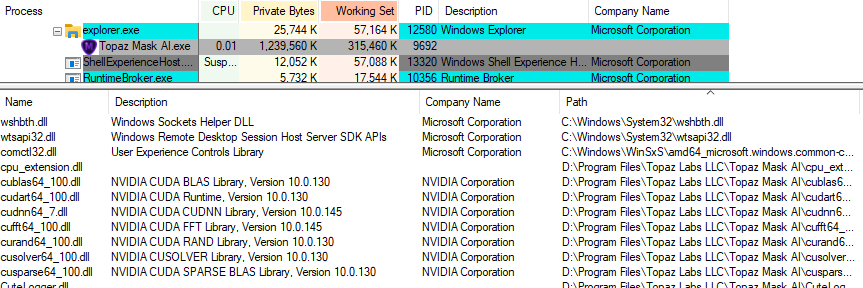
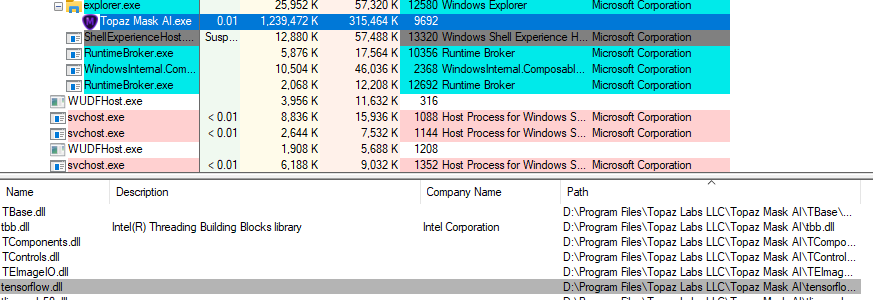
I see many hooks into the Hardware layers with NVIDIA CUDA, Intel Threading, TensorFlow etc. being loaded at startup now so it is imperative your OS is up to date (not Beta versions) and Drivers are updated regularly.
It works ok on easy images. I have a b&w of a gu with lots of beard and hair and I get some ghosting around the edges that is noticeable. Are there any secrets?
I would be happy to share it with someone.
Guy with beard and hair
Kan jeg få et link til den tidligere version af Topaz Mask ? for den nye vil ikke starte op.