Windows 10 seems to be OK, nothing wiped …
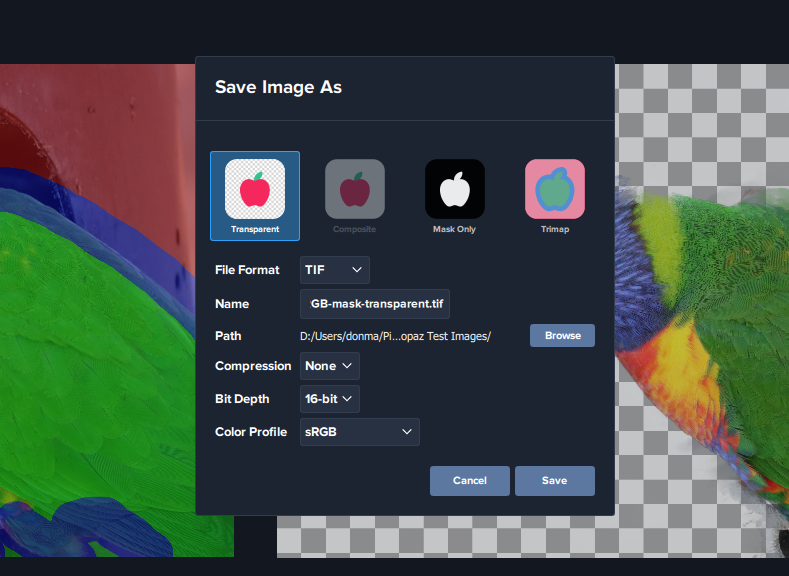
Save the Transparancy …
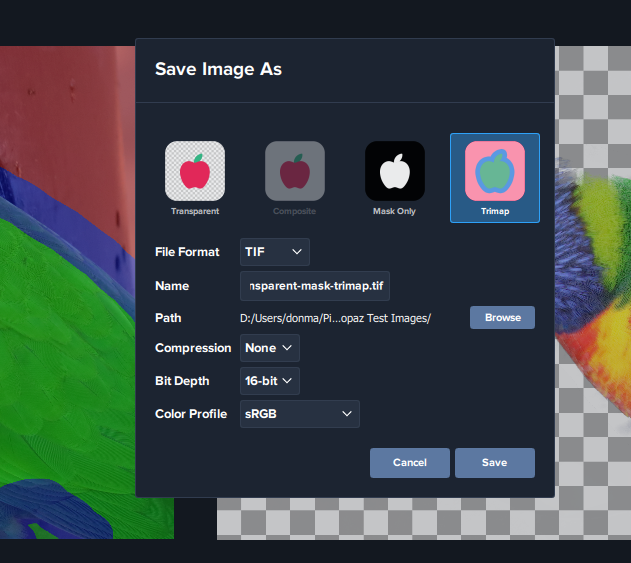
Then Save the TriMap …
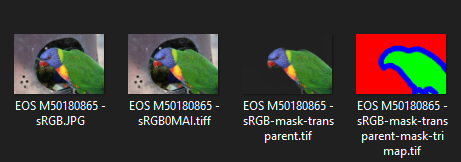
And, as you can see, saved both using the Save as …
Windows 10 seems to be OK, nothing wiped …
Save the Transparancy …
Then Save the TriMap …
And, as you can see, saved both using the Save as …
Try using the color range tool and see if that helps.
The crash in High Sierra should be well documented, I spent many hours working with Russell and Ashley on this and it was fixed in all of the other AI apps.
The messages I get are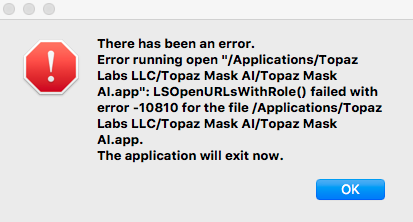
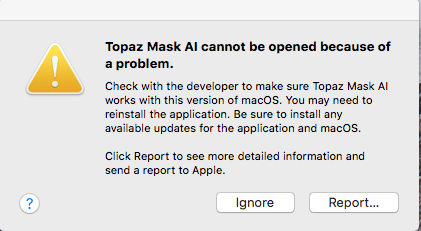
My system details are
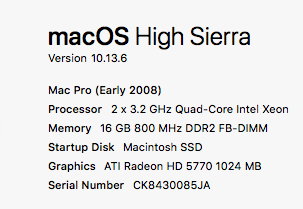
The Crash Log is
Topaz Mask AI_2020-04-24-081833_Mac-Pro.crash (45.1 KB)
Auto detect also crashes on my windows 10 Pro pc.
I start app in stand alone, commence tutorial, when asked, I click on auto detect subject and the app simply closes with no error message.
Nvidia GeForce GTX 1070
Please go to Help-> Graphics info, press Copy and paste the info here please.
Wow, what a laugh I just got when I re-opened my newly installed MASK AI v1.2.0 (installed yesterday with much aggravation).
To my wondering eyes - the program immediately popped up a message (with NO prompting on my part); “Updates are available”.
So, with nothing better to do with the next 45 minutes I followed the link and let the program installer download and install MASK AI v1.2.1.
I think I’ve made my point. I’m about fed up with Topaz!
— Begin forwarded message:
Mask AI v1.2.0
Date: Fri, 24 Apr 2020 01:44:19 -0700
Don, Thanks for responding; although you totally miss my point. You choose to cherry pick a section of my words taken out of context. I admit I should have started a new paragraph with my “I’m about fed up with TOPAZ” sentence.
I am not an English language expert. Nor am I a computer expert. I’m a photographer and creative artist.
My point (note, I’ve started a new paragraph - a separate and distinct thought). Topaz sent out an email saying a new version of Mask AI was available for download that could only be downloaded by using the loading program link enclosed in the email. I clicked the link. Mask AI loaded and immediately started a series of tutorials. #1 worked. Very early in tutorial #2 MASK AI disappeared from my monitor when I clicked “Auto-Detect Subjects” as prompted. By disappeared I mean the program stopped, the window closed, no error message; just a blank screen.
New paragraph, new point. The Topaz email was kind enough to point out that to download would not be successful without using that specific loading sequence.
New point. After much time consuming searching I found somewhere in the Topaz support area a statement from Topaz. Paraphrasing, since I cannot find it again - We’ve found from many reports of MASK AI failures that quite often the cause is outdated video card drivers.
New point. Topaz KNEW that MASK AI was often failing installation/run because of not up to date video drivers.
“I’m about fed up with TOPAZ”. Because Topaz has (since the introduction of AI) continued to put out programs that are full of bugs; that don’t run as advertised. And, in this case without any other warning except to use a specific loading sequence. And in this case where Topaz knew many failures were occurring due to out of date video card drivers.
Do you get the point?
I’m not blaming Topaz for my confusion on the Geforce (NVIDIA) site. I’m blaming Topaz for their arrogance to put out products that are so touchy that they require extensive computer savvy to install and use (without warnings about issues well known to Topaz).
I am also offended to receive this arrogant response: “That is a bit over blaming Topaz for problems on the NVIDIA website… there is no need to use auto detect …”. [Yes, I’ve cut off the rest of your response]
I stand by statement, I’m about fed up with Topaz!
From: Don via Topaz Discussion Forum Subject: [Topaz Discussion Forum] Mask AI v1.2.0
Date: Thu, 23 Apr 2020 23:48:40 +0000
TO:
DickH:
I followed the steps to get to the GeForce driver update page. And here I wait, stuck waiting for that page to detect my GPU and select the driver to download. I’m about fed up with TOPAZ
That is a bit over blaming Topaz for problems on the NVIDIA website … there is no need to use auto detect as that will need you to accept a install on your browser. Just enter the details in the search box on the page.
Thank you Don,
Application & Version: Topaz Mask AI Version 1.2.1
Operating System: Windows 10 (10.0)
Graphics Hardware: GeForce GTX 1070/PCIe/SSE2
OpenGL Driver: 3.3.0 NVIDIA 391.25
CPU RAM: 16190 MB
Video RAM: 8192 MB
Preview Limit: 8000 Pixels
Please update your driver from the NVIDIA website, the current version is:
Version: 445.87 (2020.4.15)
See if that makes a difference.
Follow these steps:
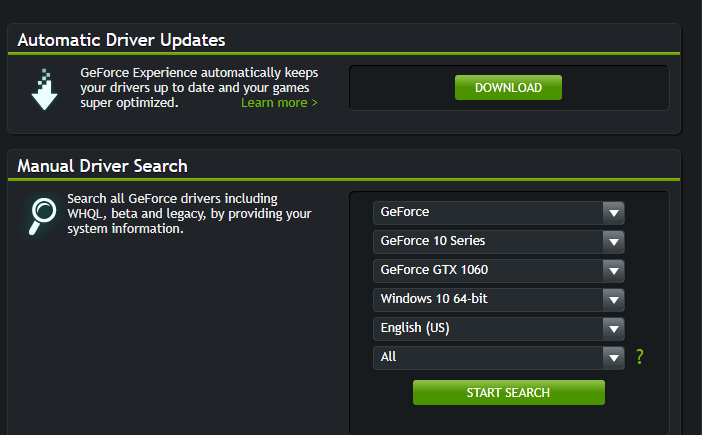
Then you get to here where you can download the driver:
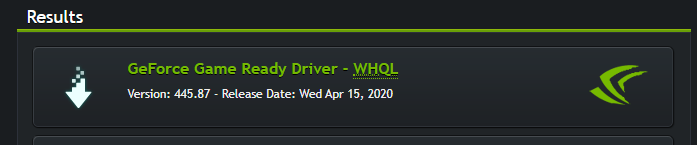
Start at this link:
That seems to have done the trick!
Sorry to have bothered you with this, I did check for updates in my device manager and it returned that I had the latest drivers.
Thanks again Don, you help is much appreciated.
FYI - I also have nVidia - I choose the Studio driver as against the Gaming driver.
It’s a lot more geared towards Photoshop and Topaz etc
If you have the GeForce Experience nVidia add-in, you can select between Gaming and Studio versions.
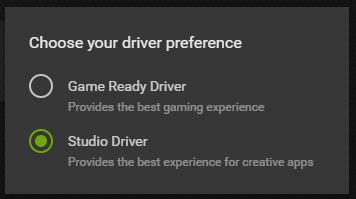
If you install the GeForce Experience from NVIDIA, included in the driver download, that will keep it up to date for you. The device manager only has the last driver verified by your pc manufacturer … and they usually take a while to update through the Win Updates.
Yes i also use that sometimes, but i find the latest gaming drivers are not much different if you don’t play games. They are better optimized for computational work.
My standalone version 1.2.1 stops at Auto Detect Subjects: Task Manager says it is running at an average of 7.6% but on-screen, nothing is happening?!
After several minutes, it just closed-out …
All current Windows Updates are applied …
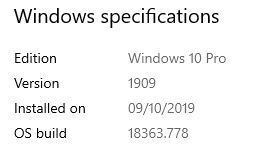
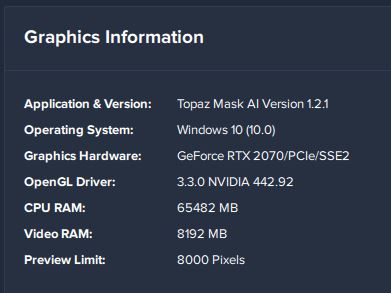
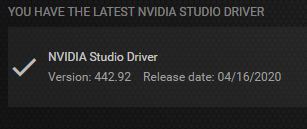
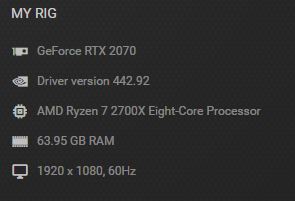
Technical glitches aside, has anyone been able to get good results with Mask AI, any version, particularly with hair strands and translucent objects (where you can see the new background partially through the object material)? If so, would love to see examples.
The auto detect seems to work fine, but as soon as I try to make any adjustments it crashes on me.
Never had this issue with the older version.
Hi Jack, I would talk to support as the RTX series have had a few issues. Maybe they can help.
Try to calibrate the settings if you haven’t already.
Please go to Help->Graphics info, press Copy and paste the info here.
While the install on my Windows system seems to have gone well, I was disappointed to find that it installs to the C:Program Files location. My C: drive is an SSD with limited space. I therefore prefer to install my apps to my D: drive. In the previous versions, I could select the install location. How can this be fixed?
This plugin update (v1.2.0) initially crashes.
